How to stop spam and fake ads on a classifieds website
Fake ads drive buyers away from a new classifieds site. Here is how to keep them out in layers, with a checklist you can tick as you set up.
In this guide
- Stop spam in layers, from the sign-up form to the ad page
- Listivo has reCAPTCHA v3, moderation and SMS phone checks built in
- SMS phone checks need a paid Twilio account of your own
- Paid posting in risky categories makes every fake ad cost something
- Deals happen between users, so tell buyers how to stay safe
To stop spam on a classifieds website, you put several checks in a row. A bot check stops fake sign-ups, a phone check slows down throwaway accounts, and moderation catches the fake ads that get through. Each layer works on any classified ads website, and this guide shows where Listivo has it built in.
No single setting stops every scam. Each layer simply makes your site less worth a scammer's time.
A checklist to stop spam on a classifieds website
Most tasks take a few minutes in the WordPress admin. Do everything except the daily tasks before launch, with the rest of your launch checklist for a listing website.
Keep spam and fake ads out, layer by layer
27 tasks
Tick the tasks as you go. The four main layers are explained below the list.
Before you open sign-ups
-
It checks visitors in the background, so real people never solve a puzzle.
Google Recaptcha in the Listivo Theme -
Contact Form 7 needs the keys entered separately, or its forms stay open to bots.
-
Send mail through SMTP first, or confirmation emails can land in spam folders.
How to prevent emails go to SPAM folder? How to use SMTP? -
This needs a paid Twilio account.
Verify the user phone number
Rules and safety pages
-
Name what you remove, such as fake prices, copied photos and ads for things that do not exist.
-
Five or six plain tips are enough.
-
The footer opens in Elementor like any other page.
How to edit footer? -
The checkbox label takes your own words, so users accept your privacy policy and your rules before they post.
Customizing Policy Label and Privacy Policy Link -
The ad page is a template you edit in Elementor, so one line shows on every ad.
Editing single ad templates using Elementor Page Builder
When a new ad comes in
-
New ads wait in a Pending list until you or a moderator approve them.
Moderation: How it Works and How to Enable or Disable It -
Without it, a user could turn an approved ad into a different one.
-
They approve, decline, edit or delete ads from a Moderation tab in their own panel.
-
The Decline popup takes a short reason, such as no real photos or a missing price.
-
Notifications send the result on their own, and a log shows what was sent.
Notifications: setup, management and Twilio integration -
Every ad must then include them, and odd answers stand out in the Pending list.
Common settings for custom fields -
Limits keep one account from filling your site with huge files.
Customizing File Limits and Sizes for Gallery and Attachments Modules
Limits and payments
-
Limit large packages to business accounts, so you know who is behind an account that posts many ads.
Type of user accounts - private or business -
Phones, cars and flats for rent are common targets. A package can be limited to some categories.
-
A package with a limit makes a flood of ads from one account cost more.
Monetization system -
A free package brings the first ads, and it also brings more spam to check.
Free Package, Free Registration, Free Subscription and WooCommerce Coupons -
Then a forgotten fake ad does not stay live forever.
Trust between users
-
The chat runs on your own pages, where your rules apply.
Private message system -
Stars, photos and “Most Helpful” votes show buyers who has a good record.
Enable Reviews on Your Single Ad Page with Listivo 2.3.39 -
Guest reviews bring more reviews. If you allow them, keep review moderation on.
Every day
-
A real user should not wait days to see their ad go live.
-
Otherwise the same person posts again tomorrow.
-
Say what you did. It shows people that someone watches the site.
How the four layers keep fake ads out
1. Check who signs up
Much of the spam on a new site comes from bots that fill in every open form. Listivo uses Google reCAPTCHA v3, which stops them in the background with no puzzle for people.
People who post fake ads can pass a bot check, so add an SMS phone check. Each user types a code sent to their phone before they post, so a throwaway account needs a real number. The codes go through Twilio, which needs a paid account.
2. Approve new ads before they go live
Classified ads moderation catches what the checks miss. Turn it on, and every new ad waits in a Pending list until you approve it. Tick Re-Approval too, so an approved ad that a user edits is checked again.
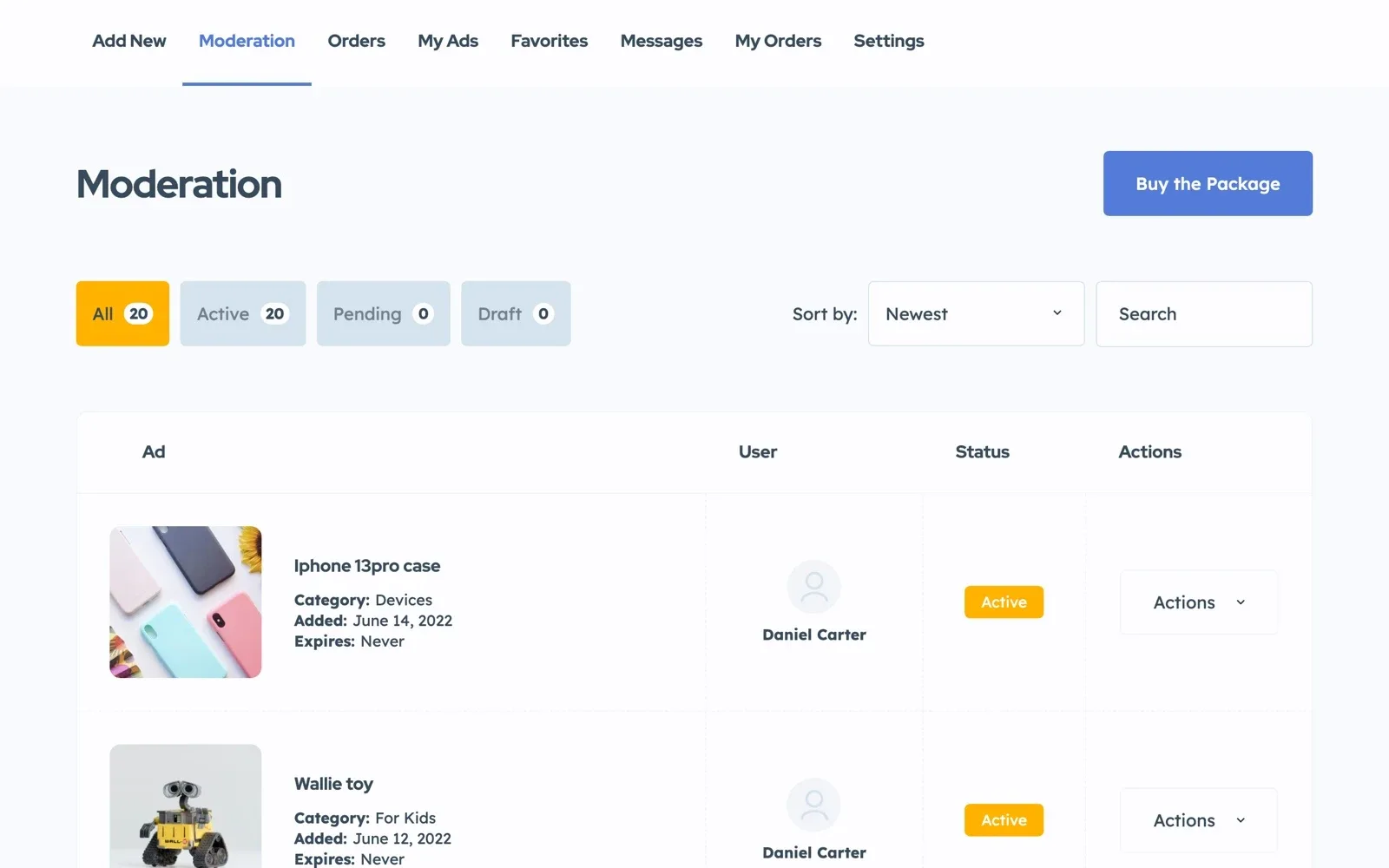
You approve, decline with a reason, edit or delete each ad, and moderators get the same list. Watch for these signs of the most common classifieds scams.
- A price far below every similar ad
- A request for a deposit before anyone sees the item
- A story that pushes the buyer to hurry, such as a sudden move abroad
- A link in the text that leads to another site
- The same ad posted again under new accounts
Try moderation on your own Listivo site
Get a real Listivo website with the demo you pick and the full WordPress admin, ready in a minute.
Try Listivo free Free for 7 days. No card needed.3. Ask for the details a real ad has
A fake ad is often thin, with a title, one photo and a price. Make the key fields of each category required, such as make and model for cars. Then every ad must include those details, and odd answers are easy to spot in your Pending list.
4. Make posting cost something
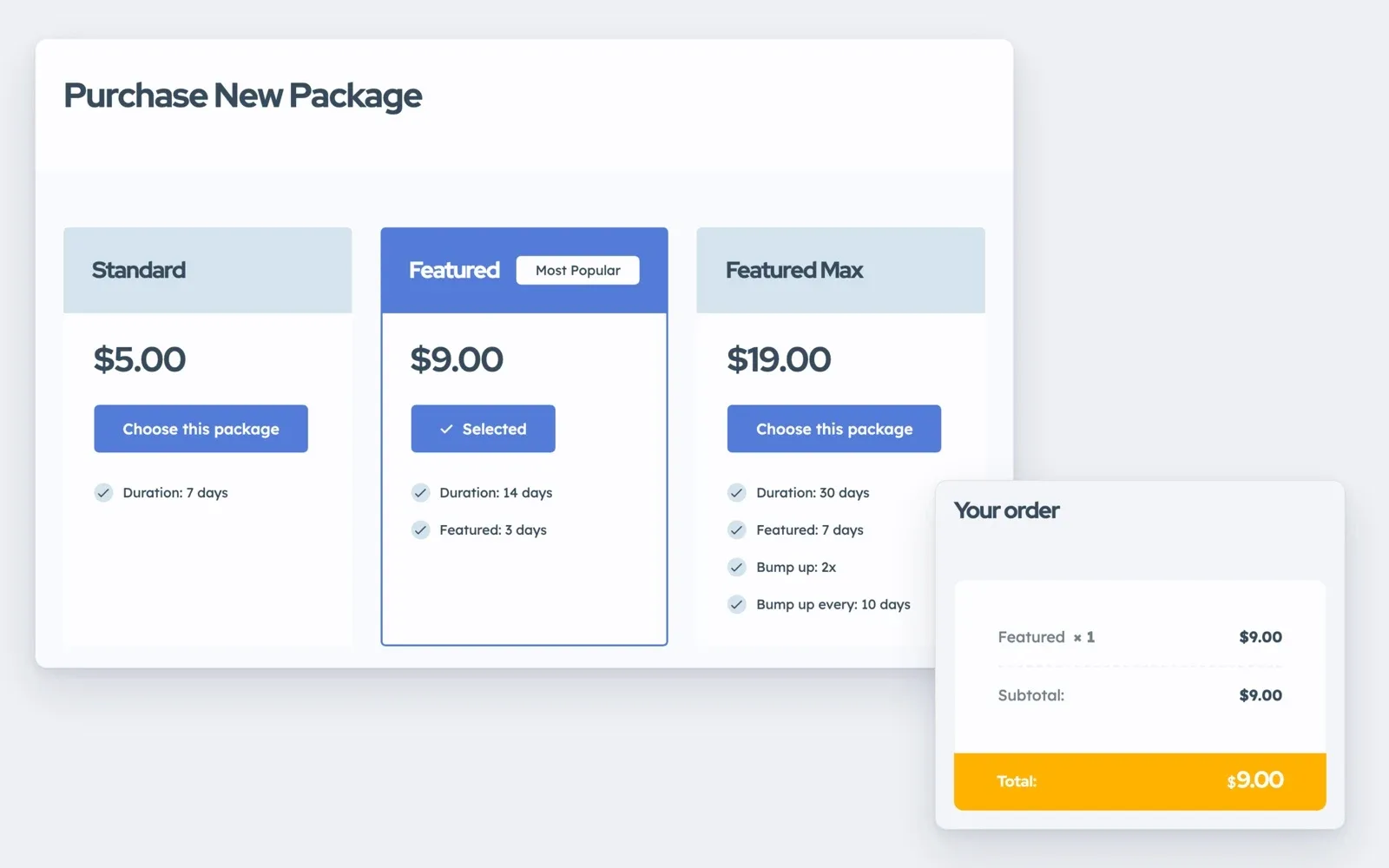
Bots and scammers want to post many ads for free, so a small fee makes each fake ad cost money. Limit a paid package to the categories scammers like, such as phones, cars or flats for rent.
Craigslist works this way, with most ads free and a fee in a few categories, such as jobs. See how to create a website like Craigslist for the same setup on Listivo. Free posting brings the first ads faster, so read how to get the first ads on a new classifieds website before you choose.
Tell buyers how to stay safe
Listivo takes payments only for what you sell, such as packages, so users settle every deal between themselves. On a local site such as a website like Gumtree, most deals end with a meeting in person.
Build a short safety page in Elementor, and start from these tips.
- Meet in a public place, and bring someone along for big deals
- See the item, the car or the flat before you pay
- Never pay a deposit to hold something you have not seen
- Never give anyone a code that arrives on your phone by SMS
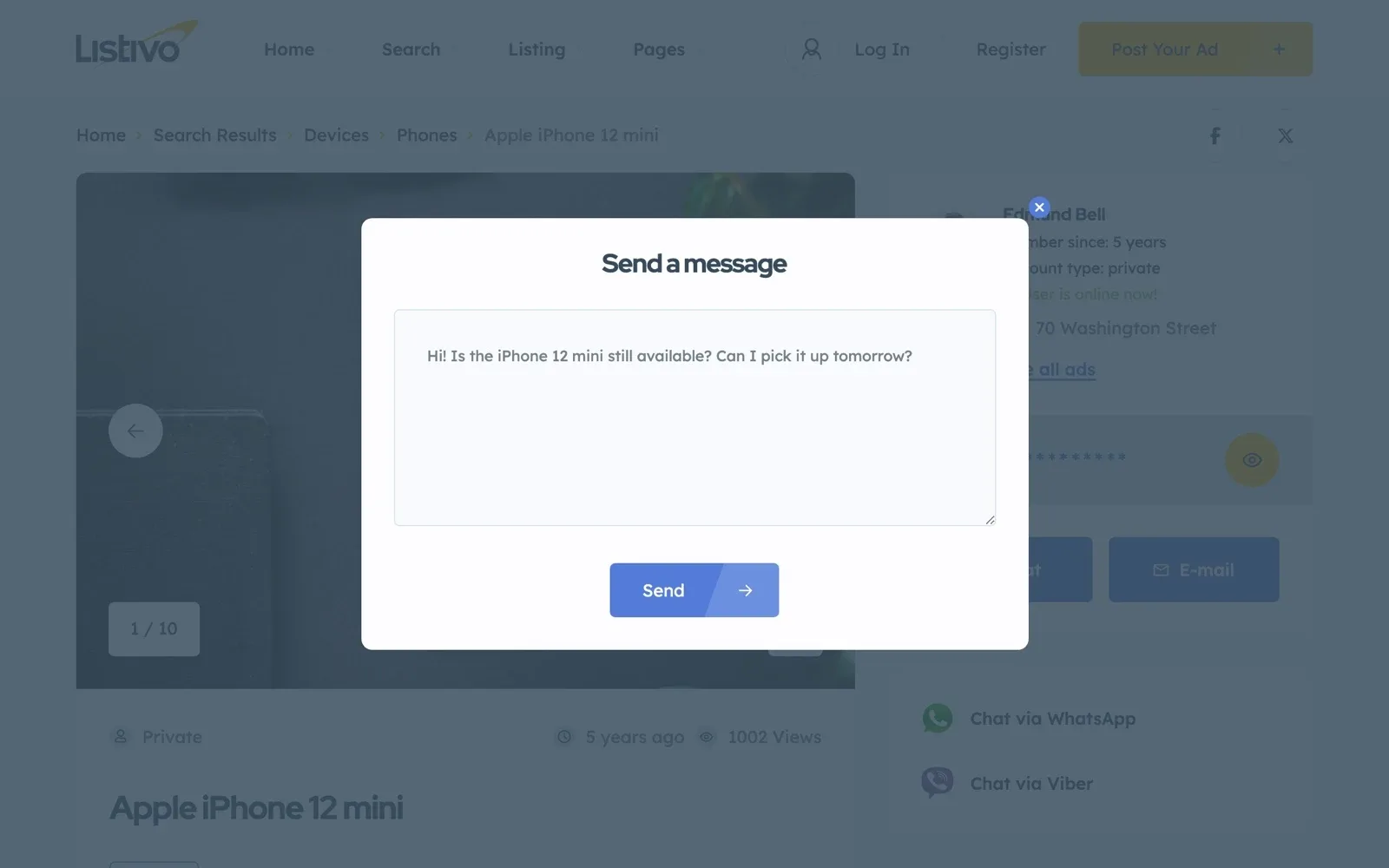
- Keep the first messages in the chat on this site
The site itself helps as well. The chat keeps the first messages on your own pages, and the phone number on an ad stays hidden until a visitor clicks.
What Listivo does not do for you
Some protections are not built in, so plan around them before you launch.
- There is no verified badge for users or ads
- You cannot hide phone numbers from visitors who are not logged in
- There is no login with a one-time SMS code
- Moderation is done by people, so someone has to check the Pending list
Rather have us set it up?
The people who wrote Listivo help you set up moderation, reCAPTCHA and SMS phone checks on your own site.
Premium Support
The people who wrote your theme fix errors, plugin conflicts and slow pages on your own site, for 12 months.