Customizing Policy Label and Privacy Policy Link
Rewrite the consent sentence shown under the Listivo registration form and point its link at your own privacy policy page instead of the placeholder.
1 minute read
This article explains how to customize the Policy Label and the Privacy Policy link in your Listivo Panel. The label is the consent line your visitors see just above the Register button.
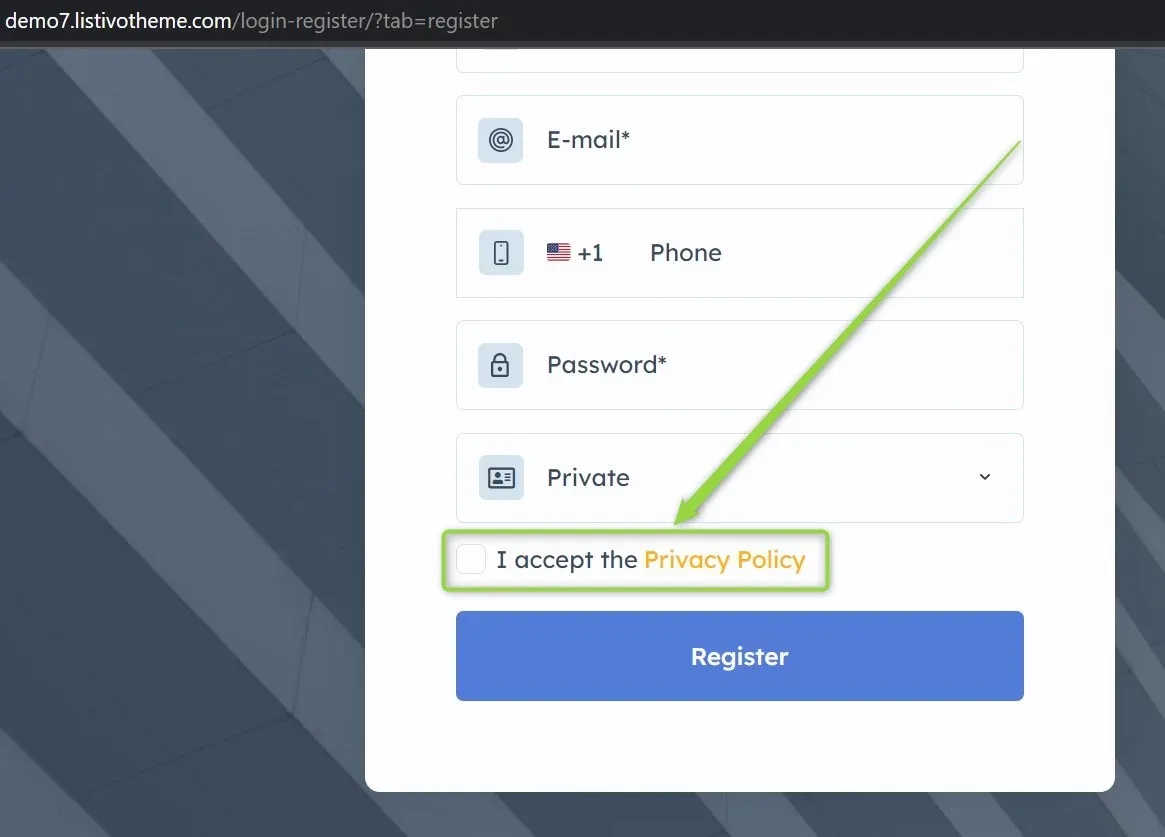
-
1
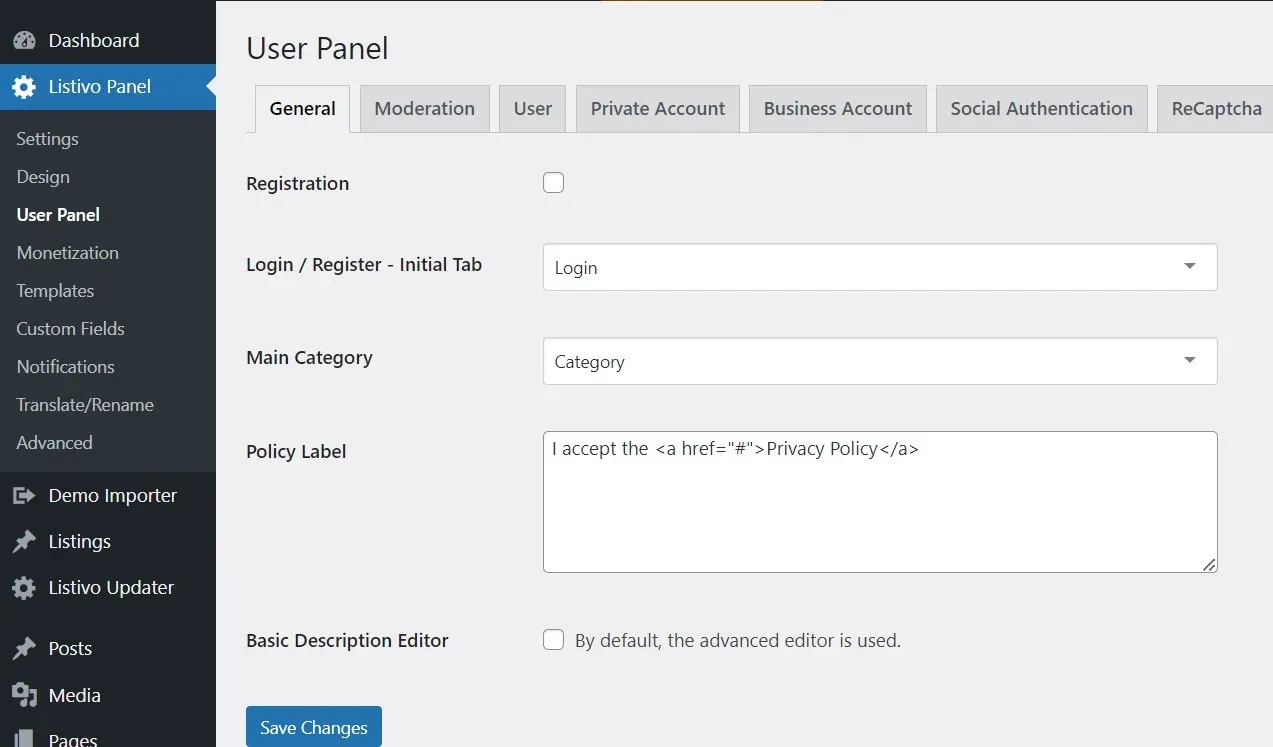
Open the Policy Label field
Go to Listivo Panel > User Panel, where you will find the Policy Label textarea.
-
2
Replace the # with your own URL
To customize the link, replace the
#with your privacy policy URL, and edit the text as desired. For example:
-
3
Check the result
After these changes, when someone clicks the link, they will be redirected to https://domain.com/privacy-policy/
Ask the people who build Listivo
We answer by email from support@tangiblewp.com. With Premium Support, we also fix your site when something breaks.
We can also run your site for you, or build a new one.
Was this guide helpful?