How to prevent emails go to SPAM folder? How to use SMTP?
Stop your site's emails landing in the Spam folder by sending WordPress mail through an SMTP account with the free WP Mail SMTP plugin.
1 minute read
This theme sends emails via the default WordPress function. By default, WordPress uses the PHP mail() function, which is often why emails go to the Spam folder. To avoid this, you can make a bit more advanced mail setup.
Send your mail through SMTP with WP Mail SMTP
-
1
Install the “WP MAIL SMTP” plugin
Visit the Plugins » Add New page inside your WordPress admin area, search for “WP MAIL SMTP” and click “install now”.
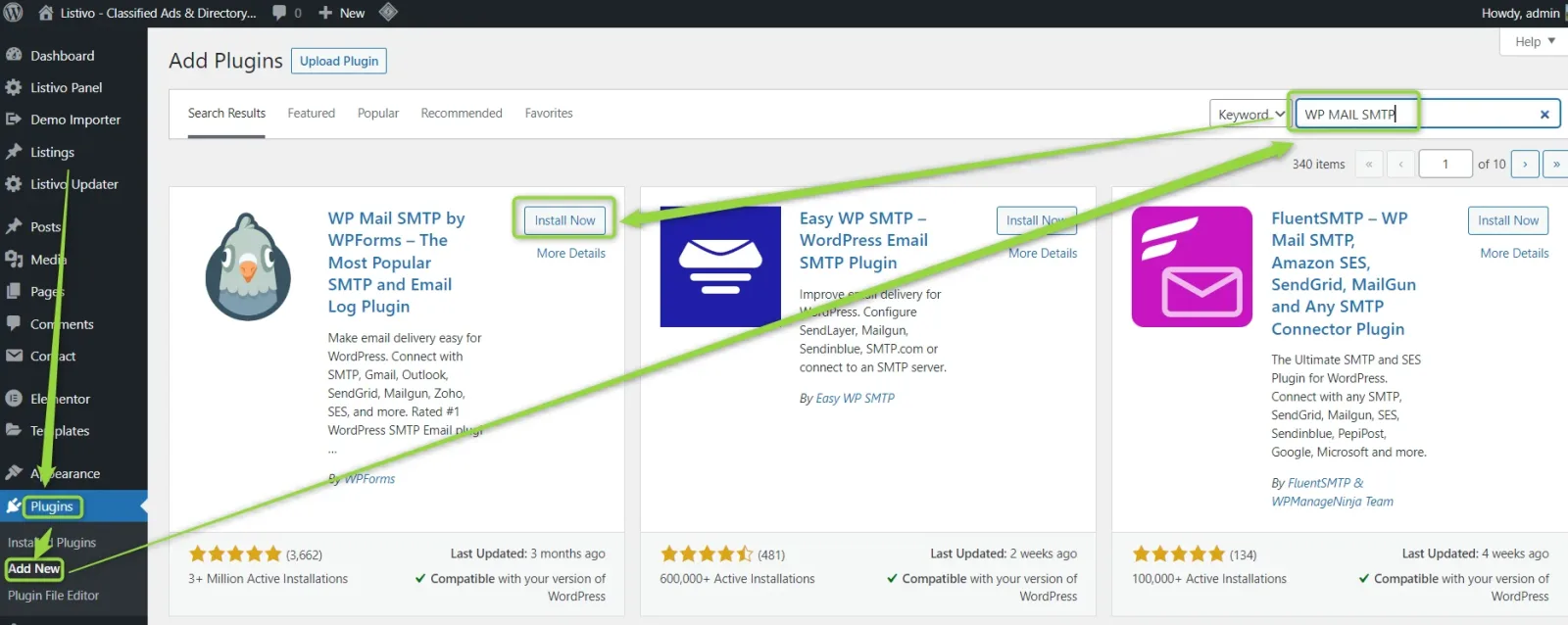
-
2
Activate the plugin
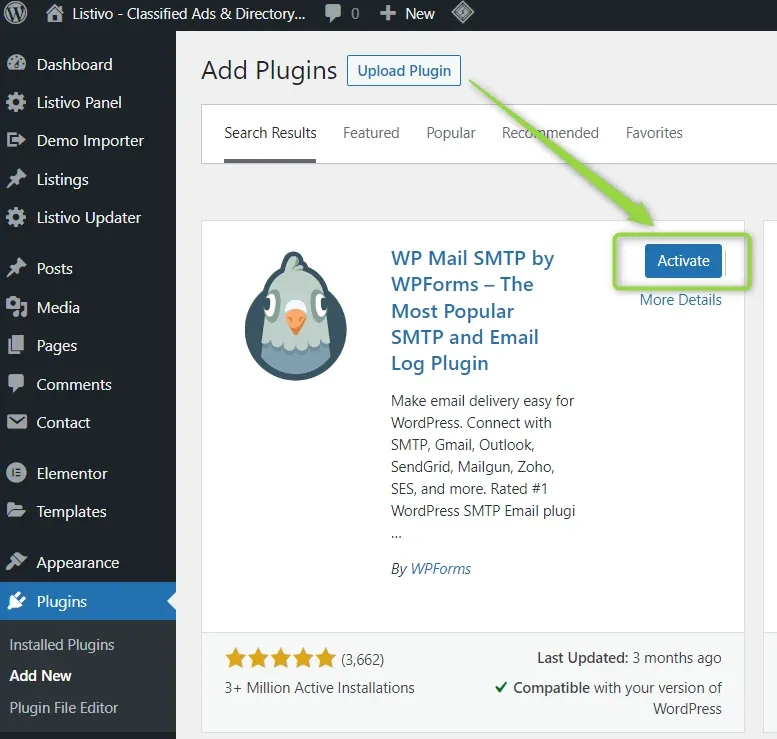
-
3
Open the plugin settings
Hover over the “Settings” tab in the left sidebar and click “Email”.
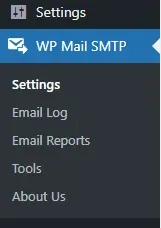
-
4
Configure SMTP options
We recommend enabling SMTP via a Gmail account because it is the most stable and always works. Please check this article on how to configure it: https://wpmailsmtp.com/docs/how-to-set-up-the-gmail-mailer-in-wp-mail-smtp/
Keep reading
Ask the people who build Listivo
We answer by email from support@tangiblewp.com. With Premium Support, we also fix your site when something breaks.
We can also run your site for you, or build a new one.
Was this guide helpful?