Moderation: How it Works and How to Enable or Disable It
Decide whether ads on your Listivo site go live the moment a user submits them or wait for review first. This guide covers switching moderation on or off, appointing moderators, and approving, declining, editing or deleting pending ads.
2 minute read
Posting Options: Automatic Publishing or Moderation
Listivo provides two options for posting ads: registered users can publish them immediately, or they can be moderated by you and your team. If you prefer automatic publishing, please ensure that you have unchecked this option:
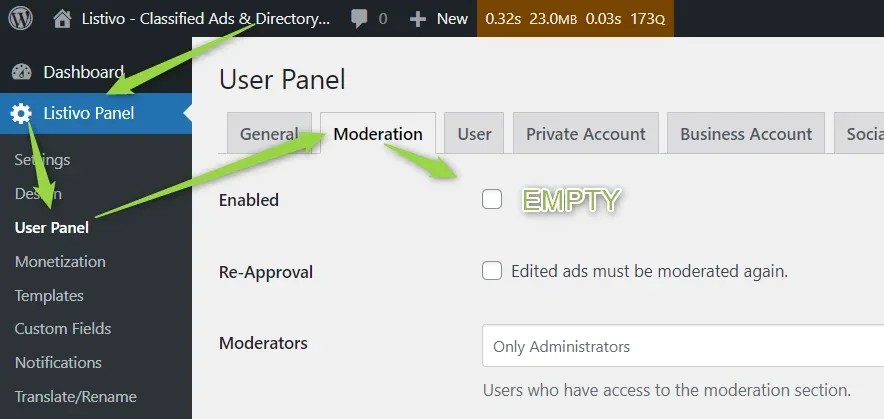
Enabling Moderation and Adding Moderators
If you need moderation, simply enable the checkbox. You may also select the Re-Approval option, which will require moderation again if the ad is edited. Optionally, in the Moderators section, you can add users who will have access to the Moderation page in their panel, enabling them to approve, decline, or edit ads.
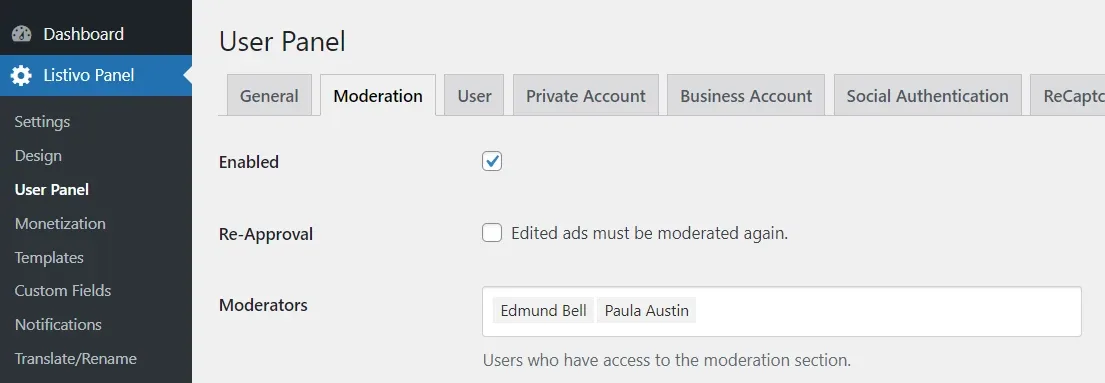
Moderating Ads on Listivo
You can now moderate ads by going to the Moderation tab in your User Panel.
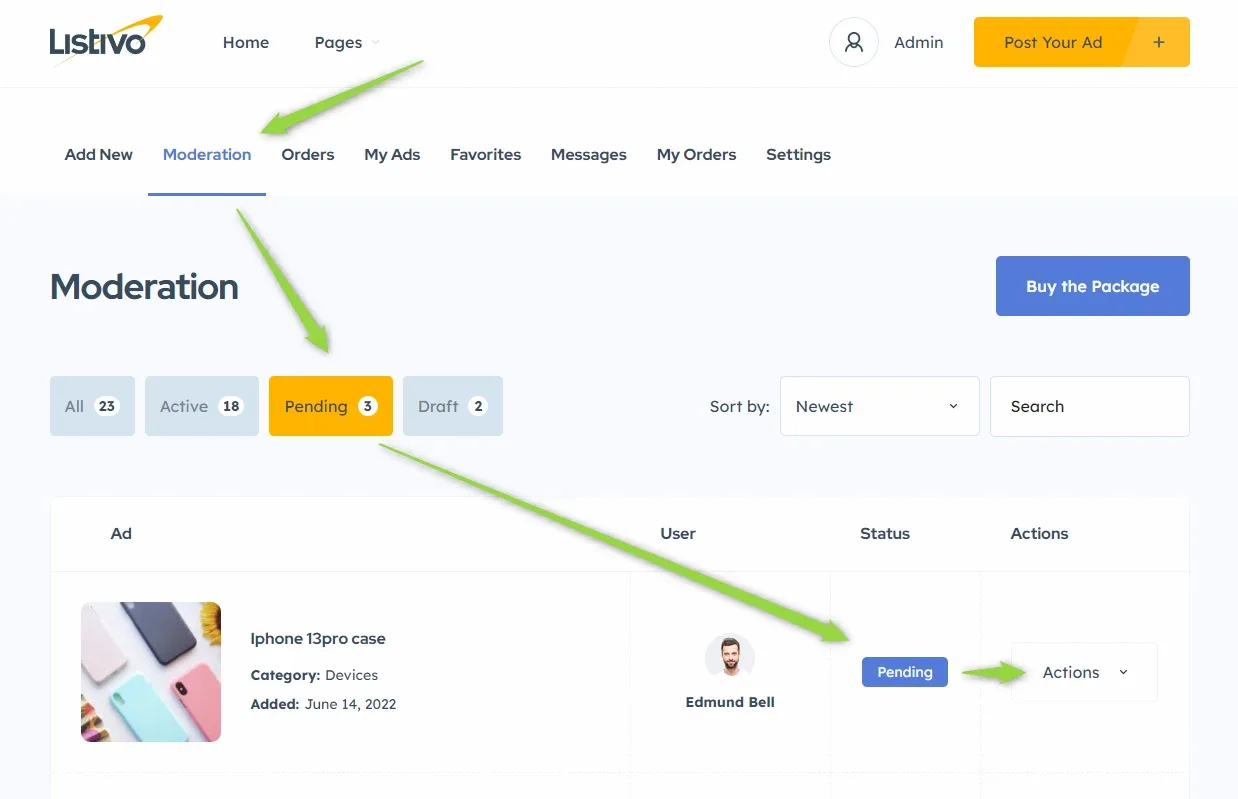
Actions for Pending Ads
When you click on Actions you will see the following options for pending ads:
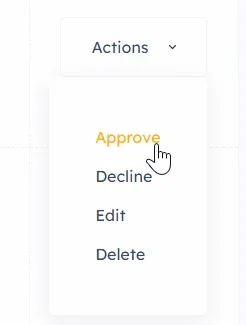
If you click Approve, the ad becomes active.
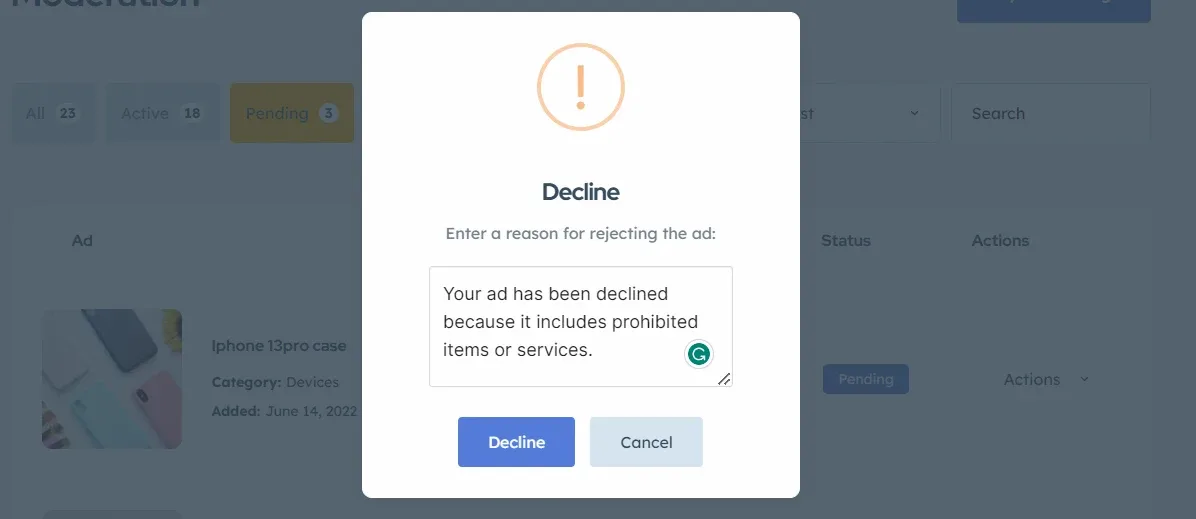
If you click Decline, a popup appears where you can provide optional information about why you declined the ad.
If you click Edit, you are redirected to a new page with the form filled out by the user.
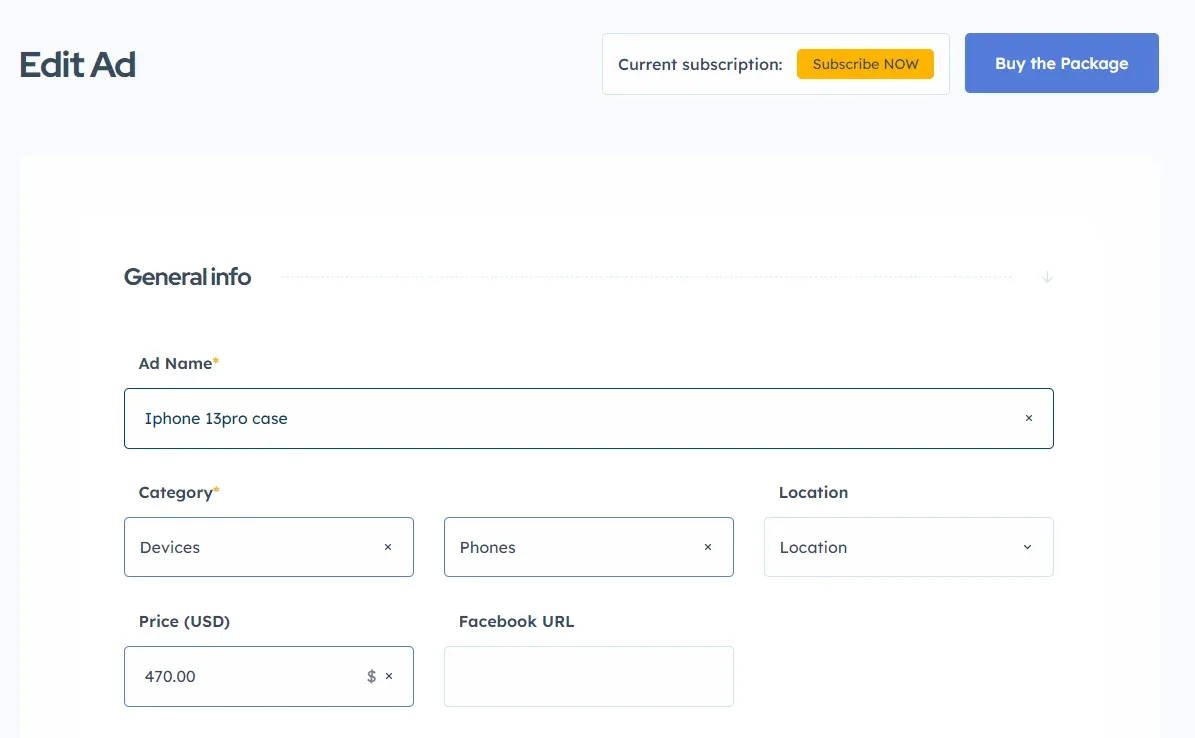
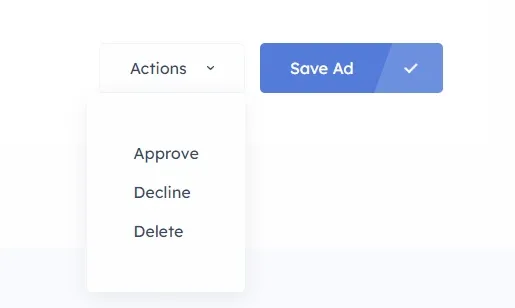
The Edit Ad form is slightly different from the corresponding Add Ad form, as it includes a useful button called Actions at the end. This button allows you to take action, such as approving the ad. The available actions may vary depending on whether the ad is active, pending, or a draft. The screenshot below shows the button for a pending ad:
Notifying Users of Approval or Decline
You can use the notification system to send users an email or SMS to inform them whether their ad was approved or declined. For more information, please refer to the article on notifications.
Caution: Why Publishing Draft Ads on Listivo is Not Recommended
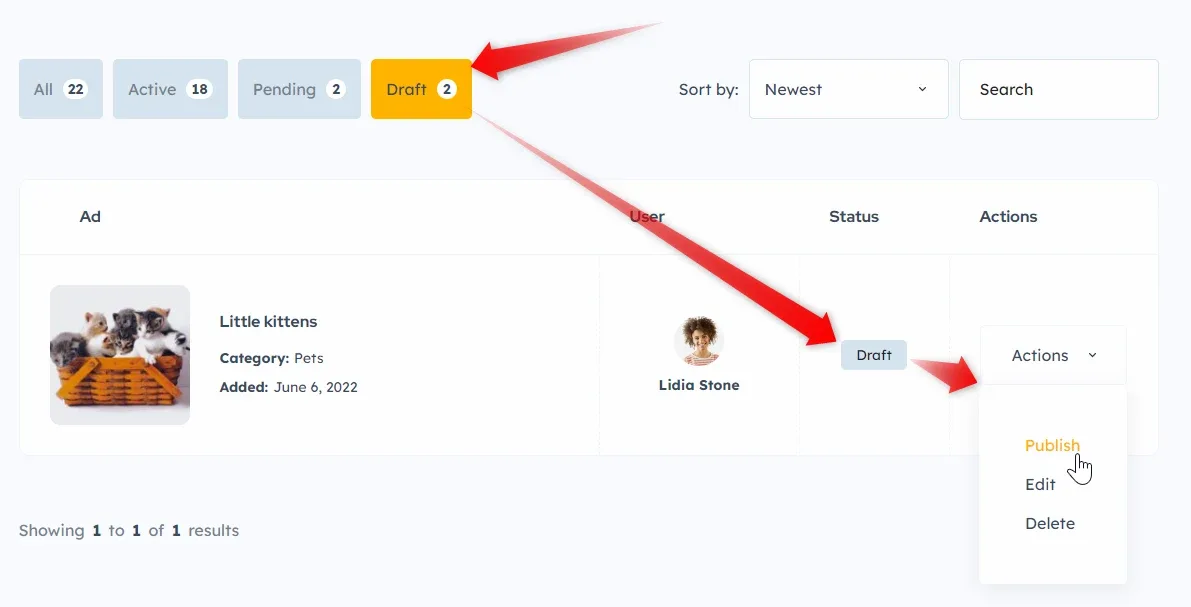
Note that Drafts are ads that were not finished by the user or have already expired. They wait for user action to be completed. If you are a moderator, you should work with Pending ads instead of drafts, as shown below.
Ask the people who build Listivo
We answer by email from support@tangiblewp.com. With Premium Support, we also fix your site when something breaks.
We can also run your site for you, or build a new one.
Was this guide helpful?