Type of user accounts - private or business
Set up private and business accounts in Listivo: switch business accounts on, decide whether users can change type themselves, and add the company representative and company information fields to the registration form.
1 minute read
Enabling business accounts
This article will teach you how to establish different types of user accounts. In Listivo Panel > User Panel > Business Account you can enable a business account for your users.
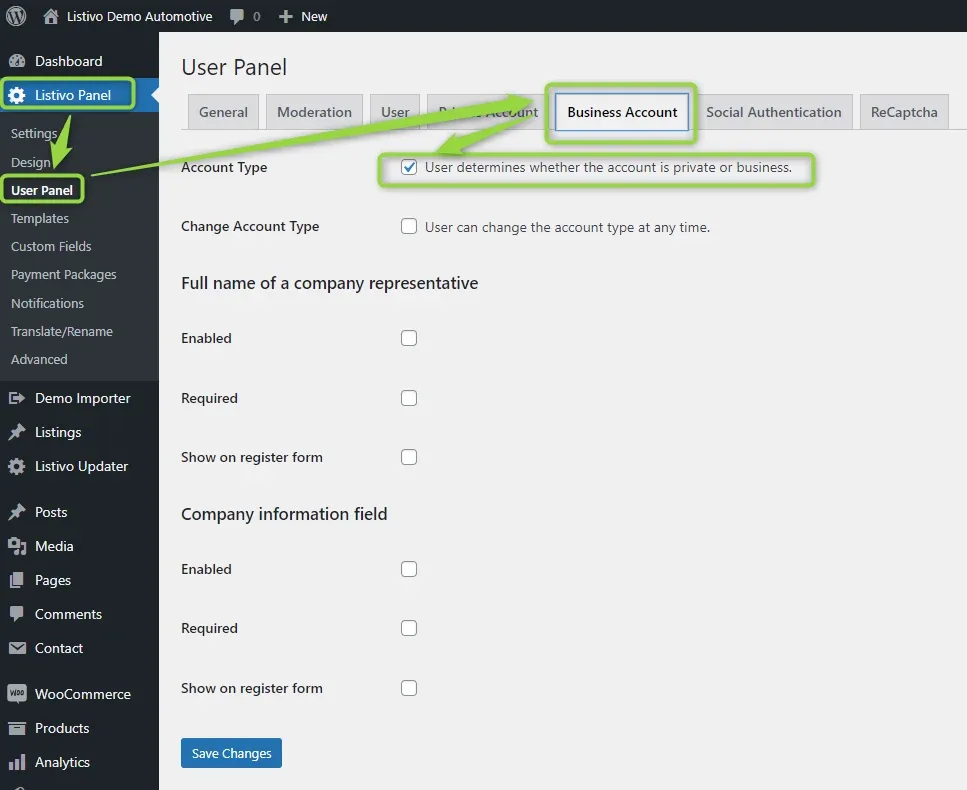
We add some additional options to configure a business account. At first, you can give your users the option to change the account type at any time.
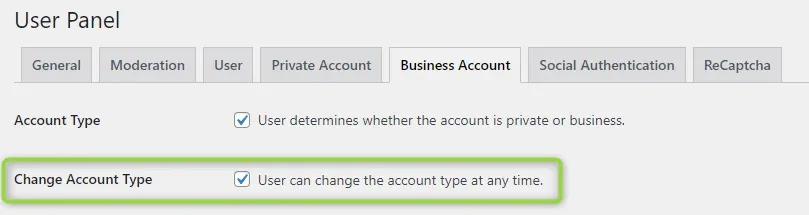
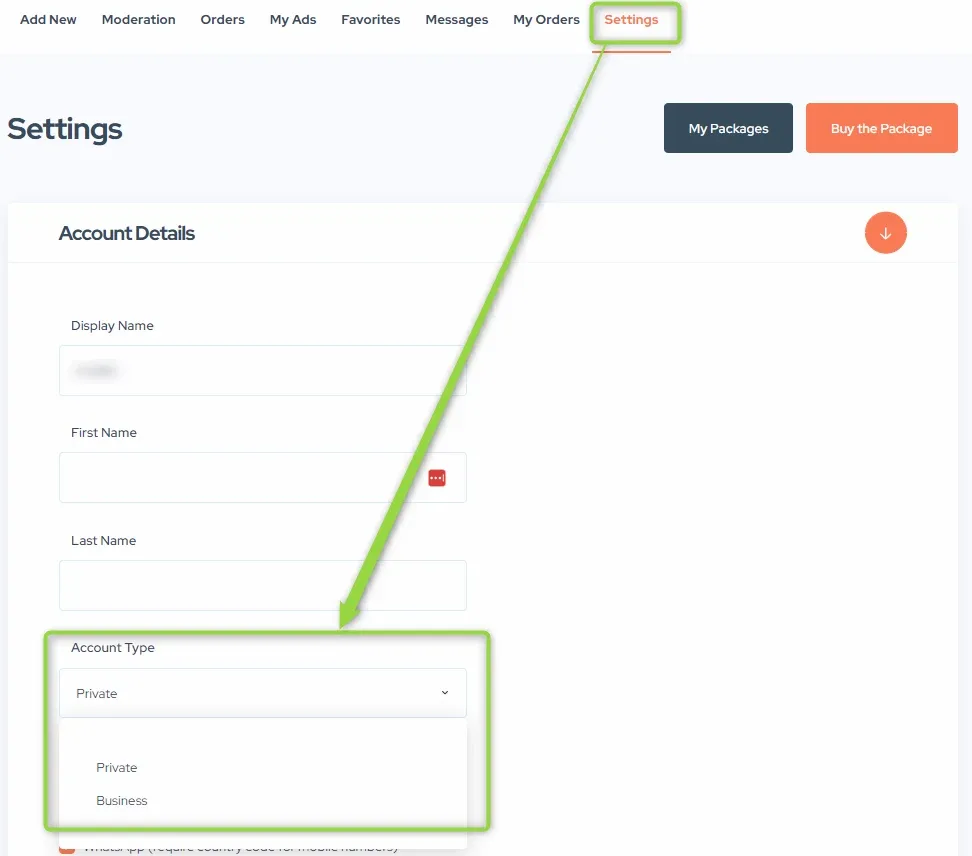
It will look like that on the user panel.
Full name of a company representative
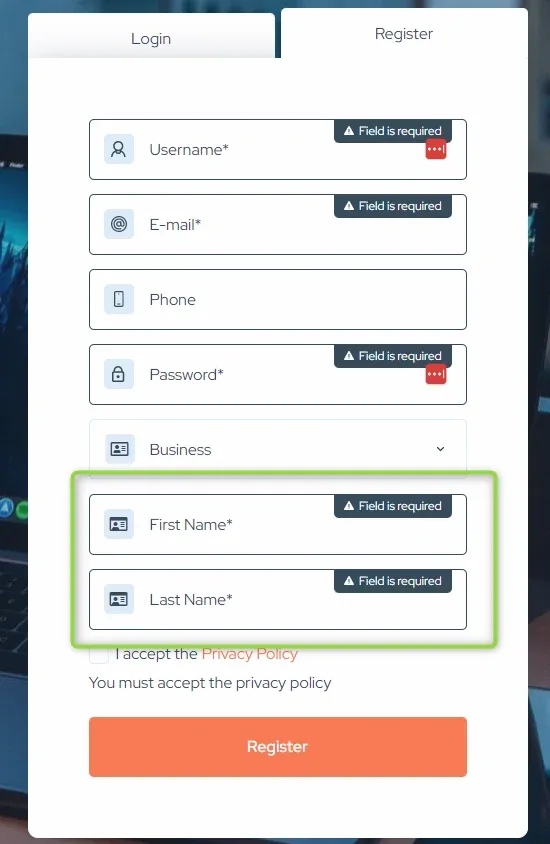
You can enable the full name of a company representative and decide if it is required (this option forces visibility on the registration form).
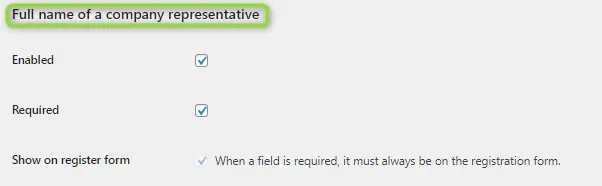
It looks like that on the registration form.
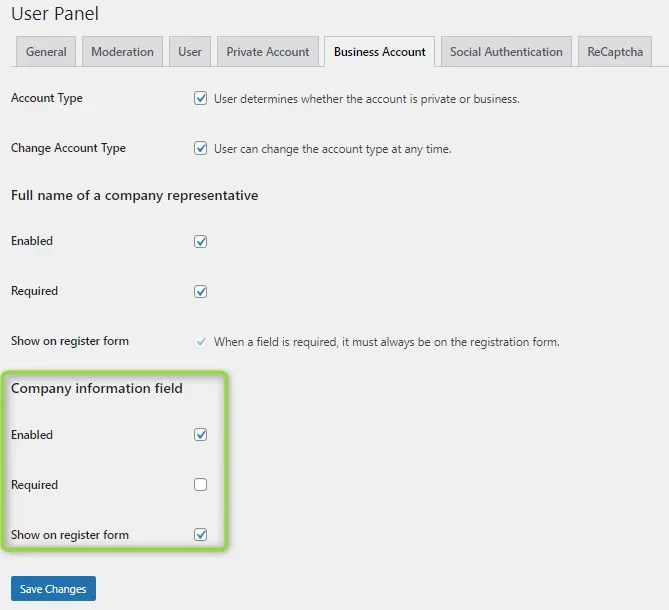
Company information field
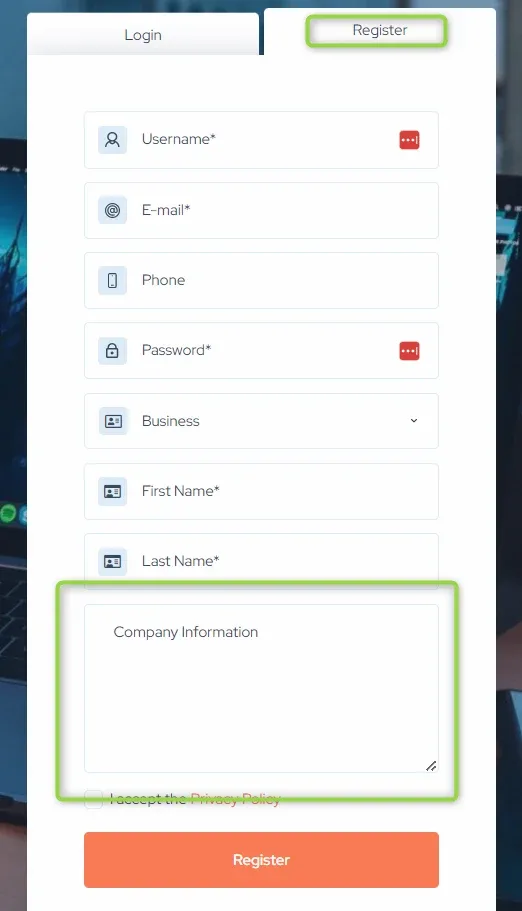
You can also set the company information field. The below example shows the field on the register form, but it isn't required.
It looks like that on the registration form.
Ask the people who build Listivo
We answer by email from support@tangiblewp.com. With Premium Support, we also fix your site when something breaks.
We can also run your site for you, or build a new one.
Was this guide helpful?