How to create a website like Craigslist
A website like Craigslist is a plain board of local ads, sorted by city and date. Here is how to build one on WordPress, with free posting and paid packages in a few categories.
In this guide
- A site like Craigslist shows plain lists of local ads, sorted by city and date
- Listivo has search by city, categories, user panels and paid packages built in
- Posting stays free, and paid packages show only in the categories you choose
- Moderation, reCAPTCHA and SMS checks help keep fake ads off a new site
- You can set up cities, categories and moderation on a free Listivo website for 7 days
You can create a website like Craigslist on WordPress in six steps. Start from a classified ads theme and one of its demos. Then add your cities and categories, keep posting free and check new ads before they go live.
Most of the hard parts, such as search by place, a form for each category and user panels, come ready in a theme. New to the idea? Start with what every classified ads website needs.
What makes a website like Craigslist different
Craigslist has kept the same plain look for many years. People come to it for four things, not for the design.
- Ads sorted by city, so people see what is near them
- Plain lists of ad titles, with the newest on top
- Free posting for most ads, and a fee in a few categories, such as jobs
- Simple posting rules, and users who flag bad ads
If photos and paid promotion matter more to you than plain lists, another model fits better. A website like OLX earns from paid promotion across a whole country. A website like Gumtree puts photos first and lets people search by distance.
How to create a website like Craigslist in six steps
Follow these steps on a free Listivo website, ready in a minute. Payment plugins come later, once you buy the license or keep the site.
1. Pick a demo and make it plain
Listivo comes with 11 ready demos. For a Craigslist-style site, pick one that lists the categories on its home page, as Craigslist does.
Two demos with the categories up front
Open each one and see how it lists the categories.
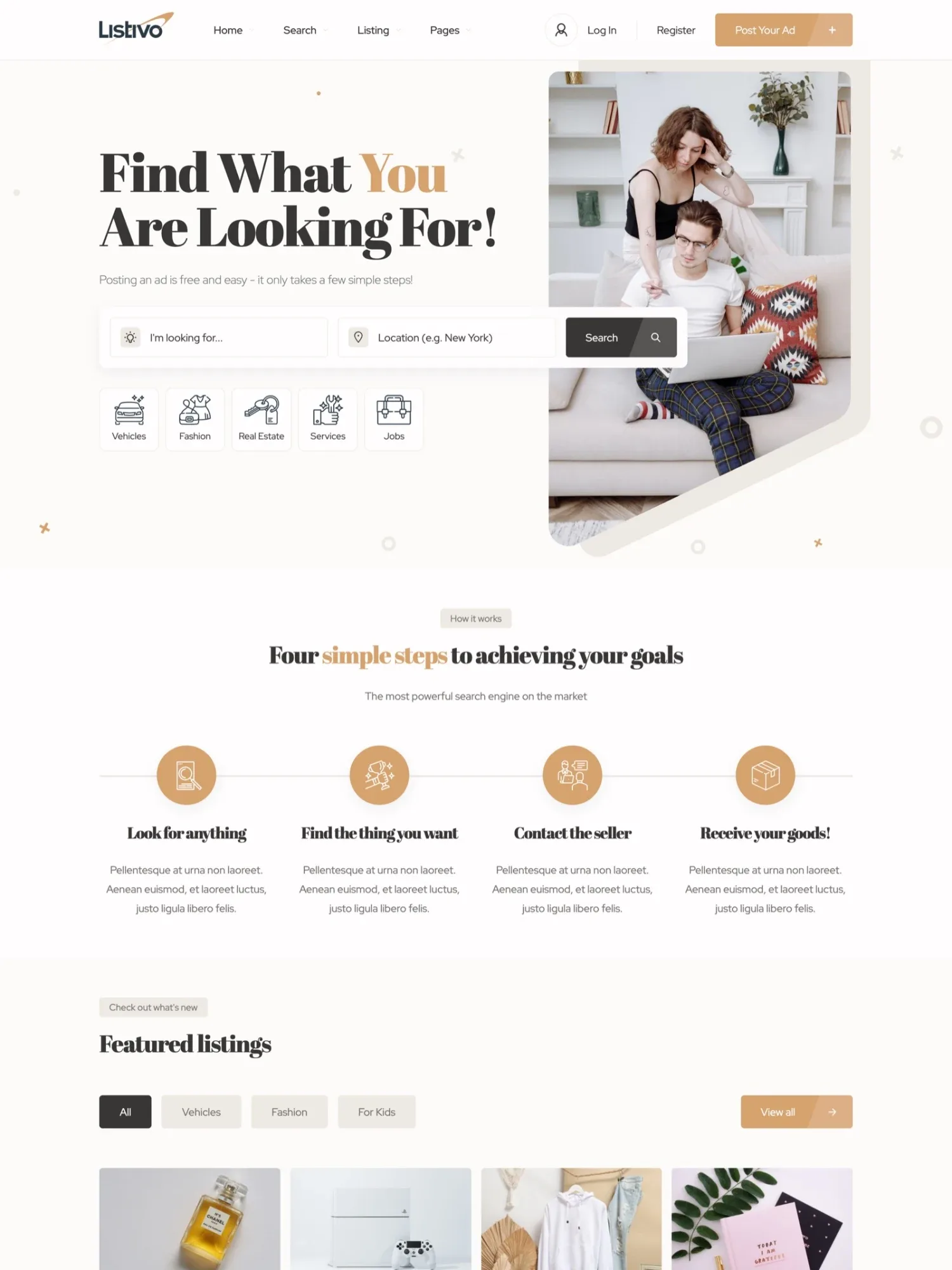
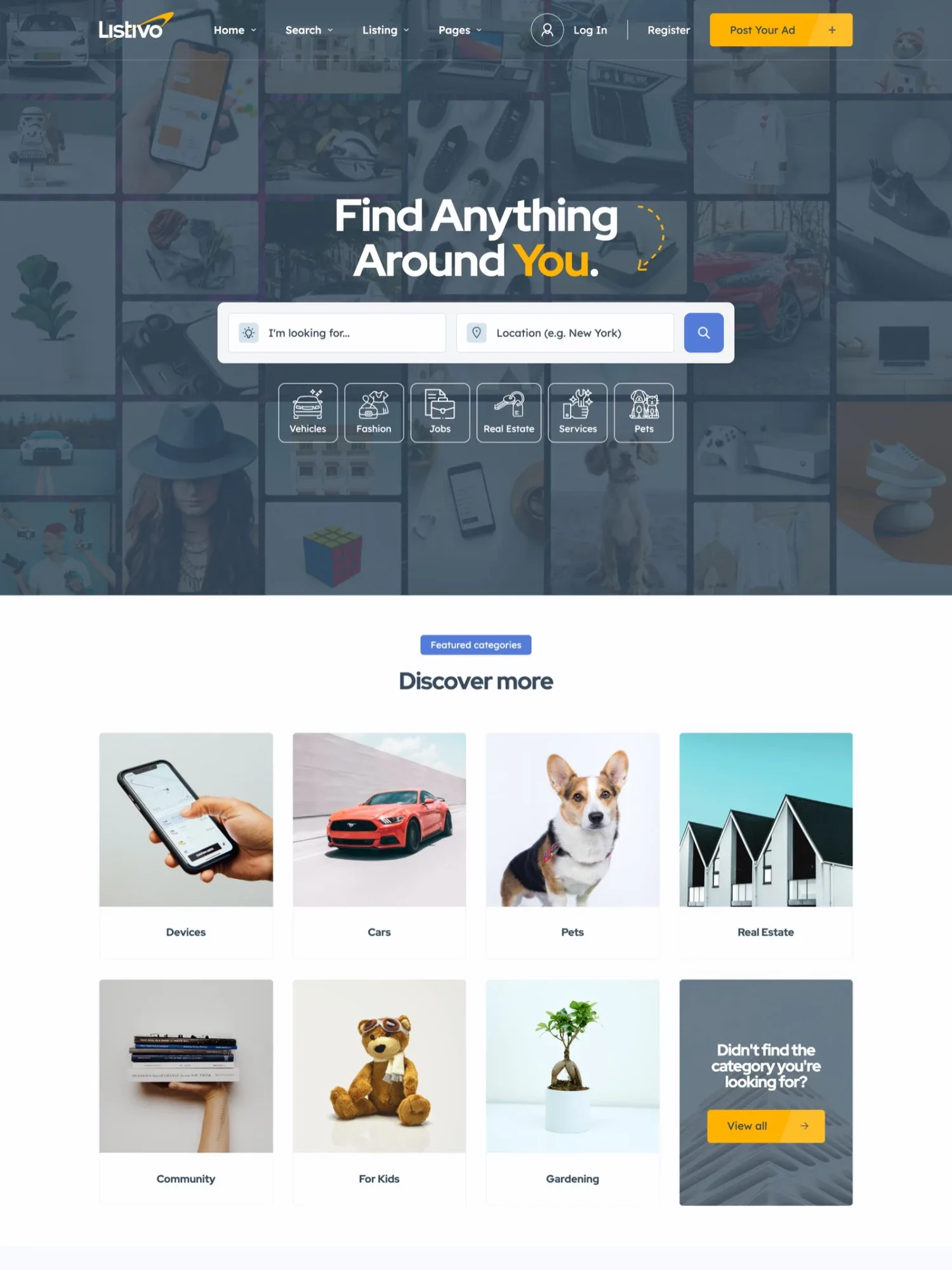
Then set one calm color and one plain font in Site Settings, and every page follows. One button also removes the demo ads and pages you do not need.
2. Organize the site by city
Craigslist starts with a choice of city, and every ad belongs to one place. Listivo gives you two ways to do the same.
- A fixed list of your cities, with districts under each one if you need them. Users pick a city when they post, and visitors filter by it.
- Search by distance. Visitors type a place and pick a radius in km or miles, and you set the default distance.
The fixed list is closest to Craigslist and needs no Google Maps, but it cannot search by distance. Search by distance needs a Google Maps key with billing, which has a free monthly credit.
With search by distance, you can still set the place box on the posting form to take cities only, not full addresses. Customizing Location Input for the Ad Add Form in Listivo shows the other choices.
3. Show ads as a list, newest first
Craigslist shows a list of ad titles, newest on top. In Listivo, visitors switch the results between a grid and a list.
The Most Relevant order shows featured ads first, then the rest from newest to oldest. Until someone buys featured days, that is simply a list by date, as on Craigslist.
Set up your cities and categories for free
Get your own Listivo website with the demo you pick and the full WordPress admin, ready in a minute.
Try Listivo free Free for 7 days. No card needed.4. Build a short list of categories
Craigslist has a handful of main groups, each with its own subcategories. Copy that shape, and start with what people in your cities post most.
- For sale, with subcategories such as furniture, phones and bikes
- Housing, with rooms and apartments for rent
- Jobs, sorted by type of work
- Services, such as cleaning, moving and repairs
- Community, such as lost and found and local events
In Listivo, a category can have subcategories, and you can paste a long list at once, one per line. Each category gets its own posting form, so a job asks for a salary and a room for the rent per month.
5. Keep posting free, and sell packages in a few categories
Craigslist lets most people post for free and charges a fee in a few categories, such as job ads. Free posting keeps the site full, and the users who earn from their ads bring the income.
In Listivo, turn on the always-free package so anyone can post at no cost. Then add paid packages that show only in chosen categories, such as Jobs, with more days, featured days and bumps back to the top. The free package still shows in Jobs too, so a user pays there for more days and a place at the top, not to post.
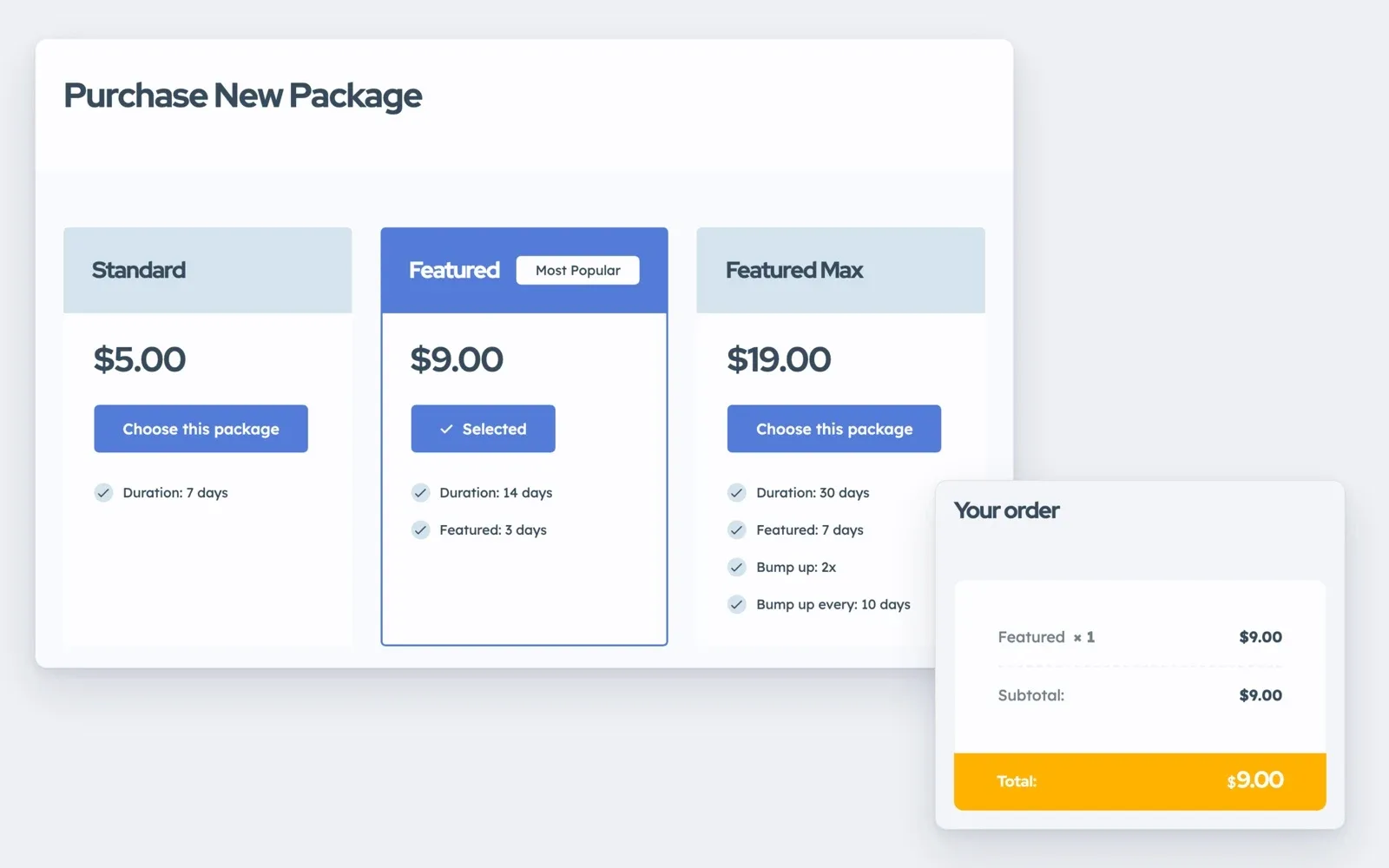
Users pay at checkout through the WooCommerce payment plugin of a provider that works where you live.
6. Check new ads before they go live
Craigslist relies on users to flag bad ads after they go live. A new site has few ads, so you can check each one first.
Turn on moderation, and new ads wait under Pending until you approve them. Edited ads can need approval again, and moderators can approve, decline with a reason or edit ads for you.
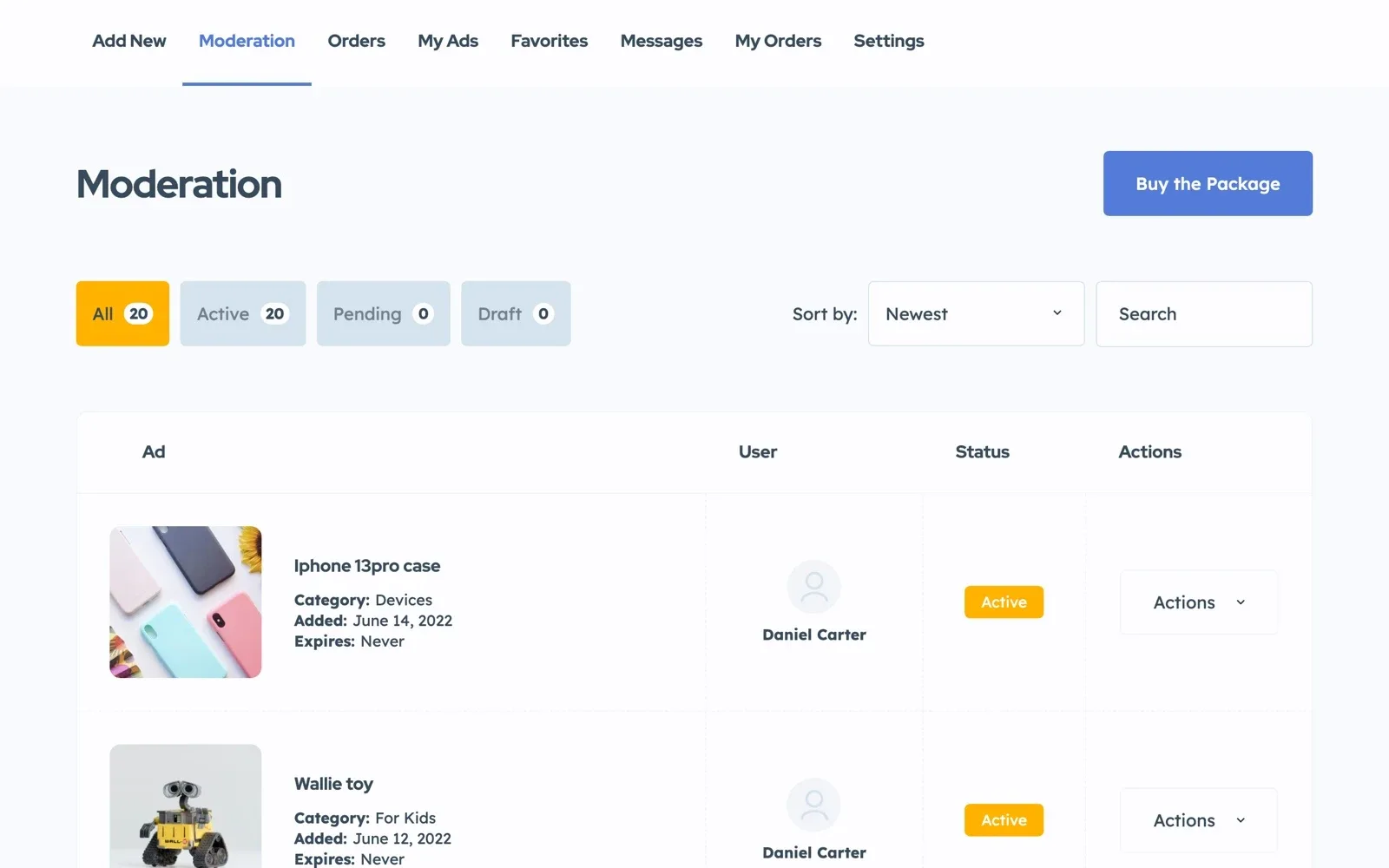
Google reCAPTCHA stops bots without a puzzle for people. Users can also confirm their phone by SMS, which needs a paid Twilio account.
For more ways to block scams, read how to stop spam and fake ads on a classifieds website.
Your Craigslist-style launch checklist
15 tasks
Plan
-
One city full of ads looks better than ten empty ones.
-
Pick the ones where users earn money from their ads, such as jobs. Posting stays free everywhere.
Build
-
-
The importer adds one level at a time, so add the cities first, then their districts.
Location Field based on predefined list (taxonomy) instead of Google Maps
Posting and money
-
Add it once you buy the license or keep the site, not during the trial.
Monetization – WooCommerce Payments Gateways
Safety
Launch
-
There is no app. The site works in the phone's browser.
Launch checklist for a listing website
Rather have us build it?
Send us your cities and categories, and the team that made Listivo builds the whole site.
Custom Website
Photos, your logo and a few words are enough. We design and write the whole website, and you pay only when you approve it.