Classified ads categories list you can copy
A ready category tree for a general classifieds site, with the details each category should ask for. Copy it, cut what you do not need and grow it as ads arrive.
In this guide
- Start with 6 to 10 top categories, each with 3 to 6 subcategories
- The list below has 10 top categories and 52 subcategories
- Ask only for the details people filter by
- Listivo takes your top categories one per line and gives each category its own form
- Launch with what you can fill, then grow as ads arrive
Here is a classified ads categories list you can copy, with ten top categories and 52 subcategories. The top categories are Vehicles, Property, Jobs, Services, Electronics, Home and garden, Fashion, Pets, Hobbies and sports, and Community. Below the list you will find the details each category should ask for and a plan to start small.
The list is one step in building a classified ads website. It shapes your search filters, your posting form and the category links on your home page.
The classified ads categories list
Categories and subcategories for a general classifieds site
The first line of each group is a top category. The lines under it are its subcategories.
Paste the top categories into Listivo's bulk add tool, then add each group's subcategories under its top category. Cut the groups you cannot fill at launch, and rename anything to match the words people use in your country.
These classified ad categories and subcategories start from the groups that most general ad sites share. Craigslist, the model many sites copy, keeps a few plain groups too, such as for sale, housing, jobs and services. To copy that model in full, read how to create a website like Craigslist.
How to choose categories for a classified ads website
Five rules turn the list into classifieds categories that fit your market.
- Use the words people type, such as "Homes for rent", not "Residential lettings".
- Give every ad one obvious home. If two categories could hold the same ad, merge them.
- Keep 6 to 10 top categories, or your home page becomes a wall of links.
- Keep 3 to 6 subcategories in each. One is not worth a click, and twenty are hard to scan.
- Leave out what you cannot fill yet. An empty category says nobody uses the site.
Plain names also help your category pages show up on Google, as SEO for a classifieds website explains.
The details each category should ask for
Each category is also a form. A car ad needs make, model and mileage, and a flat needs rooms and size. Ask only for what visitors filter by or need before they get in touch.
Most categories share the same basics. Each ad has a title, photos, a description, a price and a place, and the table adds what each group needs on top.
| Category | Details to ask for | Best filters |
|---|---|---|
| Vehicles | Make, model, year, mileage, fuel, gearbox | Make, model, year, price |
| Property | Sale or rent, type, rooms, size, furnished | Sale or rent, rooms, price |
| Jobs | Salary, contract type, hours, job level | Contract type, hours |
| Services | Service type, area served, languages | Service type, area |
| Electronics | Brand, model, condition, storage | Brand, condition, price |
| Home and garden | Condition, size, delivery or pickup | Condition, price |
| Fashion | Size, brand, condition, color | Size, brand |
| Pets | Type, breed, age, vaccinated | Type, breed |
| Hobbies and sports | Brand, condition, size | Condition, price |
| Community | Area, free or paid | Area |
Make only two or three details required, such as the price and the condition. Each extra required detail is one more reason to leave the form. Before you open Pets, check your country's rules for animal ads.
How Listivo shows the right form for each category
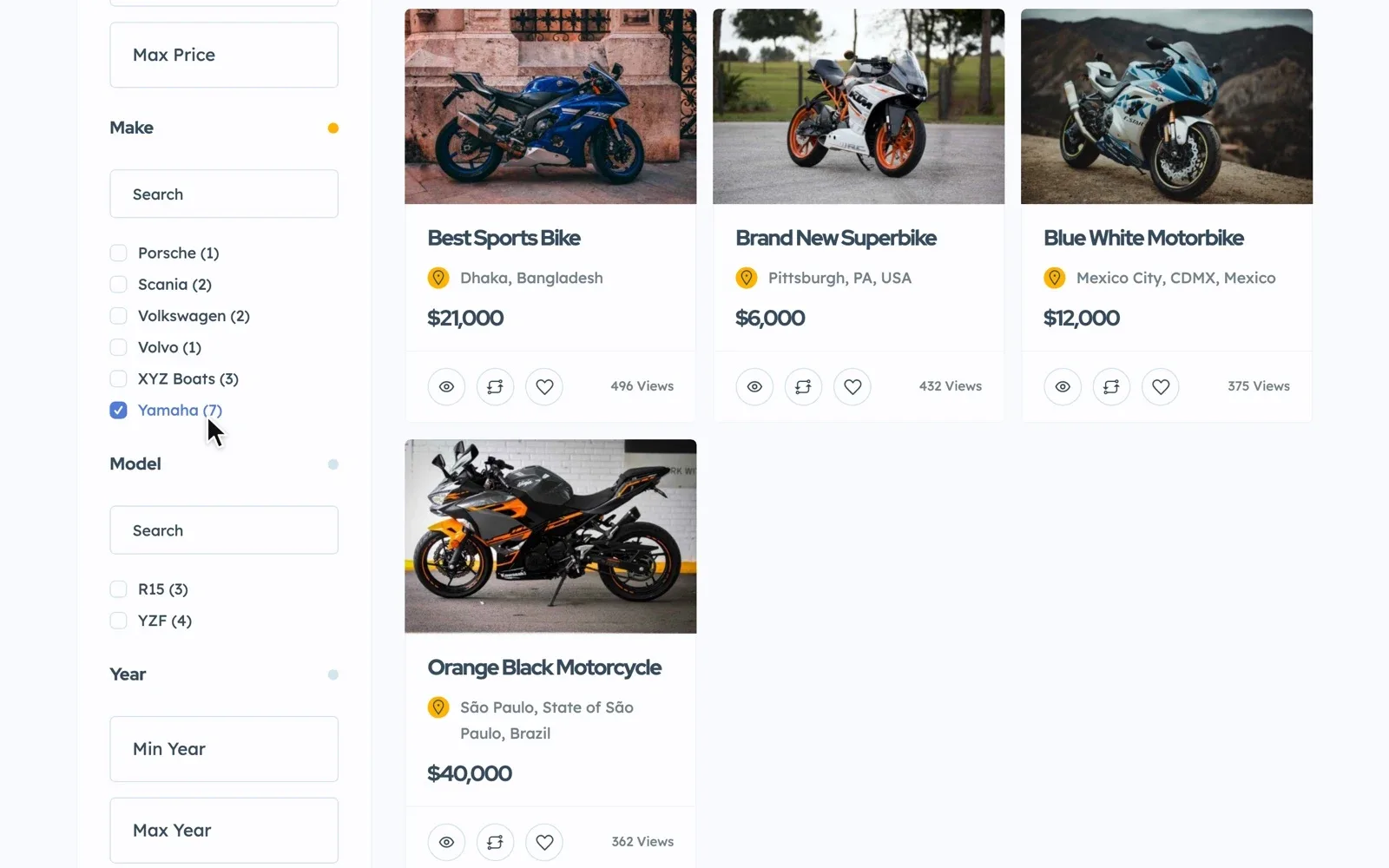
In Listivo, each detail is a field, and each category gets its own form. Every field you add can become a search filter, and you hide the fields a category does not need. To see this step inside a full build, read how to create a website like OLX.
Pick a make, and the model list shows only its models. Jobs get a Salary field made for them, and a rent price can show "/month" after the number.
How to put the list into Listivo
This guide keeps subcategories in the Category field, under their top category. Their pages then get addresses like /property,homes-for-rent/. For /property/homes-for-rent/ instead, subcategories need a second field that follows Category, the way Model follows Make.
Listivo's bulk add tool takes a long list in one paste, one item per line. Inside one Category field, it cannot place one item under another, so paste only your top categories there. Then add each group's subcategories one by one, with their top category picked as the parent.
Next, add a field for each detail in your table. A new field does not show by itself, so place it on the search page and the ad page too. The checklist below keeps every step in order.
Your category setup checklist
15 tasks
Tick each step as you go.
Plan the list
-
-
Type the name into Google and read the suggestions it offers.
-
Add it to Listivo
-
Inside one Category field, the bulk add tool cannot place one item under another.
Multilevel custom field
Before launch
-
Aim for a full first page of ads in each one.
-
After you buy or keep the site, the free Custom Taxonomy Order plugin lets you drag them into place.
Category order and taxonomy terms order -
After launch
-
-
For example, job ads that users keep posting under Services.
Try your category list on a real website
Get your own Listivo website with the demo you pick and the full WordPress admin, ready in a minute.
Try Listivo free Free for 7 days. No card needed.Start small, then grow your categories
A new site with fifty empty subcategories looks abandoned. Launch with only the groups your first users will fill, often six to eight of them. Then read how to get the first ads on a new classifieds website.
Let the ads tell you what to add
Add a subcategory called "Other" to your busiest groups and read it once a month. When the same kind of ad keeps landing there, give it a subcategory of its own. Merge the categories that stay empty.
Sell paid ads in your busiest categories
Busy categories are where paid ads sell. A Listivo package can be limited to some categories, so a car package is offered only on car ads. Read how to make money with a classified ads website for the full plan.
Rather have us build it around your list?
Send us your category list and a few words about your site, and the theme's authors build the whole website for you.
Custom Website
Photos, your logo and a few words are enough. We design and write the whole website, and you pay only when you approve it.