Google Recaptcha in the Listivo Theme
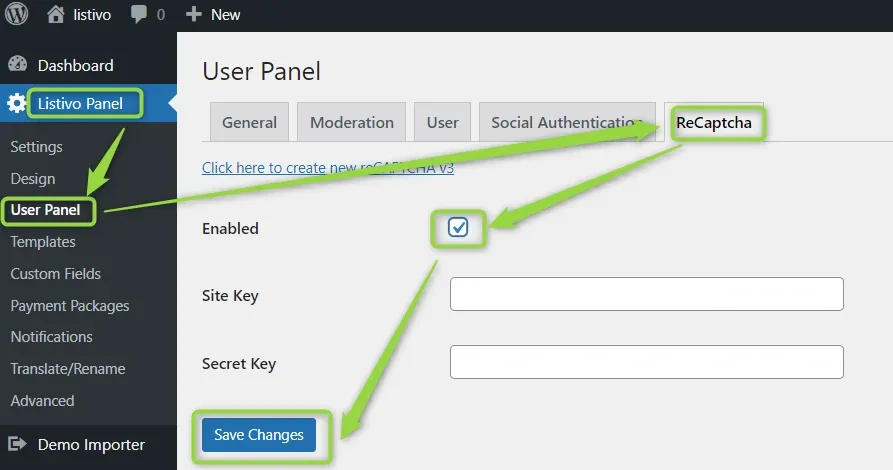
Block spam sign-ups and form submissions with reCAPTCHA v3. This shows where the theme's own reCAPTCHA switch lives in the Listivo Panel and where the same Google keys go in Contact Form 7.
2 minute read
In the Listivo Theme, you can use reCAPTCHA v3 — the newest version released by Google.
Why reCAPTCHA v3
reCAPTCHA v3 is customer-friendly. It allows you to verify whether an interaction is legitimate without any user interaction. It is a pure JavaScript API returning a score, giving you the ability to take action in the context of your site: for instance, requiring additional factors of authentication, sending a post to moderation, or throttling bots that may be scraping content.
reCAPTCHA uses an advanced risk analysis engine and adaptive challenges to keep malicious software from engaging in abusive activities on your website. Meanwhile, legitimate users will be able to log in, make purchases, view pages, or create accounts, and fake users will be blocked.
Enable reCAPTCHA in the Listivo Panel
You can enable the Google reCAPTCHA in the Listivo Panel.
Enable reCAPTCHA in Contact Form 7
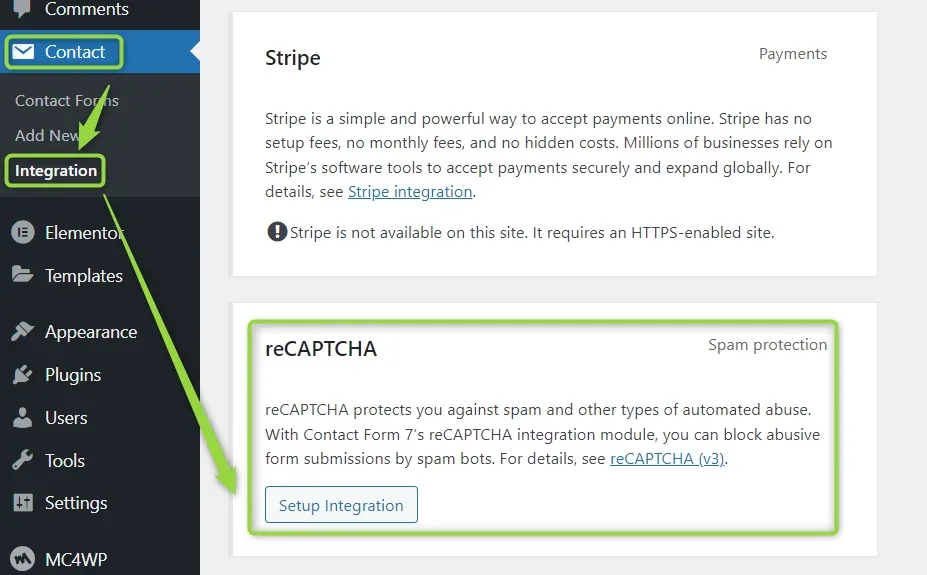
To enable it, move to the WordPress admin screen and open the Contact > Integration page on your website. You will see a box titled reCAPTCHA there. Click Setup Integration in the box.
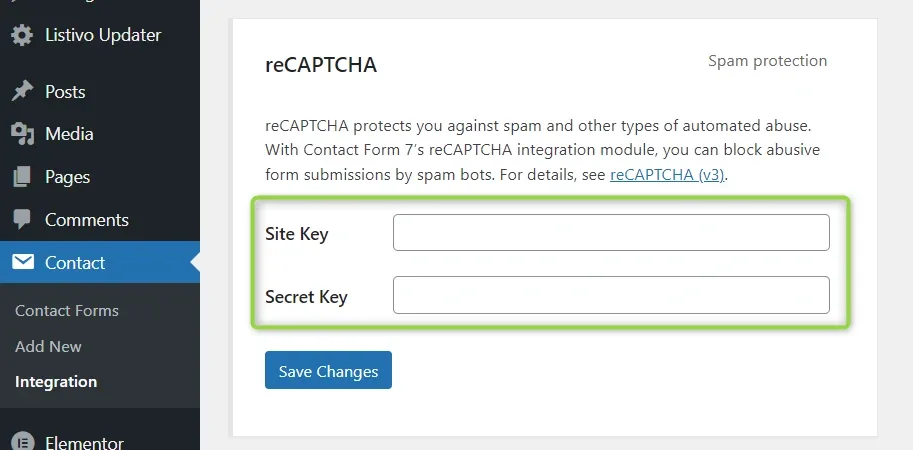
It will display input fields Site Key and Secret Key. Copy-paste the two keys you received from Google into the fields, and click Save Changes.
That’s it. Your website now uses reCAPTCHA’s score to verify whether a form submission comes from a human or a spam bot.
Ask the people who build Listivo
We answer by email from support@tangiblewp.com. With Premium Support, we also fix your site when something breaks.
We can also run your site for you, or build a new one.
Was this guide helpful?