Featured ads vs bump up: what to sell on your classifieds site
A featured ad stays above the rest for days, and a bump up sends an ad back to the top once. See who buys each one and how to price both.
In this guide
- A featured ad stays above the regular ads for the days the user paid for
- A bump up moves an ad back to the top once, then newer ads push it down
- Featured days suit valuable ads, and bump ups suit cheap ads in busy categories
- Price both from what a typical item is worth, in your own currency
- A Listivo package can hold ad days, featured days and scheduled bumps together
When you compare featured ads vs bump up, the difference is time. Both let users pay for visibility on your classified ads website.
Featured days suit ads where one reply is worth a lot, such as cars, homes and jobs. Bump ups suit cheap everyday items that sink fast in busy categories.
Many classifieds sites sell both, often inside one package. Below you see how each one works, who buys it, how to price it and how to combine the two.
Featured ads vs bump up, side by side
These are the two common ways to promote ads on a classifieds website. They differ in how long the effect lasts, how the ad looks and which users buy them.
Featured, bump up or a package with both
What a user gets for the money with each option.
| Featured ad | Bump up | Package with both | |
|---|---|---|---|
| What the user gets | A place above the regular ads | A new date and the top spot again | Ad days, featured days and bumps |
| How long it lasts | The featured days bought | Until newer ads push it down | The days the package sets |
| Stands out on the card | Yes | No | Yes |
| Runs on a schedule | No | No | Yes |
| Price level | Higher, set by the days | Low, one by one or in packs | Highest, one checkout for all |
| Fits best | Cars, homes, jobs and services | Everyday items in busy categories | Users who want reach from day one |
Most sites sell both. Featured days earn in valuable categories, bump ups in cheap busy ones, and a package sells both at once.
What is a featured ad?
A featured ad is a paid place above the regular ads for a set number of days. On classifieds sites like OLX, featured listings usually carry a label or a colored card, so they stand out in a long list.
In Listivo, search results sorted by Most Relevant show featured ads first, then the rest from newest to oldest. Featured ads carry a Featured label and their own card colors, set once for the whole site.
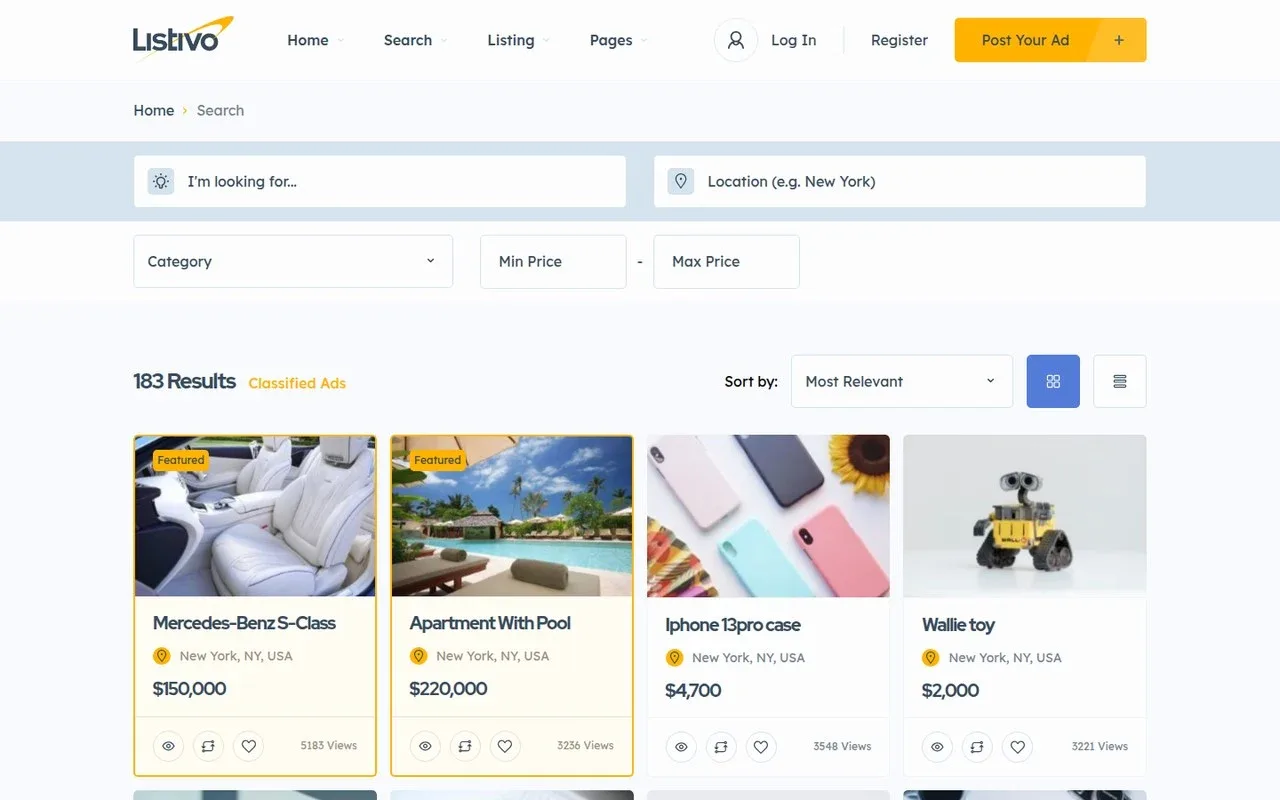
Users get featured days with a package for a new ad or with a monthly plan. For an ad that is already live, the Promote button in My Ads adds featured days without moving its end date.
What is a bump up?
A bump up gives an ad a new date, so it goes back to the top as if it were just posted. Some sites call it "move to top" or "refresh". The effect fades as newer ads arrive, which takes hours in a busy category and days in a quiet one.
In Listivo, under the Most Relevant sort, a bumped ad goes to the top of its own group. A regular ad leads the regular ads again, and a featured ad leads the featured ones. Under the Newest sort, it goes to the very top of the results.
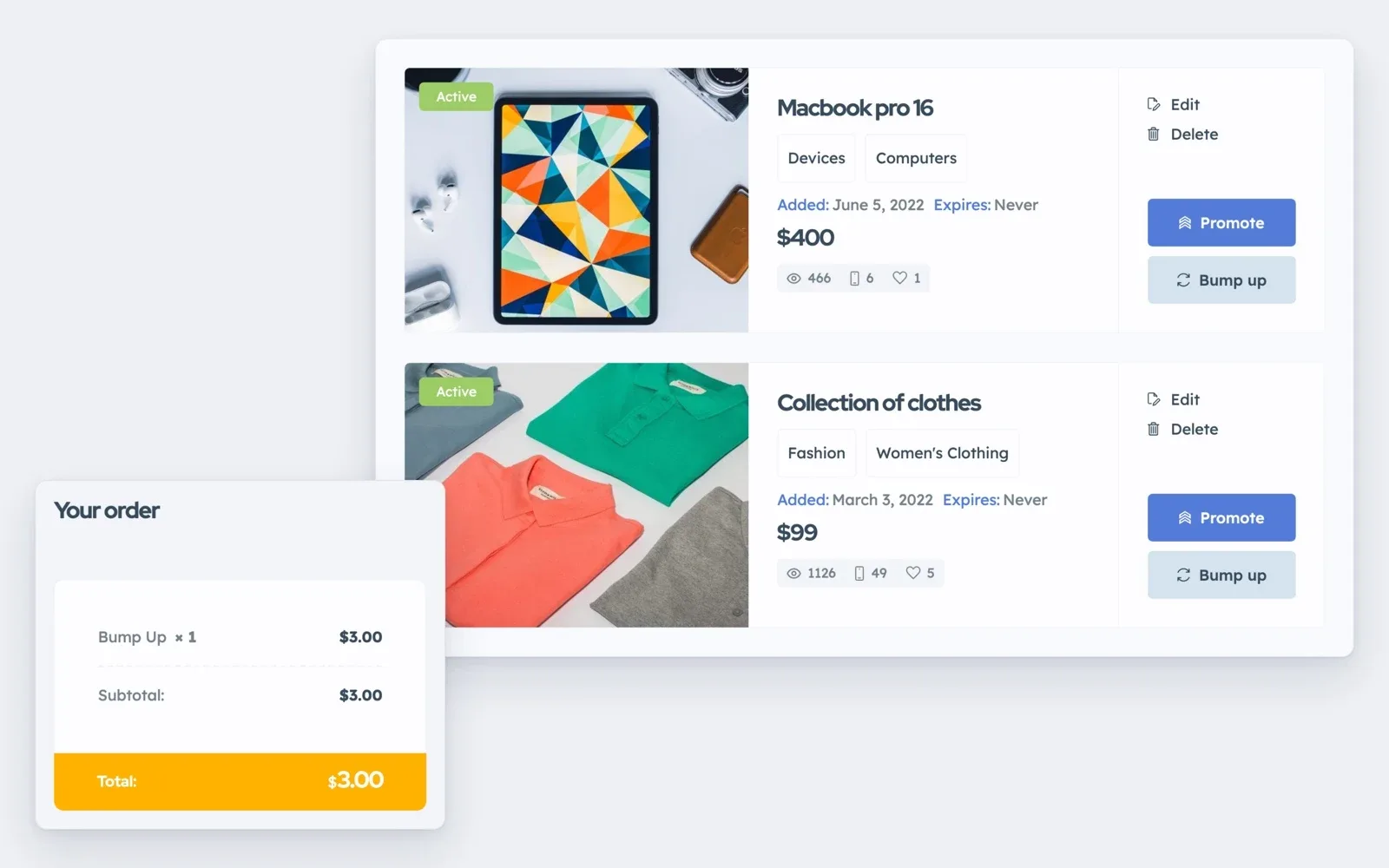
Users bump up ads with one bump or a pack, and unused bumps wait in My Packages for later. A package can also run bumps on a schedule, for example every 10 days. Our guide Monetization - Bump Up (Manual and Automatic) shows how to set up both.
Which one fits your users
Look at your categories before you set any price. What people post on your site decides which option sells.
Featured fits ads where one reply is worth a lot
- Cars, homes, jobs and services, where one deal pays for the fee many times over
- Shops and business accounts that want to stay visible every week
- Very busy categories, where a bump up is pushed down within hours
Bump up fits cheap ads that sink fast
- Everyday items, where a featured week would cost too much next to the item
- Ads that are a week or two old and now sit under newer ones
- Users who just lowered their price and want fresh eyes on the ad
Most general sites have both kinds of categories, so they sell both side by side. If your site is about cars, read How car marketplace websites make money next.
See featured ads and bump ups on your own Listivo site
Get a real Listivo website with the demo you pick and the full WordPress admin, ready in a minute.
Try Listivo free Free for 7 days. No card needed.How to price featured ads and bump ups in your currency
There is no single right price, because a fair fee in one country is far too high in another. You can still find yours with five rules, in your own currency.
- Look at the usual price of items in each category, because a fee only sells when it is small next to the deal
- Price one bump up as a small, easy extra that is still well above your payment provider's fee
- Make a featured week cost clearly more than one bump up, because it holds the top for days
- Sell packs cheaper per unit, so ten bumps cost less each than one bought alone
- Charge more in valuable categories, since a Listivo package can be limited to some categories
Check your numbers after the first month. See which option sold, and in which categories, then change one price at a time. If almost nobody buys, give new users a free featured day so they see what it does.
Featured ads and bump ups are only two ways to earn. How to make money with a classified ads website covers the others and has a calculator for your own numbers.
How Listivo packages combine featured days and bumps
In Listivo, users pick a package when they post and pay through the WooCommerce payment plugin of a provider that works where you live. A package sets how many ads it holds and how long they stay live. It also sets the featured days, and how many bumps run and how often.
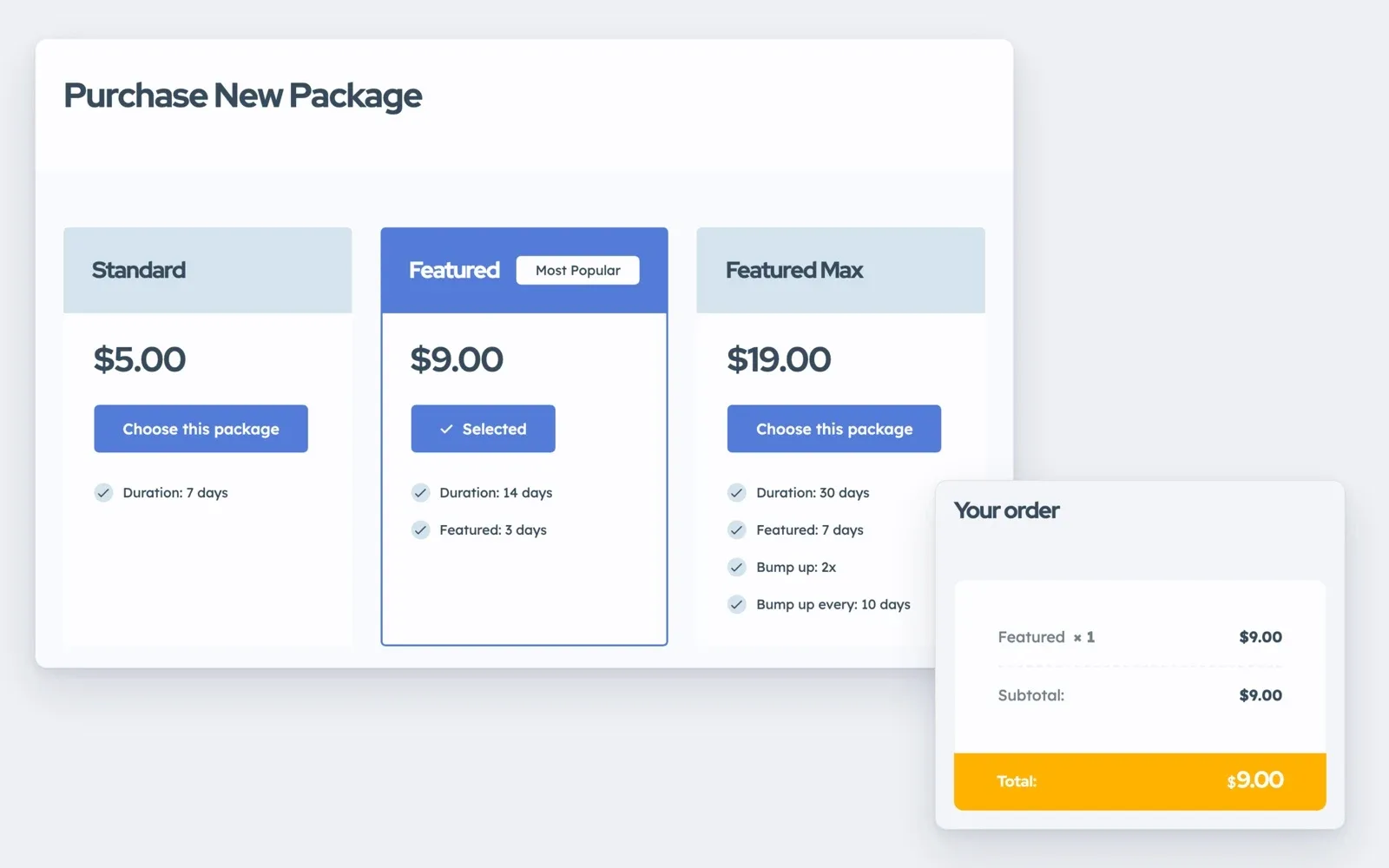
A ladder of three packages keeps the choice simple. The first gives only ad days, and the middle one adds a few featured days. The top one adds more days and scheduled bumps.
Users can also buy extras for an ad that is already live, through the Promote and Bump up buttons in My Ads shown above. How to create a website like OLX shows where packages and extras fit in a full build.
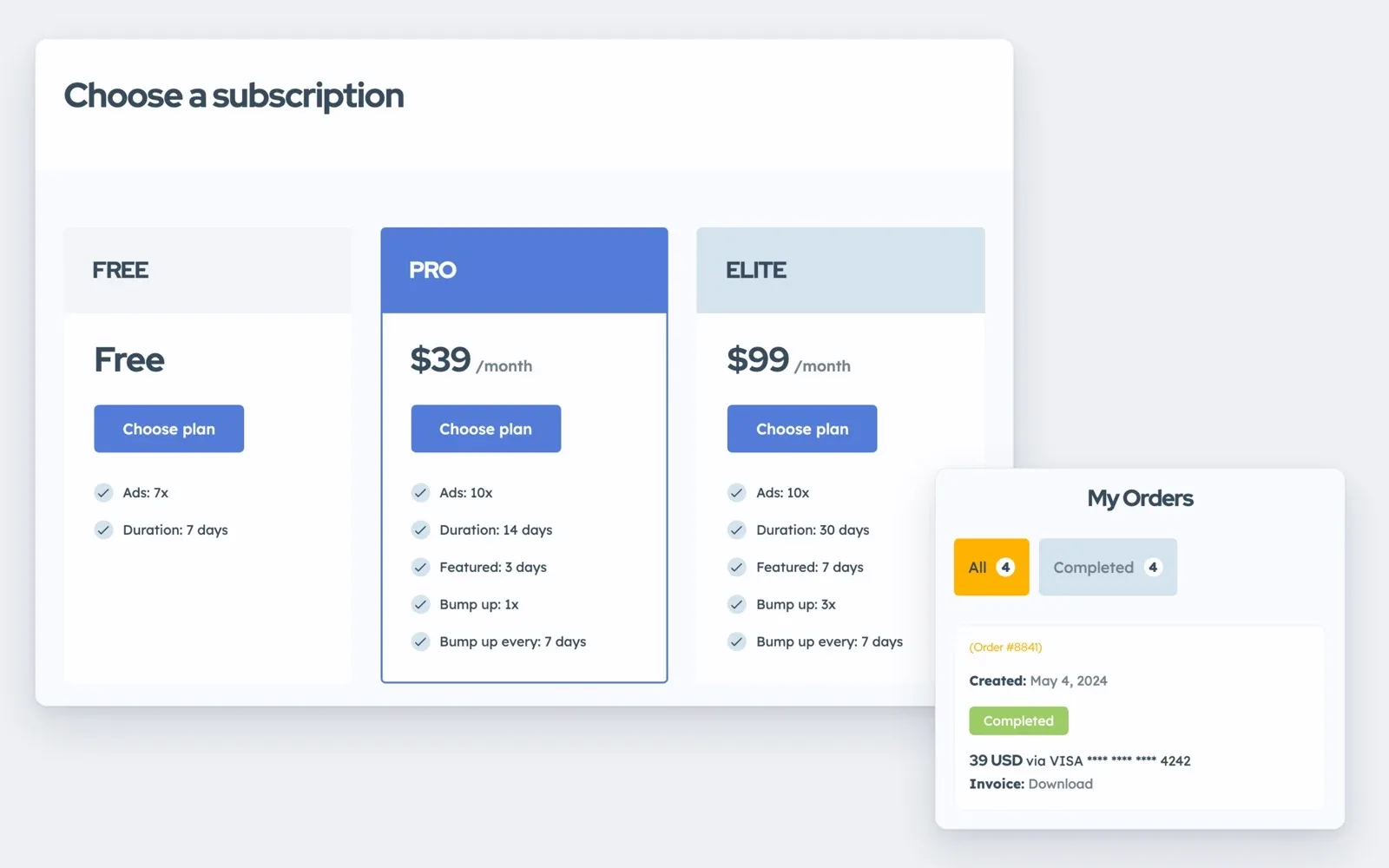
Shops that post every week may prefer a monthly plan. Through Stripe, a plan gives a set number of ads, featured days and bumps, and it renews every month.
Extras sell only when visitors already browse the ads. On an empty site, start with how to get the first ads on a new classifieds website.
Rather have us set up your classifieds site?
Send us your categories and package ideas, and the theme's authors build the whole Listivo site for you.
Custom Website
Photos, your logo and a few words are enough. We design and write the whole website, and you pay only when you approve it.