Private message system
Let visitors and sellers talk to each other without leaving your site. This shows where to switch Listivo's private message system on, how to place the contact widget, and what the Messages panel looks like to a user.
1 minute read
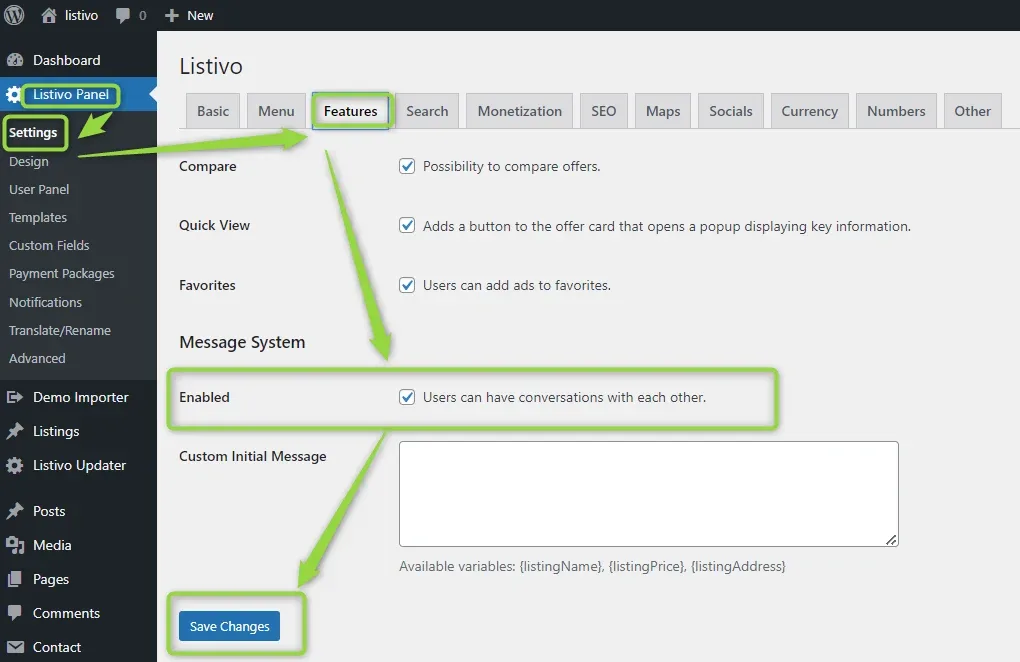
The private message system allows communication between users on your website. If you want to use it, just enable it in the Listivo Panel.
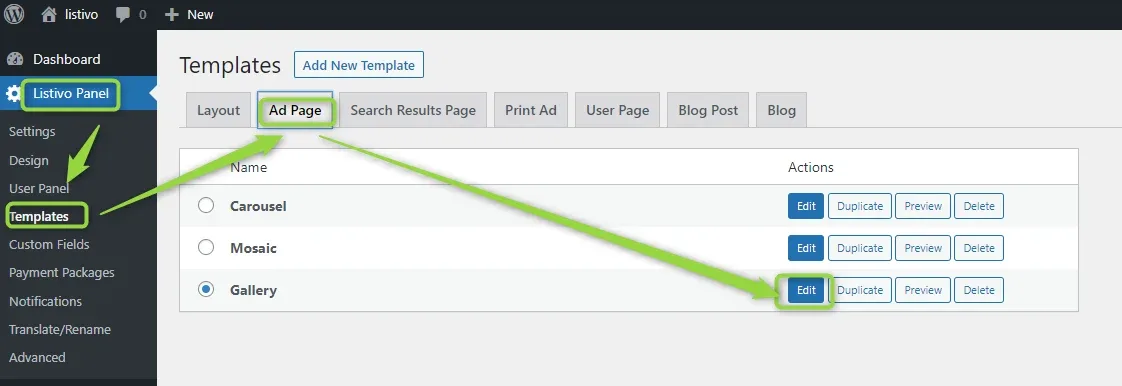
Now in the Listivo Panel, you can edit the page.
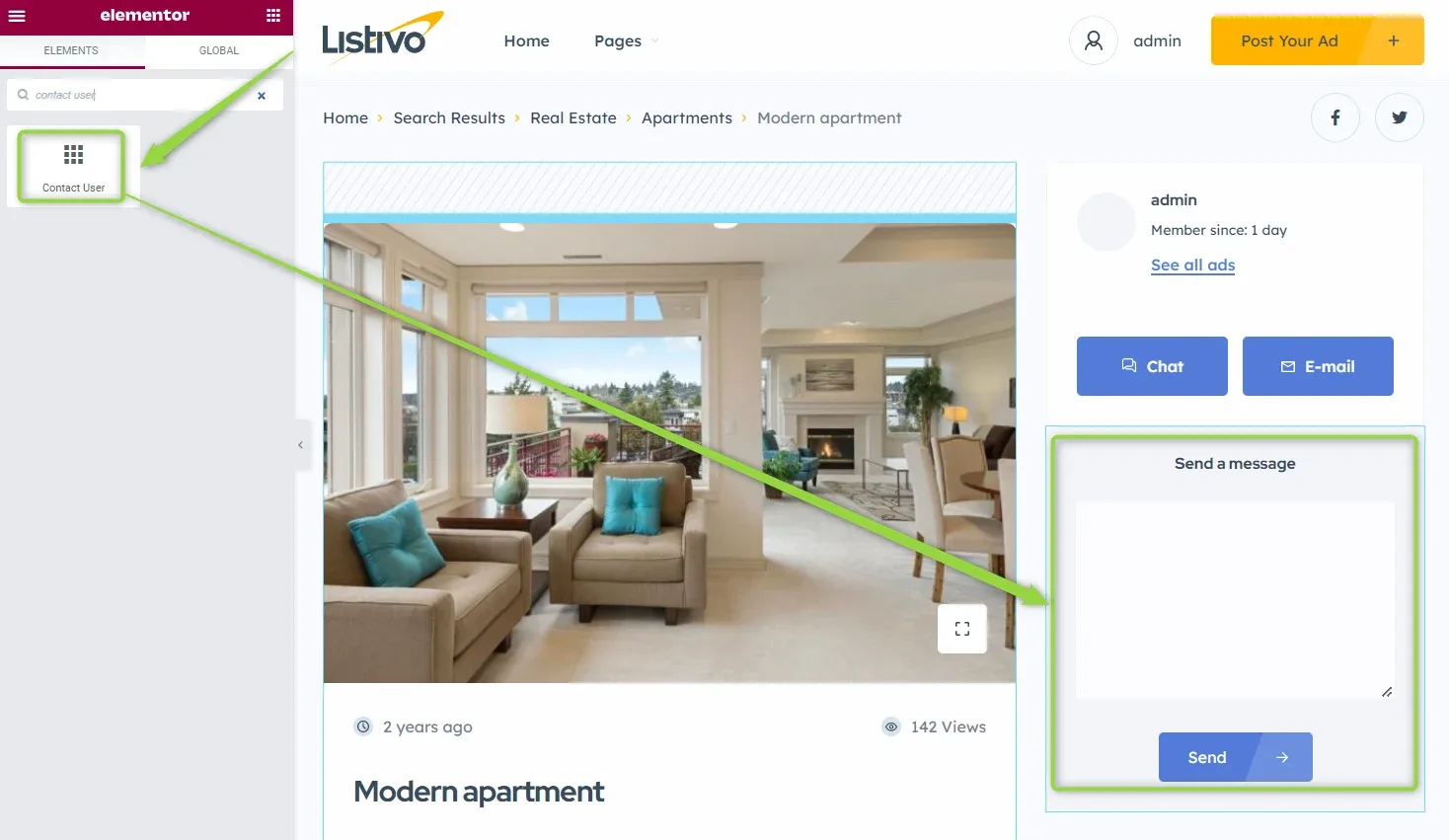
To add the widget on your website, search for contact user in the Elementor search box and add it anywhere you wish.
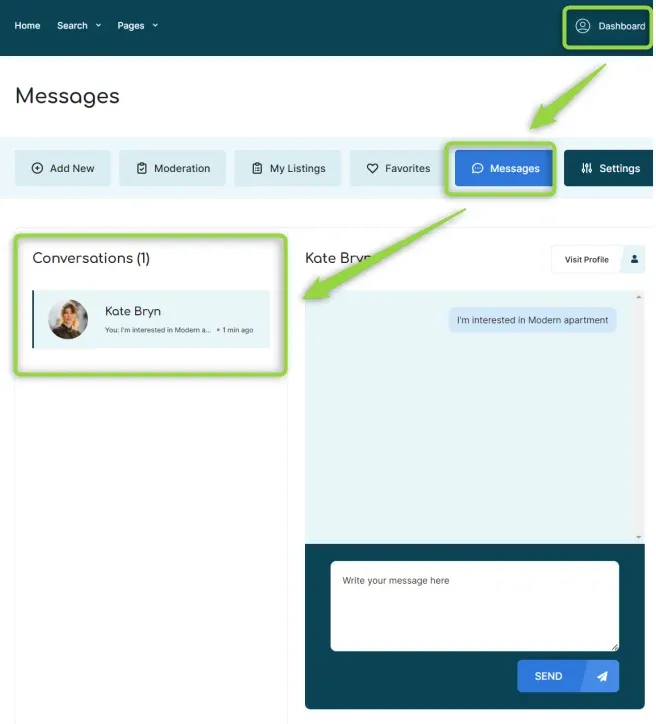
The Message Panel looks like this:
Ask the people who build Listivo
We answer by email from support@tangiblewp.com. With Premium Support, we also fix your site when something breaks.
We can also run your site for you, or build a new one.
Was this guide helpful?