Bulk add terms (Makes, Models, Cities etc)
Add long lists of taxonomy terms to Listivo in one paste instead of creating them one by one — and build Make > Model style parent-child pairs in the same import.
1 minute read
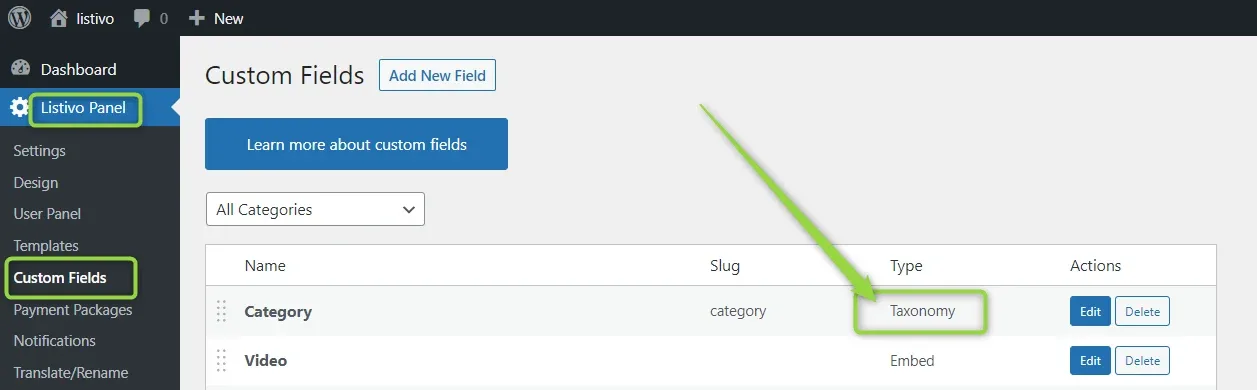
This module can be used in 2 ways.
1. Import a plain list of terms
You can import a list of terms — e.g. 100 property features — as plain text, with each term on a new line.
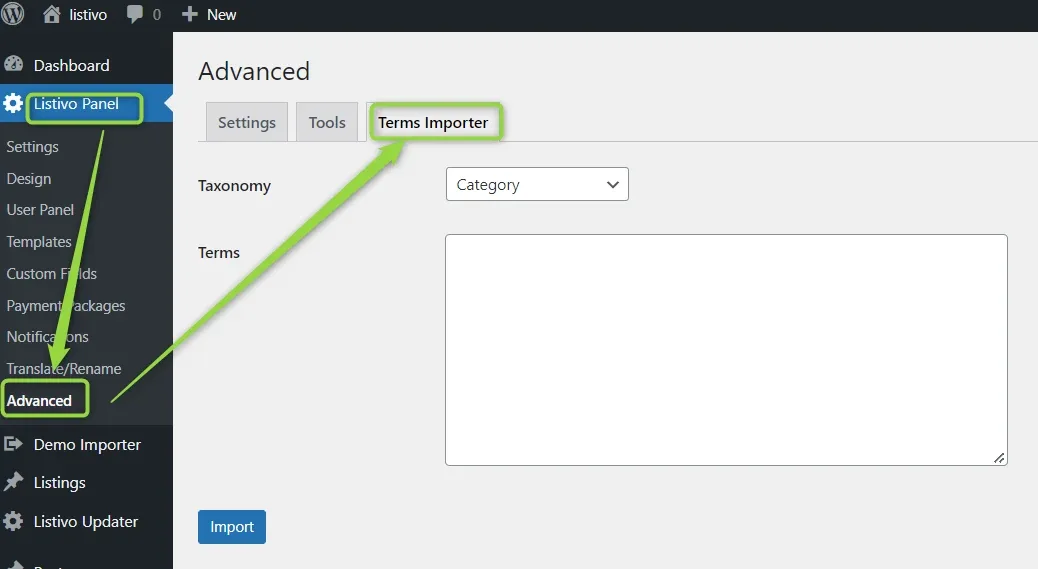
2. Create a Parent-Child relationship
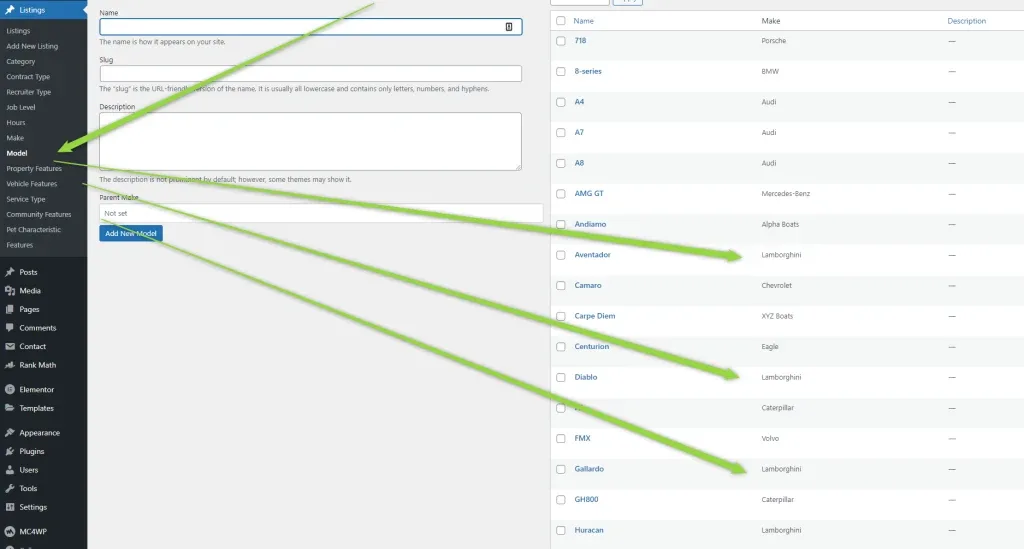
You can also use it to quickly create a Parent-Child relationship — e.g. add a Make (Lamborghini) and connect many children to it (Aventador, Gallardo, Murcielago, Diablo, Huracan). Here is how.
-
1
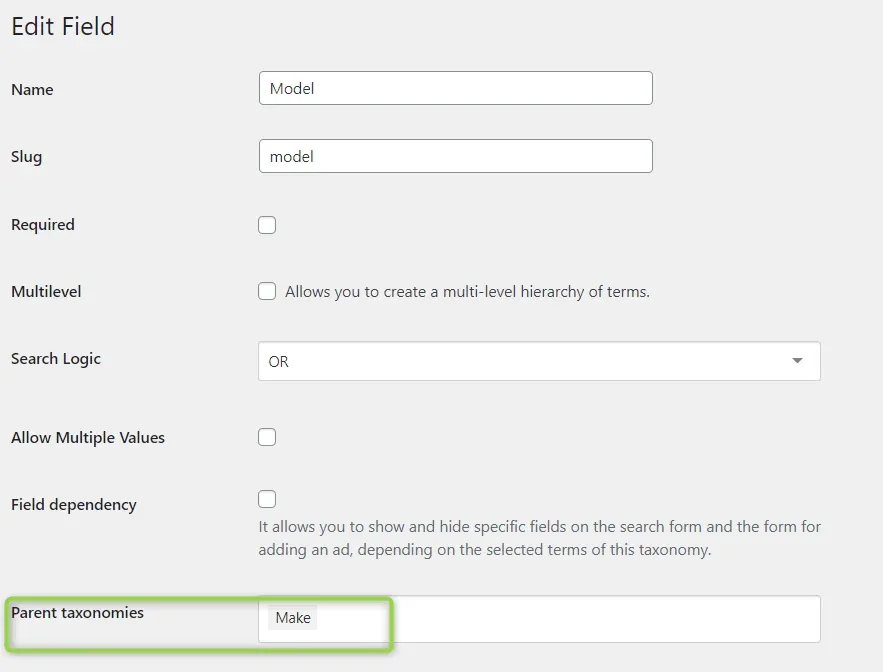
Give the child field a parent
First make sure the child field (Model) has the parent field (Make) assigned.
-
2
Open Bulk Add Terms
Visit Listivo Panel > Advanced > Bulk Add Terms.
-
3
Enter the parents and their children
Configure it this way — each parent and child on a new line. The parent term is repeated on every line that has a child of its own.
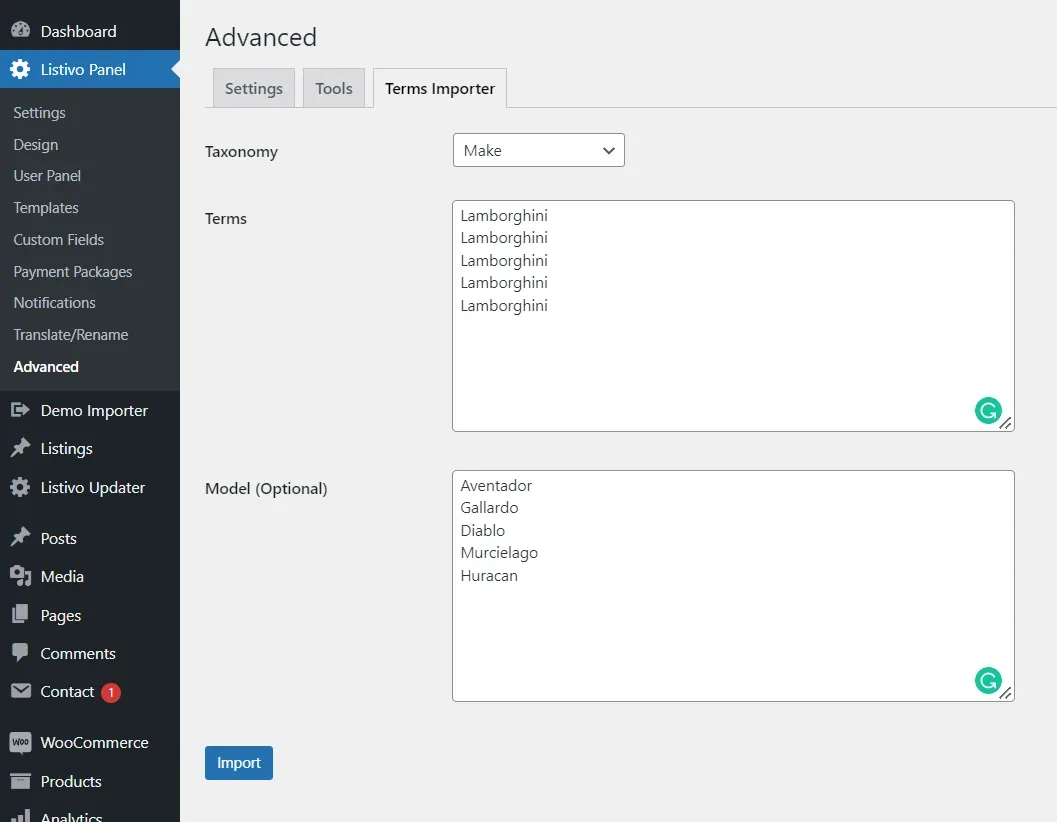
- 4 Click Import
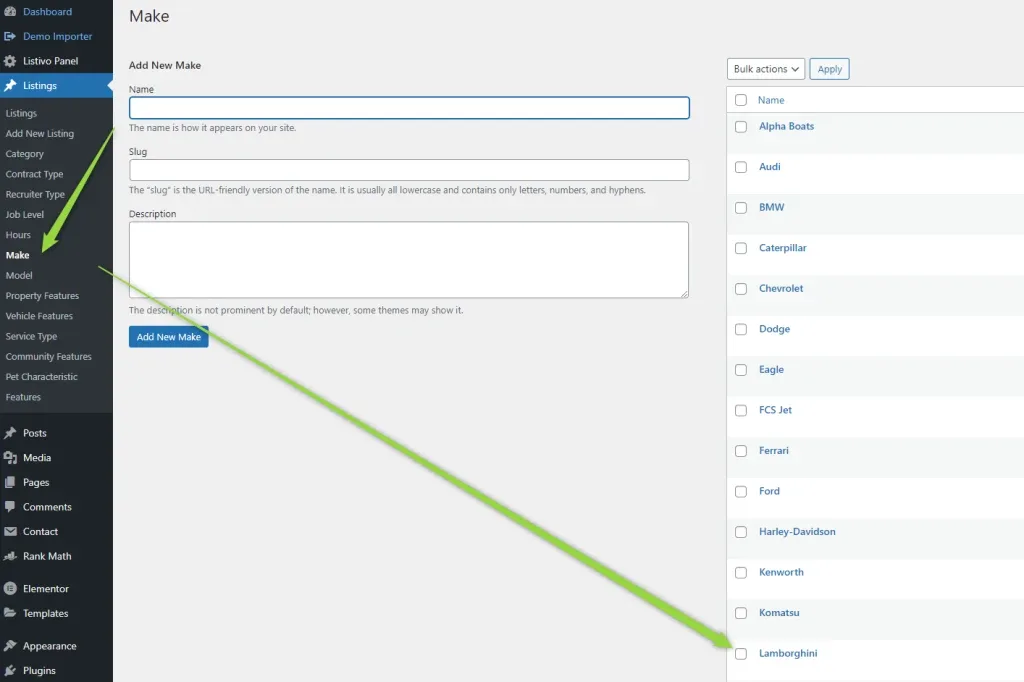
Done. You will find Lamborghini in your Make taxonomy:
and all models of Lamborghini here, with the parent field assigned:
Ask the people who build Listivo
We answer by email from support@tangiblewp.com. With Premium Support, we also fix your site when something breaks.
We can also run your site for you, or build a new one.
Was this guide helpful?