How to create a directory website with WordPress
A directory website helps people find businesses near them, and lets you earn from the listings. Here is what it needs and how to build one on WordPress.
In this guide
- A directory lists businesses, services or places, found by category and location
- Unlike an ad, a directory listing describes a business and can stay live with no end date
- Listivo, a WordPress theme, gives each business an account, a panel and a public page
- You earn from paid or featured listings, or from monthly plans that renew on their own
- You can test it with your own categories for 7 days, with no card
A directory website lists businesses, services or places. Visitors search by category and location, compare a few, then get in touch. Think of a guide to local plumbers, wedding suppliers or clinics.
A directory is not the same as a classified ads website. An ad offers one thing and ends after a few weeks. A directory listing describes a business, is kept up to date, and can stay live with no end date.
The two still share a base of categories, location search, a page for each listing and a way to earn. That is why one WordPress theme can run either. This guide covers the directory side.
Start from the Services demo
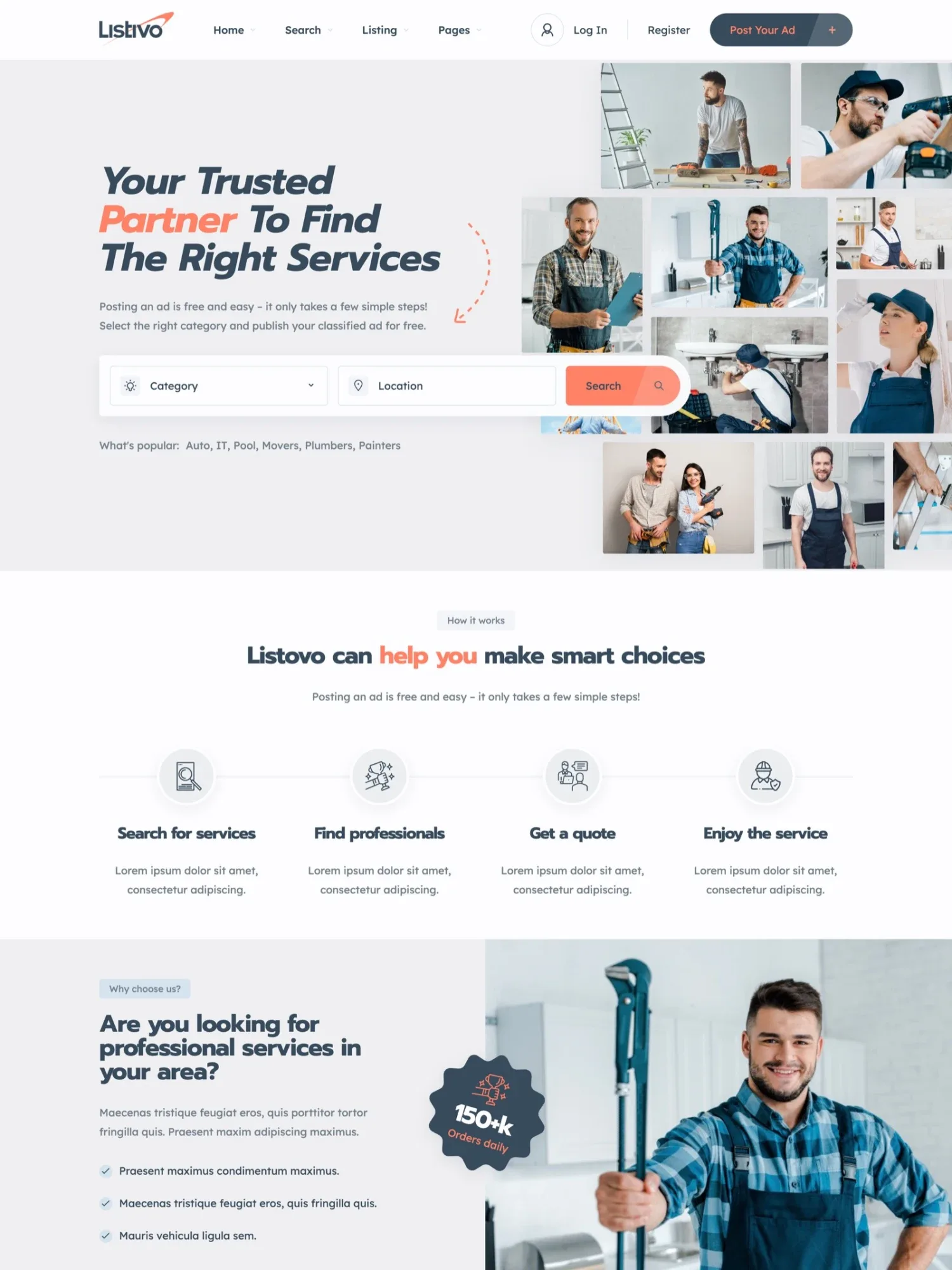
Listivo's Services demo is made for local businesses, with search by category and place. Pick it when you start the free trial, and your site opens with its pages and sample listings. Then rename its categories to fit your field.
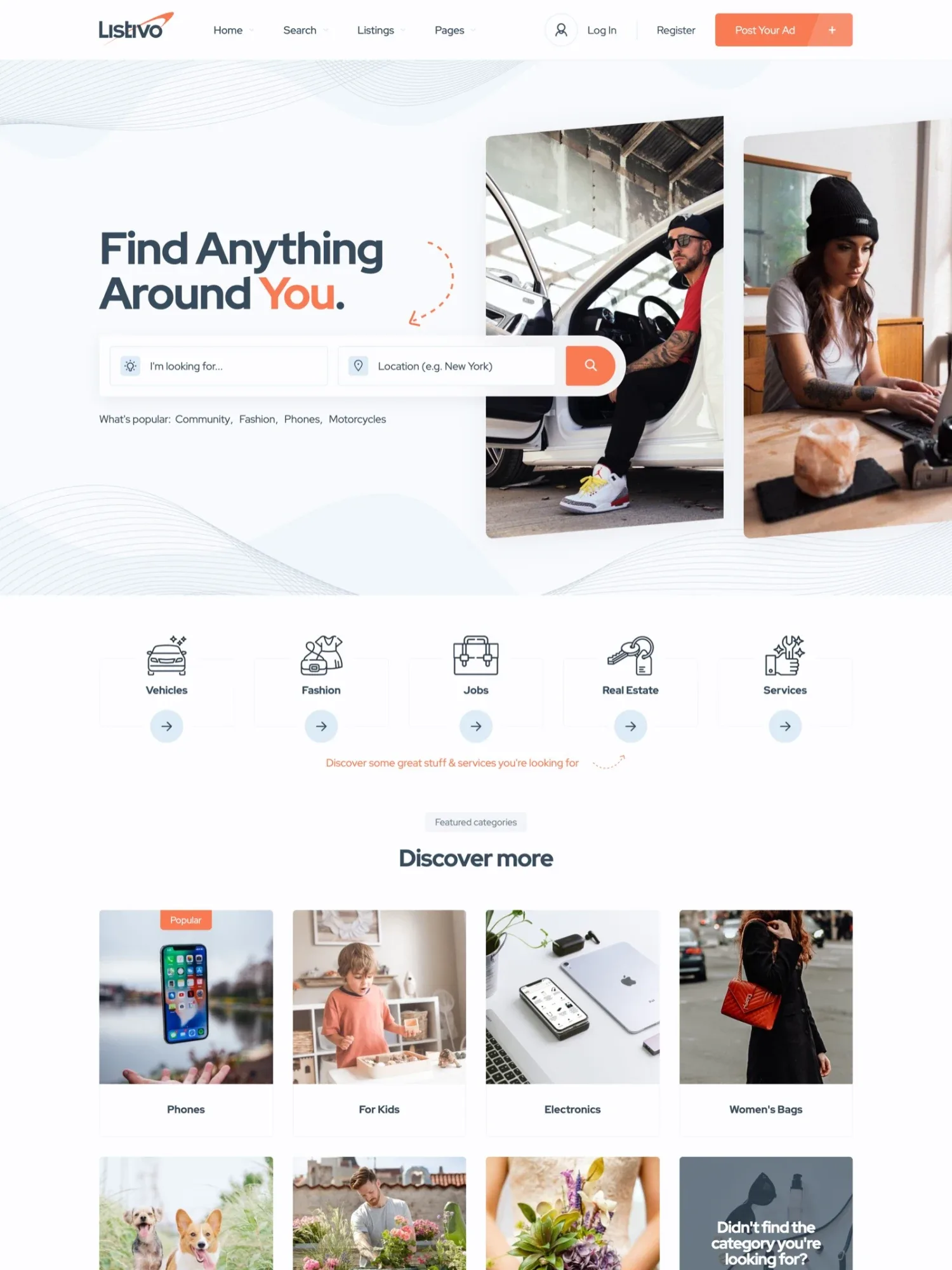
Two demos to start your directory
Click through them and open the one closest to your directory.
What a directory website needs
Here is what a useful directory needs, and how each part works in Listivo.
Search by category and place
Visitors look for a type of business near them. In Listivo they pick a category, type a place and choose a distance around it.
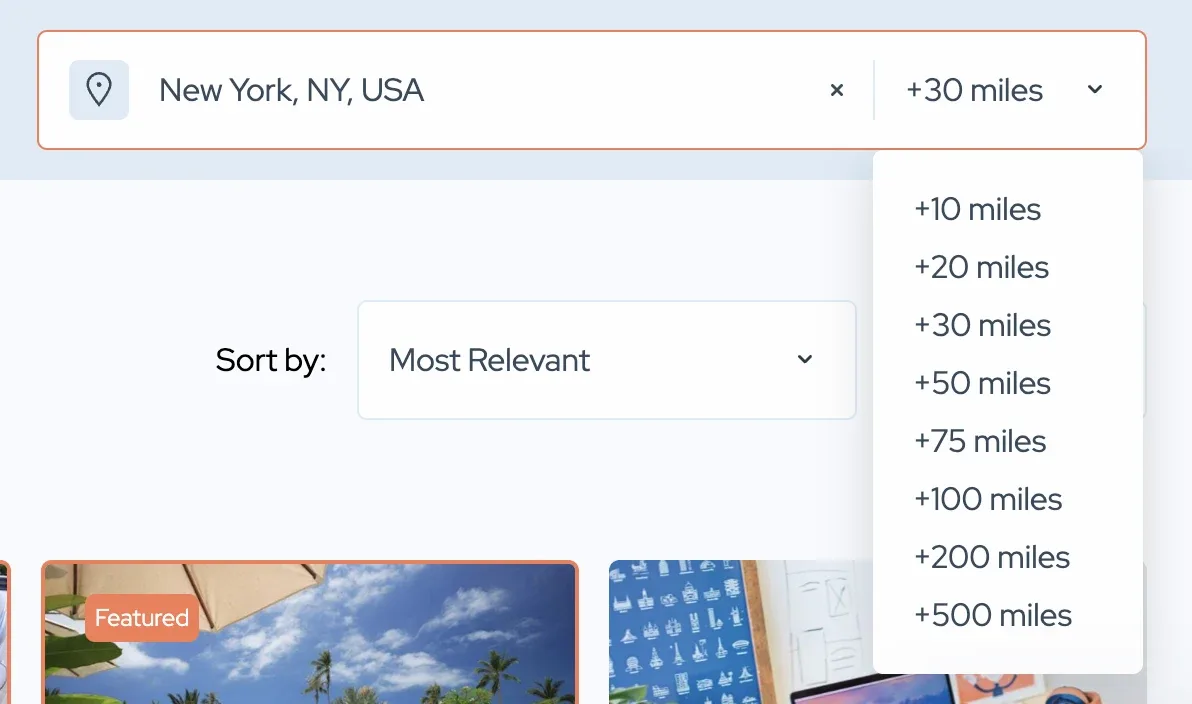
A place can also come from a simple list of your towns and areas, with no map at all. Search by address uses a Google Maps key, which has a free monthly credit and may cost money on a busy site. A list of towns needs no key.
Listings with the details visitors look for
A florist and a wedding venue need different details. In Listivo each category gets its own fields, such as availability or languages spoken, next to photos and a video. See them on a listing in the Services demo.
Accounts and pages made for businesses
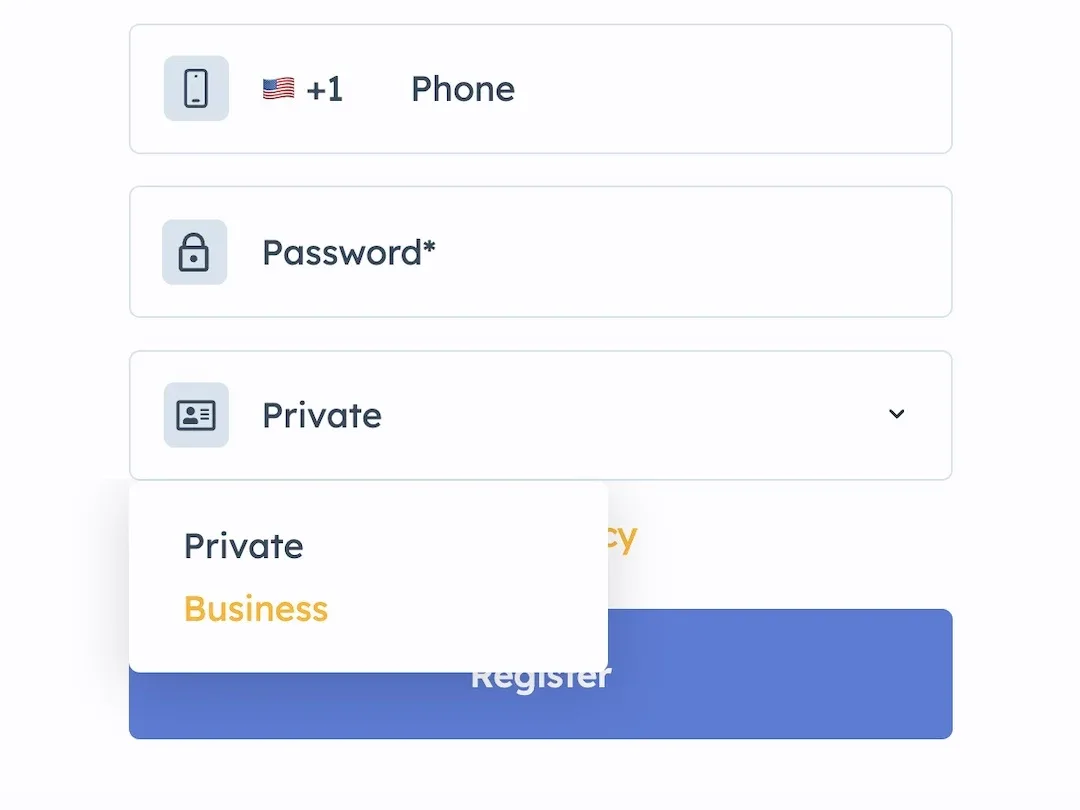
Your listings come from businesses, so Listivo can offer a business account next to a private one. Sign-up can then ask for a contact person's name and the company's details.
Each business manages its listings in a panel and gets a public page that shows all of them. Visitors reach it by chat, email, phone or WhatsApp. They can leave reviews with stars and photos, which you can check before they go live.
Monthly plans and featured listings
In a directory, the businesses usually pay and visitors search for free. In Listivo a business picks a monthly plan with a set number of listings and featured days. Stripe charges it every month, and a free plan lets new businesses start without paying.
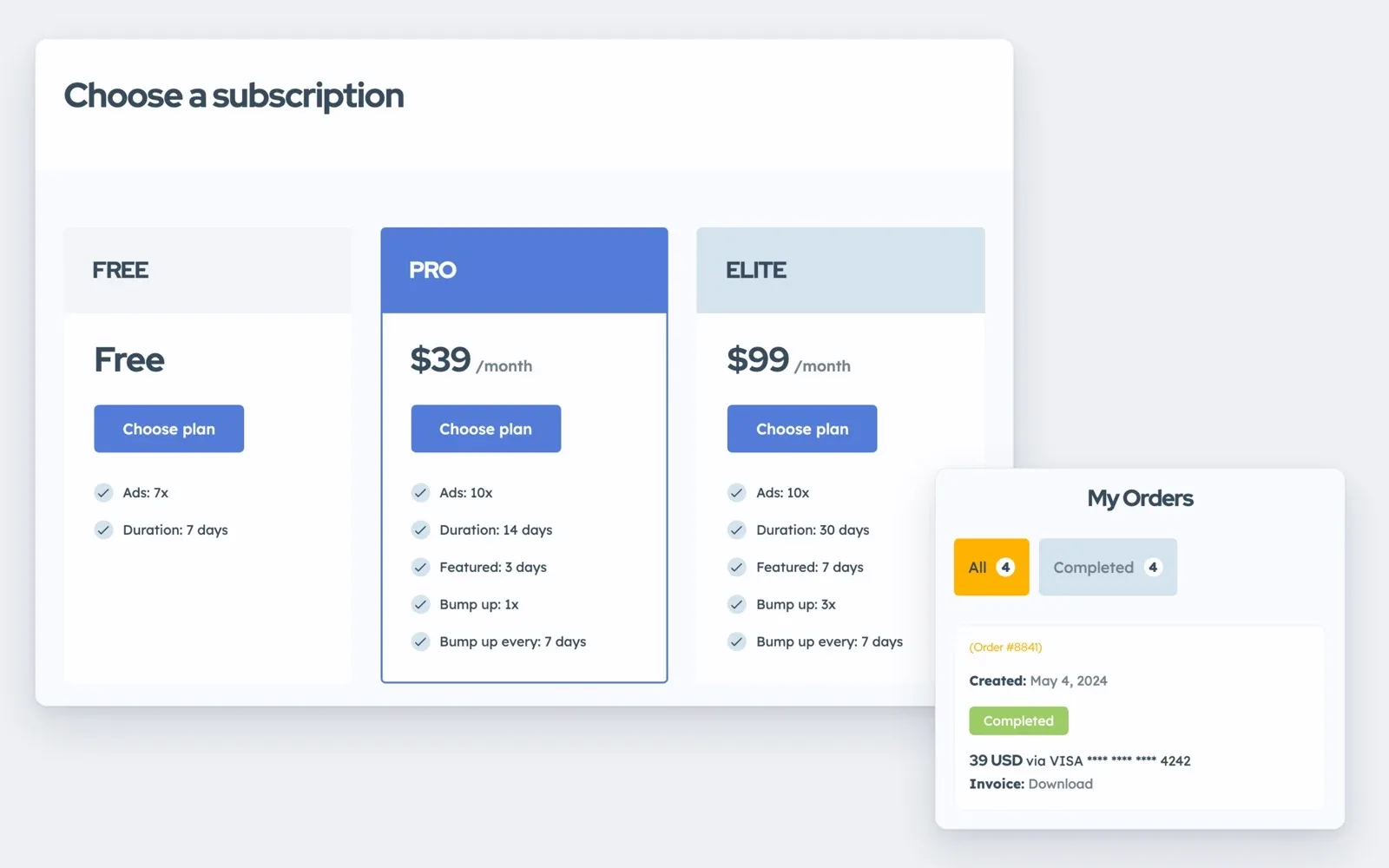
Businesses can also buy one-off packages, or pay for featured days that lift a listing to the top of the results. Packages are paid through any WooCommerce payment gateway, and monthly plans through Stripe.
A look that fits your field
A wedding guide should not look like a board of small ads. In Listivo you set your colors and fonts once, and cards, buttons and pages follow.
You can also rename any word on the site, so "ad" can read "listing" or "business". How to Translate or Rename All Texts shows where.
How to create your directory website in five steps
- Start the free trial with the Services demo.
- Add your categories, your towns or areas, and the fields each category needs.
- Add your first businesses yourself, so the directory is not empty on launch day.
- Set up your plans or packages, and turn on business accounts.
- Set your colors and words, then invite businesses to sign up.
Try it with your own categories
Get your own Listivo website with the full WordPress admin, and set up your directory there.
Try Listivo free Free for 7 days. No card needed.More guides on directory websites
Each guide takes one part of the job further, from the niche to the first paying businesses.