How to choose a real estate WordPress theme: a checklist
A real estate theme decides how buyers search, what each listing shows and who helps you later. Here is what to check before you buy, and where to test it.
In this guide
- Test a theme on its live demo, not on its feature list
- Buyers decide on the map search, the listing page and the agent's page
- Fewer required plugins mean fewer updates and fewer conflicts
- Ask who answers, for how long, and whether they fix your site
- For most agencies, a ready theme is the quickest way to a site they own
To choose a real estate WordPress theme, test its demo the way buyers and your agents will use it. Search for a home on the map, open its listing and write to the agent. Then check what the theme needs to run, who updates it and who answers when something breaks.
The checklist works for any theme made for agencies that show their own listings. We make MyHome, so we name no other theme, and most points link to our demo or a guide where you can check them. Once you have picked a theme, our guide to creating a real estate website takes you through the setup.
The real estate WordPress theme checklist
This real estate theme checklist starts where a buyer starts and ends with running the site. Test what buyers see on the public demo, and the admin side on a trial site or in the theme's guides.
What to test in a real estate theme
23 tasks
Search and map
-
The pins and the result count should follow every filter, with no page reload.
See it on the demo -
A drawn area follows the streets a buyer wants, not the lines between districts.
How to add map search to a real estate website -
Places should appear as you type, and the map should move to the one you pick.
Limiting Google Maps Autocomplete to Specific Countries on Your Website -
Check that you can choose which view opens first.
See it on the demo -
MyHome maps run on Google Maps, which needs a Google key and may cost money on very busy websites.
Listing pages
-
Big photos first, then the price, the key facts, the map and the agent.
What a property listing page needs to sell a home -
You should add it without code and show it in search and on the listing.
Types of Custom Fields for Property Listings -
Square feet or square meters, and your currency sign before or after the number.
Configuring Currency Settings
Agents and inquiries
-
Call, WhatsApp and email buttons should be one tap away on a phone.
See it on the demo -
The email should say which home the buyer is asking about.
Contact Form 7 – special mail tags -
MyHome forms run on Contact Form 7, with ready forms whose texts and emails you edit.
Customizing Texts in Contact Form 7
Design and language
-
Then you start from a working site, not from an empty one.
-
You should see each change live before you save it.
How to Use Elementor with MyHome Theme -
A change you can make yourself is a change you do not wait for.
-
Look for one panel for the theme's texts and web addresses, with no extra plugin needed.
How to Translate or Rename All Texts
Updates and speed
-
Fewer required plugins mean fewer updates and fewer conflicts. MyHome needs three.
-
The changelog lists every new version. Regular releases show that someone still works on the theme.
-
Your developer's code then stays safe through every update.
-
Judge the speed on a phone network, not only on a fast office computer.
Why is my WordPress site slow? Fixes for listing websites
Support and buying
-
An answer by email helps, and a fix made on your own site helps more.
What Premium Support covers -
Updates should keep working after support ends.
When your support period ends -
The same theme can come with different support, depending on where you buy it.
Buy a theme from ThemeForest or directly from its authors? -
Buy MyHome from us and you can get your money back within 30 days.
Five tests to run before you buy a real estate theme
Most points take a minute each. These five take longer, and they decide whether the theme fits your agency.
1. Search the map the way a buyer would
Buyers usually start with a place, then a price. Search for homes, add two filters and draw an area on the map. Watch whether the page reloads after each step.
Then switch the view, because some buyers want photos and others want prices on a map. On MyHome, you choose which of the three views opens first.
2. Add a field your market uses
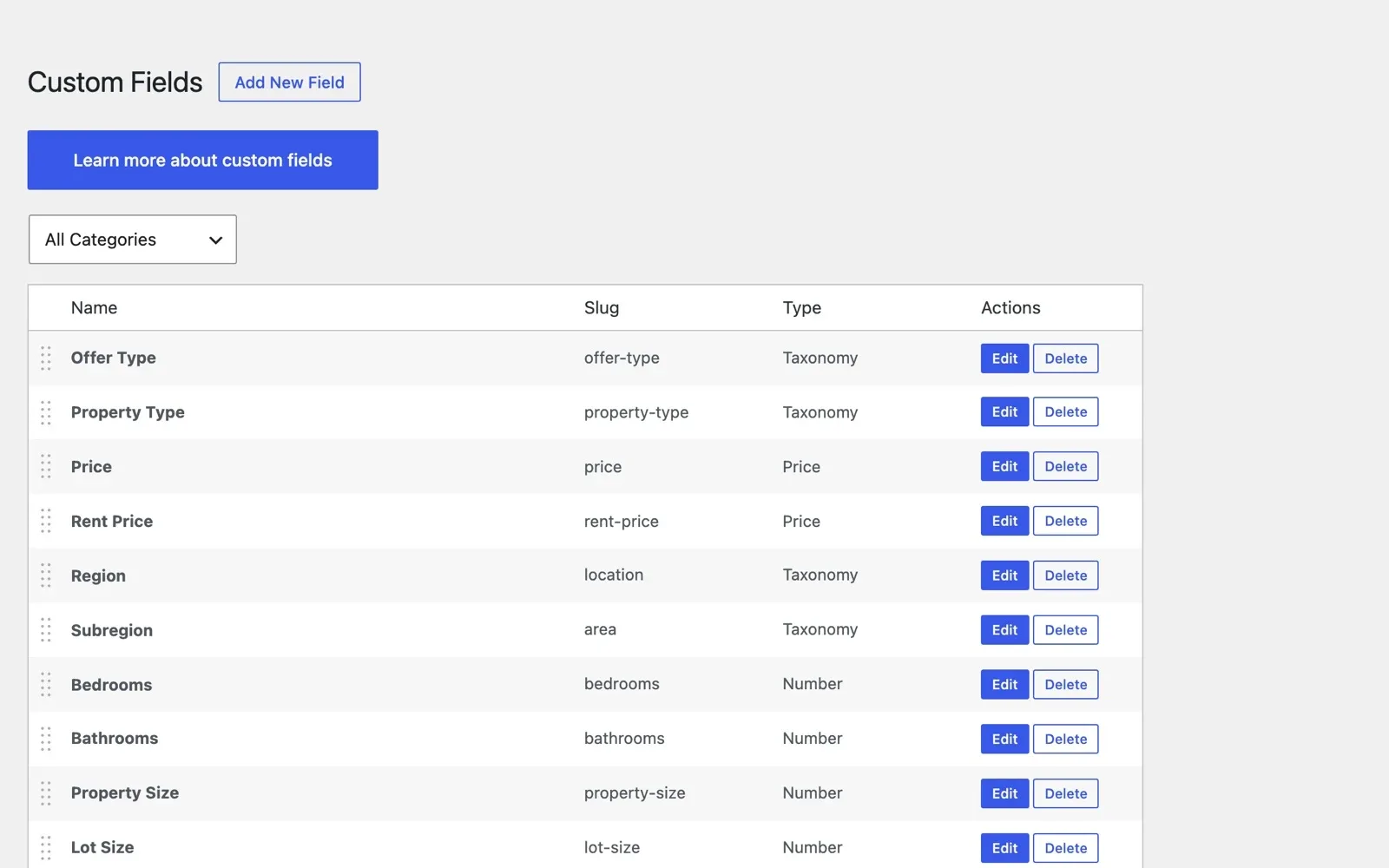
Every market describes homes in its own way. Check that you can add a new field yourself, without code.
MyHome has 9 field types, such as number, price, location and gallery. You place each new field once in the search and once on the listing page.
3. Make the design yours without code
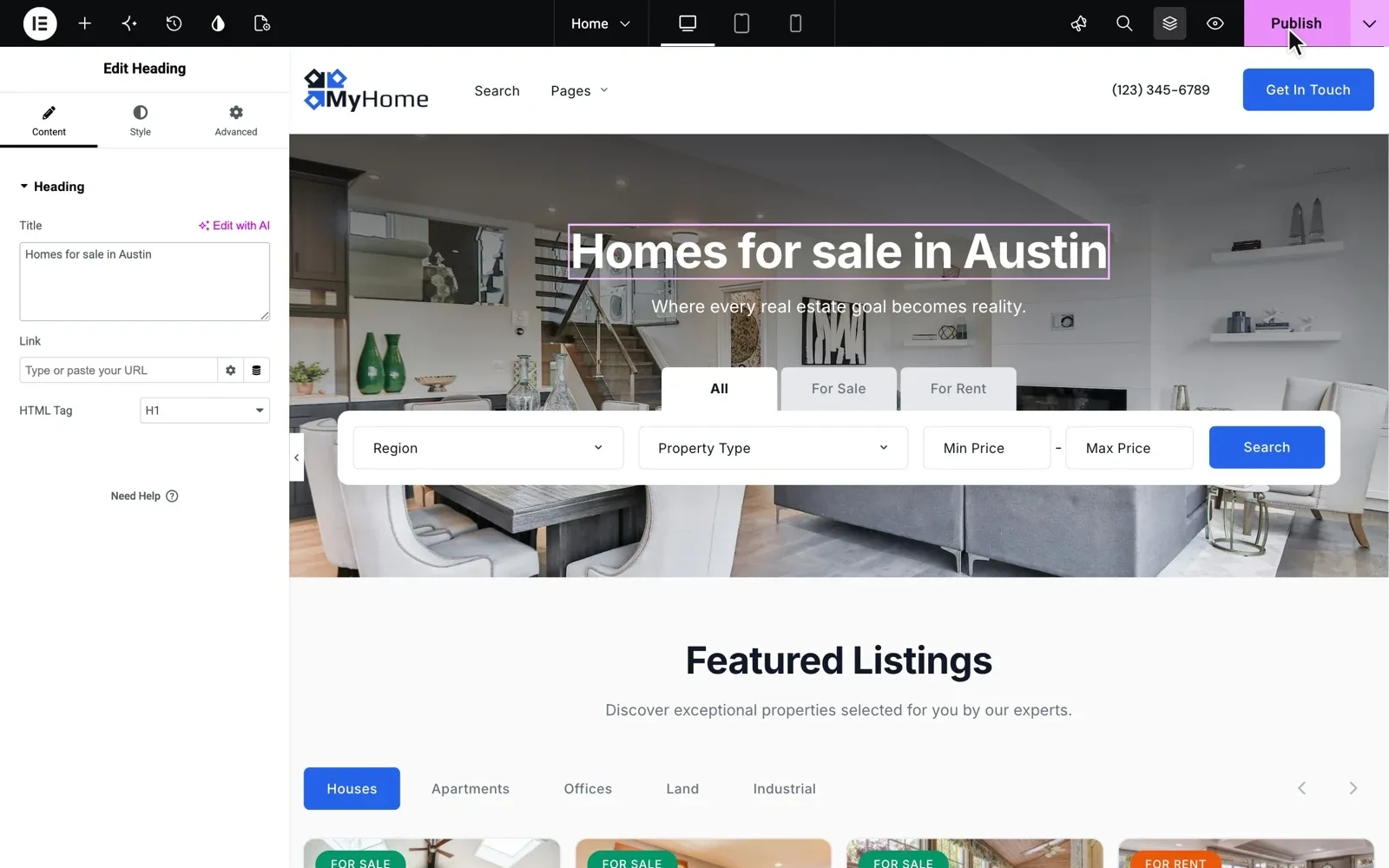
Your website should look like your agency, not like the demo. Change the main color and the heading font, and every button, link and title should follow.
Then change a heading on the home page and publish it. In MyHome, every page, the header and the footer open in Elementor, a page editor where you drag blocks and type over the text.
4. Translate a page into your language
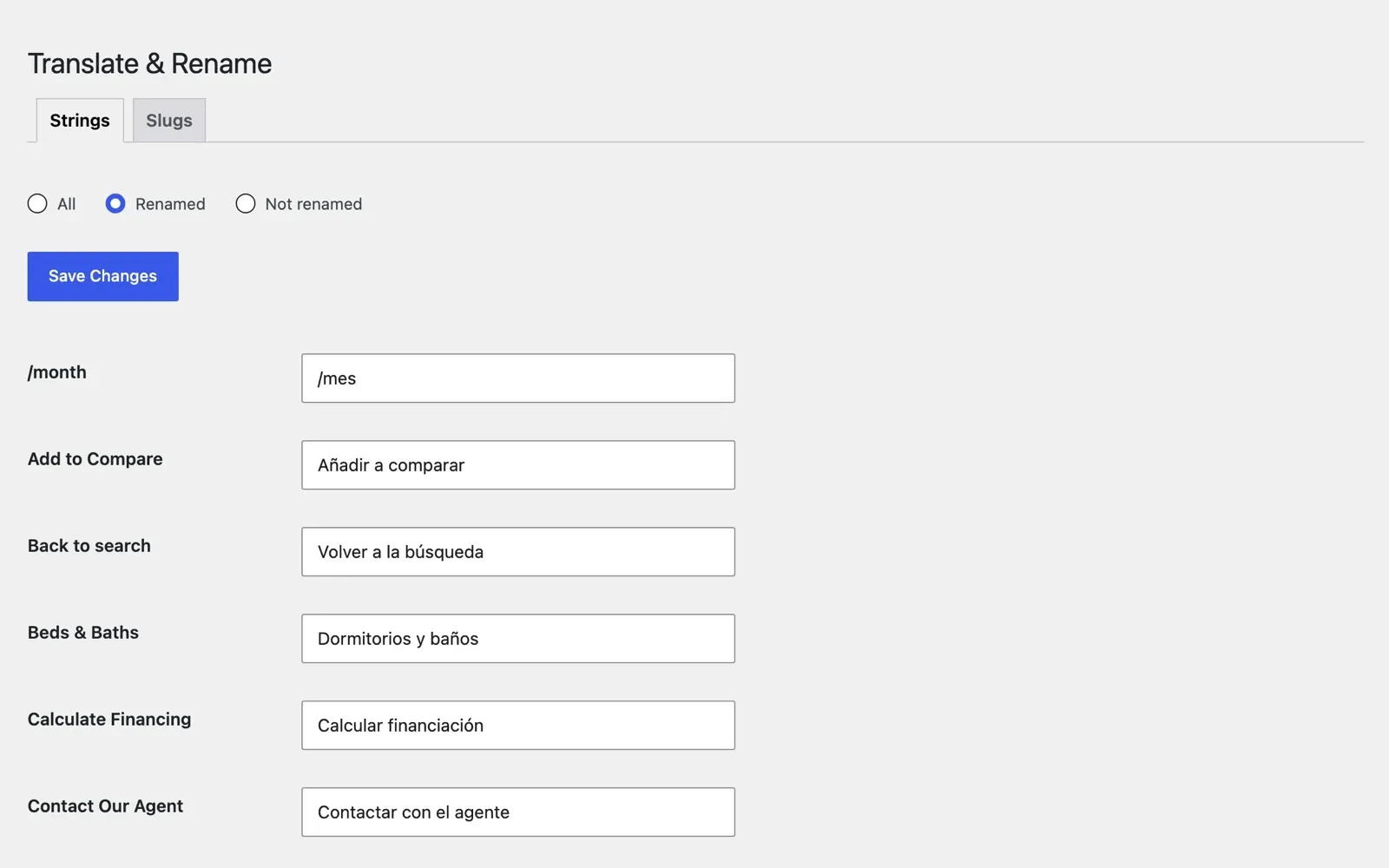
If your buyers do not read English, test translation early. Look for one place to rename the theme's texts, and its web addresses too.
MyHome has a Translate & Rename panel for the theme's texts, with a tab for addresses such as /listing/. You change the texts on your own pages in Elementor. Each website runs in one language.
Run these tests on a MyHome site of your own
Your own MyHome website is ready in a minute. Search its map, add a field and change the colors yourself.
Try MyHome free Free for 7 days. No card needed.5. Find out who answers, and for how long
A theme is not finished when you buy it, because WordPress and plugins keep changing. Ask who answers, for how long, and whether they fix problems on your site.
MyHome has been sold since 2017, and the people who made it still update it. Bought on tangiblewp.com, it comes with lifetime updates and 12 months of Premium Support.
On ThemeForest, item support lasts 6 months. Both places to buy are compared in buy a theme on ThemeForest or from its authors.
Great theme, very easy to work with. There are detailed instructions. Support service responds quickly and in detail. sencomsev, verified MyHome customer
Warning signs when you compare real estate themes
Knowing how to choose a real estate theme also means knowing when to walk away. Keep looking if a theme shows any of these.
- A map search that reloads the page after every filter
- Listing pages you cannot change without code
- Demo features that each need a paid add-on
- Required plugins for jobs the theme says it does itself
- No changelog, or no release in the past year
Not sure which features your agency needs first? Our real estate website features checklist puts the must-have features first.
Theme, website builder or a site built from scratch?
What is the best way to build a real estate website with WordPress? For most agencies, it is a ready theme. The other paths are a site built from scratch on WordPress, or a website builder outside WordPress.
Three ways to build an agency website
| Ready theme | Website builder | Built from scratch | |
|---|---|---|---|
| Time to launch | Days | Days | Weeks to months |
| Map search and listing pages | Yes | Partly | Yes |
| How you pay | Usually one payment | A monthly or yearly plan | A price for the project |
| Move the site to another company | Yes | Partly | Yes |
| Who changes the design | You, without code | You, within its templates | A developer |
| Who answers when it breaks | The theme's authors | The builder's support | The team that built it |
A ready theme fits most agencies, because you test it on a real site within days and the site stays yours.
Not sure who should do the work? Compare your options in build it yourself, hire a developer, or have it built for you.
If outside agents or owners should post their own homes, you need a portal. MyHome has no panel for that, so choose Listivo and read how to create a website like Zillow.
Rather have us build your agency website?
No time to run the checklist and set everything up? The people who wrote MyHome can build your whole agency website for you.
Custom Website
Photos, your logo and a few words are enough. We design and write the whole website, and you pay only when you approve it.