Hire a WordPress developer or do it yourself, or have it built for you?
Compare three ways to get a listing website made, by time, skills and risk. See who does the work and who changes the site once it is live.
In this guide
- Build it yourself when a ready theme does what you need and you have time each week
- Hire a developer for code of your own, such as a new feature
- Have it built for you if you would rather approve a website than learn WordPress
- On every path, keep the domain, the admin login and the content in your name
- With our Custom Website, you agree the price first and pay when you approve the site
Should you hire a WordPress developer or do it yourself? Do it yourself when a ready theme already does what your site needs. Hire a developer when you need code that no theme has.
There is a third path, too. You send photos, your logo and a few words, and a team designs and writes the whole website for you. This guide compares all three for a listing website.
Whichever path you pick, someone has to look after the site once it is live. Our WordPress maintenance checklist shows what that work involves.
Which theme fits your site?
Each path below can start from one of these three themes.
An agency or agent that shows its own listings
A classifieds site or directory where users post their own listings
A car dealer, or a car marketplace for many dealers
The three paths side by side
Each row is a question owners ask before they choose. No path is right for everyone, so look for the row that matters most to you.
Do it yourself, bring a developer, or have it built
Time, skills, money and risk on each path.
| Do it yourself | With your developer | Built for you by us | |
|---|---|---|---|
| Who builds it | You, from a ready demo | Your developer, from a theme | The theme's authors |
| Skills you need | Elementor, no code | None, your developer writes code | None, you answer and approve |
| Your part until launch | A few hours a week | A clear brief | Photos, a logo and a few words |
| New features of your own | No | Yes | Yes |
| How you pay | One payment, or monthly on Site Care | Theme, plus the developer's time | Price agreed first, paid on approval |
| Who changes it later | You, in Elementor | Your developer, or you | You, or any WordPress developer |
| Main risk | Running out of time | Code only one person knows | You learn less about your site |
Short on time, have it built. Short on budget, do it yourself. Need code of your own, bring a developer.
1. Build it yourself with a ready theme
A good listing theme already has the hard parts, such as search, listing pages and contact forms. You import a demo, then change the words, photos and colors until it looks like your business.
When people compare a DIY website vs professional work, the look used to be the big gap. With a ready theme, you start from a finished design instead of an empty page.
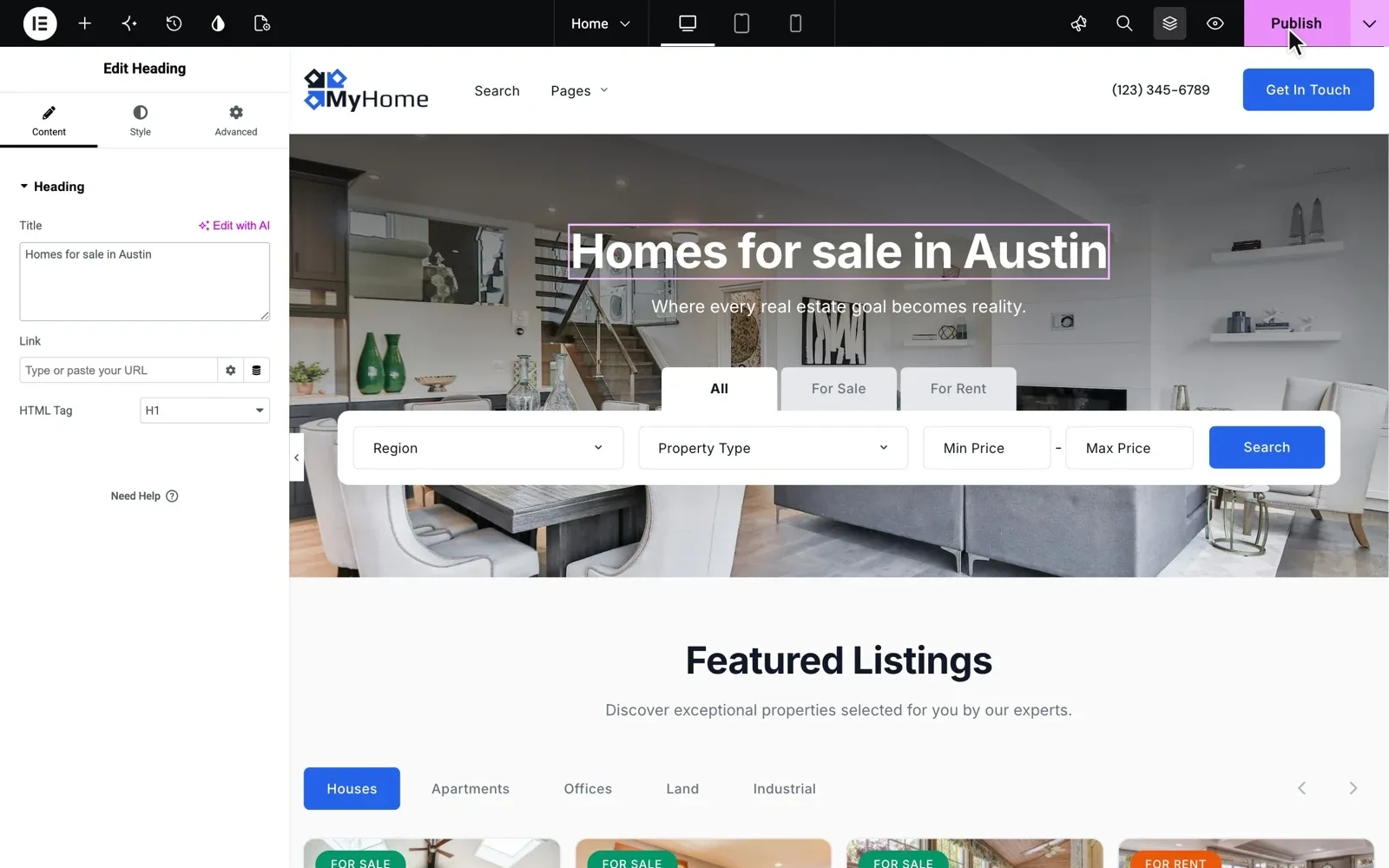
On MyHome, Listivo and Vehica, every page opens in Elementor. You change any text, move blocks by drag and drop, then click Publish, with no code.
Before you pay for any theme, test it against a checklist. An agency can use the real estate theme checklist, and a classifieds site or directory the classified ads theme checklist. A car dealer can check the demo with the car dealer website features checklist.
When doing it yourself works
- Your site needs what the demo already shows
- You have a few free hours each week until launch
- You want to test your idea before you spend more on it
Where doing it yourself gets hard
The setup is rarely the hard part. Time is. A site that stays half done for months earns nothing, so set a launch date and plan back from it.
The second risk comes after launch. Updates, backups and spam checks take a little time every week, and they are easy to skip. A theme bought from us comes with 12 months of Premium Support, so the people who wrote it fix your site when something breaks.
Would you rather skip that routine? On Site Care, the team that made MyHome, Listivo and Vehica keeps your site backed up, updated and fast. You can start it on any day of the free trial.
Start building today, with nothing to install
Get your own website on MyHome, Listivo or Vehica, with the full WordPress admin, ready in a minute. Change it in Elementor and see if the work suits you.
Try a theme free Free for 7 days. No card needed.2. Start from a ready theme and hire a developer
A developer is worth hiring where a theme stops. That means a new feature, a link to software your business already uses, or a design no demo comes close to.
Starting from a ready theme keeps the bill smaller. Your developer does not rebuild search or listing pages, and spends the hours on what is truly yours.
First, check what is only a setting
Many wishes on a developer's list are settings in a good listing theme. A new field for your market or a new search filter is usually a setting, not code.
Have Premium Support? Ask us before you pay for code. We help you set up new fields, search filters and how listings are shown, with clear steps and examples.
Where an AI assistant fits
MyHome, Listivo and Vehica are plain WordPress where every field has a name, so Claude, ChatGPT or a developer can change them for you. An assistant can set colors, build pages in Elementor and add content in bulk. Give it its own WordPress user, take a backup first and check the result yourself.
Each theme has its own guide. Start with How to work with AI on MyHome, How to work with AI on Listivo or How to work with AI on Vehica.
Five things to agree before your developer starts
- The domain, the server account and the WordPress admin are in your name
- The developer works under a WordPress user of their own, never your login
- Custom code goes into a child theme, never into the theme's own files
- What is included, the price and the date are written down
- You know who installs updates after launch, and who fixes what they break
Each of our themes has a child theme for this, so the code survives every update. If you bought the theme from us, Premium Support also answers your developer's questions about it.
3. Order a done-for-you website
A done-for-you website means you bring the facts about your business, and a team brings the design, the pages and the words. Your part is to answer questions and approve.
Most of the risk sits in the terms, not in the design. Before you order from anyone, ask these five questions.
- Who owns the domain, the site and the content when it is done?
- Can another developer work on the site later?
- When do I pay, and what if I do not like the result?
- How many rounds of changes are included?
- Who looks after updates and backups after launch?
How our Custom Website works
We design and write the whole site on MyHome, Listivo or Vehica. Photos, your logo and a few words about your business are enough, and you follow the progress.
We agree the price first, and changes are included. You pay once the website is the way you want it.
The result is standard WordPress, not tied to us. Any WordPress developer can work on your site later.
When to hire a WordPress developer or do it yourself
Go through these questions from the top. Stop at the first yes.
- Does your idea need something our themes do not have, such as payments between users? Then it needs a developer, often building from scratch.
- Do you need a feature of your own on top of a theme? Hire a developer and keep the code in the child theme, or have us build it as a custom website.
- Would you rather approve a website than build one? Have it built for you.
- Do you have a few free hours a week, and a demo close to your idea? Build it yourself.
- Still not sure? Try a theme for 7 days, then decide once you know how much work it is.
Many owners mix the paths. They build the site themselves and hire a developer for one feature, or order the site and make small changes later in Elementor.
If your site is not about listings at all, a listing theme is the wrong start. A shop or a booking site needs tools made for that job.
Rather have the whole website built for you?
Tell us what your business does and what the site must do. Asking for a price is free, and you do not have to order.
Custom Website
Photos, your logo and a few words are enough. We design and write the whole website, and you pay only when you approve it.