How to create a luxury real estate website
Luxury buyers judge an agency by its photos, its calm design and its discretion. Here is how to build a high-end real estate website in six steps.
In this guide
- Large, bright photos sell a luxury home before any words do
- Use one accent color and one elegant heading font on every page
- Show fewer listings, and make each listing page complete
- Put a named agent in front, with a private way to ask
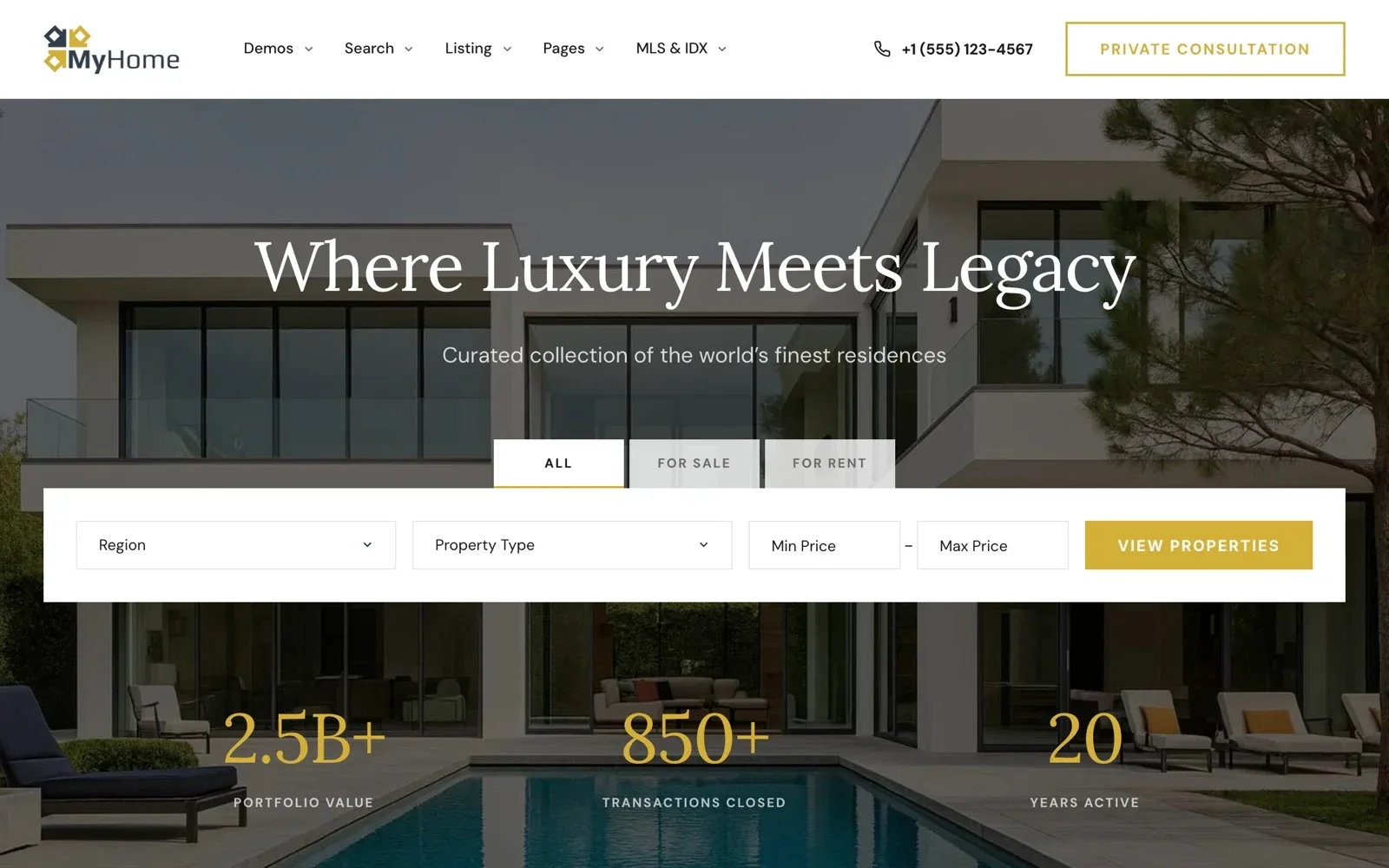
- MyHome has a Luxury demo with gold accents and serif headings
A luxury real estate website sells trust before it sells a home. It needs large photos, a calm design, a short list of strong listings and a named agent. It also has to feel private, because high-end clients value discretion.
Many buyers of expensive homes study a website alone, long before they call. If the site looks crowded or careless, they expect the service to be the same.
This article builds on our guide to creating a real estate website and adds only the luxury touches. Each step shows how to do it in MyHome, whose Luxury demo you can open and test.
What makes a luxury real estate website feel high-end
Luxury design is mostly about what you leave out. Most high-end property websites share the same few habits.
- Photos fill the screen, and the text stays short
- One accent color, such as gold, navy or deep green
- An elegant font for headings and a plain one for text
- Plenty of space around every section and every home
- A small number of homes, each with a complete page
- A named agent and a calm way to ask for a viewing
Before you add the luxury touches, check the features every real estate website needs.
1. Start from the Luxury demo
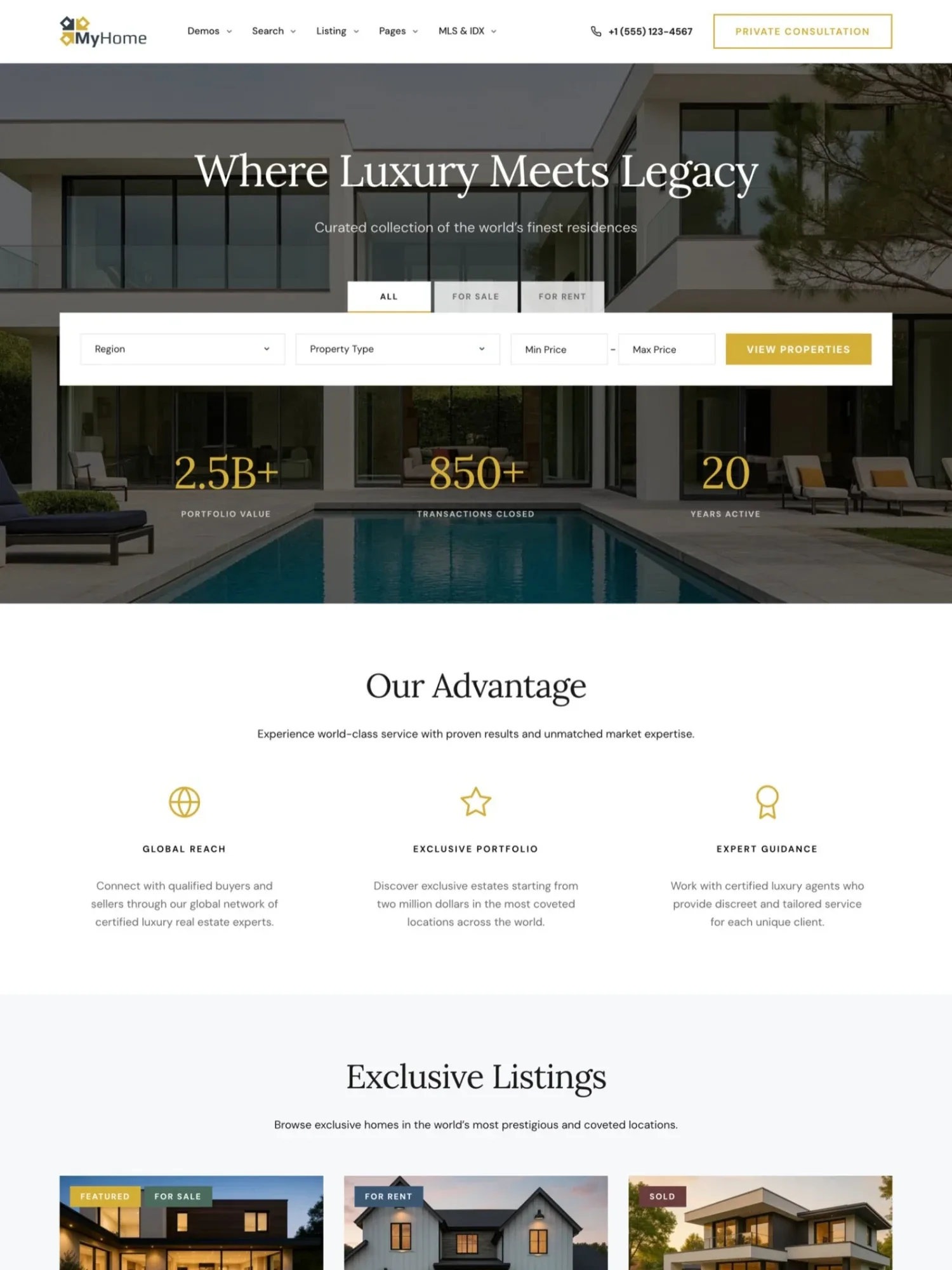
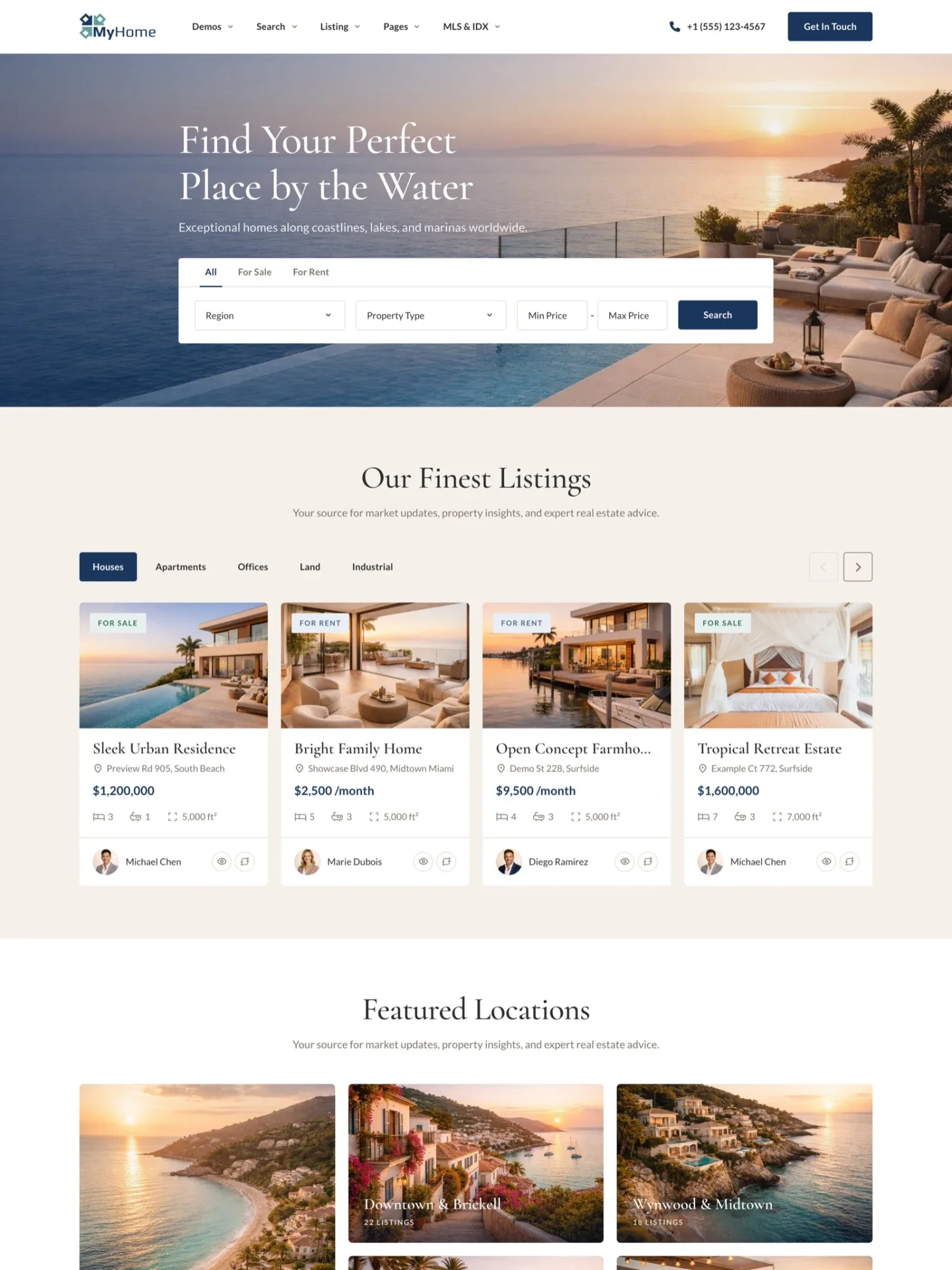
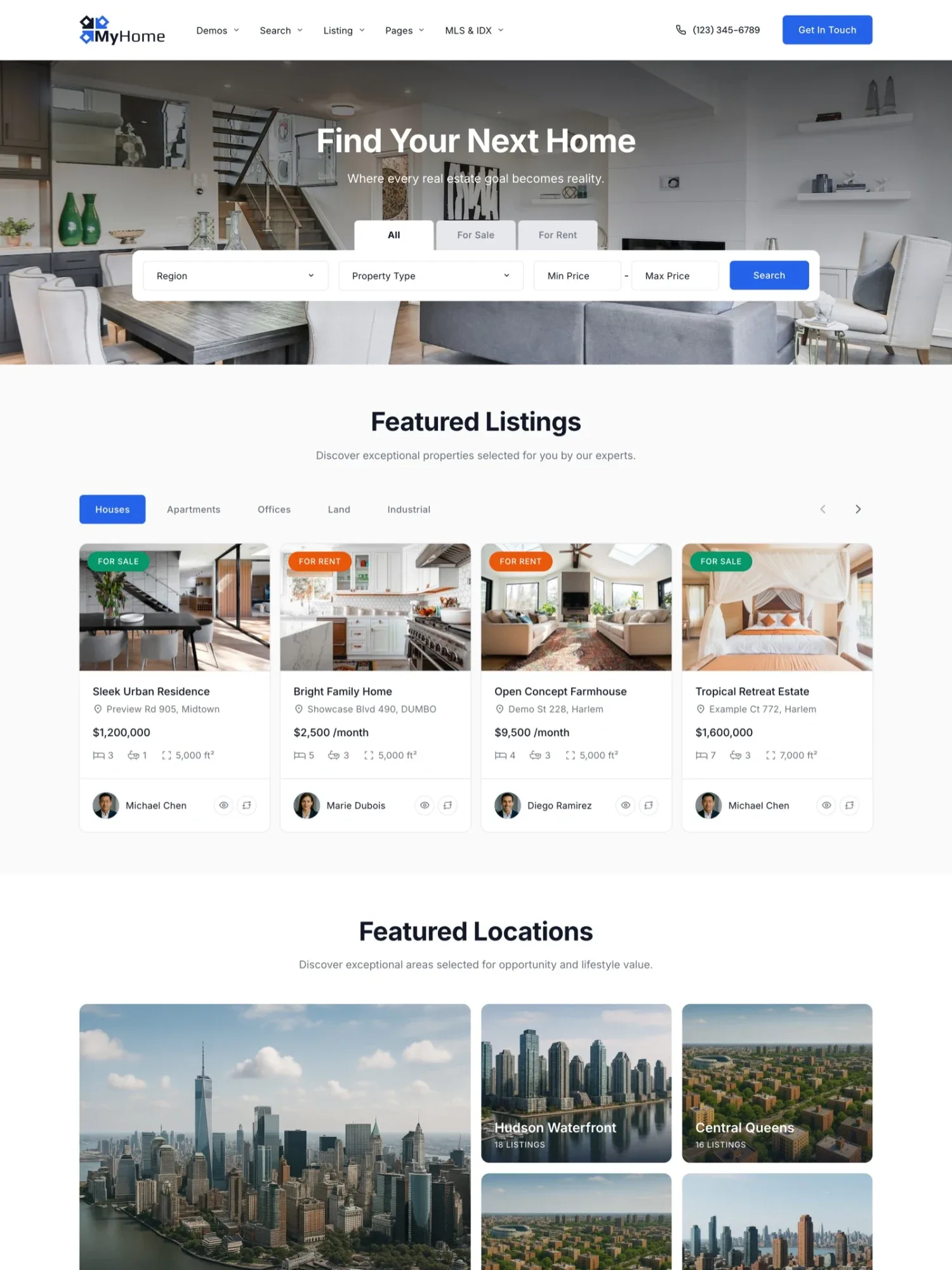
MyHome comes with four complete designs, and the Luxury demo was made for high-end agencies and luxury agents. It uses gold accents and Lora serif headings. Like every MyHome demo, it imports in one click, with its pages, menus and sample listings.
Pick the design closest to your market
Every demo has the same features, so you choose by the look alone.
2. Choose one accent color and an elegant heading font
Luxury real estate website design is calm. Pick one accent color for buttons and links, and keep the rest white, black or soft gray. Use the accent in a few places only, so it still stands out.
For fonts, a serif for headings and a simple font for text is a safe pair. Keep body text at 16 pixels or larger, so it reads on a phone. Use no more than two fonts.
In MyHome you pick the accent color and the fonts once, in Elementor Site Settings. Buttons, links and titles on every page follow, and you see each change live before you save.
3. Let big photos do the selling
On a luxury property website, photos carry most of the message. Hire a professional photographer, and ask for daylight shots of every room, wide shots of the outside and a few at dusk.
Show the view, the garden and the details buyers pay for, such as a pool or a wine cellar. Leave out dark, tilted or repeated shots. Big photos can also slow a page down, so read why a listing website gets slow before you upload them.
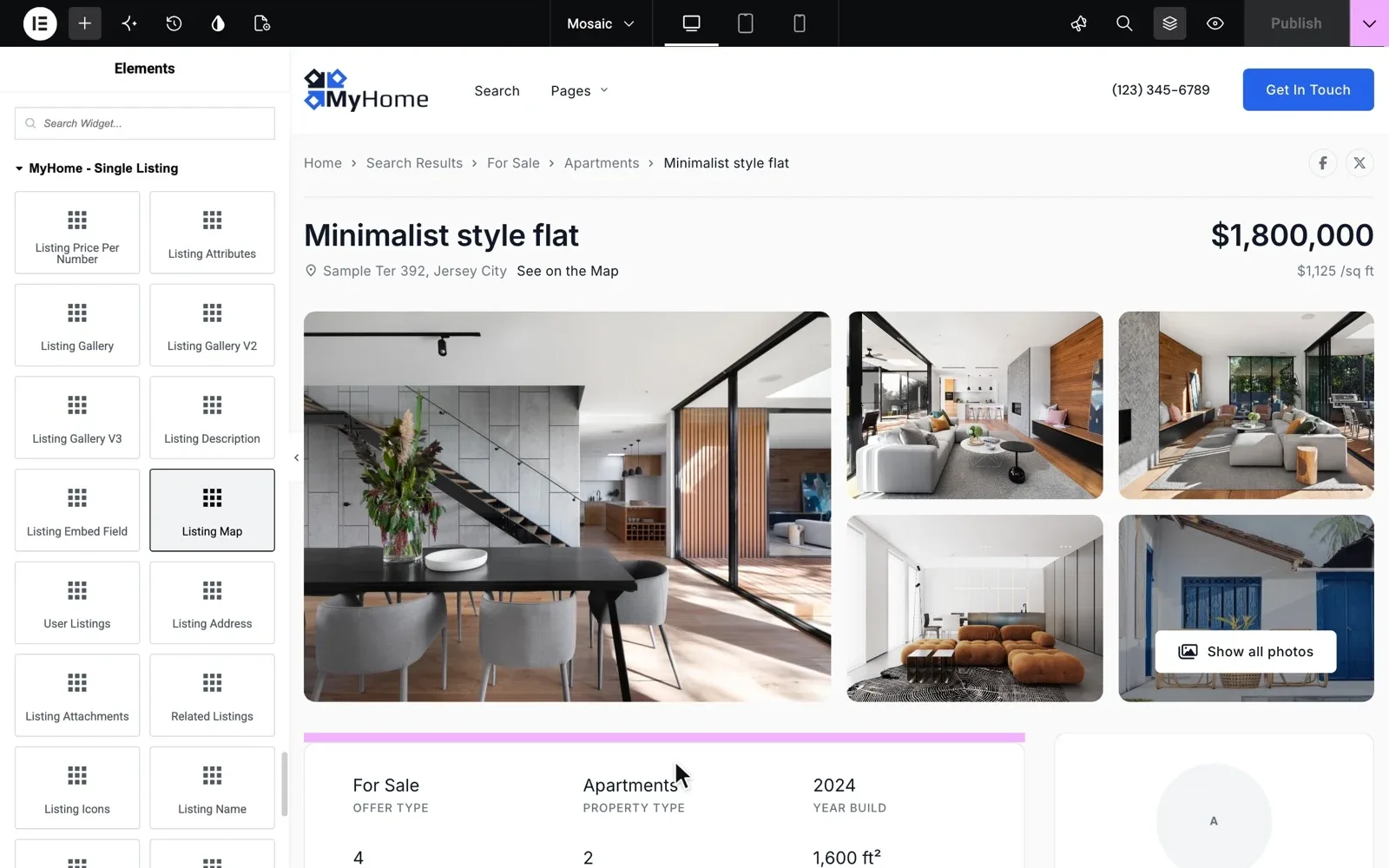
MyHome gives the listing page three gallery styles, called Mosaic, Gallery and Carousel. Start each gallery with the single best photo, and give the garden or the view a gallery of its own. A video or a virtual tour goes in an Embed field.
Try the Luxury design on your own MyHome website
Pick the Luxury design and get a real website with the full WordPress admin, ready in a minute. Add one of your best homes and see how it looks.
Try MyHome free Free for 7 days. No card needed.4. Show fewer listings, and make each one complete
A luxury agency is judged by its best homes, not by how many it has. Put a short selection on the home page, as the Luxury demo does in its Exclusive Listings section.
Each listing then needs a full page, with every fact a careful buyer checks. Add fields such as lot size, a pool or the view, and attach the brochure as a document.
Keep the listing cards simple, with three or four facts and one label at most. In MyHome you choose what every card shows and which label sits on the photo. Keep sold homes marked Sold when the owner agrees, because a record of sales builds trust.
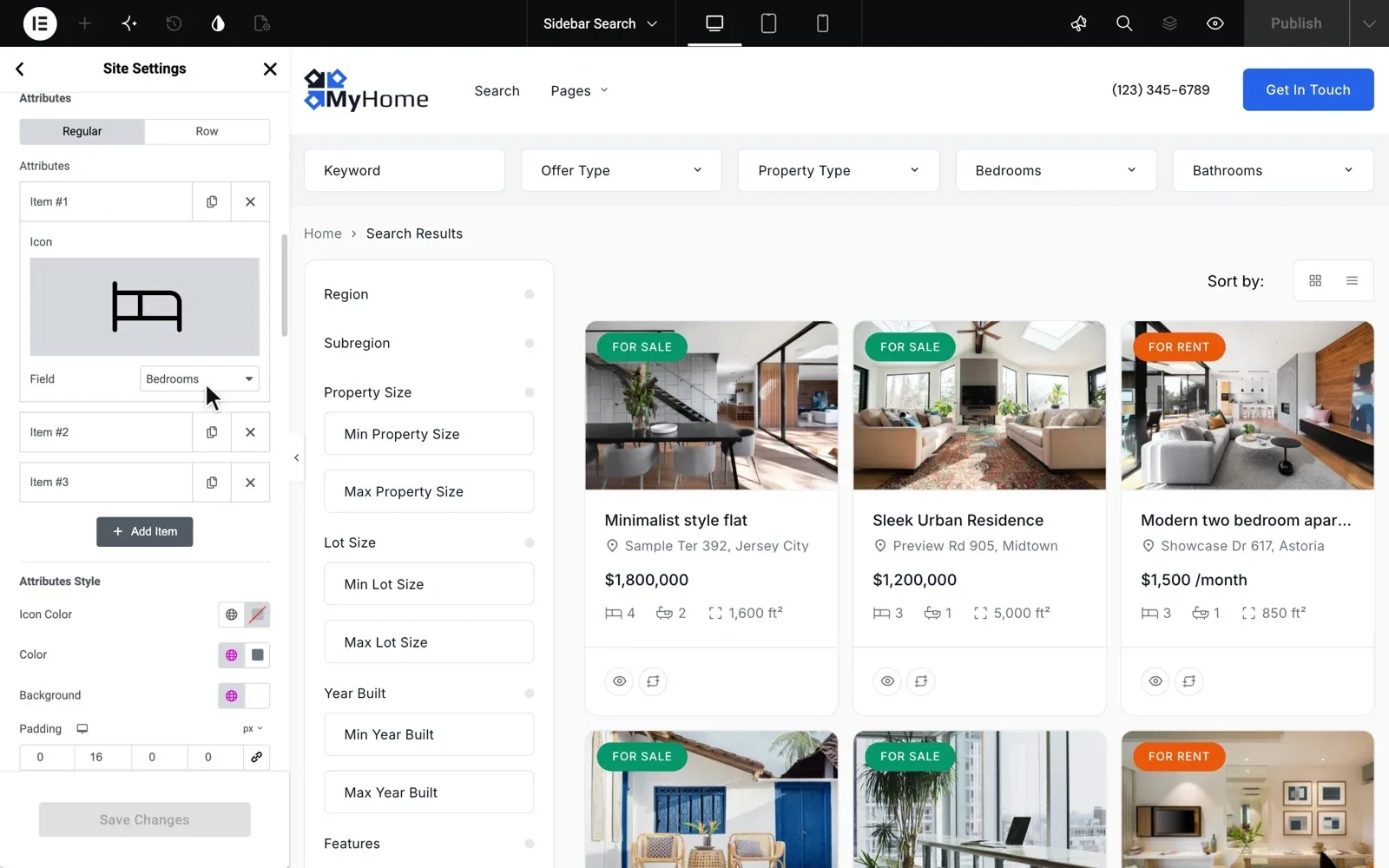
Our guide to what a property listing page needs covers every part of the page, from the gallery to the form.
5. Put the agent in front
High-end clients buy from a person they trust, not from a logo. Show a real portrait, a full name and a short bio for every agent.
MyHome gives every agent a page with a photo, a short bio, a star rating, their listings and their reviews. Call, WhatsApp and E-mail buttons sit on the same page.
A team page puts the whole team on one page, with the owner up front. For the words, follow our guide on how to write a real estate agent bio.
6. Offer private viewings by request
Privacy matters at the top of the market, so agree with each owner what the listing may show, such as the exact address. Then give buyers one calm way to ask, with a name, a phone number or email and a short message. Change the form button from Send Message to Request a private viewing.
MyHome forms run on Contact Form 7, so you can edit their texts, the email they send and the thank-you message. The guide Customizing Texts in Contact Form 7 shows each step. To make sure every request reaches an agent, see our guide on how to get more leads from your real estate website.
- Keep the agent's photo, phone and WhatsApp next to the form on every listing
- Send each request to the agent and to the office, so none waits
- Agree each private viewing with the owner before you confirm it
- Send a test request before launch, and check that it arrives
The Luxury demo also has a Private Consultation button in its menu. The guide Menu Configuration shows how to set the menu's button, colors and fonts.
Help from the people who made MyHome
You do not have to do these steps alone. Bought on tangiblewp.com, MyHome comes with 12 months of Premium Support.
Wow, you guys are the best! I would have never in my life done it. I’m so glad you replied to my request for help, because I was about to pay a web developer to fix a simple problem. I really appreciate you! Elisabeth Reynoso, RE/MAX Ocean, Punta Cana
Rather have us build your luxury website?
Busy with clients? Keep your time for buyers and owners, while we build the website and you follow the progress.
Custom Website
Photos, your logo and a few words are enough. We design and write the whole website, and you pay only when you approve it.