Configuring Currency Settings
Set the currency name, symbol, symbol position and number format that MyHome uses for every price on your site.
1 minute read
You can set your currency by navigating to /wp-admin/ > MyHome Panel > Settings > Currency.
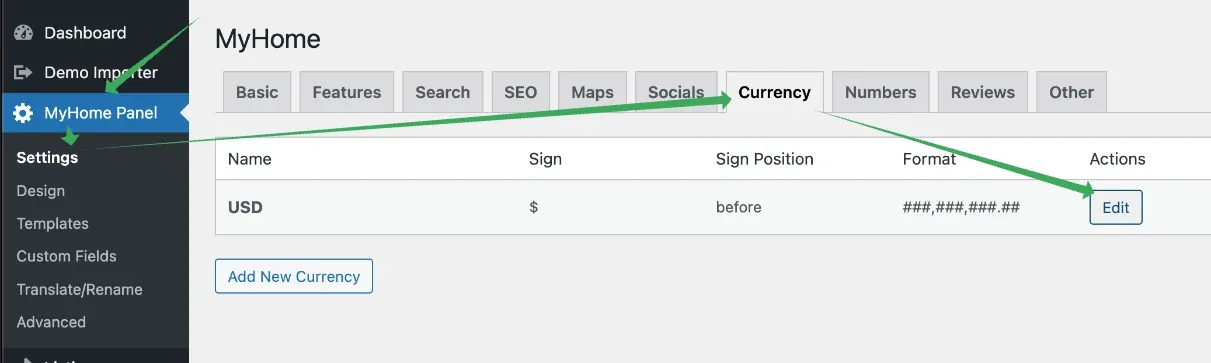
Editing a currency lets you change the Currency Name (e.g. GBP), the Currency Sign (e.g. £), the Sign Position (before or after the number) and the Format.
Finding your currency sign
The easiest way to get a symbol such as £ is to search for it on Google — for example "Pound Sign" — and copy and paste it into the MyHome Panel.

Ask the people who build MyHome
We answer by email from support@tangiblewp.com. With Premium Support, we also fix your site when something breaks.
We can also run your site for you, or build a new one.
Was this guide helpful?