Limiting Google Maps Autocomplete to Specific Countries on Your Website
Restrict the Google Maps address autocomplete in MyHome to as many as five countries, so visitors only get suggestions from the markets your site actually covers.
1 minute read
If your website operates in only a few countries, you can configure Google Maps autocomplete to limit suggestions to a maximum of five countries. By default, autocomplete suggests locations from all countries.

-
1
Edit the Location field
Go to the MyHome Panel → Custom Fields and edit the Location field.

-
2
Pick the countries
Under Country Restrictions (Max 5), search for and select the country you want to focus on, such as the United States of America.
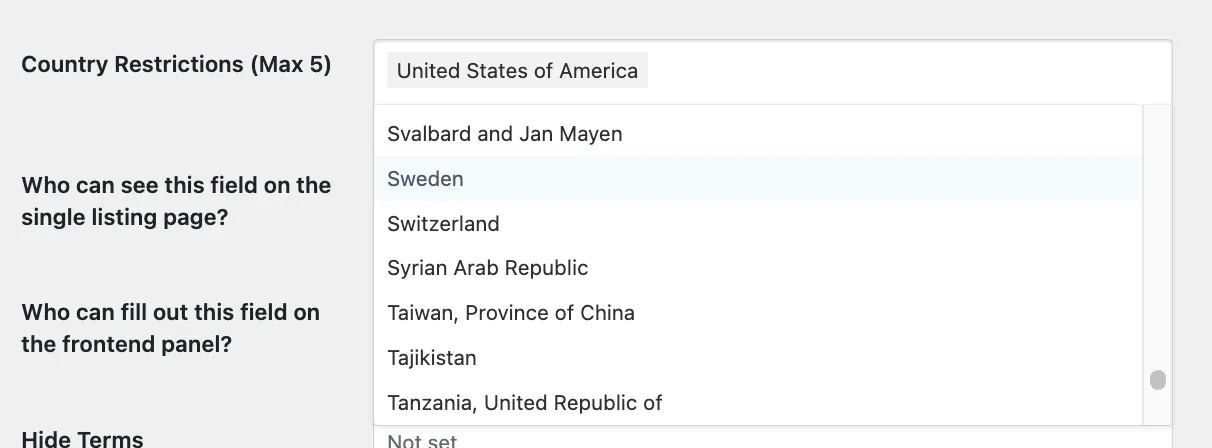
Autocomplete will now only suggest results from the United States, or from whichever other countries you selected.
Ask the people who build MyHome
We answer by email from support@tangiblewp.com. With Premium Support, we also fix your site when something breaks.
We can also run your site for you, or build a new one.
Was this guide helpful?