How to create a real estate website with WordPress
Your own website brings buyers straight to your agents. See what a real estate website needs, which theme fits an agency and how to launch it without code.
In this guide
- An agency website has five jobs, from a map search to pages Google can find
- MyHome fits an agency with its own listings, and Listivo fits a portal
- You launch it in five steps without code, and you can try it free for 7 days
This guide is for an agency or an agent who shows their own listings. Such a website has five jobs, and each one brings you closer to an inquiry.
What a real estate website needs
A search on a map
Buyers want to see where a home is before they read about it. In MyHome, the pins and the count follow every filter, with no page reload. Buyers can also draw the exact area where they want to live.
The map runs on Google Maps, which needs a Google key and may cost money on very busy websites.
The details your market uses
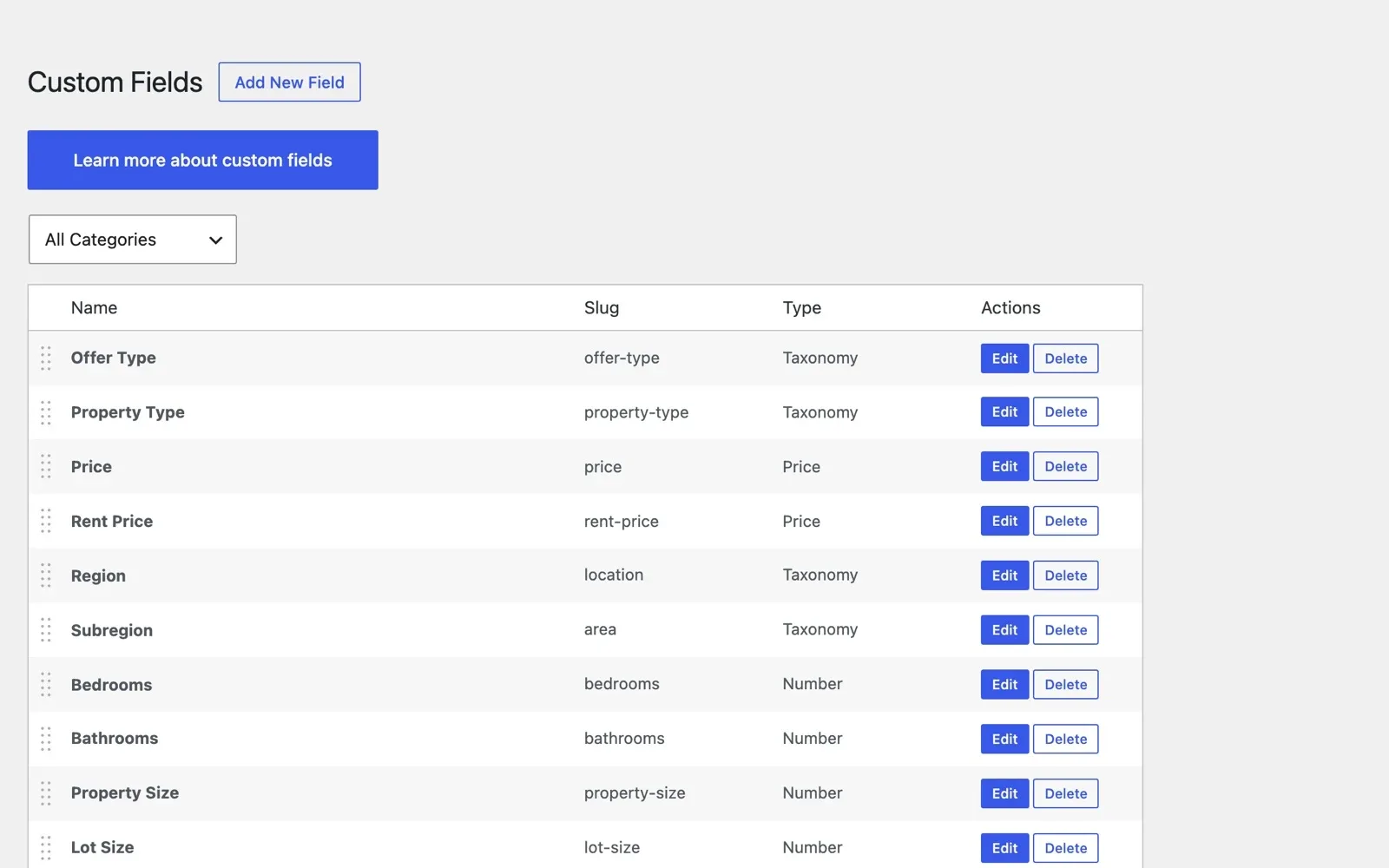
Add a field such as floor, lot size or pool in a few clicks, from 9 field types. Show sizes in square meters or square feet, as your buyers expect. Each field you add can show in the search and on the listing.
A way to reach your agents
Every listing shows its agent, with a phone button and a short contact form next to the photos. Each agent also gets a page with their own listings and reviews.
Search pages that Google can find
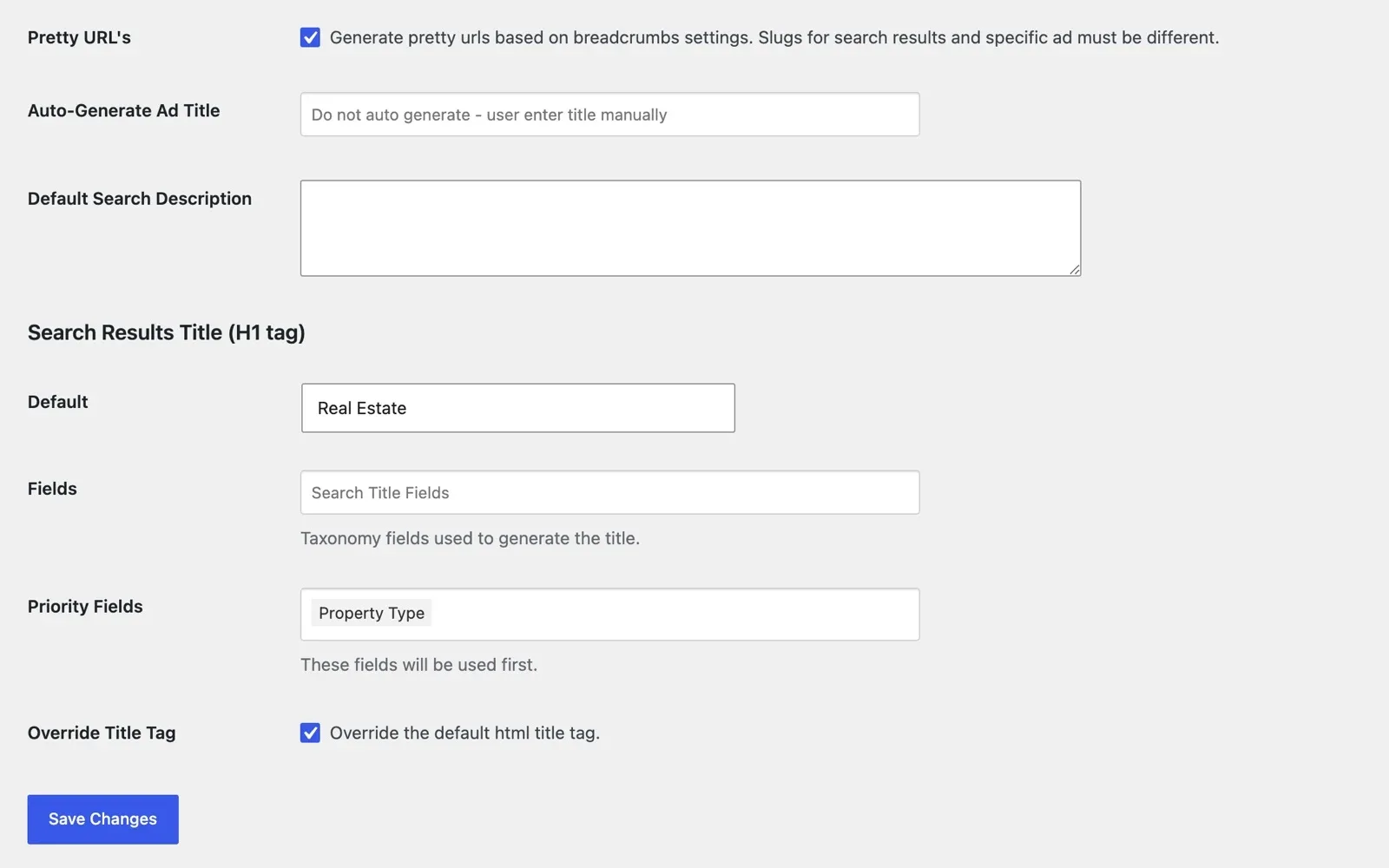
Every search gets a clean web address, and its title is built from the filters a buyer picks. For your other pages, MyHome works with the free Yoast SEO plugin.
Your language and your currency
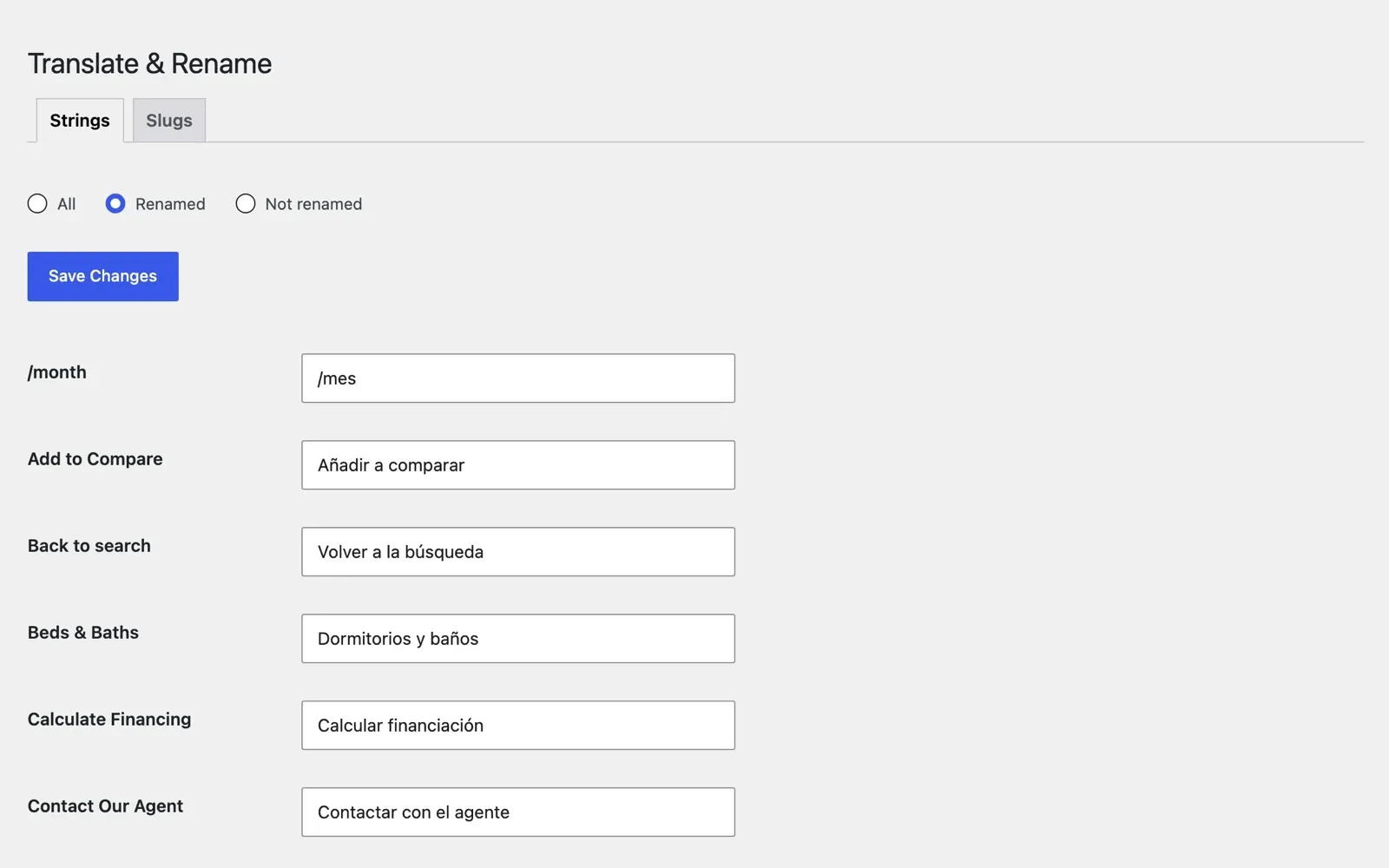
Translate or rename every word and web address in one panel, with no extra plugin. Prices show in your currency and number format. Each website runs in one language.
Pick the design closest to your agency
Each one is a complete website, imported in one click.
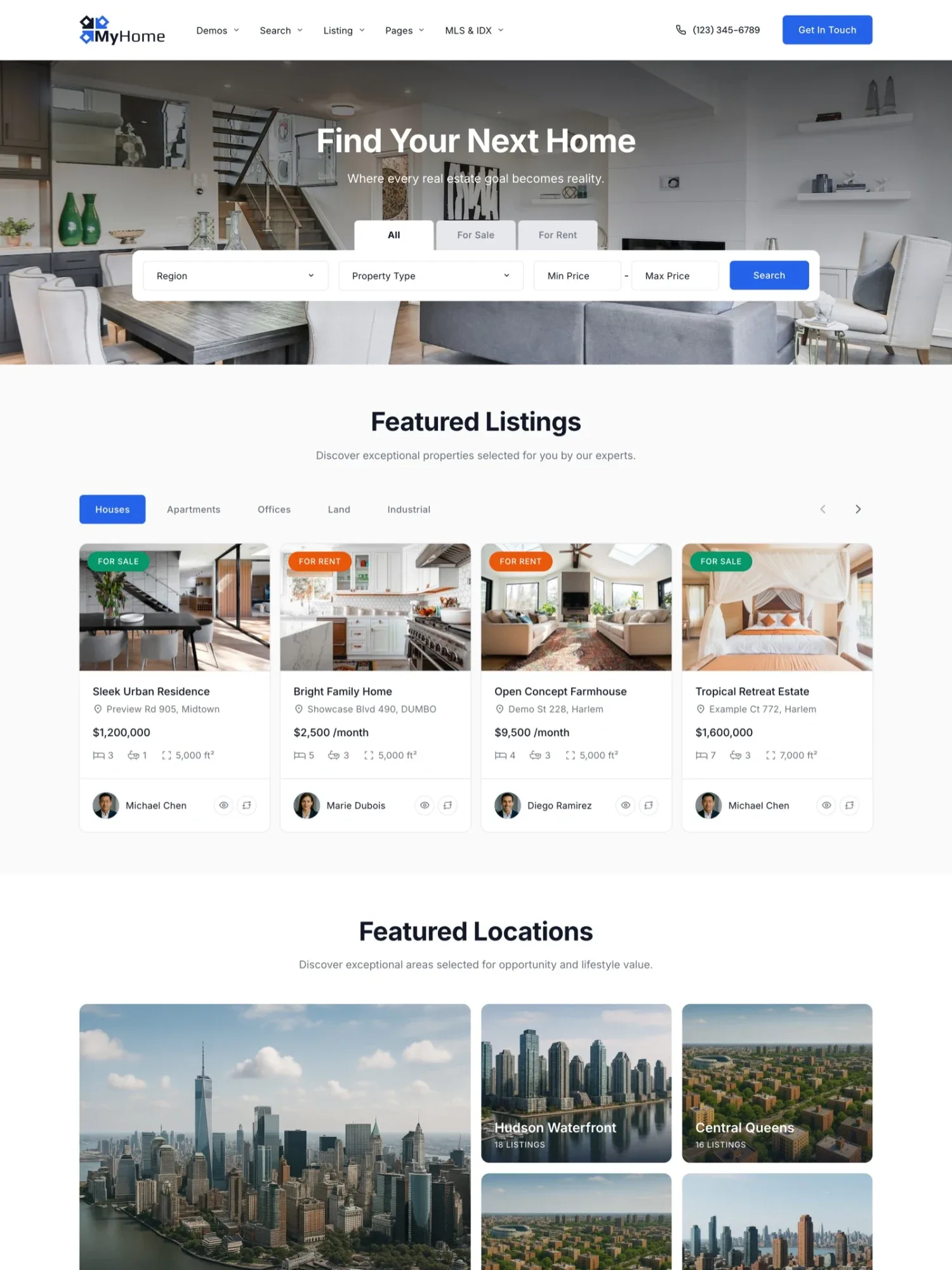
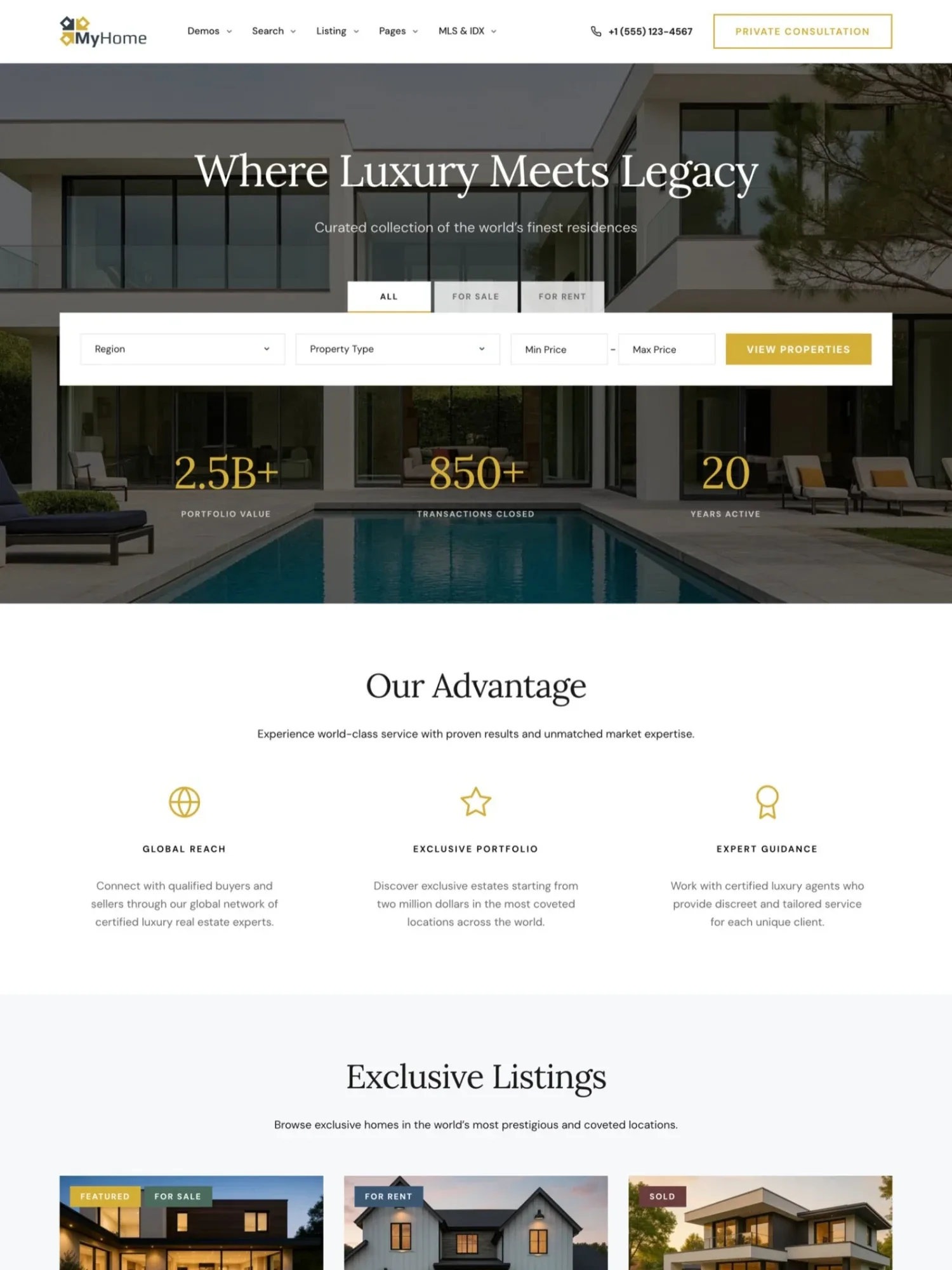
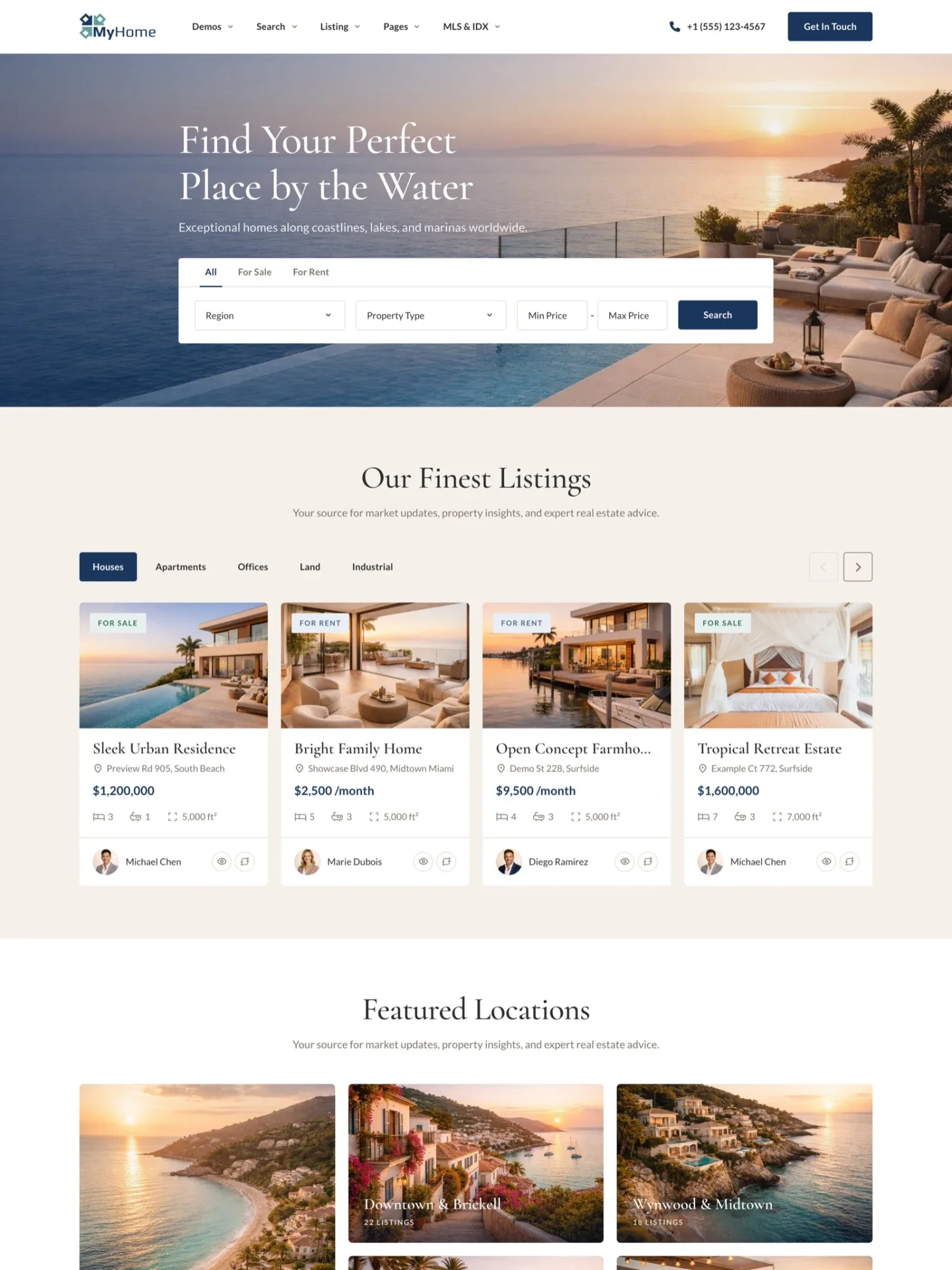
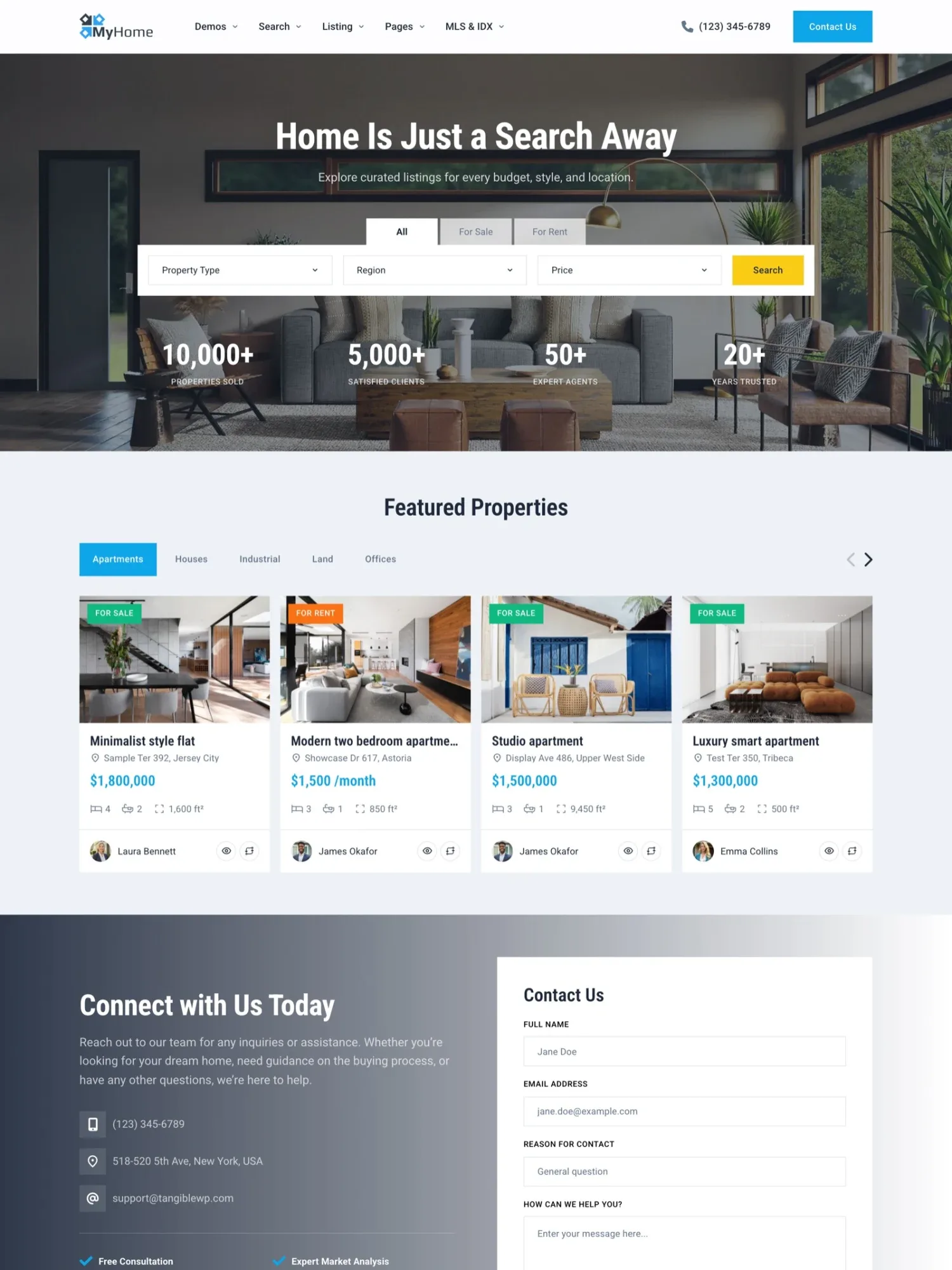
Every design comes with the same features, such as a side-by-side compare of homes and a page for your whole team.
How to create your real estate website in five steps
- Start your free trial. Pick one of the designs above, and your MyHome website is ready with it in a minute.
- Add your brand. Set your logo, main color and fonts once, and every page follows.
- Fit it to your market. Add the fields you need, set your currency and translate the texts.
- Add your listings. Enter each home in the WordPress admin, with photos, a price, its details and its agent.
- Go live. Buy the license with one payment and updates for life, for your own server. Or keep the website on Site Care, our monthly plan where we look after it. See pricing
Wow, you guys are the best! I would have never in my life done it. I’m so glad you replied to my request for help, because I was about to pay a web developer to fix a simple problem. I really appreciate you! Elisabeth Reynoso, RE/MAX Ocean, Punta Cana
Follow the five steps on your own website
Get a MyHome website with the design you pick and the full WordPress admin.
Try MyHome free Free for 7 days. No card needed.More guides on real estate websites
- Real estate website features: a checklist for agencies
- What a property listing page needs to sell a home
- How to write a property listing description (with templates)
- How to add map search to a real estate website
- How to get more leads from your real estate website
- How to write a real estate agent bio (with templates)
- Real estate SEO: how agencies get found on Google
- How to create a luxury real estate website
- How to choose a real estate WordPress theme: a checklist
- How real estate portals make money (and how to start one)