Types of Custom Fields for Property Listings
MyHome stores every listing detail in a custom field, and each field has a type that decides how it behaves. This guide walks through all nine types so you can pick the right one before you build out your property listings.
3 minute read
Below, you can find detailed descriptions of each type of custom field available for listings.
Types of custom fields
1. Taxonomy
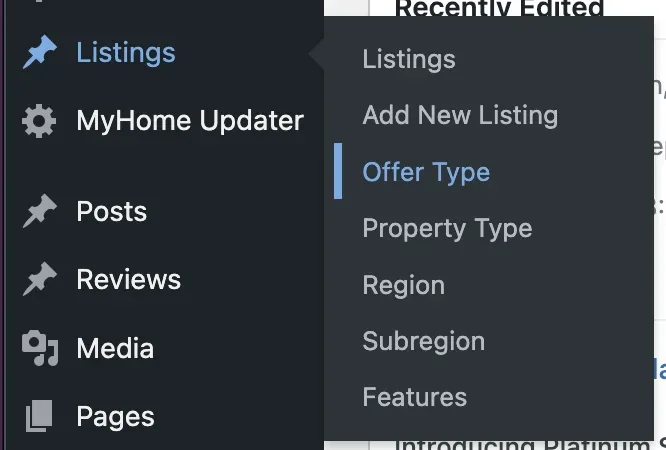
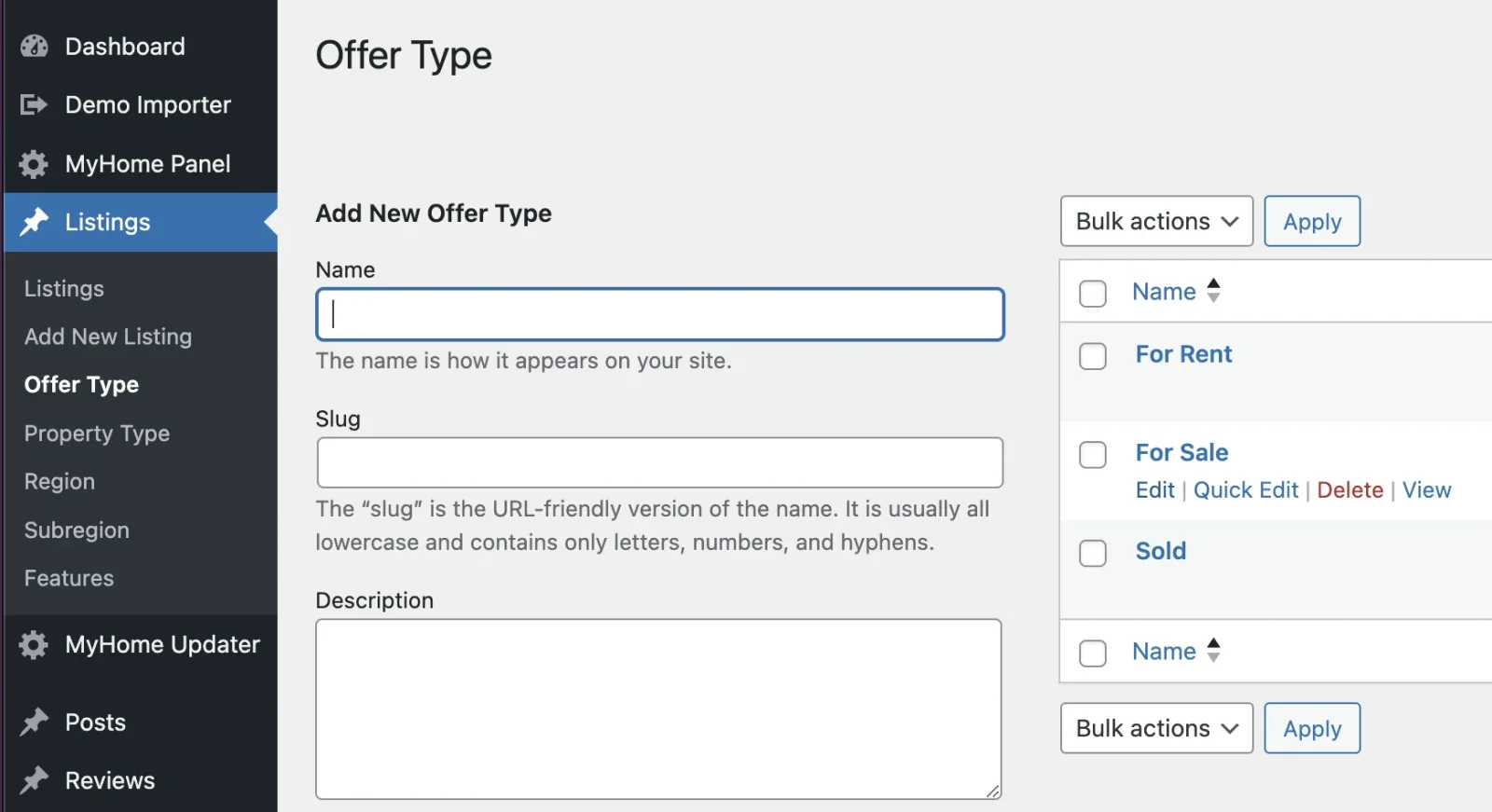
Taxonomy fields organise listings into predefined groups such as Offer Type (For Sale, For Rent), Property Type (Apartment, House) or Features (Pool, Garage). To add or edit one, hover over Listings in the WordPress menu and pick the field name.
You'll then access an interface for managing these fields.
2. Text
A text field is perfect for flexible input, such as Utility Costs, where users can enter any value, like "$150/month" or "Included in rent." Unlike taxonomy, which uses predefined categories, text fields allow for custom entries, making them ideal for information that varies between listings.
3. Rich Text
This field type offers extra flexibility, adding a larger text area for more detailed content. It's useful for dividing sections of the listing, such as having one area for the general listing description and another for Rental Terms and Conditions. This helps organise information clearly, especially in more complex listings.
4. Number
The number field is designed for values like the year of construction or property size. You can set units to appear before or after the number, such as "sq ft," and apply input masks to ensure proper formatting.
5. Price
The Price field is specifically designed to display the cost of a listing. Unlike a standard number field, it uses global currency settings and enables price-related features, such as integration with a loan calculator on the single listing page.
6. Location
Our product integrates with Google Maps. By adding your API key, you can assign a location to each listing. You can customise settings such as the map type (roadmap, satellite, hybrid, terrain) and search type (cities, regions, address). Additionally, you can exclude up to 5 countries from the location options.
7. Embed
This field type allows you to embed content, such as a video link from YouTube or raw HTML (e.g., Virtual Tours).
8. Gallery
This field lets you add photo galleries to listings. You can set restrictions on the size and number of images, and multiple galleries can be added to a single listing if needed.
9. Attachments
The attachments field allows you to add important documents to a listing, such as a technical specification, leaflet, or sample contract. You can also limit the file size and the number of attachments allowed.
Ask the people who build MyHome
We answer by email from support@tangiblewp.com. With Premium Support, we also fix your site when something breaks.
We can also run your site for you, or build a new one.
Was this guide helpful?