Why is my WordPress site slow? Fixes for listing websites
Listing sites get slow for their own reasons, from phone photos to search pages full of filters. See what to check, and the fixes in the order that helps most.
In this guide
- Turn on a page cache first, and keep the user panel and login out of it
- Listing cards should load thumbnails, never full photos from phones
- Show only the filters buyers use, and load the map only where it helps
- Remove plugins that repeat what the theme already does
- If the admin stays slow after that, the server is the likely limit
Why is my WordPress site slow? On a listing site, the usual causes are a missing page cache, full-size photos and a search page that does too much. Too many plugins and a server that is too small come next.
Fix them in that order. The first fixes for a slow WordPress site cost nothing and help every page, while a bigger server costs money every month.
Speed is one part of keeping a listing site healthy. Our WordPress maintenance checklist covers the rest, from backups to updates.
Starting a new listing site? Pick the theme that fits
Each one needs only a few plugins.
Real estate agencies, with only 3 plugins to keep updated
Classifieds and directories, with photo thumbnails built in
Car dealers and car marketplaces, with photos that load as you scroll
Why is my WordPress site slow? Find the cause first
A slow listing site shows it in different places. What you notice tells you where to start.
- Every page is slow for a new visitor? A page cache is likely missing, so turn one on.
- Search and home pages fill in slowly? The cards likely load full-size photos, so check thumbnails and upload limits.
- Only the search page is slow? It likely has too many filters or a map, so drop filters and give the map its own page.
- Saving a new listing takes long? On Vehica, thousands of makes and models can cause it, and the checklist links the fix.
- The admin is slow, even with few visitors? Heavy plugins or a small server are likely, so remove plugins first, then ask for more memory.
Then measure. Test the home page, the search page and one listing page with Google's free PageSpeed Insights. Also open them on your phone in a private window, because most cache plugins skip visitors who are logged in.
Write the results down, then change one thing at a time. Take a backup first, as our guide on how to back up a listing website without losing new ads shows.
The checklist to speed up a WordPress listing site
Tick each step as you go. The groups follow the order that helps most.
From the first test to a bigger server
19 tasks
Before you start
-
Use Google's free PageSpeed Insights, and open each page on your phone in a private window.
Cache
-
One is enough. Two cache plugins on one site get in each other's way.
Speed Improvement – How to configure Cache (W3Total Cache) -
If you kept the demo page names, add /panel* and /login-register to the pages that are never cached.
-
Our help center warns that they can break search results that update without a reload.
Photos
-
Open a card photo in a new tab. If it is as large as the photo you uploaded, the card loads the original.
Thumbnails and Adaptive Sizing Explained -
In Listivo, set Max Image Number and Max File Size on the Gallery field.
Customizing File Limits and Sizes for Gallery and Attachments Modules -
Photos uploaded earlier get the new size too.
Regenerate thumbnails on your website -
-
In Listivo, Clear Files removes ad photos and attachments that nothing uses.
Listivo Panel Advanced Tools
Search and maps
-
Each filter with result counts adds work to every search.
-
A map loads its own scripts and map pictures, even when nobody looks at it.
-
Listivo can add a map search page next to the main search.
Listivo Panel Advanced Setting -
On Vehica, it happens when users may also add new values to those fields.
How to Solve Slow Listing Additions Due to Huge Parent-Child Relationships and Allowing Users to Add New Terms
Plugins
-
Search, maps and listing pages are built into MyHome, Listivo and Vehica.
Listivo Theme: what's included and what's extra -
Delete it only when the site works fine without it.
Server
-
Listivo's guide lists PHP 8.1 or 8.2 and 256M of memory.
Server requirements / php.ini / cPanel -
A busy listing site needs more than a small company website.
-
Start with a page cache
Without a cache, WordPress builds every page from scratch for every visitor. A page cache saves a ready copy and gives it to the next visitor, so every page gets faster at once.
A listing site needs two rules that a blog does not. Keep the user panel and the login page out of the cache, because they change for each user. Leave the options that delay scripts switched off, because they can break search results that update without a reload.
Make listing photos smaller
Users upload photos straight from their phones, and each one can weigh several megabytes. A search page with 20 cards would then load 20 full photos, each far bigger than its card.
Listivo and Vehica avoid this. Cards and avatars load scaled thumbnails sized for the screen, and photos lower on the page load only when the visitor scrolls to them.
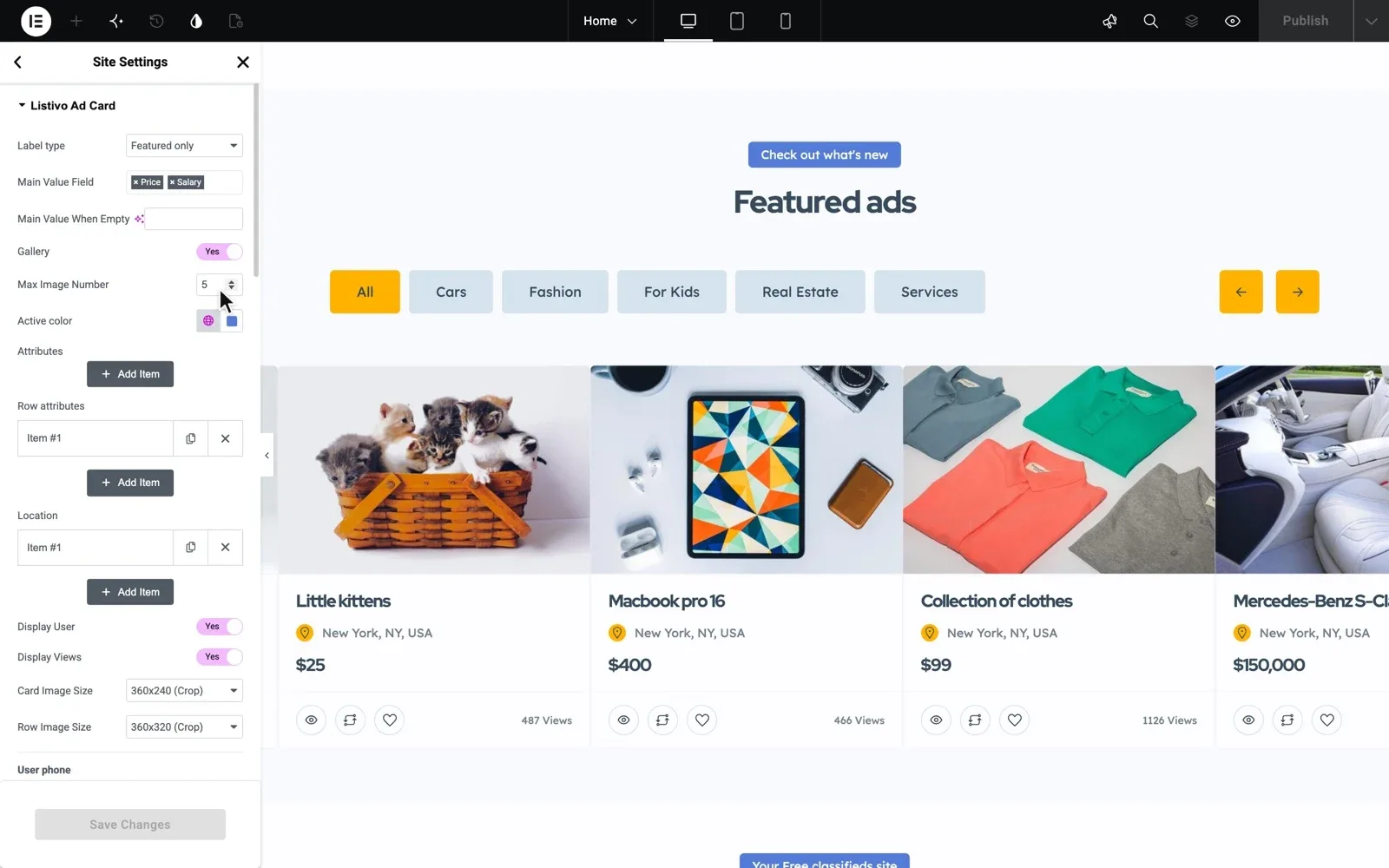
Do not add many new thumbnail sizes either. WordPress saves every size for every photo, so each extra size slows uploads and fills the server.
Start fresh on a theme made for listings
Your own MyHome, Listivo or Vehica website with the demo you pick and the full WordPress admin. Move it to Site Care, and we keep it online and fast.
Try a theme free Free for 7 days. No card needed.Keep search pages and maps light
The search page does the most work on a listing site. It finds every listing that matches, counts the results for each filter and often draws a map.
A slow classifieds website often has a filter for every field, even those nobody clicks. Show the filters buyers really use, and drop the rest. Fast category pages also keep the visitors who arrive from Google, as our guide to SEO for a classifieds website explains.
A map is heavy too, because it loads its own scripts and map pictures. If few visitors use it, give the map a page of its own, linked from the menu. If your map runs on Google Maps, fewer map loads also help a busy site stay within Google's free monthly credit.
When saving a new listing is slow
On Vehica, saving a car can get slow with thousands of makes and models, when users may also add new ones. The Vehica guide in the checklist fixes it in a child theme. Our guide on how to update a WordPress theme without losing your changes explains child themes.
Remove plugins you do not need
Every plugin adds code, and some add it to every page and every admin screen. Look hardest at the ones that load everywhere, such as sliders, chat widgets, popups and social feeds.
A listing theme already builds in what many sites add plugins for, such as search, maps and listing pages. MyHome needs only 3 plugins, Listivo requires 3, and Vehica installs with 4.
With fewer plugins, it's ideal for running a WordPress site smoothly. -connect-, verified Listivo customer
Before you remove anything, write down what each plugin does. Some quietly run a form, a payment or a backup that you would only miss later.
Give the site a server that fits
If the site is still slow after the fixes above, the server is the likely limit. A cache does not help the admin, because logged-in pages are built fresh each time. These signs point to the server.
- The admin stays slow after you removed plugins
- Pages slow down at busy hours, then recover
- Your plan gives less memory than the theme needs
A site with thousands of listings and users needs more memory than a small company website. Your server company can raise most limits, or move you to a bigger plan.
Already on MyHome, Listivo or Vehica? Write to us, and we move your site to Site Care for you. It stays online while we work.
If a developer writes custom code for your site, keep your own server, because Site Care does not allow editing theme files.
Rather have us keep your site fast?
No time for the checklist, or still slow after it? If your site runs on MyHome, Listivo or Vehica, we can take it from here.
Site Care
The team that made your MyHome, Listivo or Vehica site keeps it backed up, updated and fast, with Premium Support included.