Contact Form 7 – special mail tags
Pull listing details — the ID, title, link, and the owner's name and email — into the notification emails your Contact Form 7 forms send, using Contact Form 7's special mail tags.
1 minute read
You can use special mail tags in the Message body of your Contact Form 7 form, on the form's Mail tab:
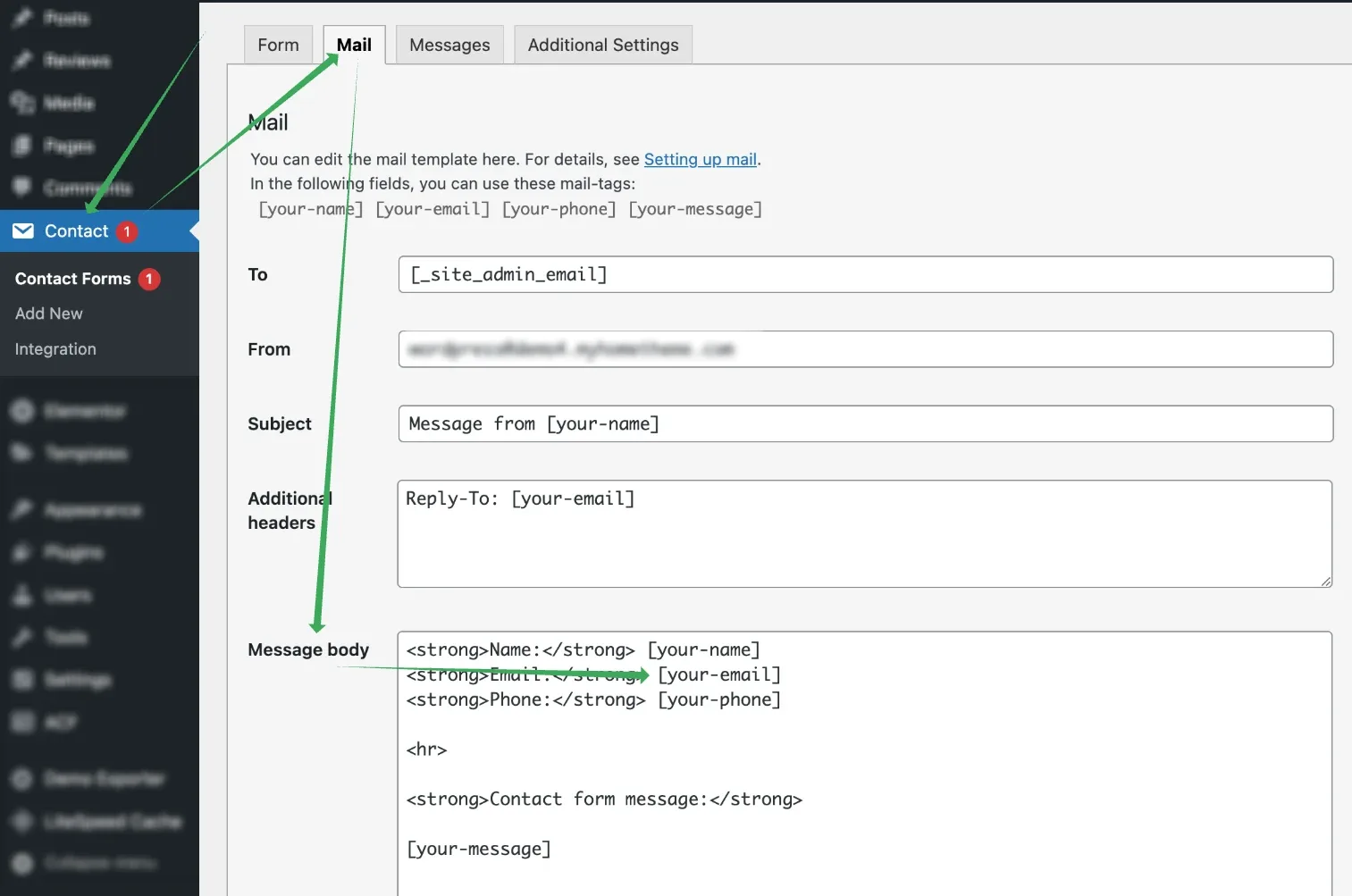
Where the tags go
Mail tags only work inside the fields on the Mail tab — To, From, Subject, Additional headers and Message body. They are not replaced anywhere else.
Full list of tags you can use can be found here: https://contactform7.com/special-mail-tags/
The most useful ones for the Message body of a form on a single listing page:
| Tag | What it inserts |
|---|---|
| [_post_id] | Listing ID |
| [_post_title] | Listing title |
| [_post_url] | Listing link |
| [_url] | Listing URL |
| [_post_author] | User name |
| [_post_author_email] | User email |
Ask the people who build MyHome
We answer by email from support@tangiblewp.com. With Premium Support, we also fix your site when something breaks.
We can also run your site for you, or build a new one.
Was this guide helpful?