How to start a local business directory
A local directory helps people in one town find a plumber, a dentist or a café. Here is how to start one, fill it with the first 100 businesses and earn from it.
In this guide
- Start with one town and 10 to 15 categories people search for
- Add the first 100 businesses yourself, from details they show in public
- Keep the basic listing free, and sell featured days later
- Let visitors search by category and distance, on a list or on a map
- Give every category a page with your town's name, so Google can find it
A local business directory website lists the businesses of one town by category, from plumbers to dentists and cafés. It is the most focused kind of directory website, and one person can start it.
To start a local directory, pick one town and 10 to 15 categories. Spend about two weeks adding the first 100 businesses yourself, keep the basic listing free and sell extras once visitors come. Then give each category a page that Google can show for searches such as "plumber in [your town]".
1. Pick one town and the area you cover
A directory for one town fills up fast and feels busy. The same 100 businesses spread across a whole country feel empty, and nobody comes back.
So start where you live or work. A city business directory can even begin with one district. Before you decide, check four things.
- You know the town and can visit its businesses in person
- It has at least a few hundred businesses
- People there already search online for local services
- No local directory covers it well yet
Write the borders down in one line, such as your town and the villages within 15 km. That line keeps an online business directory for your town focused. In a big city, one niche can be enough to start, as our niche directory website ideas show.
2. Start from a demo and make it your town's
The Services demo is the closest start for a local directory, with categories such as Plumbers, Movers and Cleaning. On the free trial, you pick the demo when the site is created.
Pick the demo closest to your directory
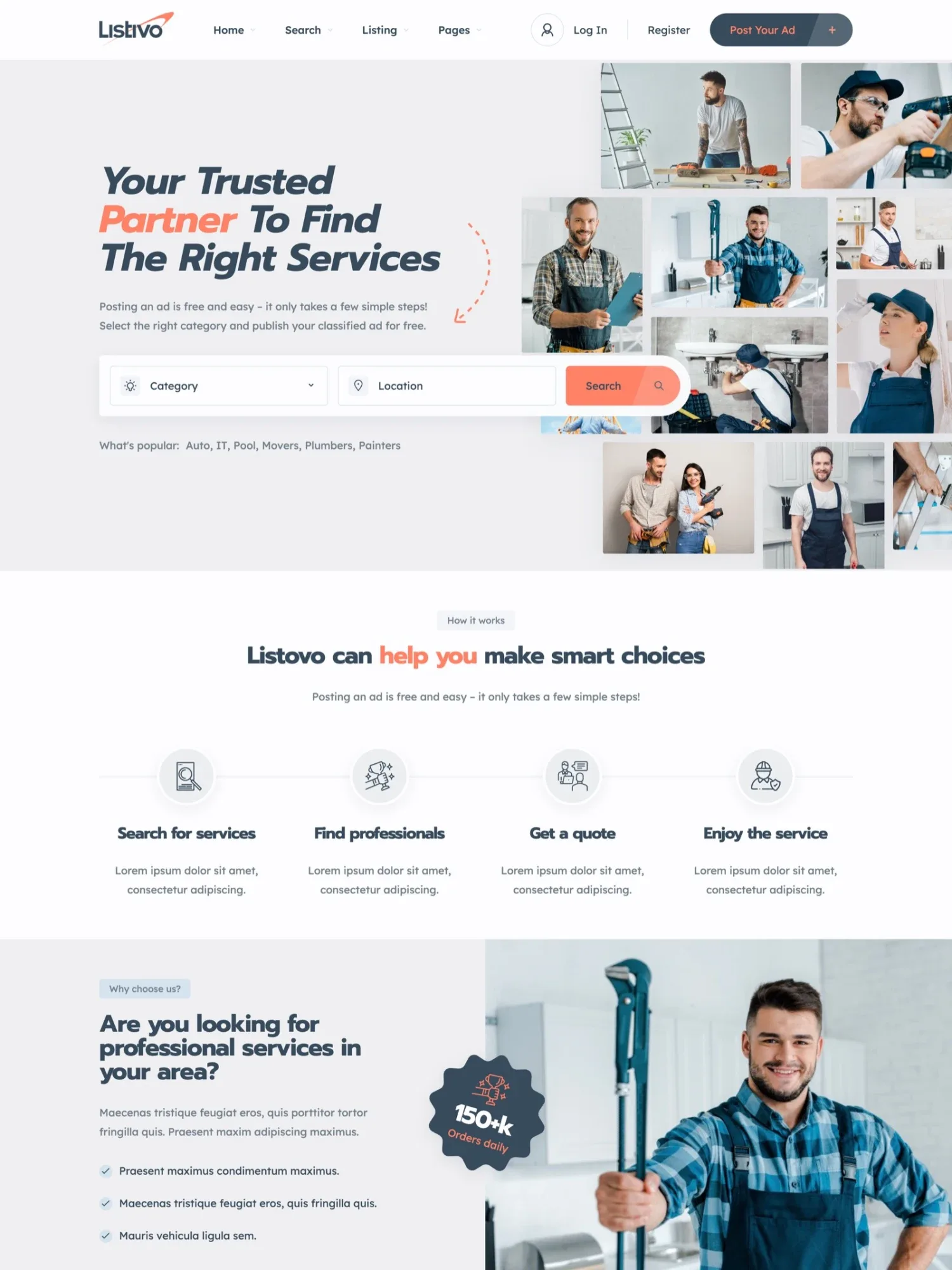

Then make it speak like a directory. Listivo can rename every theme text, so "ad" can read "listing" or "business" across the site.
Every page also opens in Elementor. Put your town's name on the home page, then click Publish, with no code.
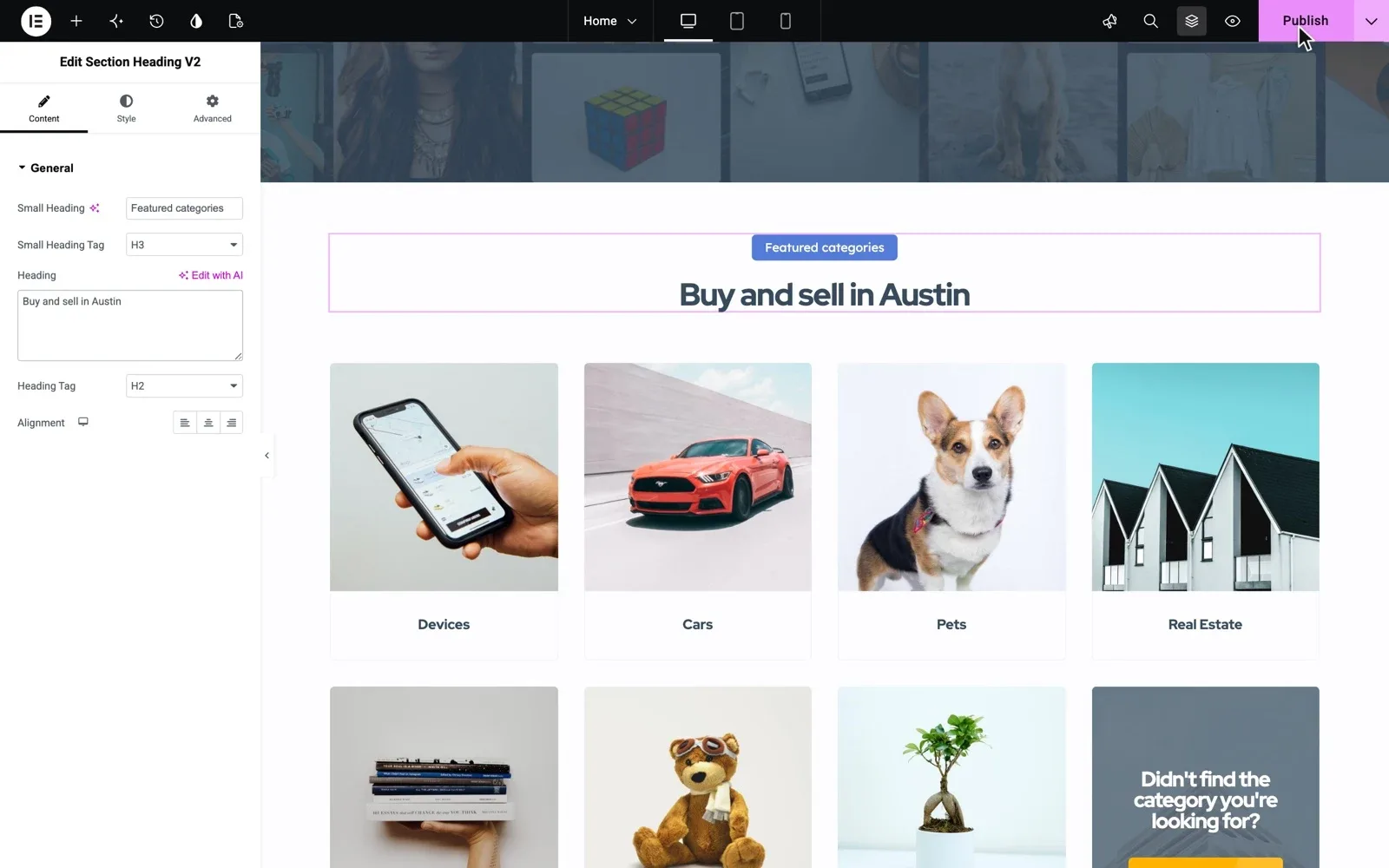
3. Choose 10 to 15 categories people search for
Pick categories by what people in your town look for, in the words they type, such as "hairdresser" or "car repair". A first set could look like this.
- Plumbers, electricians and builders
- Cleaners, movers and gardeners
- Dentists, doctors and pharmacies
- Hair and beauty salons
- Restaurants, cafés and bakeries
- Car repair and car washes
- Lawyers, accountants and insurance agents
In Listivo, each category gets its own form, so the Restaurants form can ask for the type of food. Every field you add can also become a search filter.
4. Add the first 100 businesses yourself
Nobody stays on an empty directory, and no business pays to join one. So fill it yourself before you tell anyone about it.
A hundred businesses across 10 to 15 categories means six to ten in each. At ten a day, that is about two weeks of work. Find them where your town already advertises.
- A walk down the main street, with a notebook
- Signs on vans, shop windows and notice boards
- The local paper and its small ads
- Map apps and the businesses' own websites
- Member lists of local business groups
Use only the details each business shows in public, and write every description yourself. Contact buttons reach the account that posted the listing, which is you. So add each business's phone and website as fields of their own.
Put your first ten businesses on a real Listivo website
Get your own Listivo website with the demo you pick and the full WordPress admin, ready in a minute. Add your categories and your first businesses.
Try Listivo free Free for 7 days. No card needed.5. Keep the basic listing free, then sell extras
A free listing is easy to say yes to, and a full directory brings visitors. Start charging once businesses tell you that customers found them through your site.
In Listivo, an always-free package lets businesses post listings at no cost, live for as many days as you set. Paid packages add featured days, which put a listing first under Most Relevant with a Featured label.
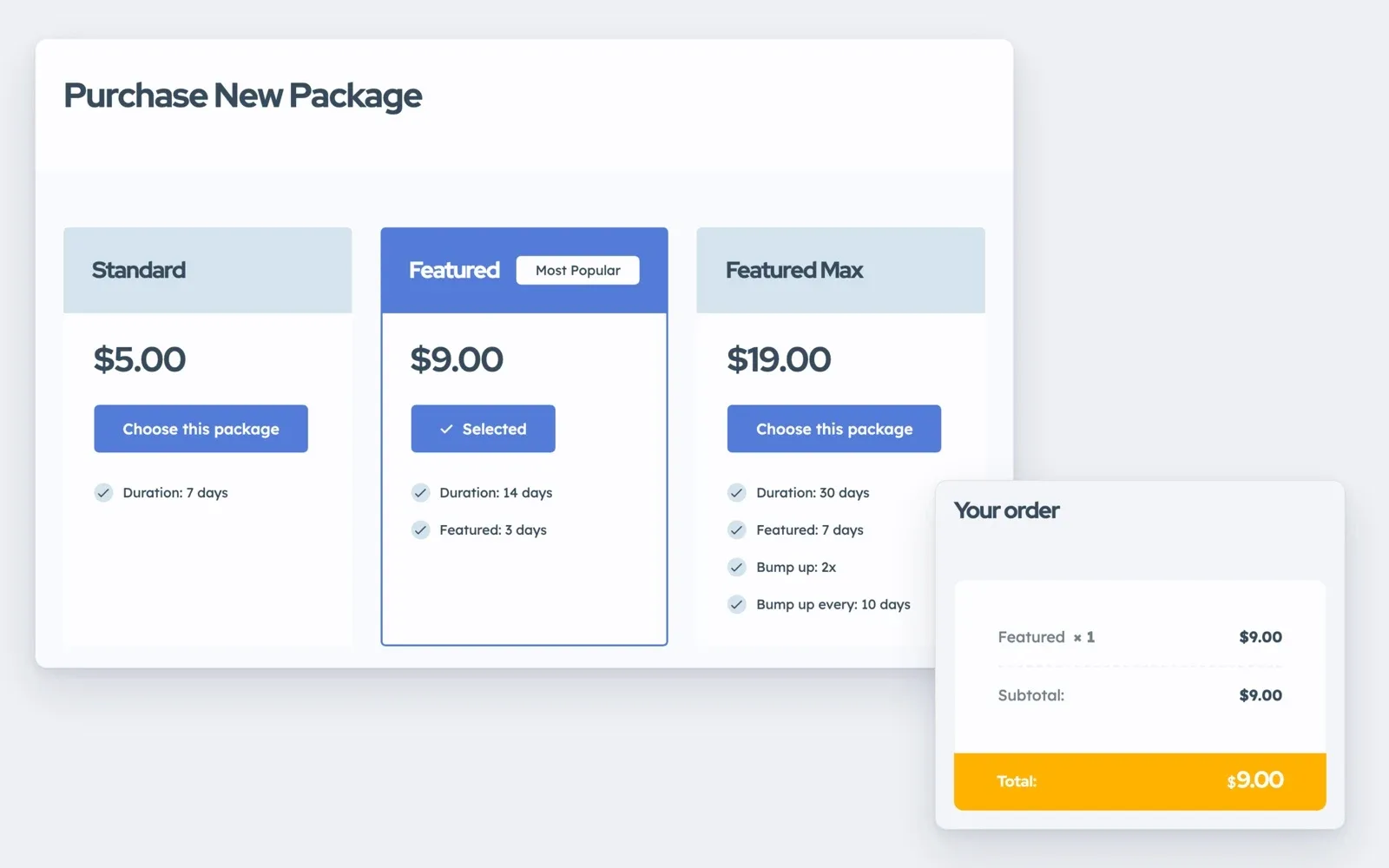
Later, offer monthly plans to business accounts, renewed through Stripe. Our guide on how to make money with a directory website compares six ways to charge.
6. Add map and location search
Visitors want to know who does the job and who is nearby. Listivo answers both on one search page, and results change with each filter, with no reload.
There are two ways to set up the place search.
- Your own list of towns and districts, such as [town] > Old Town. It needs no Google Maps key, but there is no search by distance.
- Google Maps, with address suggestions and a search within a set distance, in km or miles. It needs a key with a billing account.
Google's free monthly credit covers most sites, though a busy site may pay. You can also limit place suggestions to your country.
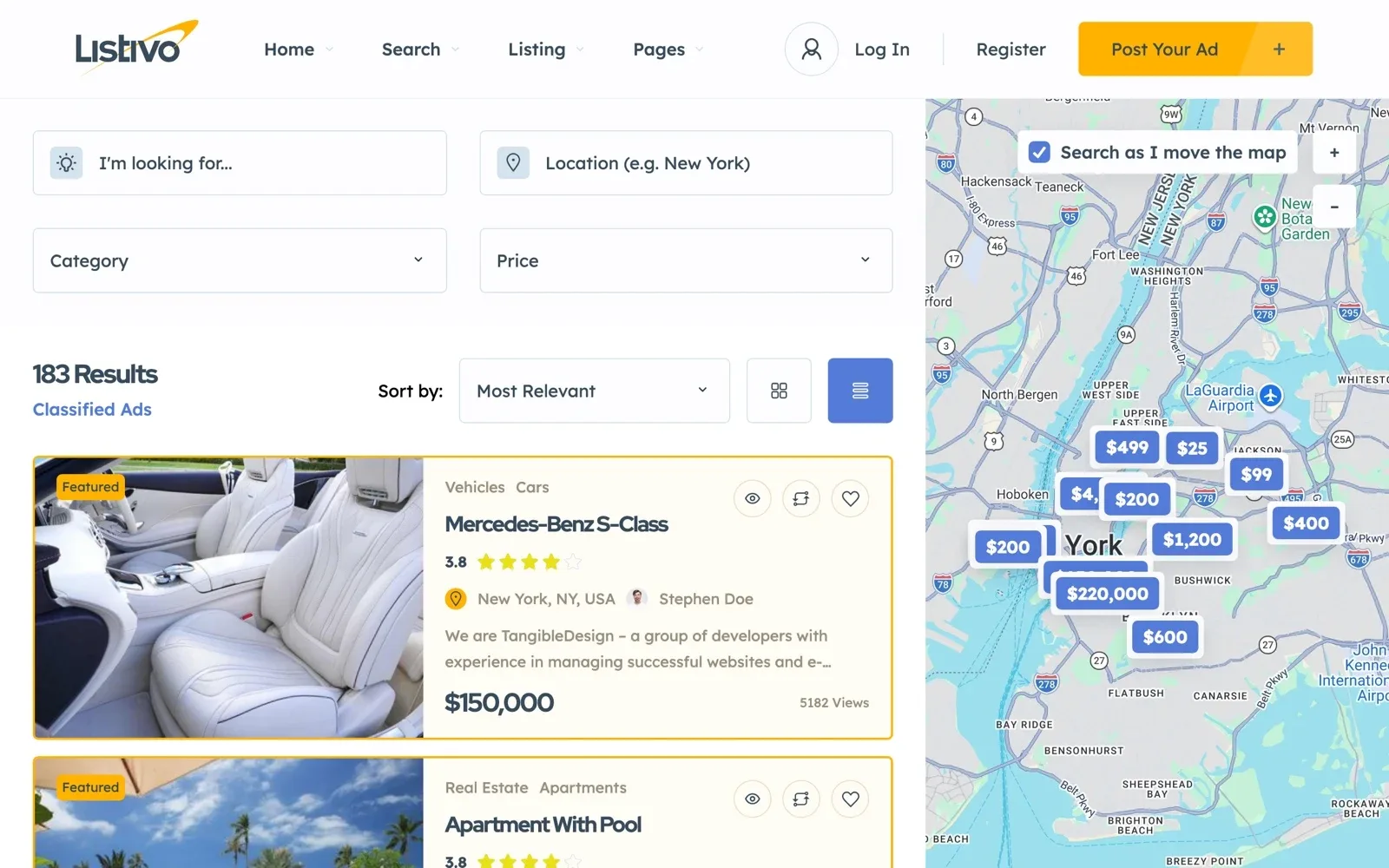
A map page can sit next to the main search as a second way to browse. Results cannot be sorted by distance, so keep the default search distance small.
7. Get found for a service in your town
Most people never search for a directory. They search for "plumber in [town]" or "dentist near me". Google shows a map of businesses first, and a page that lists every plumber in town can rank below it.
In Listivo, each category has its own web address, such as /ads/plumbers/, which opens the search for that category. Its main heading is the category's name, so put your town's name in the category's description and SEO title.
- Description, such as "[number] plumbers in [town] and nearby villages, with the areas each one covers"
- SEO title, such as "Plumbers in [town] and nearby villages"
- Web address, such as /ads/plumbers/, with your own word in place of ads
The free Yoast SEO plugin gives each category page its own SEO title and meta description. SEO for a classifieds website goes deeper, and the same rules fit a directory.
8. Invite owners to run their own listings
Once a business is listed, tell the owner and invite them to post their own listing and run it. Messages from customers then reach the owner, not you.
The simplest handover is to ask the owner to sign up with a business account and post the listing. Then remove yours. Our guide on how to get businesses to list on your directory has the emails and the phone script.
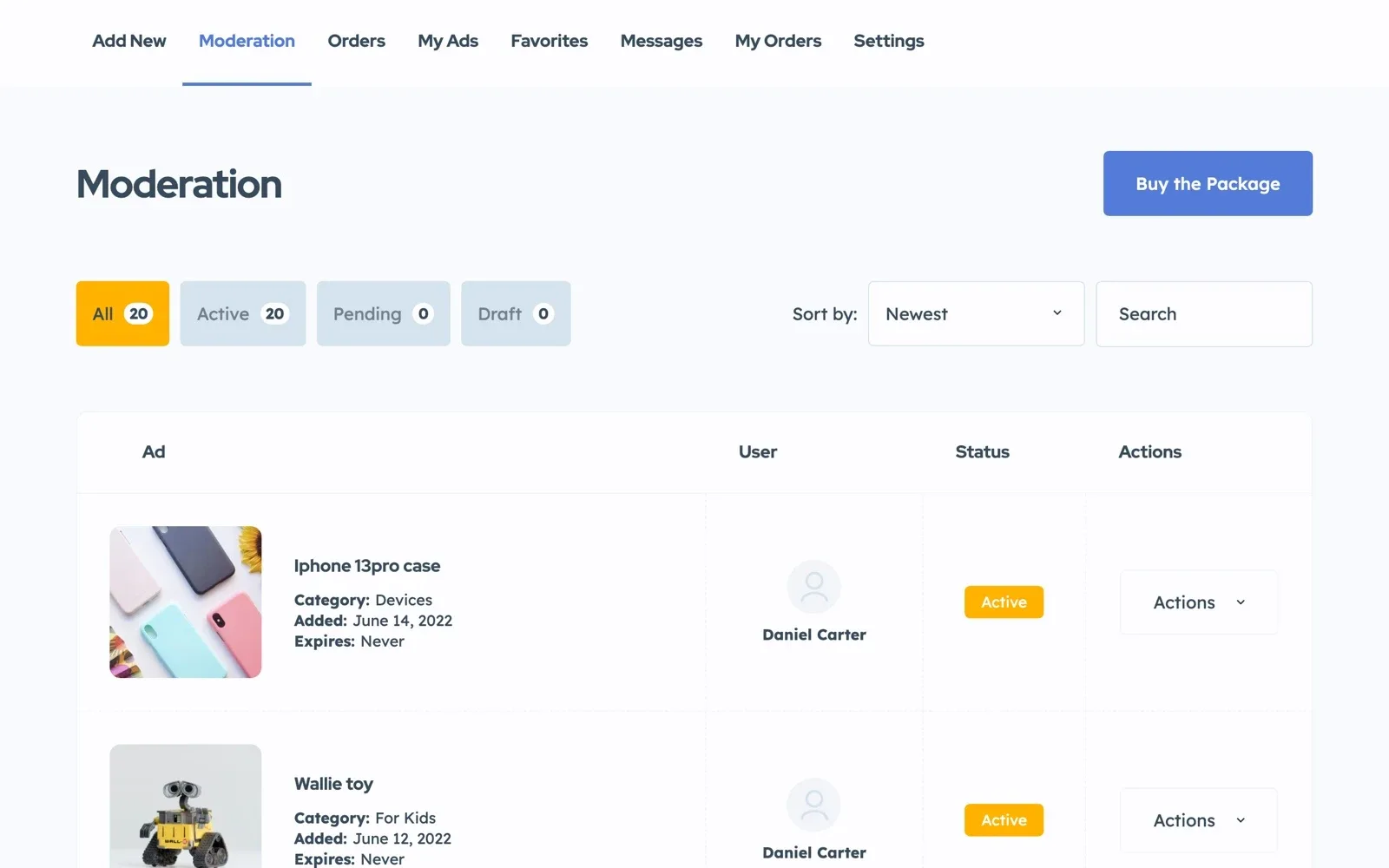
Turn on moderation before you invite anyone, so every new listing waits for your approval.
Listivo can show reviews with stars and photos on each listing, which gives visitors a reason to come back. Our guide on how to create a review website like Yelp covers them.
The launch plan for your local business directory website
The eight steps, plus the small jobs they leave out
22 tasks
Plan
-
Add the villages nearby.
-
-
Fewer than five? Merge it with a close category.
Set up the site
-
A new field shows only once you place it on the search and listing pages.
Types of custom fields -
Contact buttons reach the account that posted the listing.
-
Google Maps needs a key with a billing account.
Location Field based on predefined list (taxonomy) instead of Google Maps -
One button in the Listivo Panel does it.
Fill it
Get found
-
Yoast SEO is free. Add it once you keep the site, since the trial cannot install plugins.
-
After launch
Rather fill the directory than look after the website?
On Site Care, the team that made Listivo keeps your directory online, backed up and updated, while you walk the main street with your notebook.
Site Care
The team that made your MyHome, Listivo or Vehica site keeps it backed up, updated and fast, with Premium Support included.