How to create a review website like Yelp
A website like Yelp helps people find local businesses on a map and read reviews before they call. Here is how to build one on WordPress, step by step.
In this guide
- A site like Yelp lists local businesses by category, on a map, with reviews
- Listivo has reviews with stars, photos and helpful votes built in
- The Services demo is the closest start for a review site
- Businesses get their own accounts and can pay to stand out
- A new site can skip the app, table bookings and thousands of listings
This guide shows how to create a website like Yelp on WordPress, in six steps. Start from a directory theme with reviews built in and a demo for local services. Then add categories, put places on a map, turn on reviews, open business accounts and add contact buttons.
A review site is a kind of directory website with one extra job. Visitors also read what other customers thought of a business before they call or visit.
What a review website like Yelp needs
Yelp lists restaurants, shops and local services, and people come to it for four things.
- Places sorted by category, such as restaurants, plumbers or hair salons
- A map, and a search for places nearby
- Reviews with stars, text and photos from real customers
- A page for each business, with a way to reach it
Yelp earns most of its money from businesses that pay to be seen. A new site can do the same, as our guide on how to make money with a directory website shows.
How to create a website like Yelp in six steps
You can follow every step on a free Listivo website, ready in a minute. Payments from businesses need a payment plugin, which the trial cannot add. Set them up after you buy Listivo or keep your trial site.
1. Start from the Services demo
Listivo comes with 11 ready demos, and the Services demo is the closest to Yelp. It sorts local businesses, such as plumbers and movers, by category and place. Its sample handyman listing already shows reviews, a map and contact buttons.
Two demos for a review site
Open each one and see how it shows the categories.
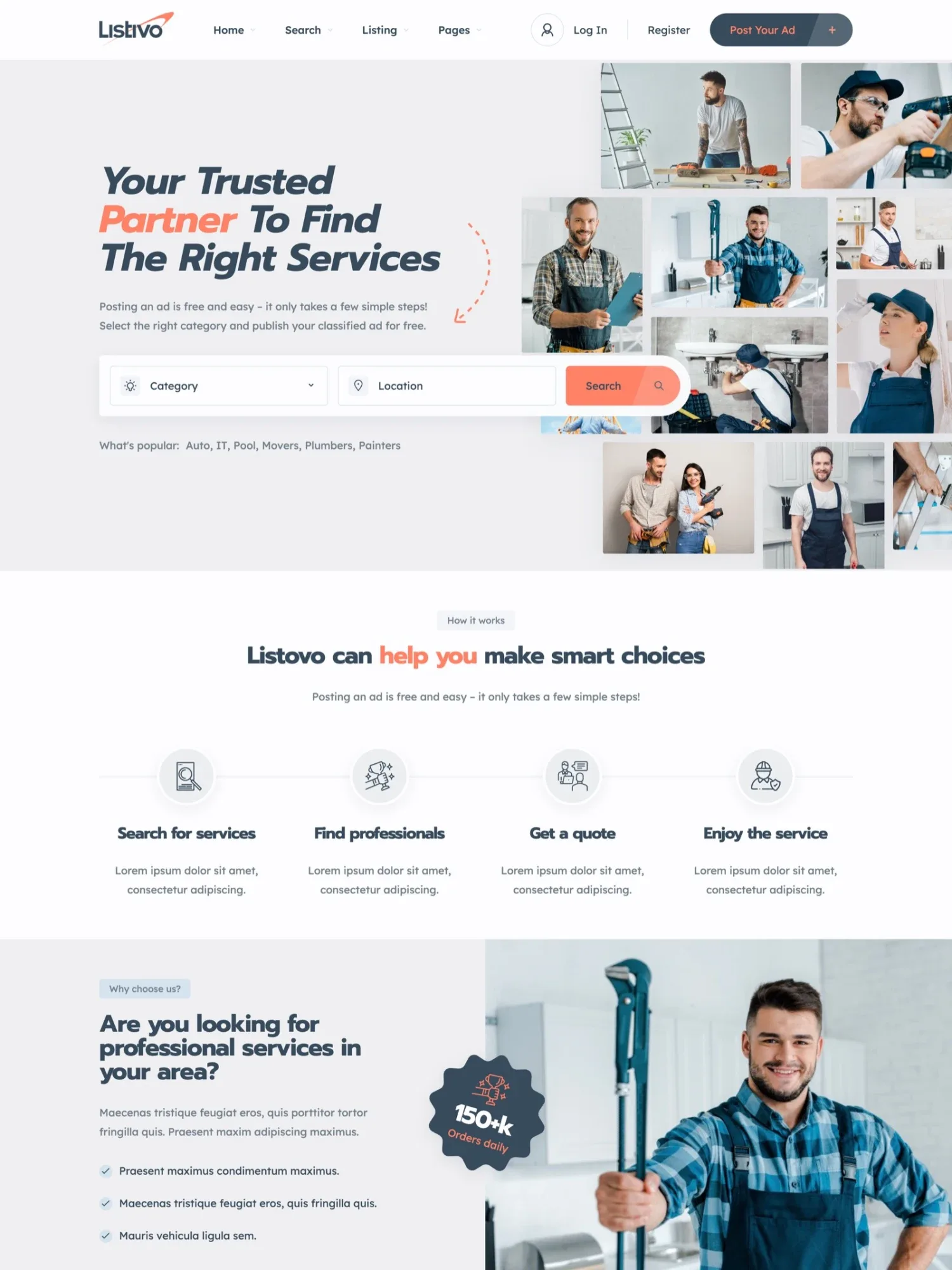
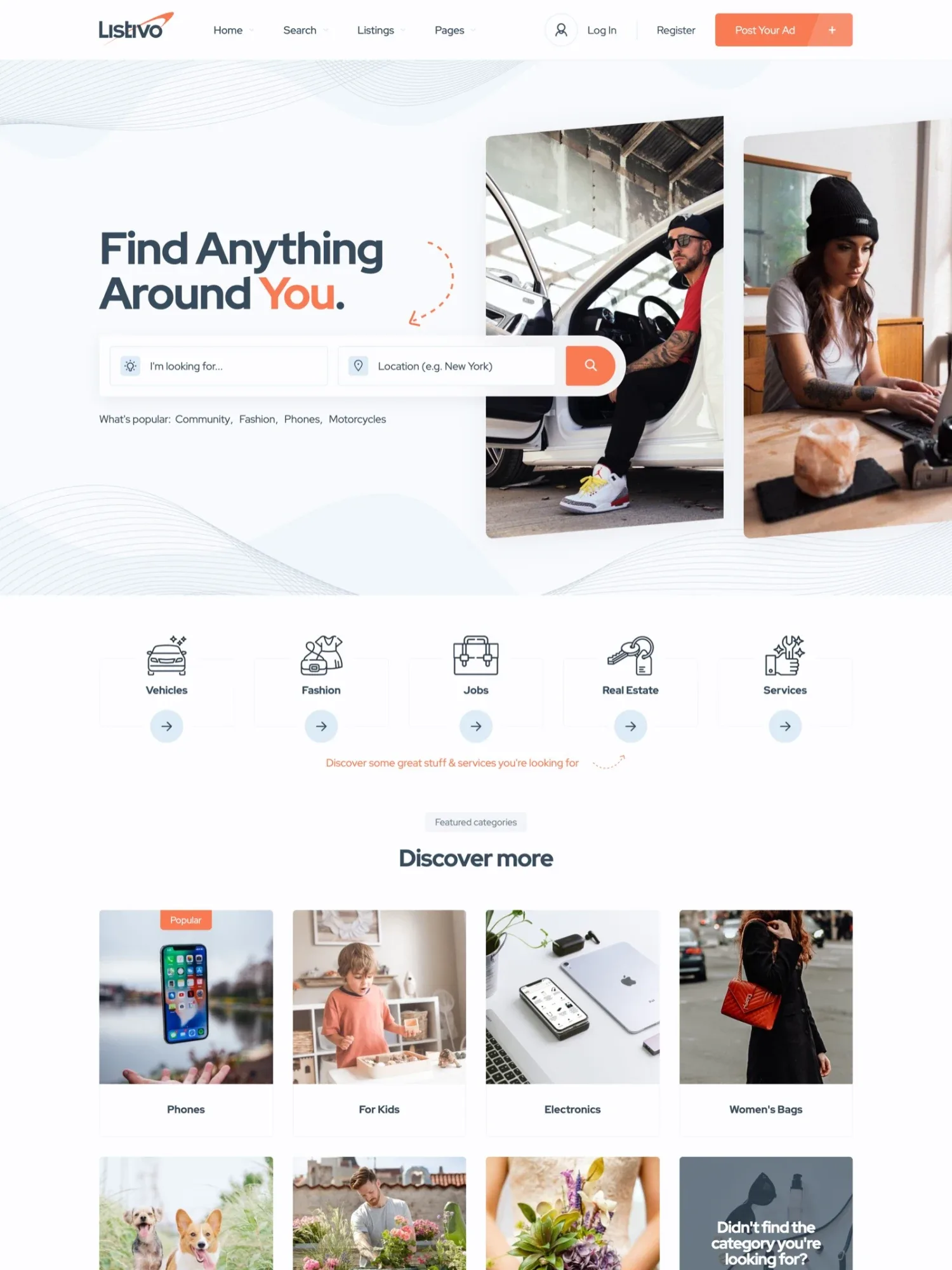
On the free trial, you pick the demo when you start. Listivo calls each entry an ad, and you can rename it to listing across the site. The guide How to Translate or Rename All Texts shows where.
2. Add your categories and the details of each place
Yelp groups places into main categories, with smaller ones under each. Start with one kind of business in one area, so no page looks empty. Our niche directory website ideas that can make money help you choose.
In Listivo, a category can have subcategories, such as Food and then Pizza. Each category gets its own form, so a restaurant asks for its cuisine and a plumber for its area. Every field can become a search filter that shows how many listings each option has.
3. Put every place on a map
People open a review site to find a good place near them. Listivo can ask the browser for the visitor's location, and visitors pick a distance in km or miles.
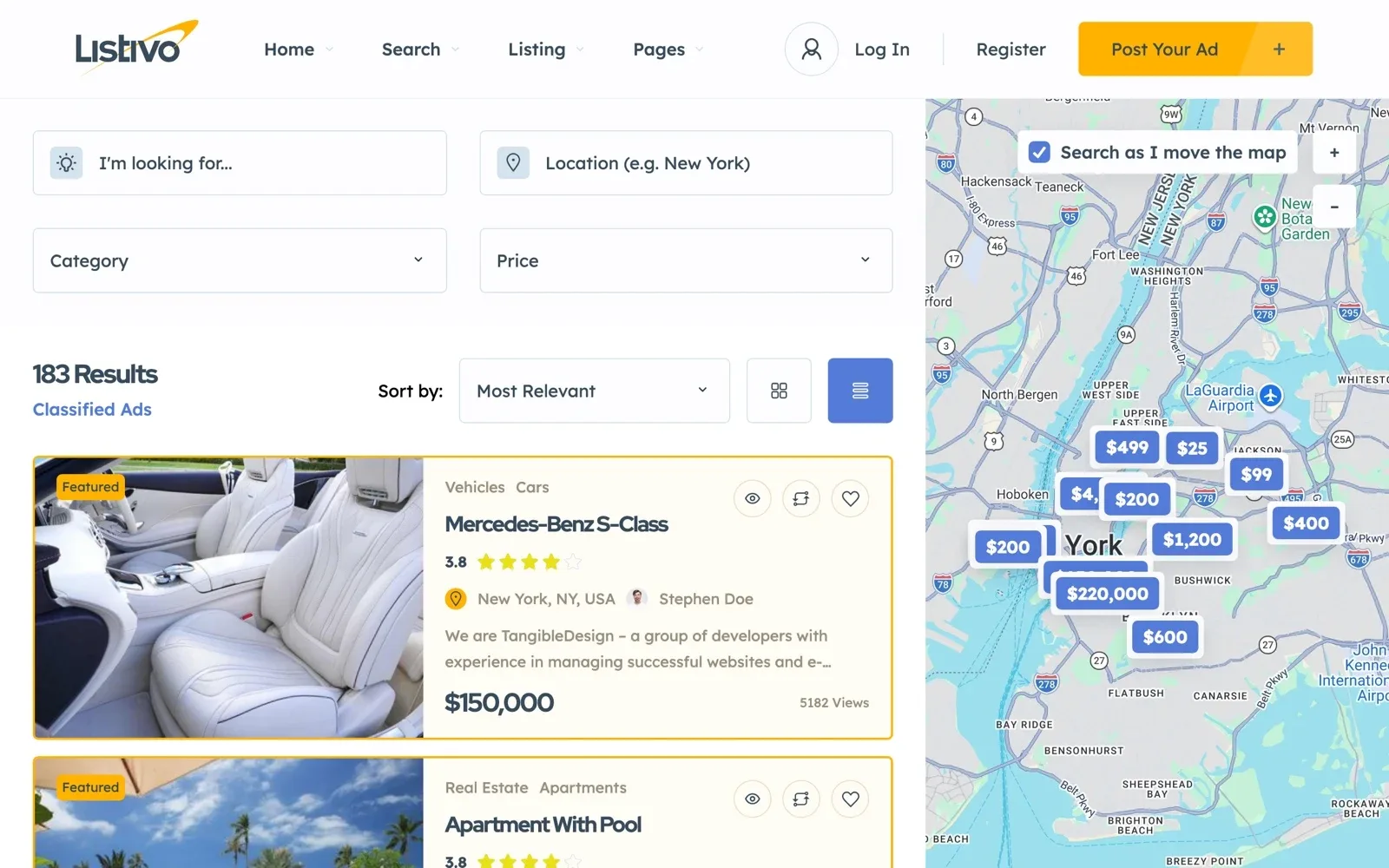
The map runs on Google Maps or the free OpenStreetMap. Address suggestions need a Google Maps key either way, and Google asks for a billing account but gives a free monthly credit. Results cannot be sorted by distance.
4. Turn on reviews with star ratings and photos
Reviews are the heart of a site like Yelp. Turn them on in the Listivo Panel and place the reviews block on the listing page in Elementor. Then decide five things.
- Who can review, signed-in users only or guests too
- The shortest and the longest review you accept
- Whether a review can carry photos
- Voting, which lets visitors sort reviews by Most Helpful
- Moderation, which holds each review until you publish it
The help article Enable Reviews on Your Single Ad Page with Listivo 2.3.39 shows every review setting. Reviews can also sit on a business's own page, which suits a salon with three branches.
The first real reviews come from each business's own customers. Ask every business to send the link to its page to people it served this month.
Try reviews and map search on your own site
Get a real Listivo website with the demo you pick and the full WordPress admin, ready in a minute.
Try Listivo free Free for 7 days. No card needed.5. Open accounts for businesses
Businesses sign up for a business account and post their listings from a panel on your site. Sign-up can ask for a contact person and company details. Visitors use private accounts to save favorites and write reviews.
Each business gets a public page with all its listings. To earn, sell featured spots with a Featured label, or monthly plans for business accounts only. The guide Type of user accounts - private or business shows the sign-up options.
6. Let visitors reach the business
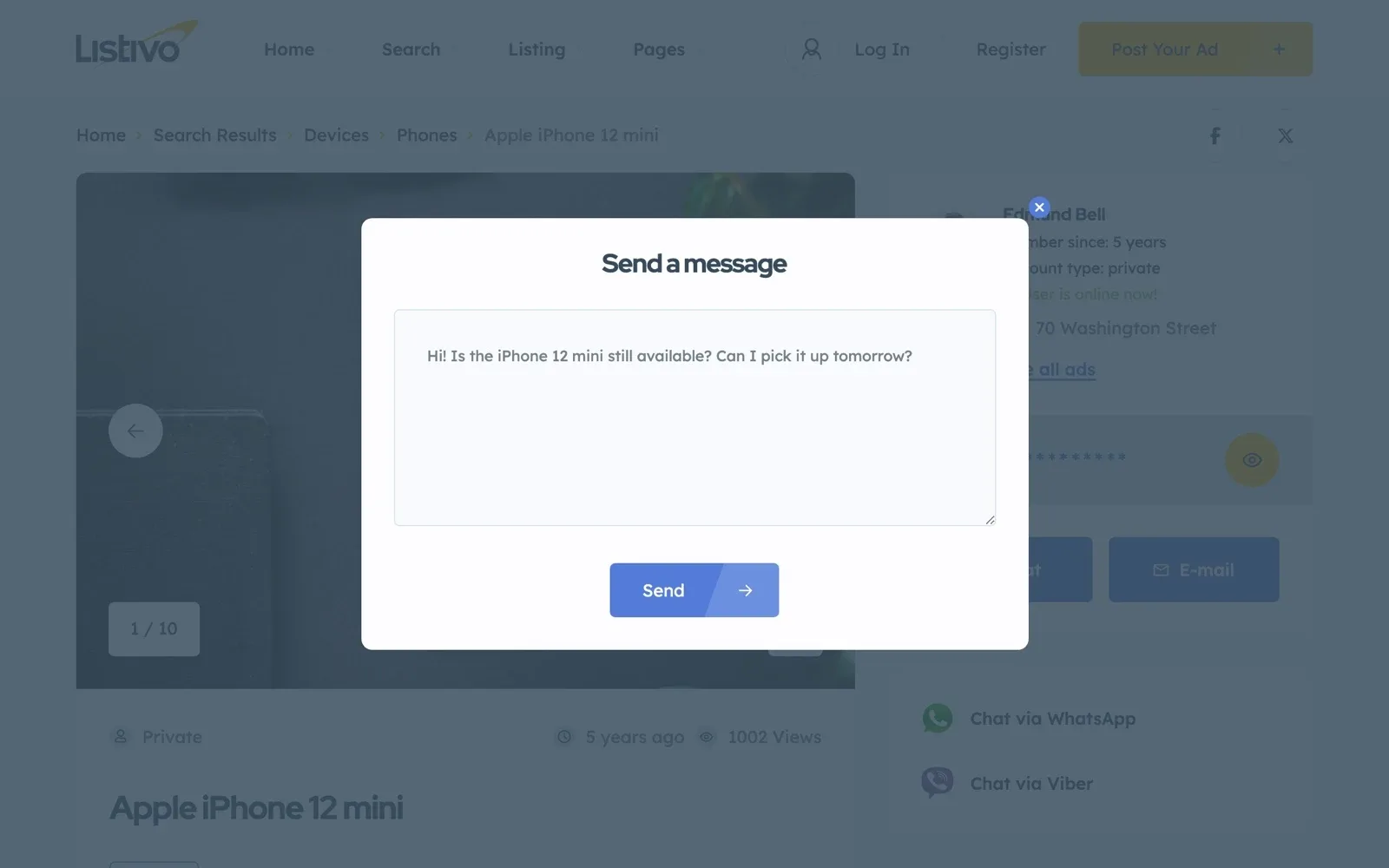
After the reviews, a visitor wants to call or write. Each listing can show chat, phone, WhatsApp and Viber buttons, with the phone number hidden until a click. A business that is offline gets an email about each new chat message.
Your review site checklist
13 tasks
Tick each step as you go.
Plan
-
Guest reviews bring more reviews, and more spam.
Build
-
-
Address suggestions need a Google Maps key with billing, which has a free monthly credit.
Understanding the Search Radius Feature in Listivo
Launch
-
Monthly plans need Stripe.
Subscriptions (Membership) - how to configure -
What Yelp has that a new site can skip
Yelp started in 2004, and most of its extras came years later. A new local reviews website first needs listings and real reviews, and the rest can wait.
- An app. Listivo has no app, and your site works in the phone's browser.
- Table bookings. Listivo has no booking calendar, so visitors arrange a time by chat or phone.
- A filter for suspicious reviews. With moderation, you read each review before it goes live.
- An opening hours field. Listivo has none, so add the hours as a plain text field.
- Thousands of listings. One full category in one town is enough to start.
Our guide on how to start a local business directory gives a plan for one town.
Rather have us run the site?
You look after the businesses and their reviews, and we look after the site.
Site Care
The team that made your MyHome, Listivo or Vehica site keeps it backed up, updated and fast, with Premium Support included.