How to create a website like AutoTrader
A website like AutoTrader brings dealers and private sellers into one car marketplace. Here is how to build one on WordPress, from seller accounts to paid packages.
In this guide
- In Vehica, each visitor signs up as a Private seller or a Business seller
- You approve every car before buyers see it, or let cars go live at once
- Free packages fill a new site, then paid packages and featured cars earn
A website like AutoTrader is a car marketplace where dealers and private sellers post cars side by side. To build one, start from a WordPress car theme with seller accounts, approval of each car and paid packages. Then let sellers post cars for free before you charge for them.
Our guide to a website like Cars.com covers search, the map and design, so this one is about sellers and what they pay for. If you only sell your own cars, a car dealer website is the simpler choice.
What a website like AutoTrader needs
Every car classifieds website needs search and a page for each car. What makes AutoTrader different is the seller side, and that takes five things.
- Accounts for private sellers and dealers on one site
- One car form for every seller, so all car pages show the same facts
- Approval of new cars, so you see each one before buyers do
- Packages that sellers pay for, with featured spots at the top
- Messages on the site, so buyers and sellers stay in touch
Here is how to build a car website like AutoTrader in seven steps, on a Vehica trial site. Loading cars from a spreadsheet needs a plugin, and you add plugins after the trial, once you buy the license or start Site Care.
1. Start from the demo and add your makes
Your trial site starts with the Vehica demo in place, so search, car pages and the seller panel work on day one. Replace three things first.
- Your makes and models, in place of the sample list
- Your currency, and miles or km for mileage
- Your logo and contact details
All three are set in the Vehica Panel. Its Bulk Add Terms tool takes a make and all its models in one paste, with each model already under its make.
2. Open accounts for private sellers and dealers
On the sign-up form, each visitor picks Private seller or Business seller. Dealers bring many cars, and private sellers bring cars that dealers do not have. You can keep both, or open the site to one kind only.
Every seller gets a panel to add and edit cars, plus a public page that lists all their cars. People can also log in with Google or Facebook.
3. Give every seller the same car form
Car pages from many sellers only look alike if everyone fills in the same form. On the demo, it asks for condition, make, model, price, year, mileage, VIN and more, then photos.
Model stays locked until the seller picks a make, so sellers pick the model from your list. You can also add your own fields, such as range in km for electric cars.
The fields carry the facts, and the description tells the story. Send new sellers our guide on how to write a car listing description.
Try these steps on your own Vehica site
Your trial site has the demo, the sign-up form and the car form ready to test.
Try Vehica free Free for 7 days. No card needed.4. Approve new cars before buyers see them
Fake ads drive buyers away from a new car marketplace fast. In Vehica, you approve each new car before it goes live, or let cars go live straight away.
- Ask every new account to confirm its email
- Stop spam sign-ups with invisible Google reCAPTCHA
- Get an email for every car that waits for your approval
- Tell sellers by email when you approve or decline their car
- Ask for approval again when a seller edits a live car
Approve every car yourself while the site is small, and look closely at the photos and the price. A car priced far below similar cars is often a scam.
5. Fill the site with free packages first
Buyers do not visit a marketplace with ten cars, and sellers do not pay to post where there are no buyers. So start free, and charge once buyers arrive.
- An "Add for free" option that any seller can use again and again
- A free package for every new account, such as 3 cars for 7 days
- Featured cars you pick yourself, one checkbox per car, at no charge to the seller
Then visit the dealers in one town and offer to post their cars for free. Sellers add cars one at a time in their panel, so load each dealer's whole stock from a spreadsheet yourself, with their permission. Our guide on how to put your car stock online from an Excel sheet shows how.
6. Sell packages and featured cars
When buyers start to come, add paid packages. For each one, you set the price, the number of cars, the days online and the days a car is featured.
Featured cars always show first when buyers sort by relevance, and home page sections can show featured cars only.
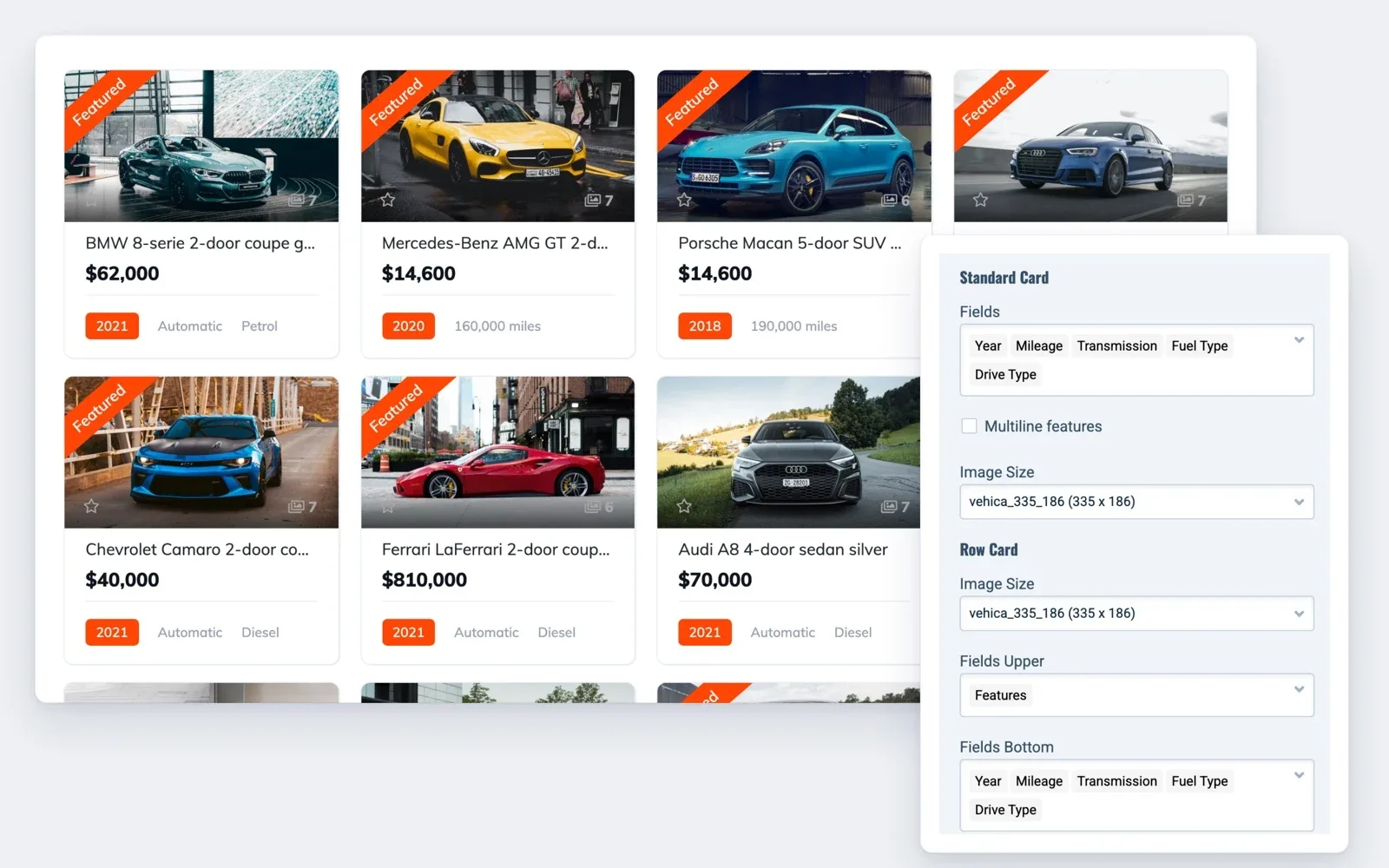
Big car marketplaces often charge dealers a monthly fee. In Vehica, each package is one payment for a set number of cars and days. A dealer with many cars buys a bigger package.
Sellers pay through Stripe or PayPal, built into Vehica, or through WooCommerce payment gateways. To plan what to charge, read how car marketplace websites make money.
7. Let buyers message sellers on your site
Many private sellers do not want their phone number on a public page. Vehica gives buyers other ways to reach them.
- A message form on every car page, with each conversation kept in the buyer's and the seller's panel
- Email alerts that bring the buyer and the seller back to reply
- A WhatsApp button on every car page
- A phone number shown in part, and in full after a click
- A phone number you make required, optional or off, which sellers can also hide
Messages keep the deal on your site. The help article Private Message System – how it works explains the setup.
Your AutoTrader-style launch checklist
11 tasks
Tick each item as you set up your car marketplace.
Plan
-
A full marketplace in one town beats an empty one across the country.
-
Set up
-
-
Add plugins after the trial, once you buy the license or start Site Care.
How to prevent emails go to SPAM folder? How to use SMTP ?
First cars
-
Sign up as a private seller, add a car and approve it.
Launch checklist for a listing website
Rather have us build your car marketplace?
Accounts, approval and packages take time to set up. The team that made Vehica can build the whole car marketplace for you.
Custom Website
Photos, your logo and a few words are enough. We design and write the whole website, and you pay only when you approve it.