Bulk Add Terms (Makes, Models, Cities etc)
Add many taxonomy terms to Vehica at once — a plain list such as 100 vehicle features, or a Make together with all of its Models already linked as parent and child — instead of creating them one by one.
1 minute read
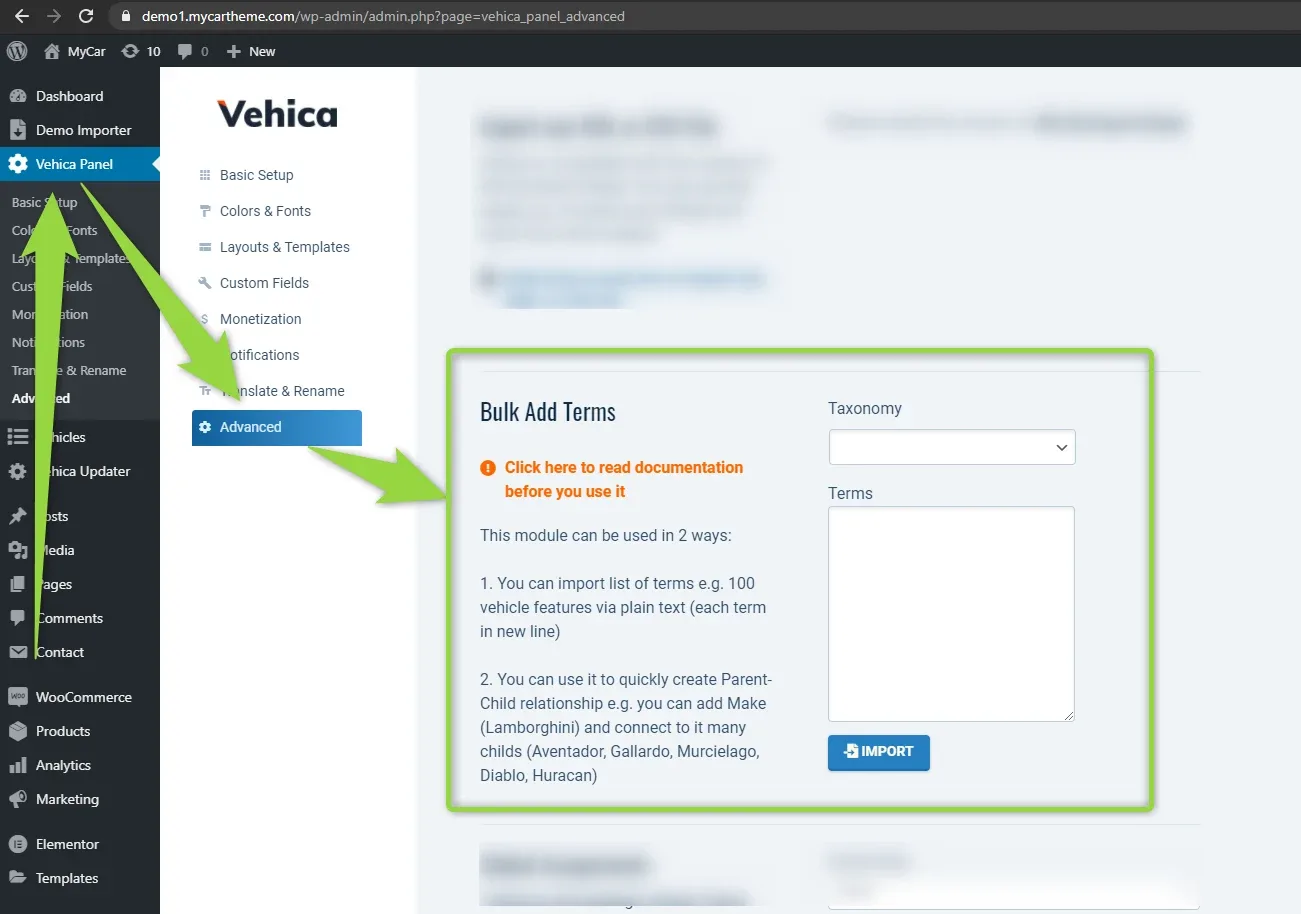
Only Taxonomy fields can be filled this way
Firstly, it is important to notice that you can Bulk Add Terms only for Taxonomy fields.
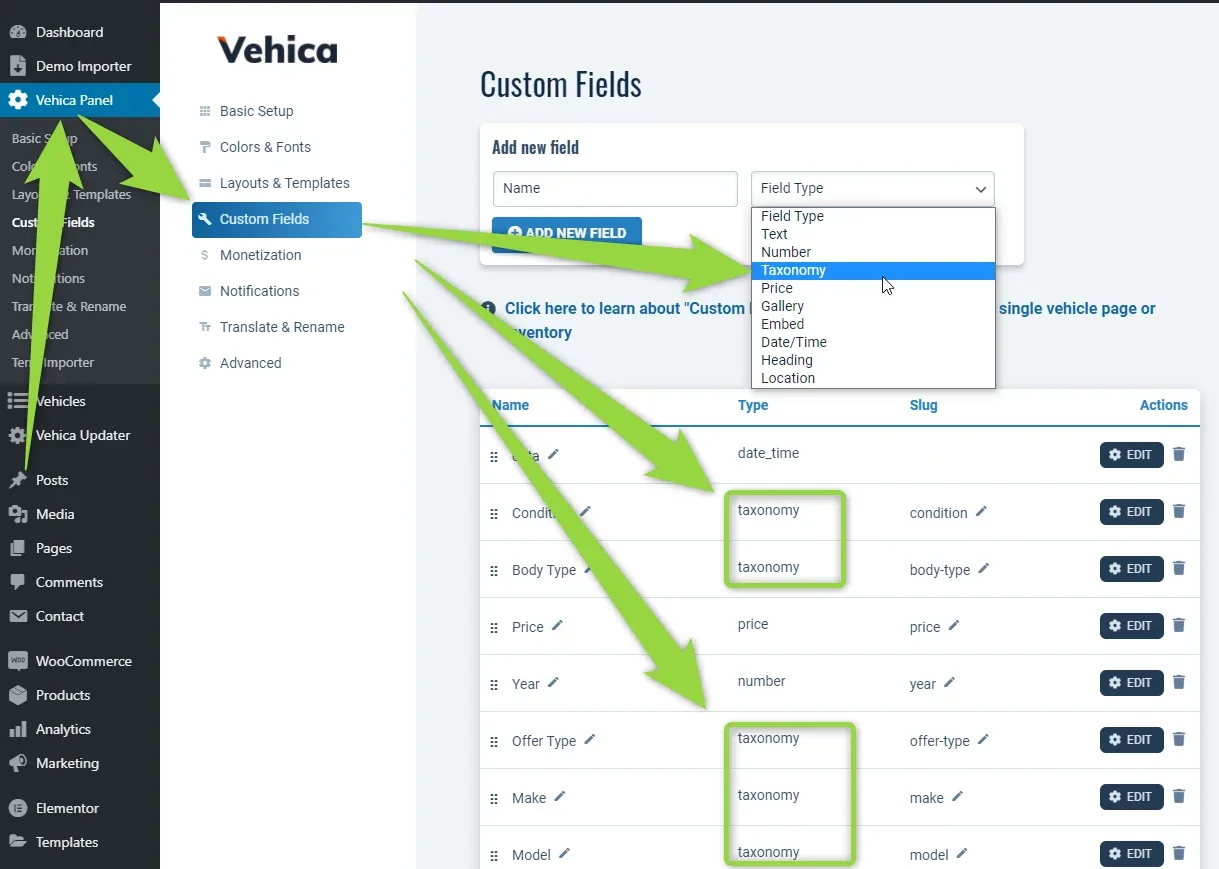
This module can be used in 2 ways.
1. Import a plain list of terms
You can import a list of terms — e.g. 100 vehicle features — as plain text, with each term on a new line.
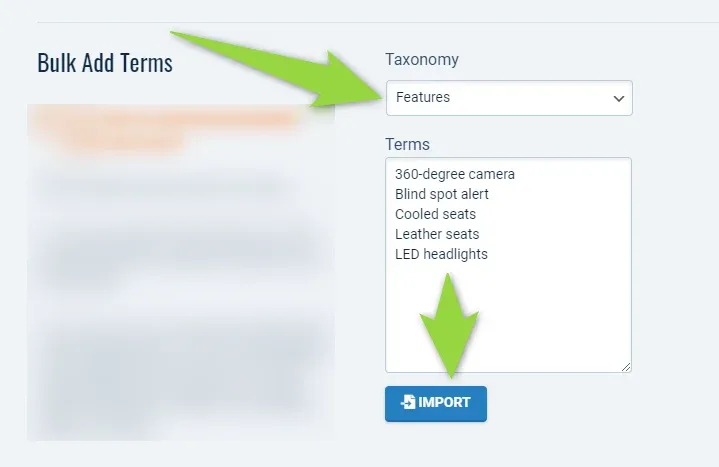
2. Create a Parent-Child relationship
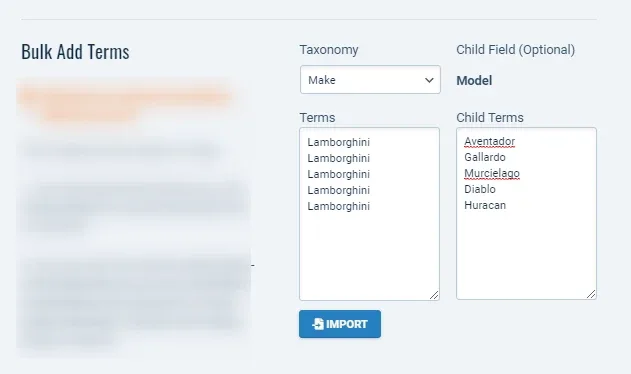
You can also use it to quickly create a Parent-Child relationship — e.g. add the Make (Lamborghini) and connect many children to it (Aventador, Gallardo, Murcielago, Diablo, Huracan). Here is an example of how to do it.
-
1
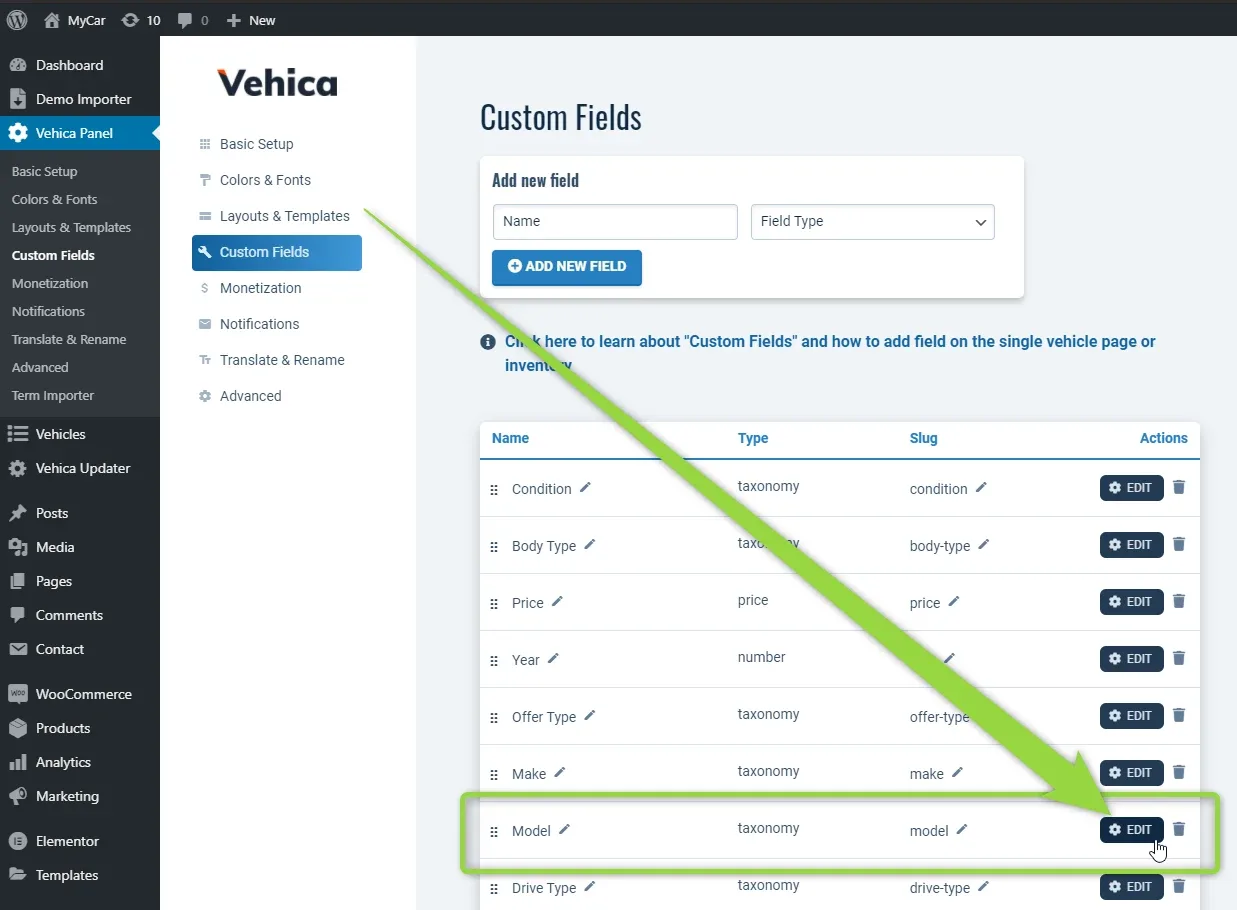
Open the child field
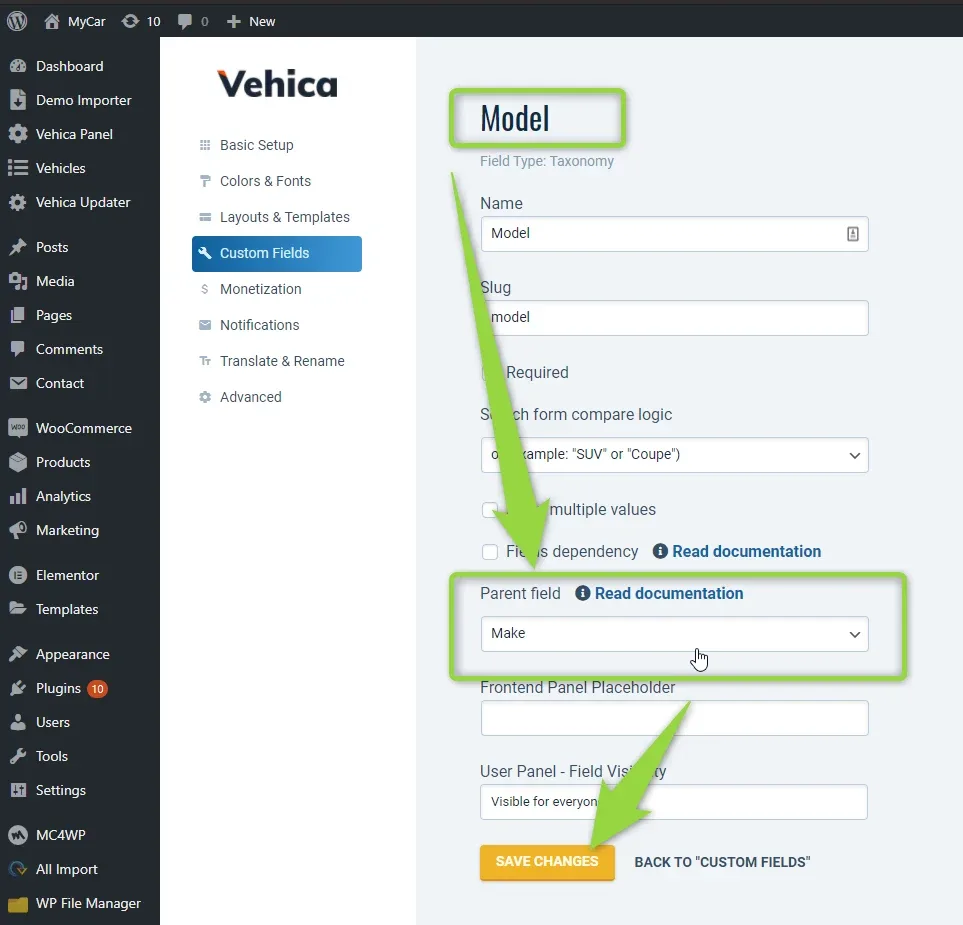
Firstly, let's make sure the Child Field (Model) has a Parent (Make). Edit the Model field in Vehica Panel > Custom Fields.
-
2
Set its parent field
Set Parent field to Make and save the changes.
-
3
Open Bulk Add Terms
Visit Vehica Panel > Advanced > Bulk Add Terms.
-
4
Enter the parents and children
Configure it this way, with each parent and child on a new line.
- 5 Click Import
What you get
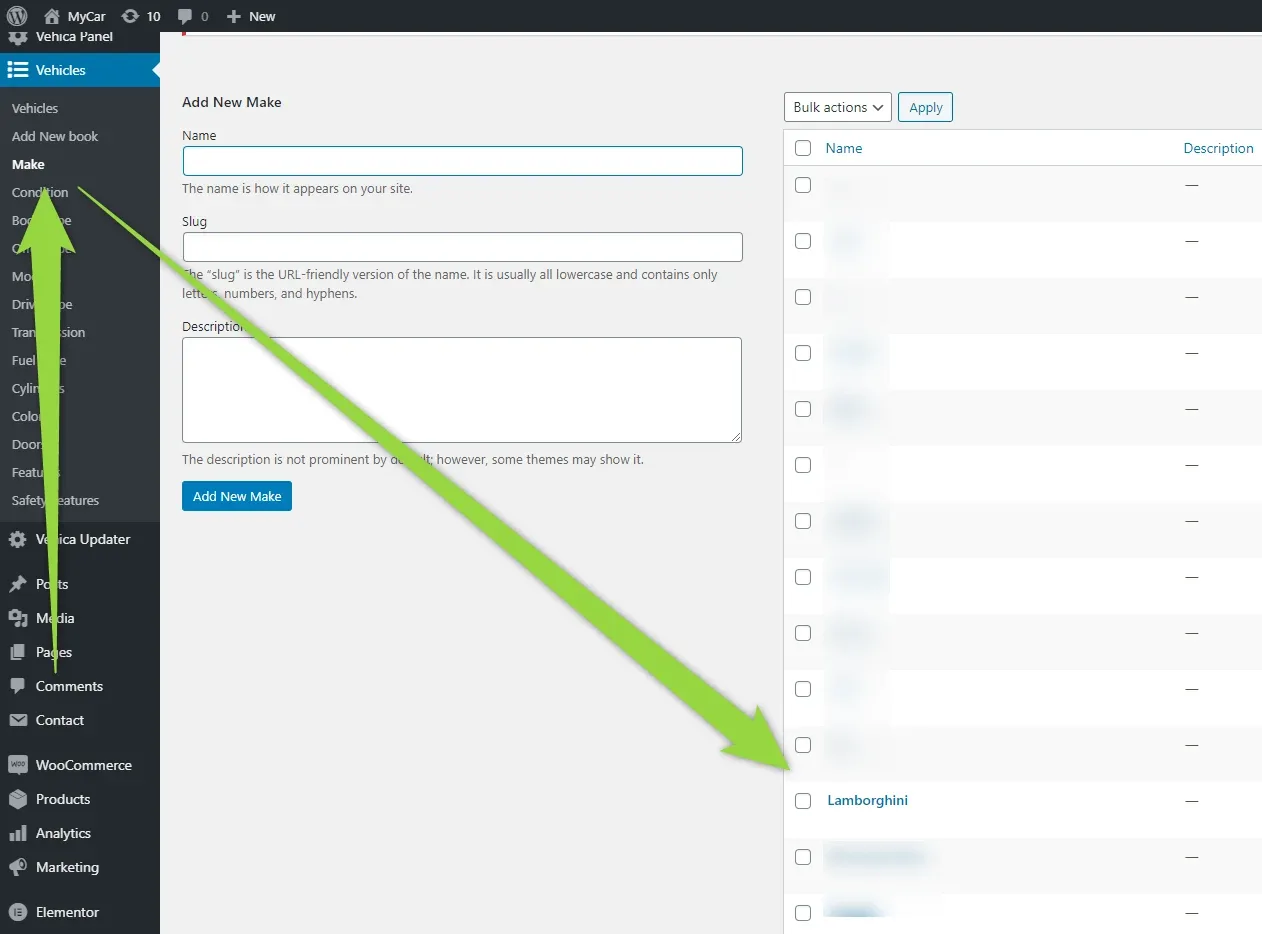
Done. You will find Lamborghini in your Make terms:
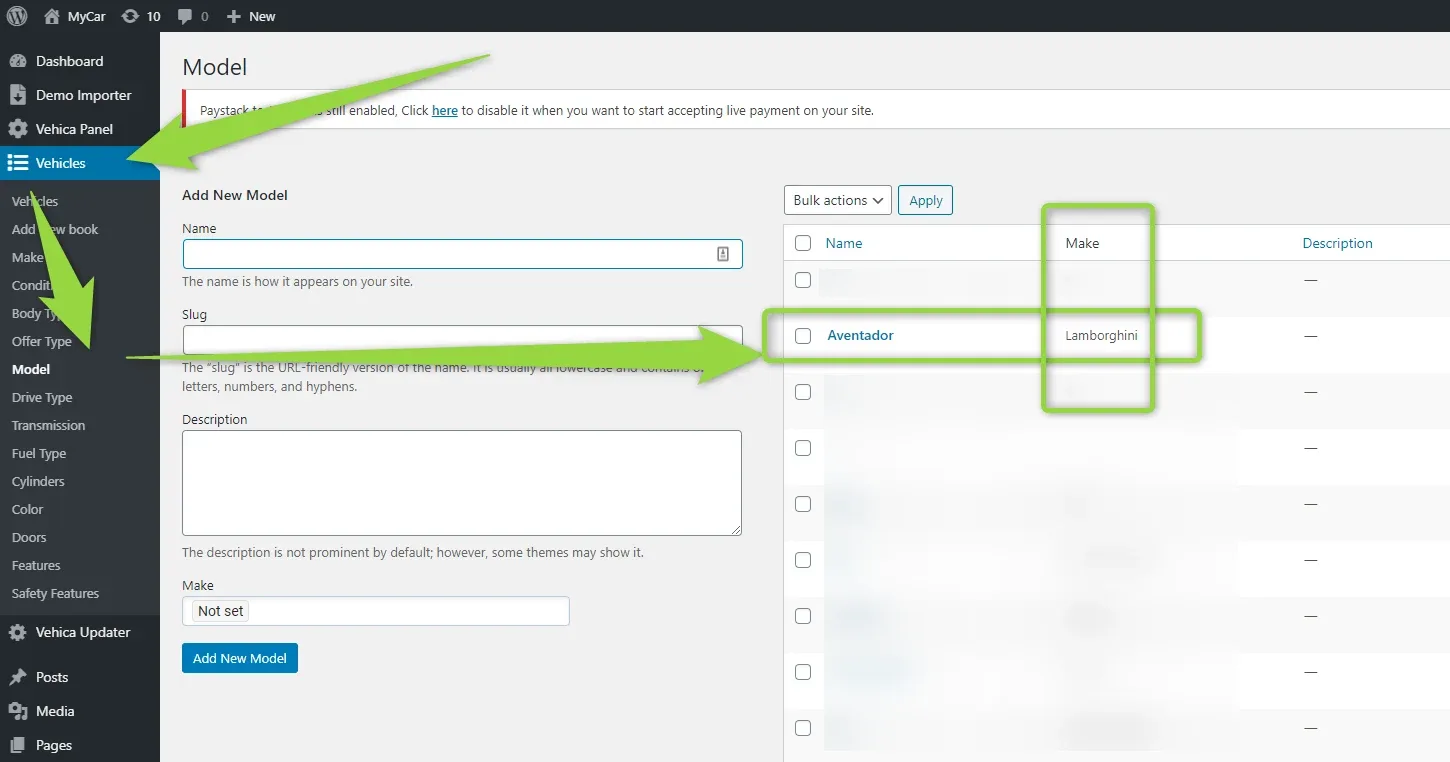
and all models of Lamborghini here, with the parent field assigned:
Ask the people who build Vehica
We answer by email from support@tangiblewp.com. With Premium Support, we also fix your site when something breaks.
We can also run your site for you, or build a new one.
Was this guide helpful?