How to create a used car dealer website
A small lot needs a website that shows every car, marks the sold ones and makes it easy to call. Here is how to build one without code.
In this guide
- A used car dealer website shows every car with photos, price and a WhatsApp button
- Switch off the marketplace parts, so only you add cars
- Load your stock from a spreadsheet instead of typing it again
- Sold and Pending ribbons show which cars are still on the lot
- A loan calculator on every car page shows the monthly payment
A used car dealer website is your lot online. It shows every car with photos, the price and the mileage, and buyers call or message you straight from the car page. To build one, start from a WordPress car theme, switch off the marketplace parts and load your stock.
This guide is for a small independent lot with a few dozen cars. The steps that fit any dealer are in our guide to a car dealer website.
What a used car dealer website needs, and what it can skip
An independent car lot website wins when its stock is always current and buyers reach you fast. It needs five parts.
- Every car on the lot, with real photos, the price, the year and the mileage
- A clear mark on cars that are sold or reserved
- Your phone number and a WhatsApp button on every car
- The monthly payment on every car page
- Your address and opening hours
What you leave out matters too. Vehica can also run a marketplace where other dealers post cars, and on a small car dealer website those parts only confuse buyers.
- The Dashboard and Log in links for other sellers
- The Add Listing button and the seller panel
- Packages and payments for posting cars
- Map search, since all your cars stand on one lot
1. Start from the demo and switch off the marketplace parts
A free trial site starts with the Vehica demo in place, with 7 home page layouts. One of them, Car Dealer, is made for a single dealership and shows opening hours and an address.
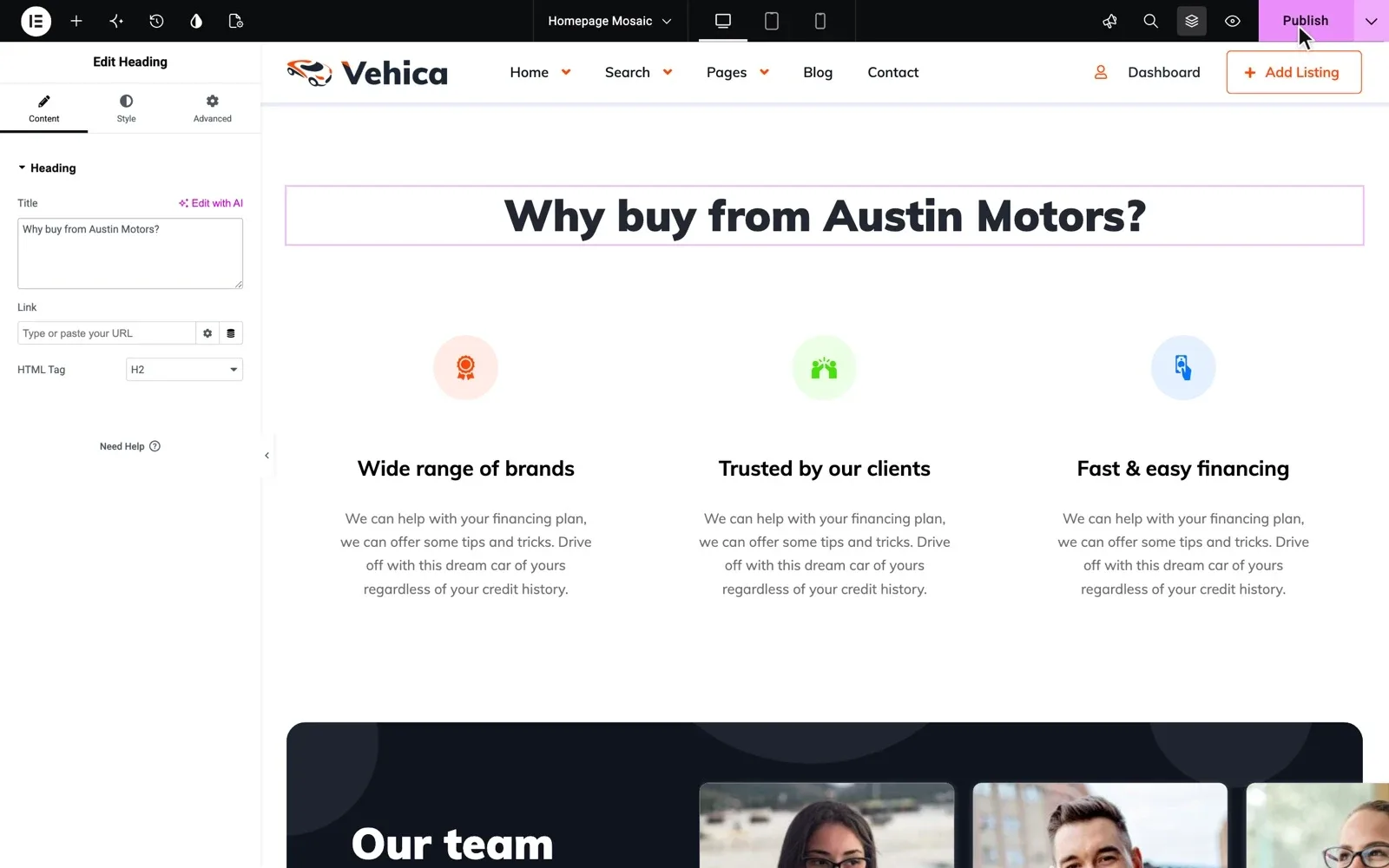
Then switch off what only a marketplace needs. In the Vehica Panel, untick the Add Listing button and the Dashboard and Log in links in the header. Now only you add cars, in the WordPress admin.
Add your logo, phone and address in the Vehica Panel, and pick one brand color. To change the words on a page, open it in Elementor and click Publish.
2. Get your stock online fast
Typing every car into a used car dealership website by hand takes days. First paste your makes, each with its models, in one go. Then pick the way that fits how you keep your stock today.
- A few cars. Add one in the admin, then duplicate it with one click and change the details.
- A whole Excel sheet. Save it as a CSV file and load it with the free WP All Import plugin. If the sheet has web links to the photos, the photos come in too.
Plugins cannot be added during the free trial, so load the file after you buy Vehica or keep the site on Site Care. Our guide to putting your car stock online from an Excel sheet shows every step.
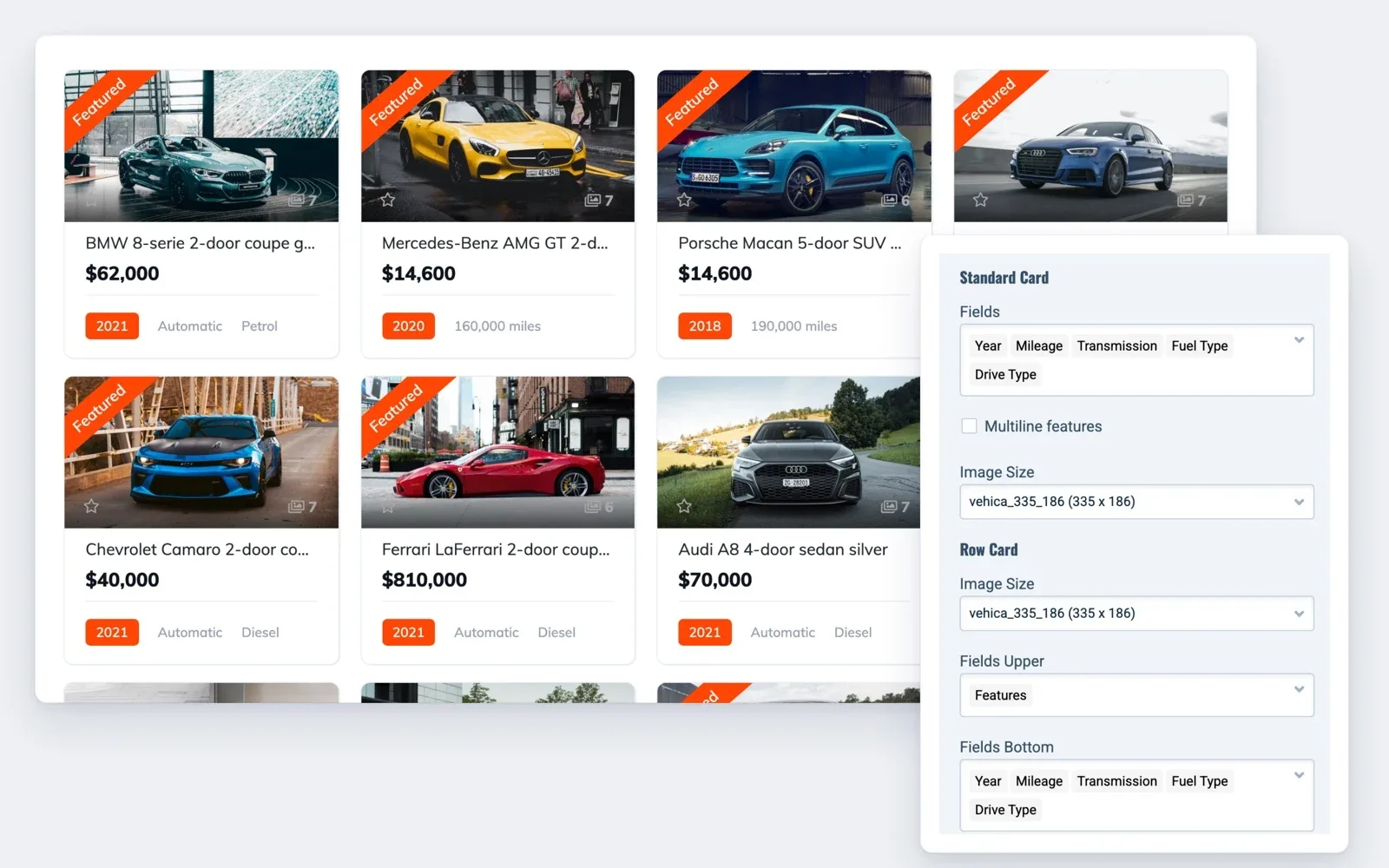
Vehica can build each car's title from its fields, such as make, model and year. Then pick what every car card shows, like year, mileage, gearbox and fuel.
3. Take photos that sell the car
On a used car, photos do most of the selling. Buyers look for scratches, worn seats and the real mileage before they call.
Shoot every car in the same order, so all your car pages look alike.
- The car from a front corner, your best first photo
- The side, the back and the other front corner
- Front seats, back seats and the trunk
- The dashboard with the engine on, so the mileage shows
- Wheels, tires and the engine bay
- Every scratch or dent, up close
Hold the phone sideways and shoot in daylight, in the same spot, with a clean car. The demo has 3 car page layouts for your photos, named Gallery, Mosaic and Carousel.
Under the photos, write a few honest lines about the car. Our car listing description templates give you a start.
Try it with five of your own cars
Your own Vehica website with the demo and the full WordPress admin, ready in a minute.
Try Vehica free Free for 7 days. No card needed.4. Mark cars sold or reserved the same day
A buyer who drives over for a car that is gone rarely comes back. Change a car's status on the day it changes.
In Vehica you create the labels once, one option per status, each in its own color. The chosen one shows as a ribbon on the car card. Call an option Reserved if your buyers use that word.
When a car is sold, you have three choices.
- Keep it in the search with a Sold ribbon, to show that your cars sell
- Keep it out of the search results
- Show it on a separate Sold page. See the Sold page on the demo
Have a car that sits too long? Mark it Featured, and it shows first when buyers sort by relevance.
5. Put your phone and WhatsApp on every car
On a small lot, sales close on the phone and on WhatsApp. Make both easy to reach on every car page.
- A WhatsApp button on every car page
- Your phone number, shown in full on a tap
- A contact form that sends buyers' messages to your email
- Your phone and email in a top bar above the menu
6. Show the monthly payment on every car page
Buyers of used cars often ask what a car costs per month, so answer it before they call. Vehica puts a loan calculator on every car page, with the car's price filled in. In the search results, the Calculate financing link under each car opens it too.
You set the starting interest rate, the number of months and the down payment. Add a line under the calculator saying the result is an estimate. Our guide to a car loan calculator on your dealer website covers every setting.
Your launch checklist for a small lot
For any dealer, our car dealer website checklist has the longer list.
Before you send the link to buyers
15 tasks
Set up the site
Cars and photos
-
The spreadsheet needs a plugin. Add it after you buy Vehica or keep the trial site on Site Care.
-
Sold and reserved
Calls and financing
-
-
If it lands in spam, the help center recommends an SMTP plugin.
Go live
Rather sell cars than run a website?
You add the cars and mark them sold. We keep the website online, run the updates and backups, and fix what breaks.
Site Care
The team that made your MyHome, Listivo or Vehica site keeps it backed up, updated and fast, with Premium Support included.