How to Solve Slow Listing Additions Due to Huge Parent-Child Relationships and Allowing Users to Add New Terms
If your site holds thousands of connected makes and models and users are allowed to add new ones, saving a listing can take a long time. Turn off automatic term connection with a single filter, and connect terms yourself when you need to.
2 minute read
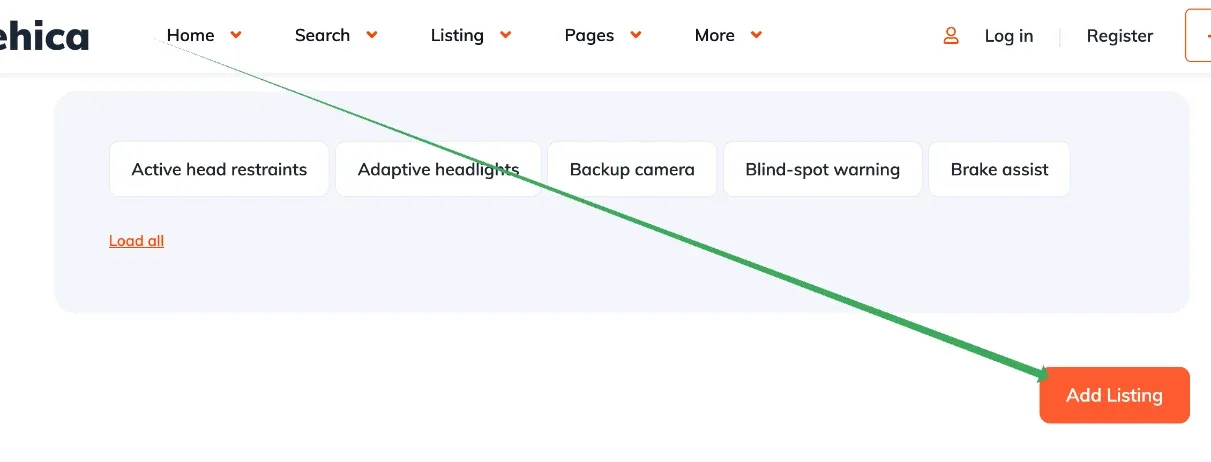
This article covers an edge case: adding a new listing through the front-end panel takes too much time. It is not about the Add Listing page being slow to load, but about the lag that follows after clicking the button at the end of the Add Listing form, shown below.
Why the save is slow
When a site has a large number of terms in its taxonomies — hundreds of car makes and tens of thousands of car models connected to each other — the "Add Ad" form still loads quickly. The problem starts when you also let users add new terms (new car models, for example) in one of the fields, in Listivo Panel > Custom Fields > Make, by ticking the option shown below:
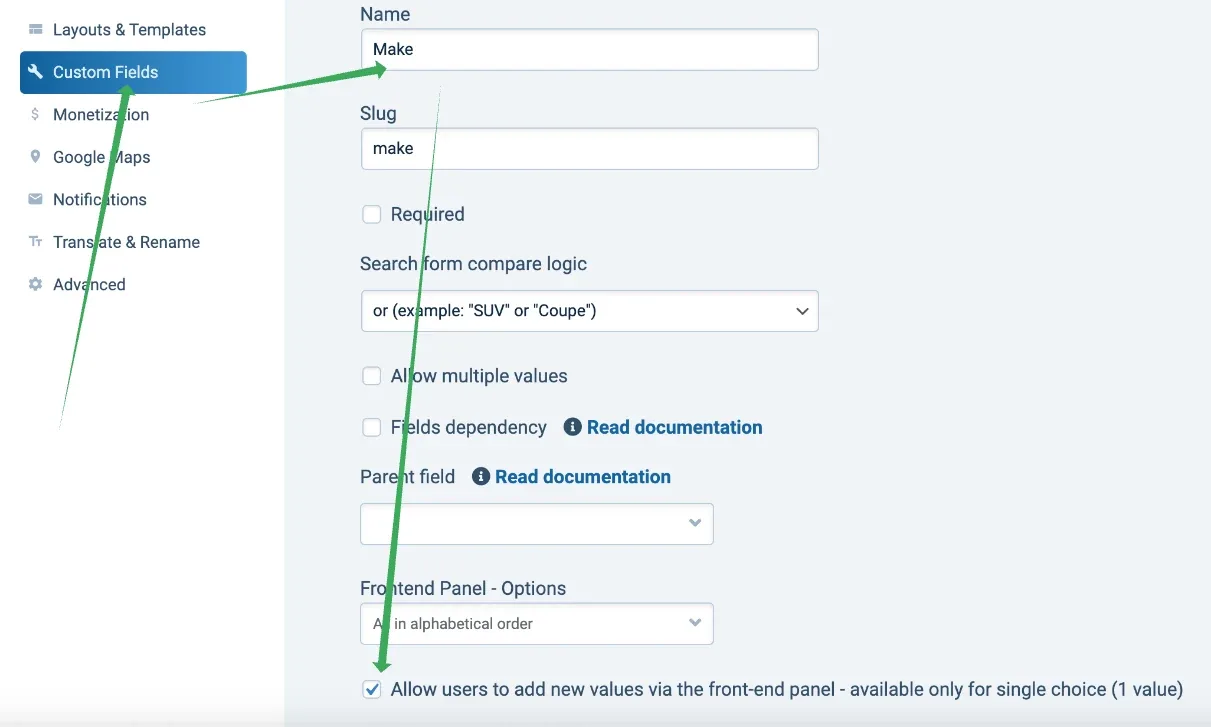
With that option checked and thousands of makes and models in place, adding a listing takes longer. Every time an ad is added, Vehica has to check all the potential connections, and that means running a large database query.
Disable automatic term connection
To improve the speed of adding listings, you can switch off the automatic term connection process and manage the connections manually instead.
-
1
Activate a child theme
This lets you make modifications without touching the main theme and keeps them compatible with future updates. See How to use Child Theme? How to change files (php / css / js) and keep theme future update compatibility?
-
2
Add the filter to functions.php
Add the code below to the child theme's
functions.phpfile.
add_filter('vehica/connectTermsOnSave', function() {
    return false;
});
This filter disables the automatic connection of terms during the listing save process, which significantly reduces the time taken to add a listing.
Connect terms manually
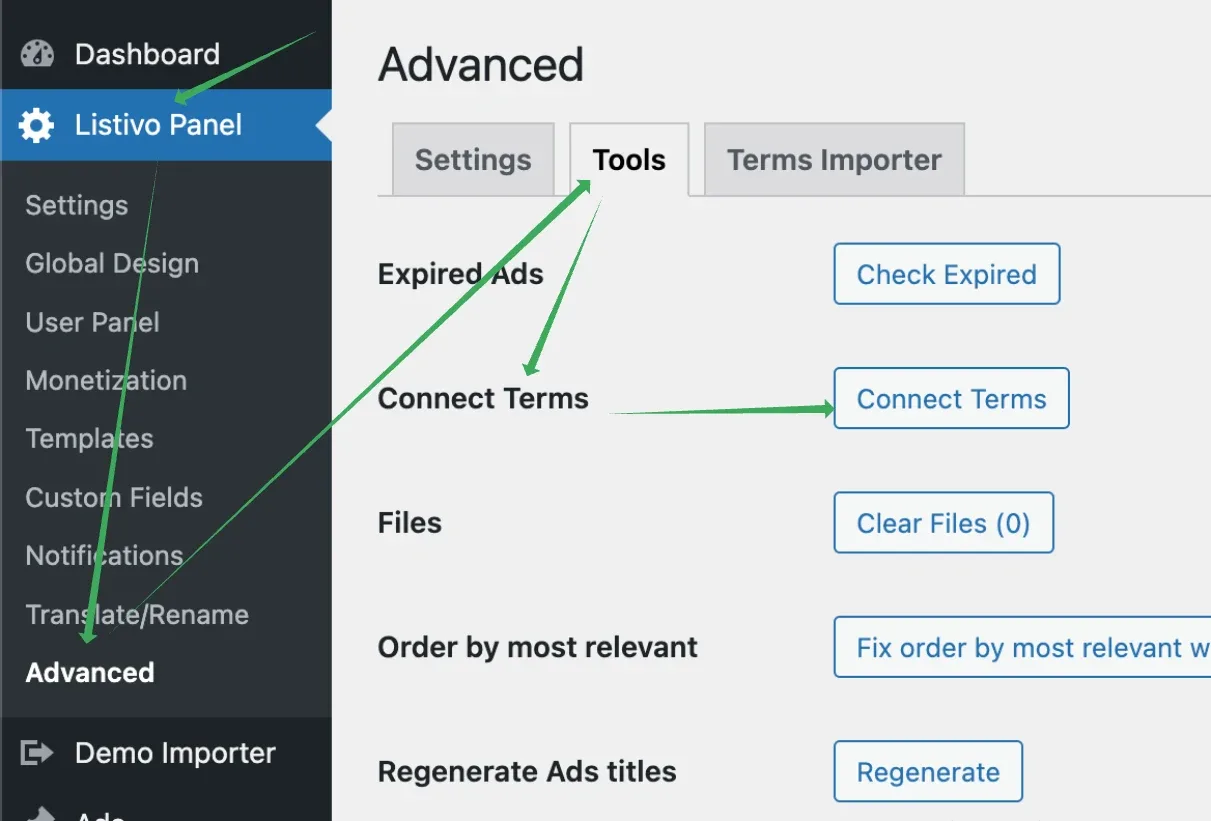
If you need to connect child terms to parent terms — models to makes, for example — you can do it in Listivo Panel > Advanced > Tools > Connect Terms.
Ask the people who build Vehica
We answer by email from support@tangiblewp.com. With Premium Support, we also fix your site when something breaks.
We can also run your site for you, or build a new one.
Was this guide helpful?