How to set up a car make and model list on your website
Car buyers pick a make first, then a model. Here is how to build that list on your website, link every model to its make and turn it into a search.
In this guide
- Buyers pick a make first, then see only the models of that make
- A dealer lists the makes in stock, and a marketplace lists the whole market
- Vehica takes a make and all its models in one paste, already linked
- Next to every make and model, buyers see how many cars match
- Search pages can have readable addresses, such as /search/porsche/cayenne/
A car make and model list feeds the make and model dropdown that buyers use first. They pick a make, and the Model field shows only the models of that make. To set it up, write your makes and models down, link the Model field to Make, then paste your list in one go.
The list is one step of building a car dealer website, and a car marketplace needs it even more. WordPress has no make and model search of its own, so a car theme adds the linked fields. The screens below come from Vehica.
1. Decide which car makes and models your website lists
A dealer and a marketplace need different lists. A dealer lists the makes in stock and the models buyers ask about. A marketplace lists the whole market, because every seller picks from it.
Keep the list in a spreadsheet, such as Excel, with two columns, Make and Model. Sort it by make, and gaps or double entries stand out. Then clean the names, because buyers search with the words they know.
- Spell each make the way buyers search for it, the same on every row, such as Mercedes-Benz
- Write the model without the make, so Corolla and not Toyota Corolla
- Keep the year, engine and body type out of the model name, since Vehica has a field for each
- Use the name your country knows, because the Honda Jazz is sold as the Fit in some countries
- A dealer can start with the makes in stock and add more later, so buyers do not scroll past empty choices
Are your cars already in a spreadsheet? Load them with their makes and models, then click Connect in the Vehica Panel to put each model under its make. Our guide on how to put your car stock online from an Excel sheet shows how.
2. Link the Model field to the Make field
Linked fields make the Model field follow the make. The Vehica demo already links Make and Model. If you build your own fields, link them yourself.
- Open the Vehica Panel and go to Custom Fields
- Edit the Model field
- Set Parent field to Make and save the changes
The guide Parent Field – how to build relation Make > Model e.g. BMW > M4 shows every screen.
3. Paste your car make and model list in one go
Typing models one at a time takes hours. Bulk Add Terms in the Vehica Panel takes a make and all its models in one paste, already linked.
- Open the Vehica Panel, go to Advanced and find Bulk Add Terms
- Set Taxonomy to Make and Child Field to Model
- Paste the makes into Terms, one line for every model, so a make repeats
- Paste the models into Child Terms, in the same order
- Click Import, then check the Make and Model lists in the WordPress admin
The guide Bulk Add Terms (Makes, Models, Cities etc) shows every screen. Copy the two boxes below, then swap in your own makes and models.
Paste into Terms (the makes)
One line for every model, so each make repeats.
Add or remove lines in both boxes together, so the order stays the same.
Paste into Child Terms (the models)
One model on each line, in the same order as the makes.
Line 1 here goes with line 1 of Terms, so Corolla goes with Toyota.
For a long list, use your spreadsheet. Fill in the make on every row, then copy the Make column into Terms and the Model column into Child Terms. Paste one make with its models first, check it, then paste the other makes.
A website started from the demo already has sample makes, such as Audi and BMW. Keep the ones you sell, and delete the rest under Vehicles, then Make and Model, in the WordPress admin.
Paste your own makes and models into a real Vehica website
Your own Vehica website is ready in a minute, with the demo in place and the full WordPress admin. Paste your list and try the search.
Try Vehica free Free for 7 days. No card needed.4. Let buyers search by make and model
Put Make and Model in the first row of every search form. Model stays locked until a buyer picks a make.
Next to every make and model, buyers see how many cars match. The results change the moment they pick.
You choose which fields the search shows, and in what order. Put gearbox, color and the rest under More filters, so the first row stays short.
5. Give sellers the same list on the car form
The same list fills the car form that sellers use to post a car.
Sellers pick names from your list, so nobody types BMW one way and Bmw another. Each car lands under the right make, and the counts in the search stay true.
Running a marketplace? You can let sellers add a model that is missing from your list, right from their panel. Our guide to a website like Cars.com covers the rest of the seller side.
6. Give each make and model search a readable address
In the Vehica Panel, under Basic Setup, turn on Pretty search result links. A search for one make and model then gets a readable address, such as /search/porsche/cayenne/. Buyers can share it, and the address says what the page shows.
Each car page also shows where it sits, with a trail such as Homepage, Search, Audi, A4.
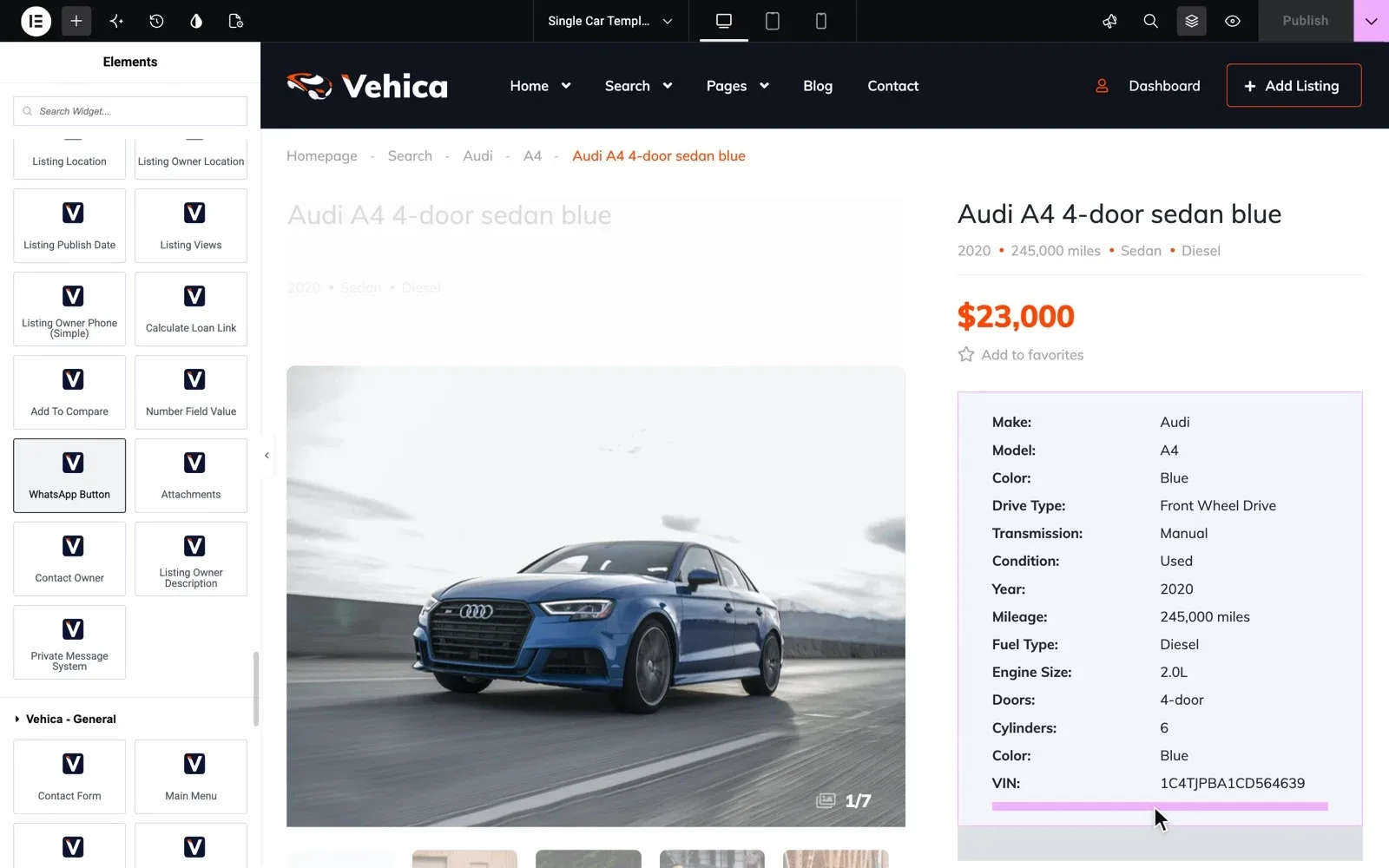
Clean names pay off here too. One spelling for each make gives one address for that make, not three that split your cars.
Keep your make and model list up to date
Makers add new models every year, and your list has to keep up. Three moments call for a check.
- A new model comes out. Paste it into Bulk Add Terms with its make.
- Cars came in from a file. Click Connect in the Vehica Panel to put each new model under its make.
- Sellers added models of their own. Check the new names now and then, and fix the spelling.
Make and model search is the first item on our car dealer website checklist, so check the rest before you launch.
This theme is one of the easiest themes I have ever worked with. dawnybelle, verified Vehica customer
Rather have us help you set it up?
Buy Vehica from us, and for 12 months the people who wrote it help you set up your make and model fields and the search.
Premium Support
The people who wrote your theme fix errors, plugin conflicts and slow pages on your own site, for 12 months.