Sold / Pending / Active option
Give your listings a Sold / Pending / Active status: create an “Offer Type” taxonomy field, pick a colour for each option, and Vehica prints it as a ribbon on every card — on the inventory, in vehicle grids and in the front-end panel.
2 minute read
Sold, Pending and Active are not fixed options in Vehica — you create them yourself. The recipe is a taxonomy field called Offer Type, a colour for each of its options, and the card setting that prints the chosen one as a ribbon.
-
1
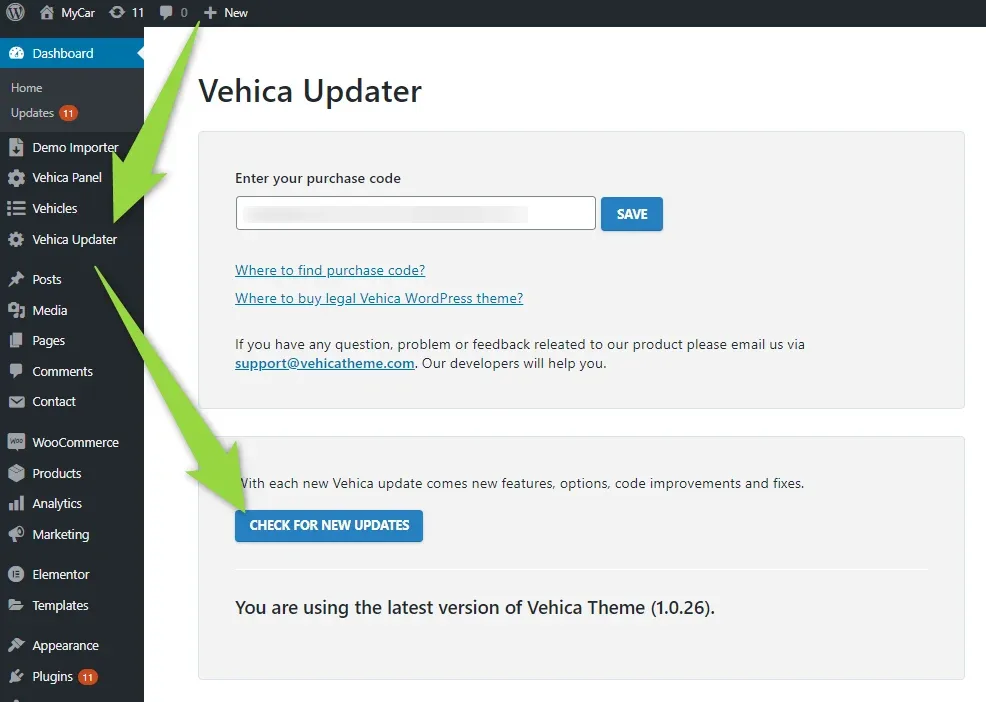
Update Vehica to the newest version
Open Vehica Updater and click CHECK FOR NEW UPDATES.
-
2
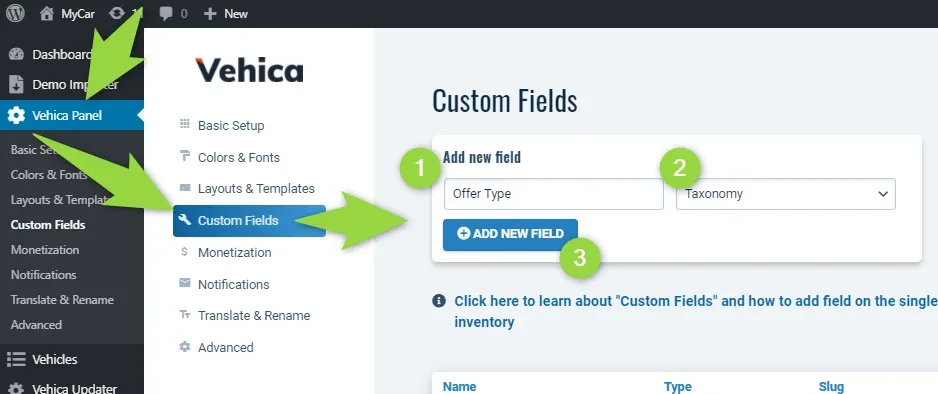
Create an “Offer Type” taxonomy field
In Vehica Panel > Custom Fields, name the field Offer Type, set its type to Taxonomy and click ADD NEW FIELD.
-
3
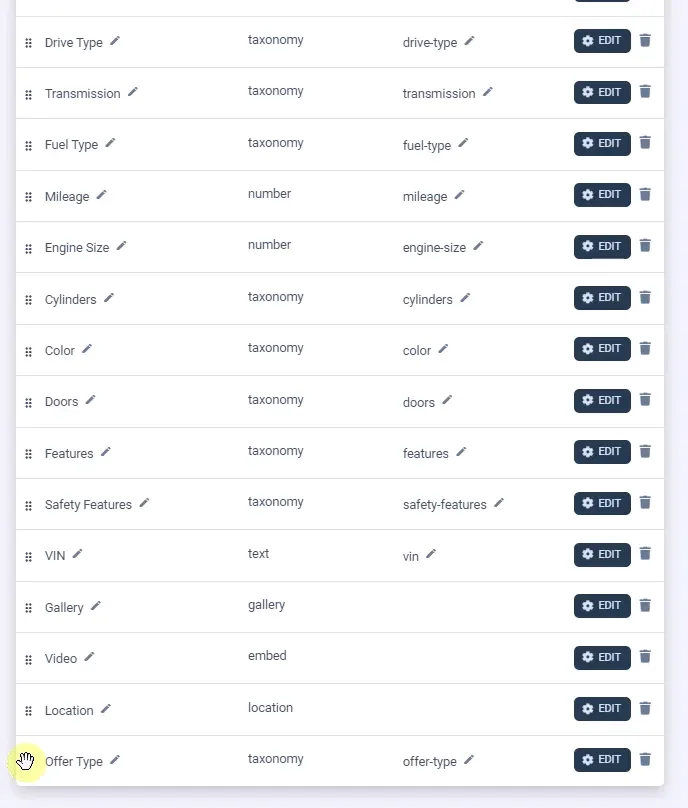
Drag the field to the top of the list
New fields land at the bottom — grab the handle on the left of the row and move it up.
-
4
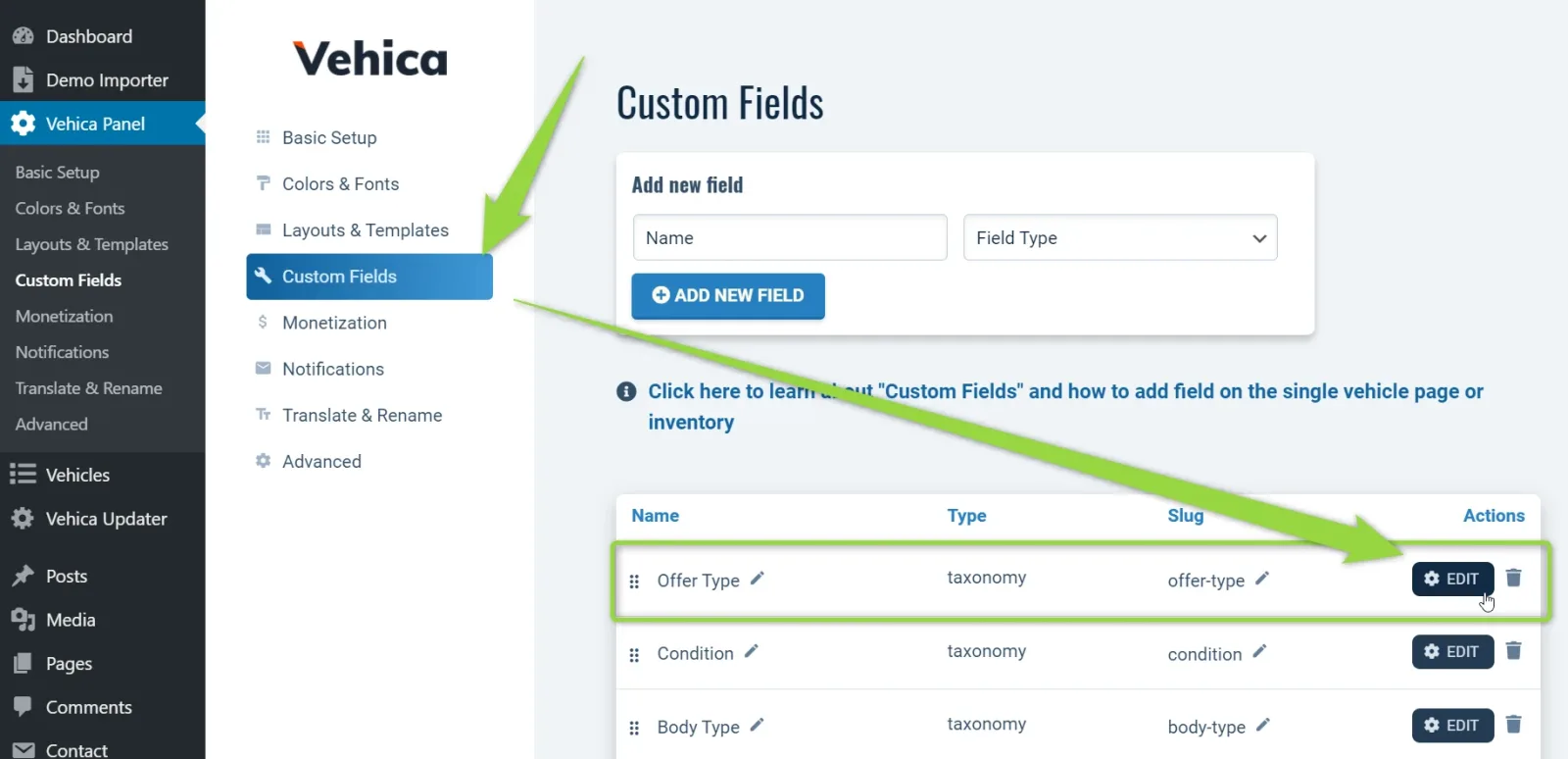
Edit the field
-
5
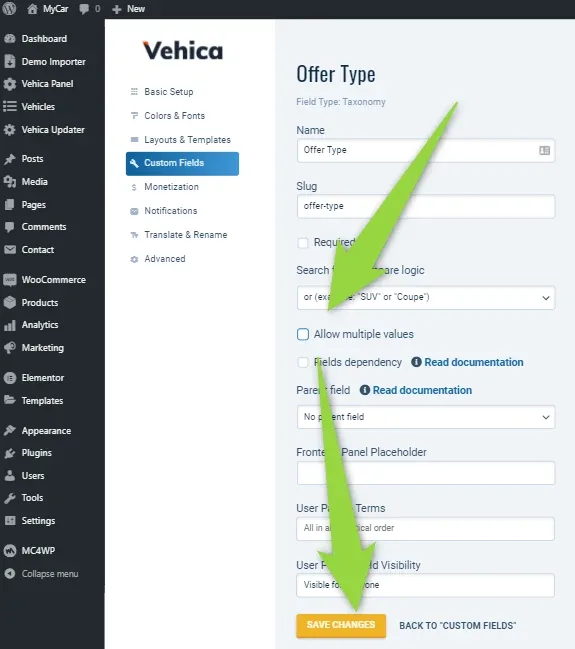
Clear “Allow multiple values”
A listing should carry one status at a time, so leave this checkbox unticked and save.
-
6
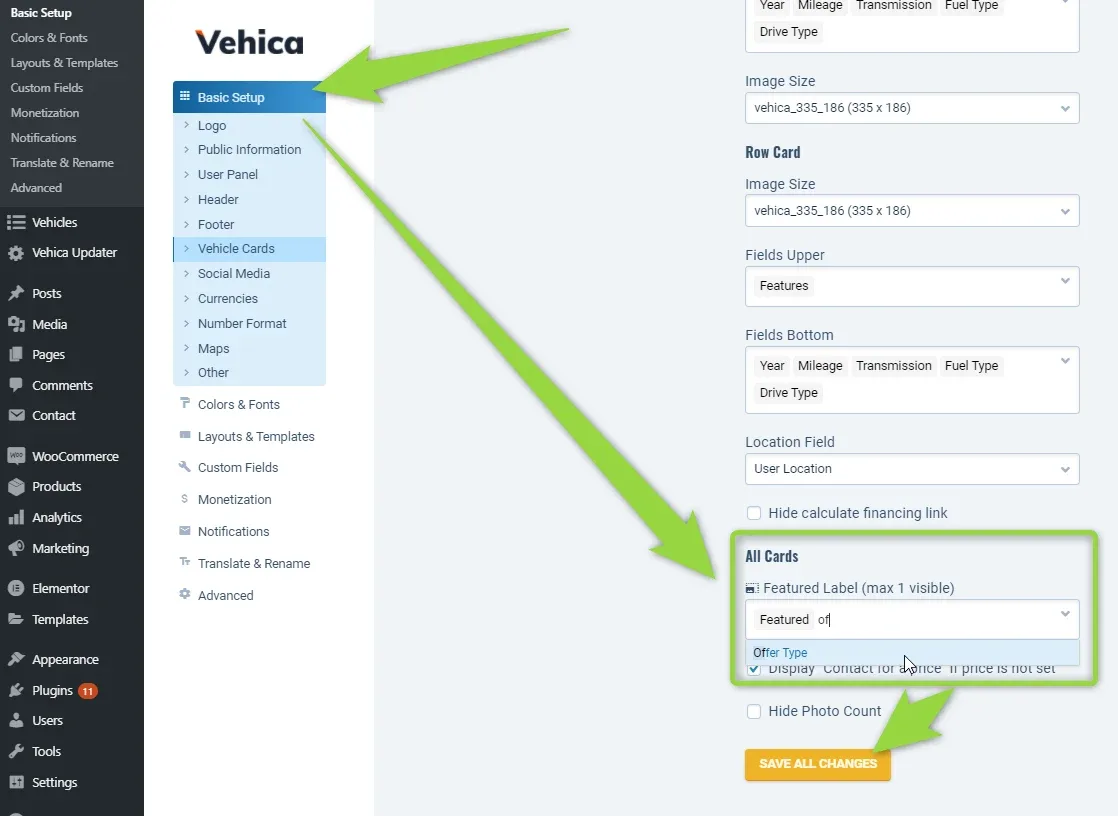
Set the card label to “Offer Type”
In Basic Setup > Vehicle Cards, find the All Cards section and choose Offer Type in Featured Label (max 1 visible).
-
7
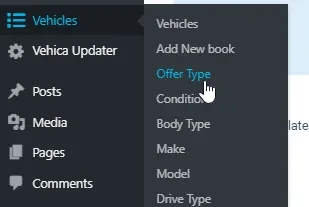
Open Vehicles > Offer Type
The new field has its own entry in the WordPress menu.
-
8
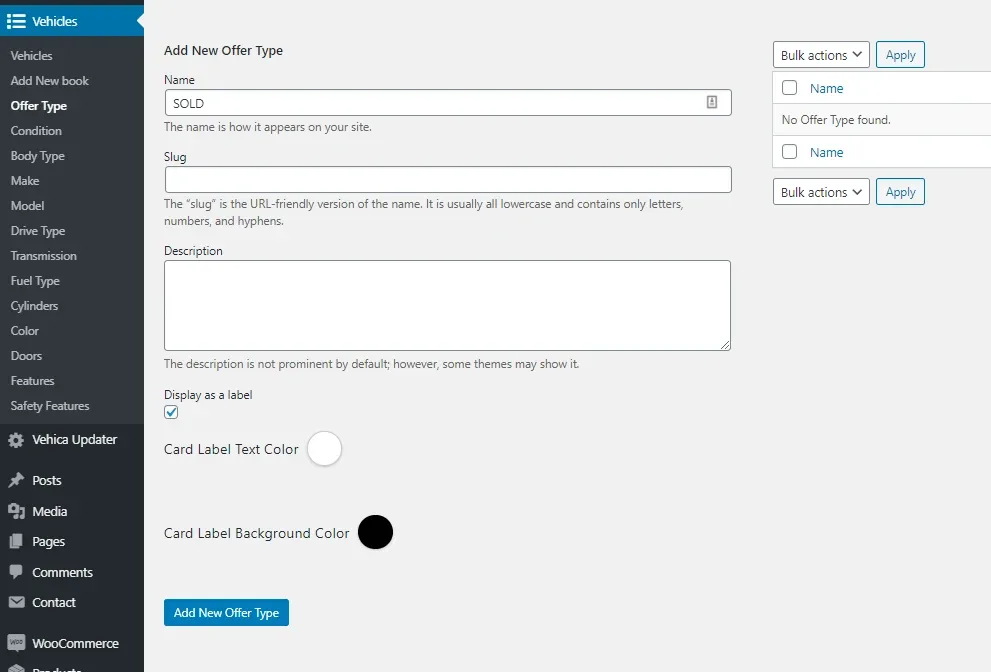
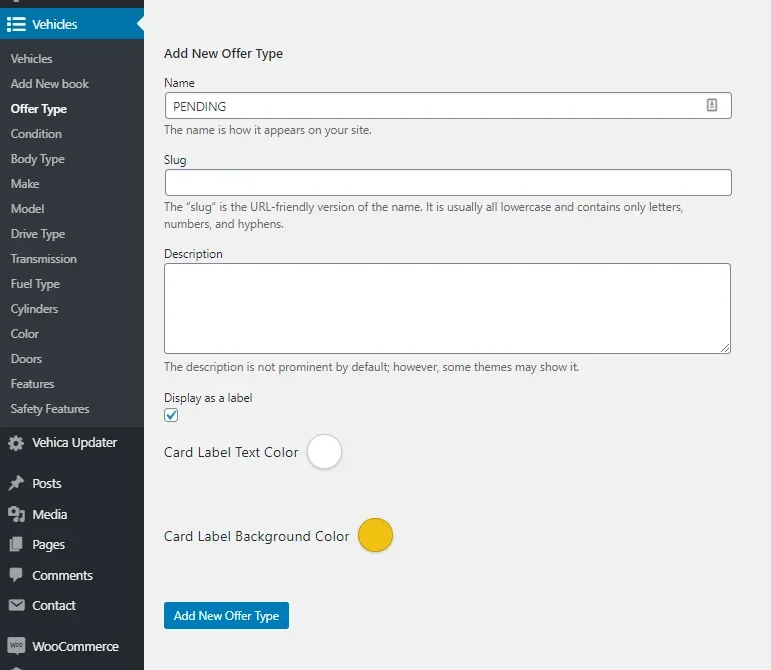
Add your options
For example SOLD, ACTIVE and PENDING.
Give every option its own label colour
A. Sold — black background
B. Active — green background
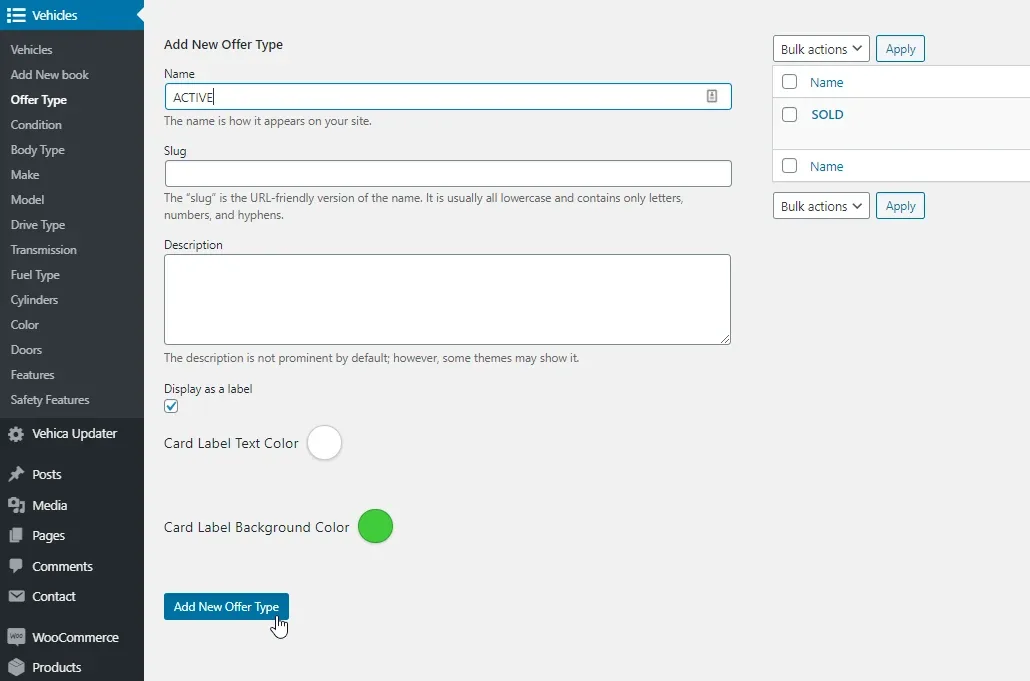
C. Pending — orange background
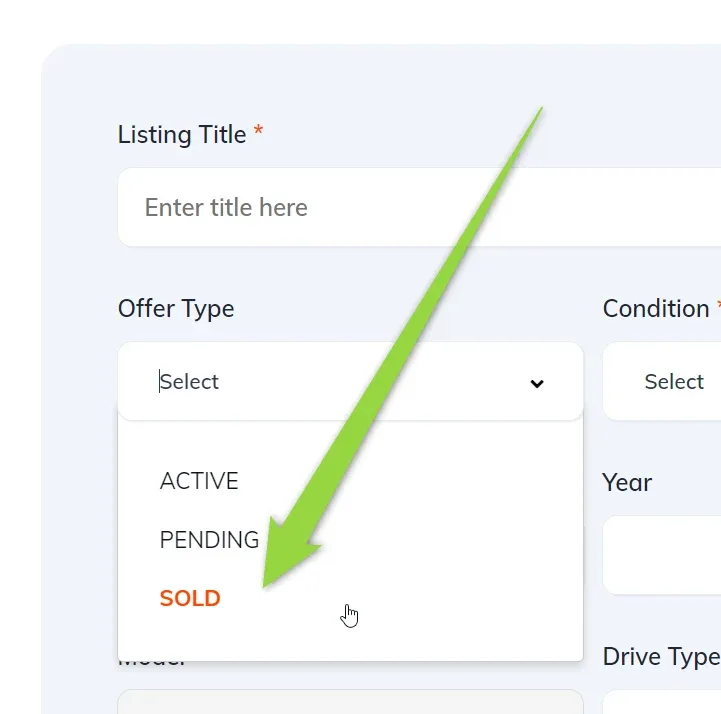
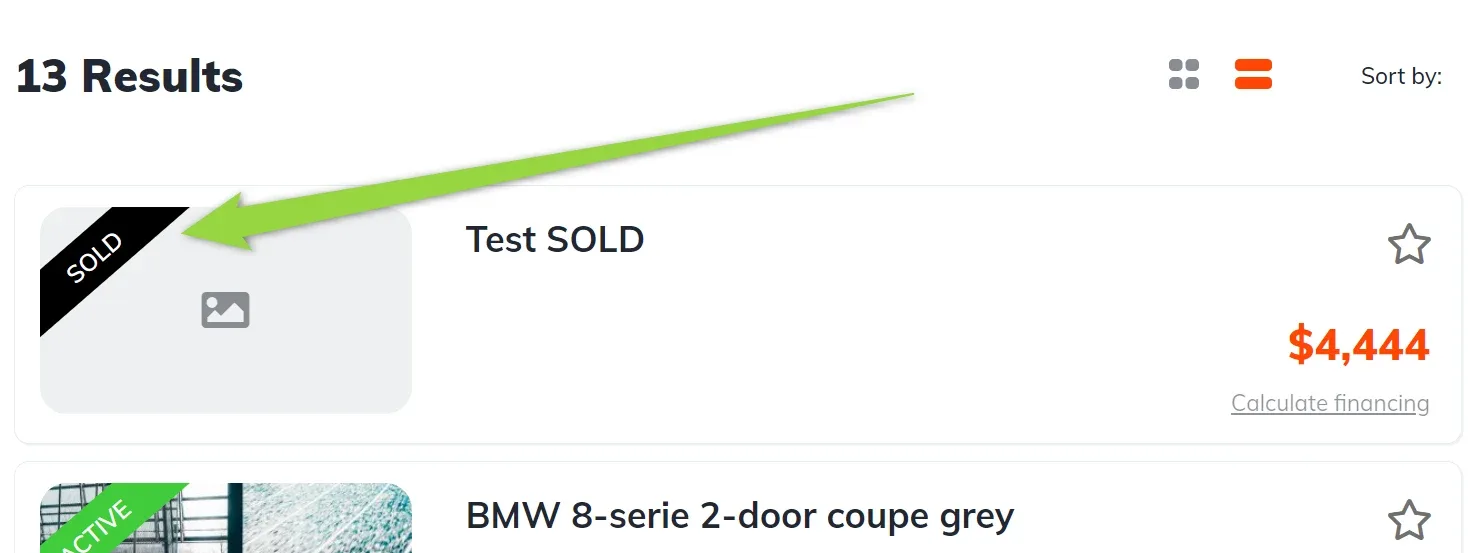
Where the label shows up
The status is now a normal field — sellers pick it from the front-end panel, for example:
And the label is drawn on the inventory:
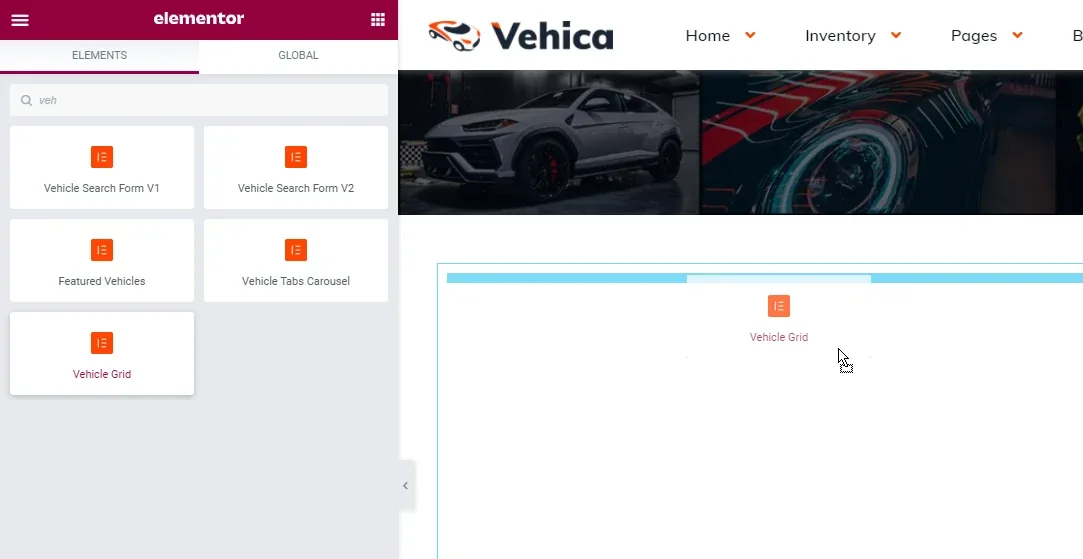
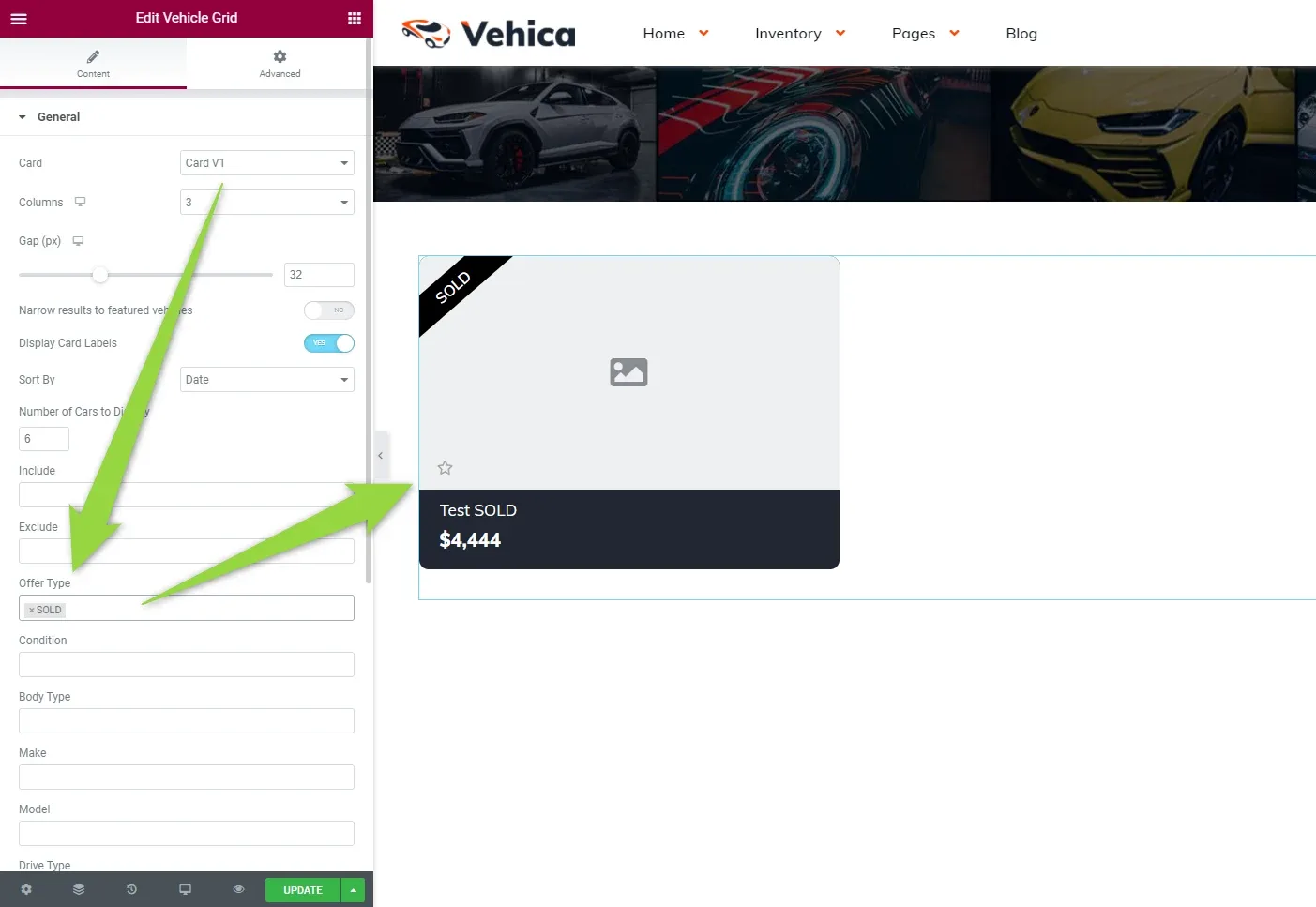
You can also use the label on any Vehicle Grid — and filter the grid by it:
Ask the people who build Vehica
We answer by email from support@tangiblewp.com. With Premium Support, we also fix your site when something breaks.
We can also run your site for you, or build a new one.
Was this guide helpful?