How to customize Ad Card and Featured Ad Card
Ad cards are styled globally in Listivo, not on each listing. This article shows where the Ad Card and Featured Ad Card settings live in Elementor's Site Settings and what you can change there.
1 minute read
This article will teach you how to customize the Ad Card and the Featured Ad Card.
-
1
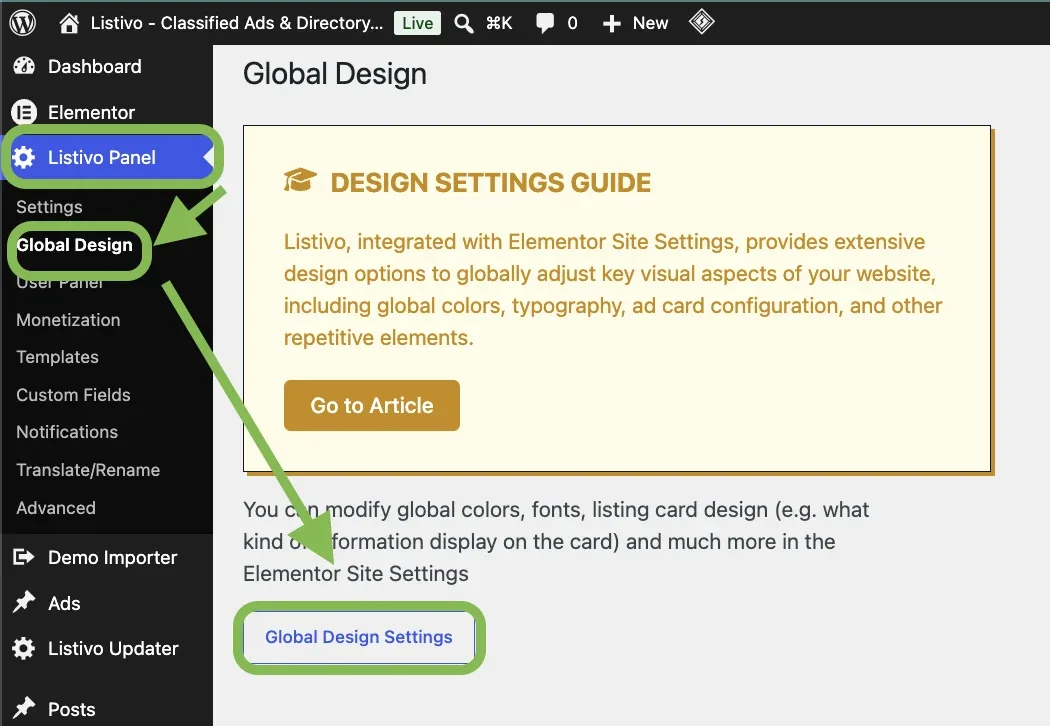
Open Global Design Settings
In wp-admin, go to Listivo Panel > Global Design > Global Design Settings.
-
2
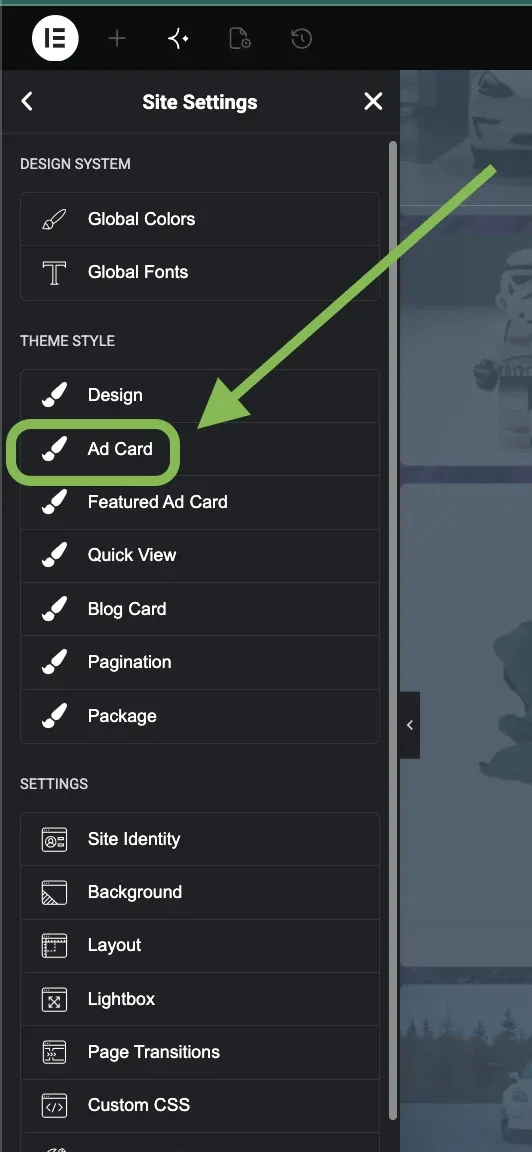
Select Ad Card
You are now in the site settings. Find Ad Card in the list and click on it.
-
3
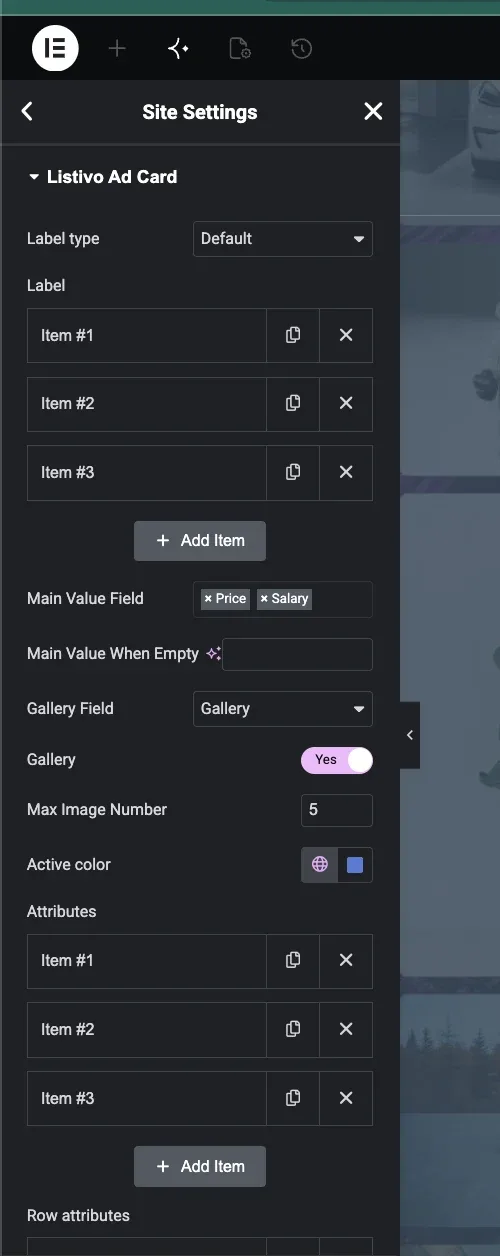
Change the ad card settings
Here you can, for example, add attributes, change colours, and choose which fields the card shows.
-
4
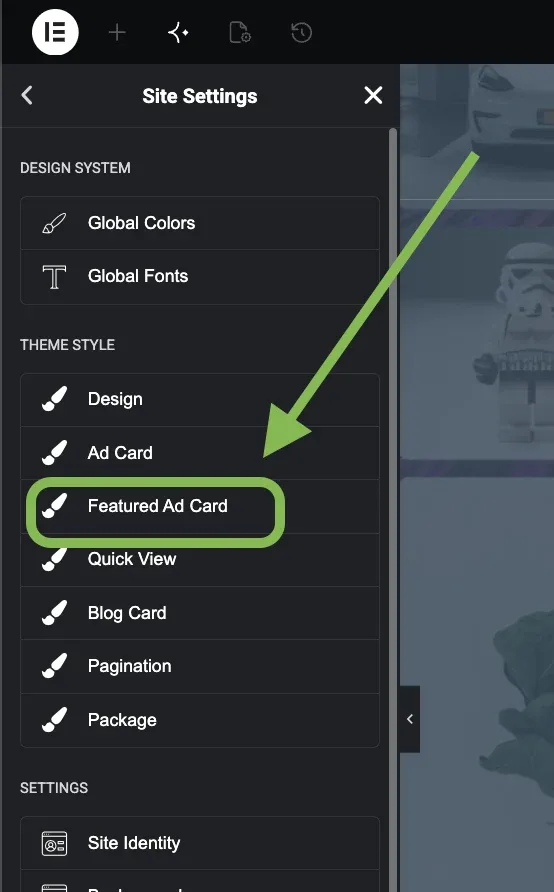
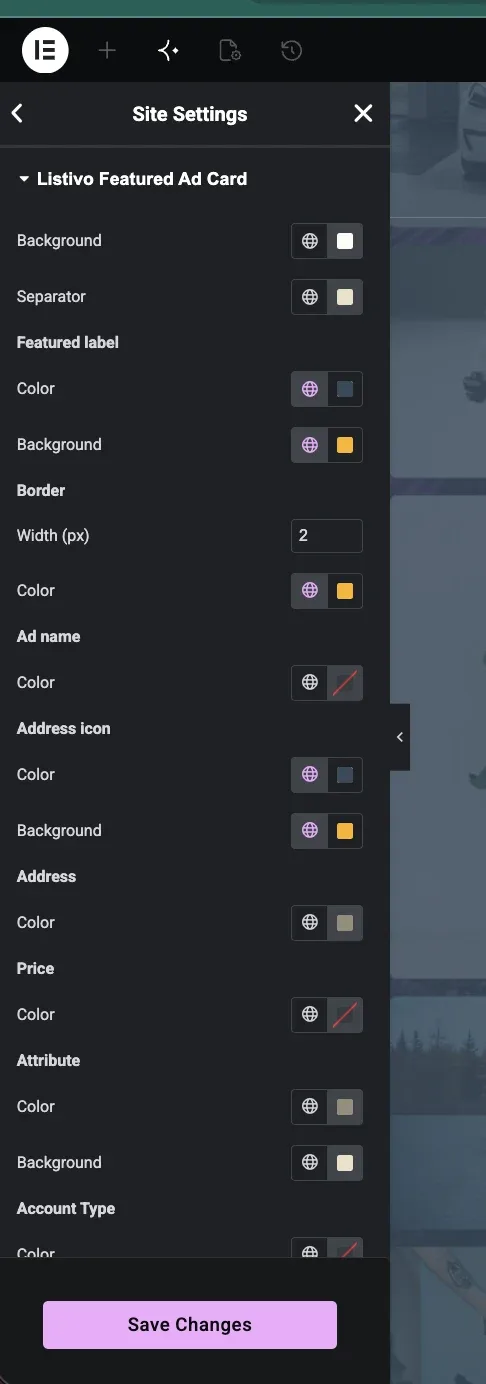
Repeat for the featured ad card
To make changes to the featured ad card, follow steps 1 and 2 again, this time selecting Featured Ad Card.
-
5
Edit your featured ad card settings
Adjust the colours and the border, then click Save Changes.
Ask the people who build Listivo
We answer by email from support@tangiblewp.com. With Premium Support, we also fix your site when something breaks.
We can also run your site for you, or build a new one.
Was this guide helpful?