Parent Field – how to build relation Make > Model e.g. BMW > M4
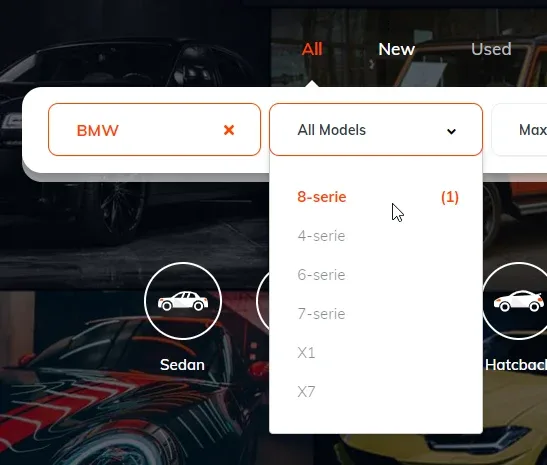
Link two Vehica taxonomy fields so the child only offers the options that belong to the selected parent — choose BMW as the Make and the Model list narrows to BMW models, both on the submit form and on every search form.
1 minute read
Below we build the relation for Make and Model — pick BMW as the make, and only BMW models remain selectable.
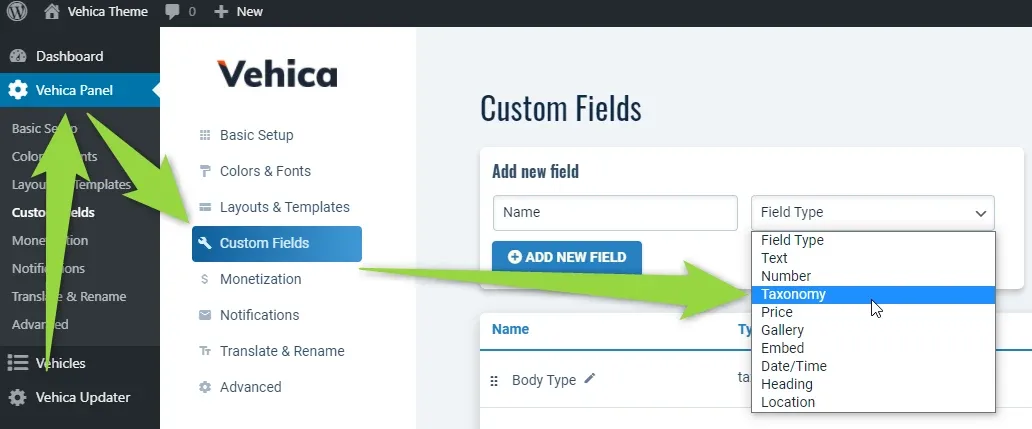
Point the child field at its parent
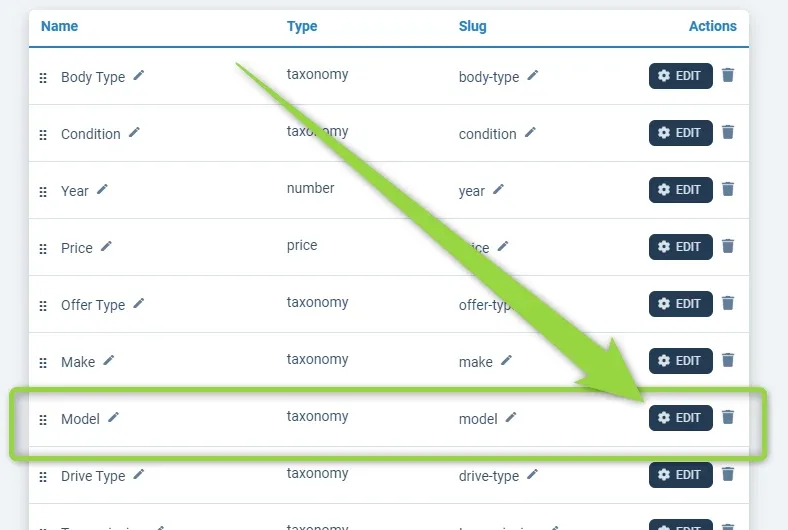
Edit the field that will be the child — in this example Model:
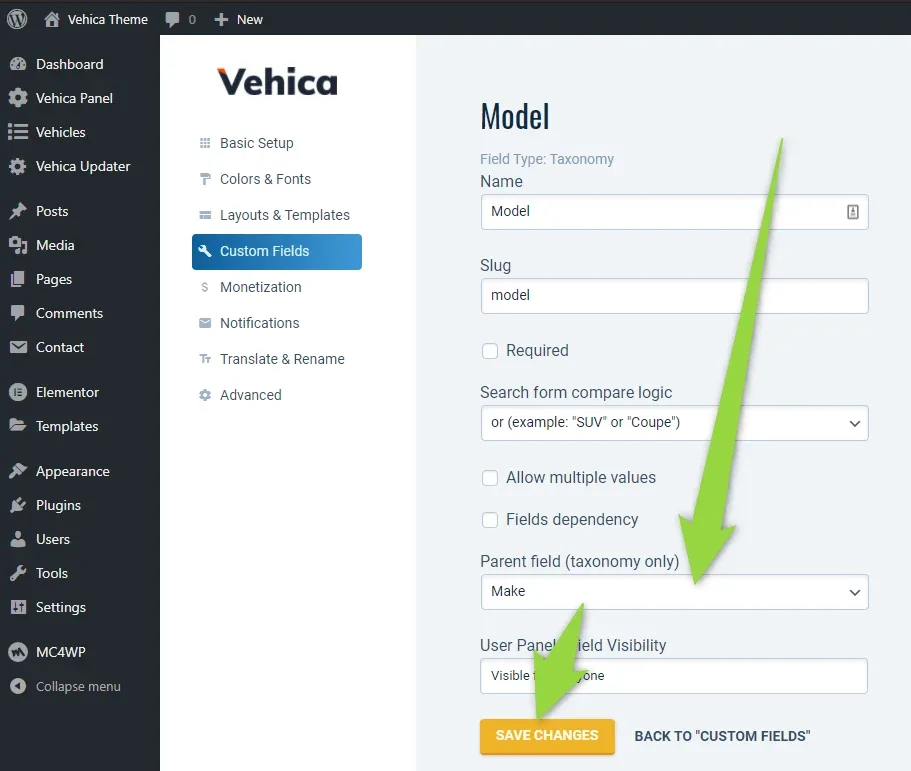
Set the parent field, then save.
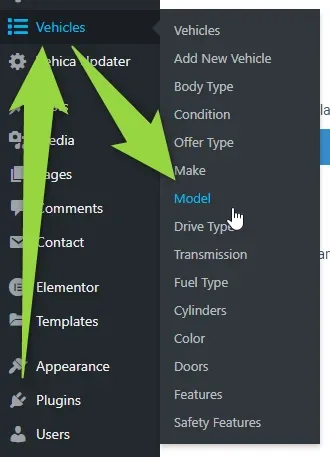
Assign models to makes
Every option of the child field now carries a box for its parent. You can fill it in as you add the option:
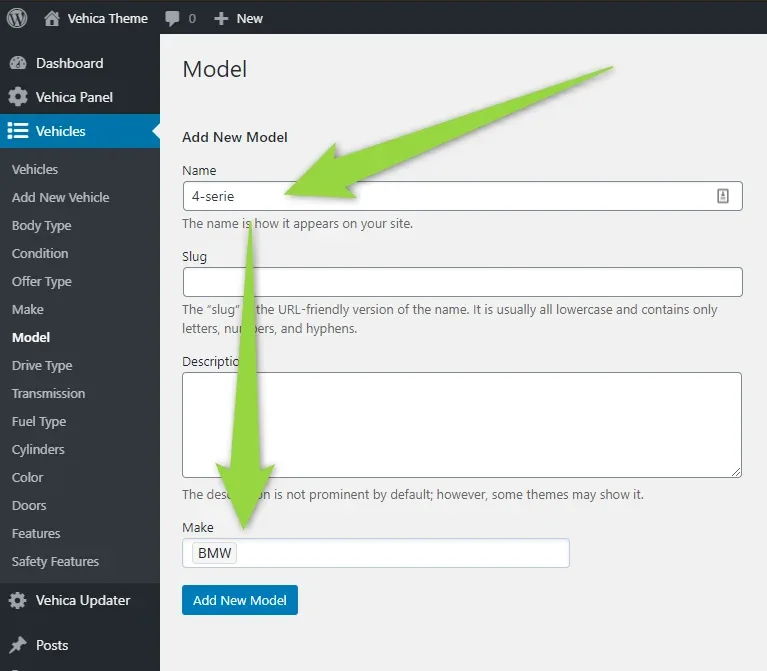
… or on an option you already have:
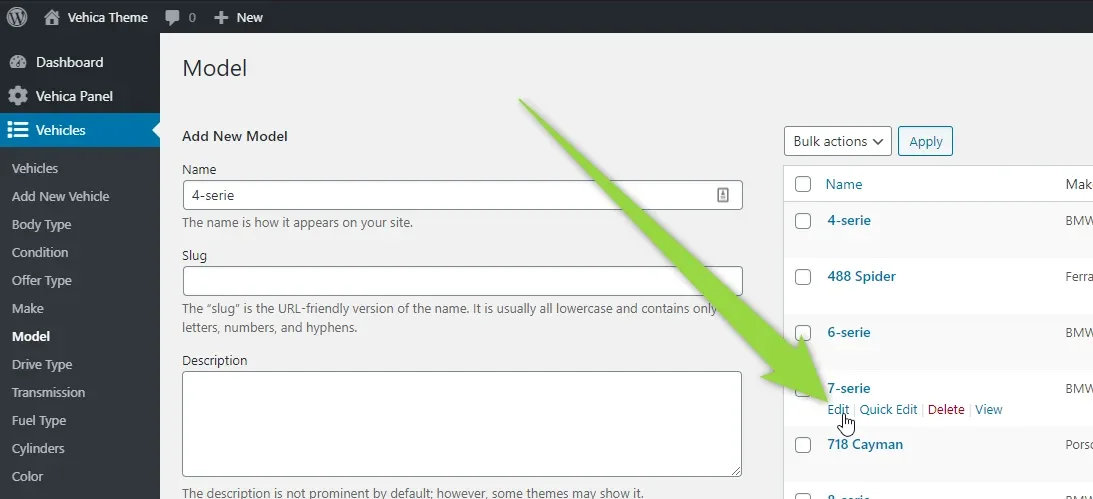
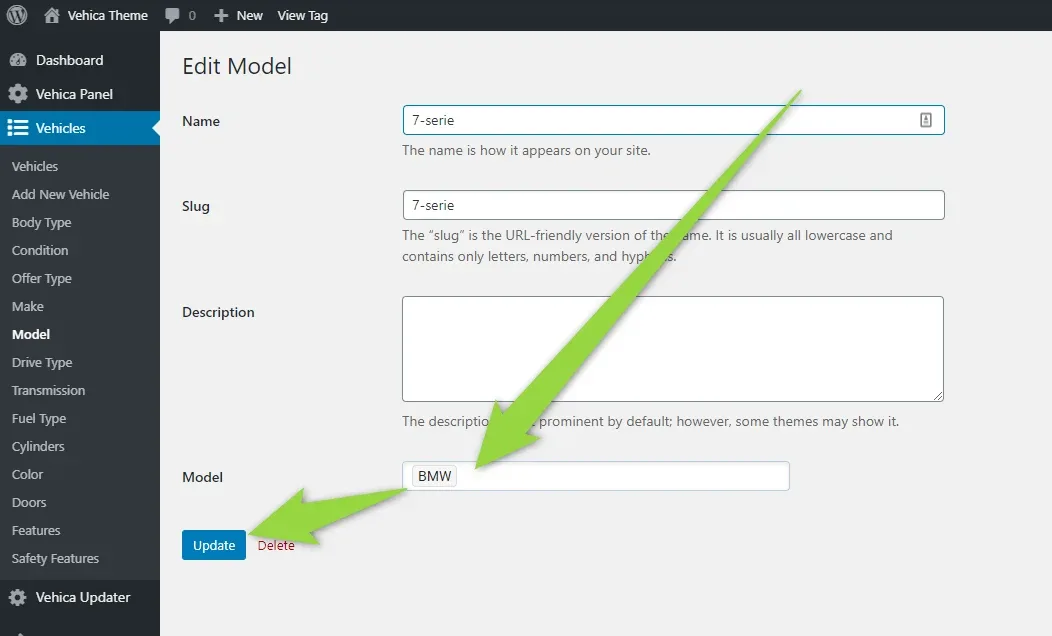
How the relation behaves on the front end
Once makes and models are connected, the Submit Vehicle page in the front-end panel works like this:
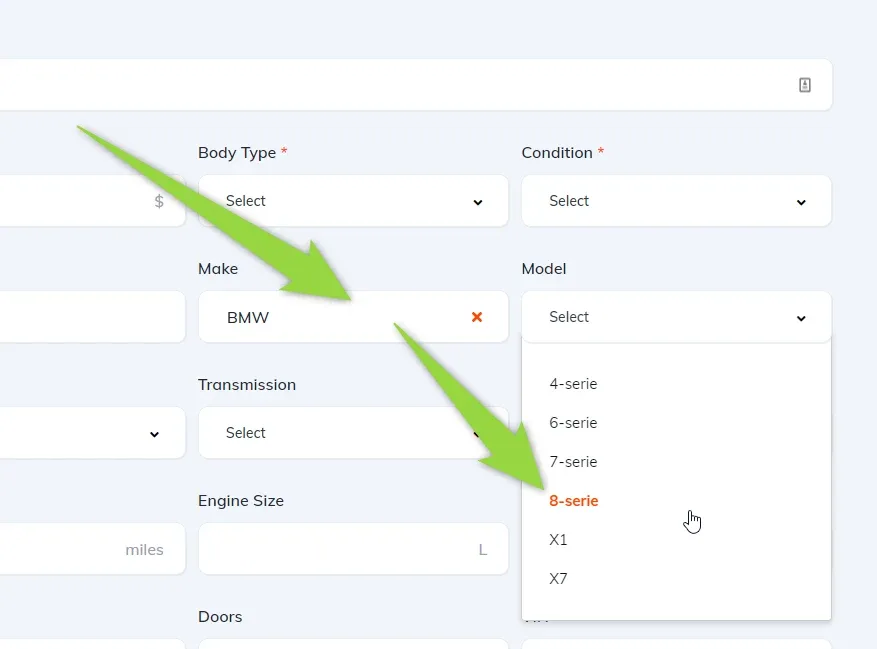
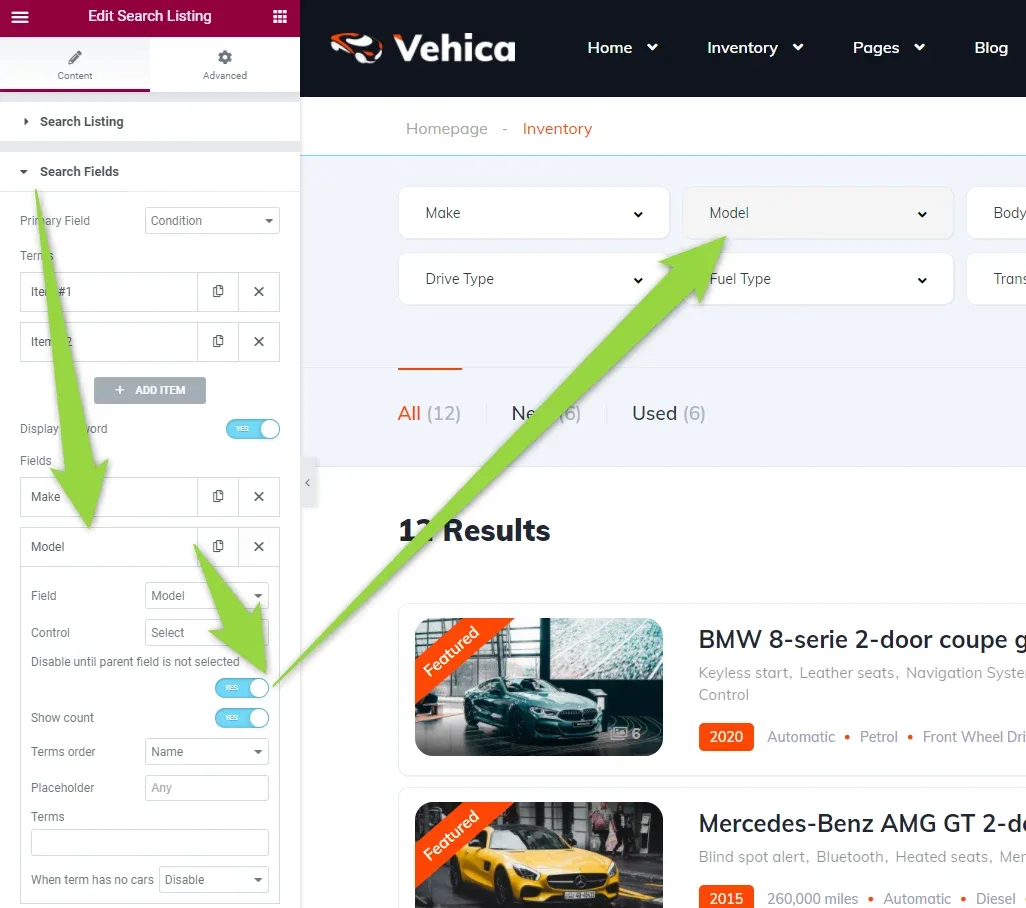
And on the search forms:
Ask the people who build Vehica
We answer by email from support@tangiblewp.com. With Premium Support, we also fix your site when something breaks.
We can also run your site for you, or build a new one.
Was this guide helpful?