Custom List of Vehicles
Put a Vehicle Grid widget on any page and fill it with exactly the cars you want — everything from one term, a combination of terms, or a hand-picked list of listings.
1 minute read
You can use the Vehicle Grid widget on any page to display a custom list of vehicles. The widget can be set to show only some of your listings:
- narrow the list to one term, e.g. only “coupe”
- narrow the list to several terms, e.g. “coupe” + “bmw”
- or just choose the vehicles you need from the dropdown
-
1
Add the Vehicle Grid widget
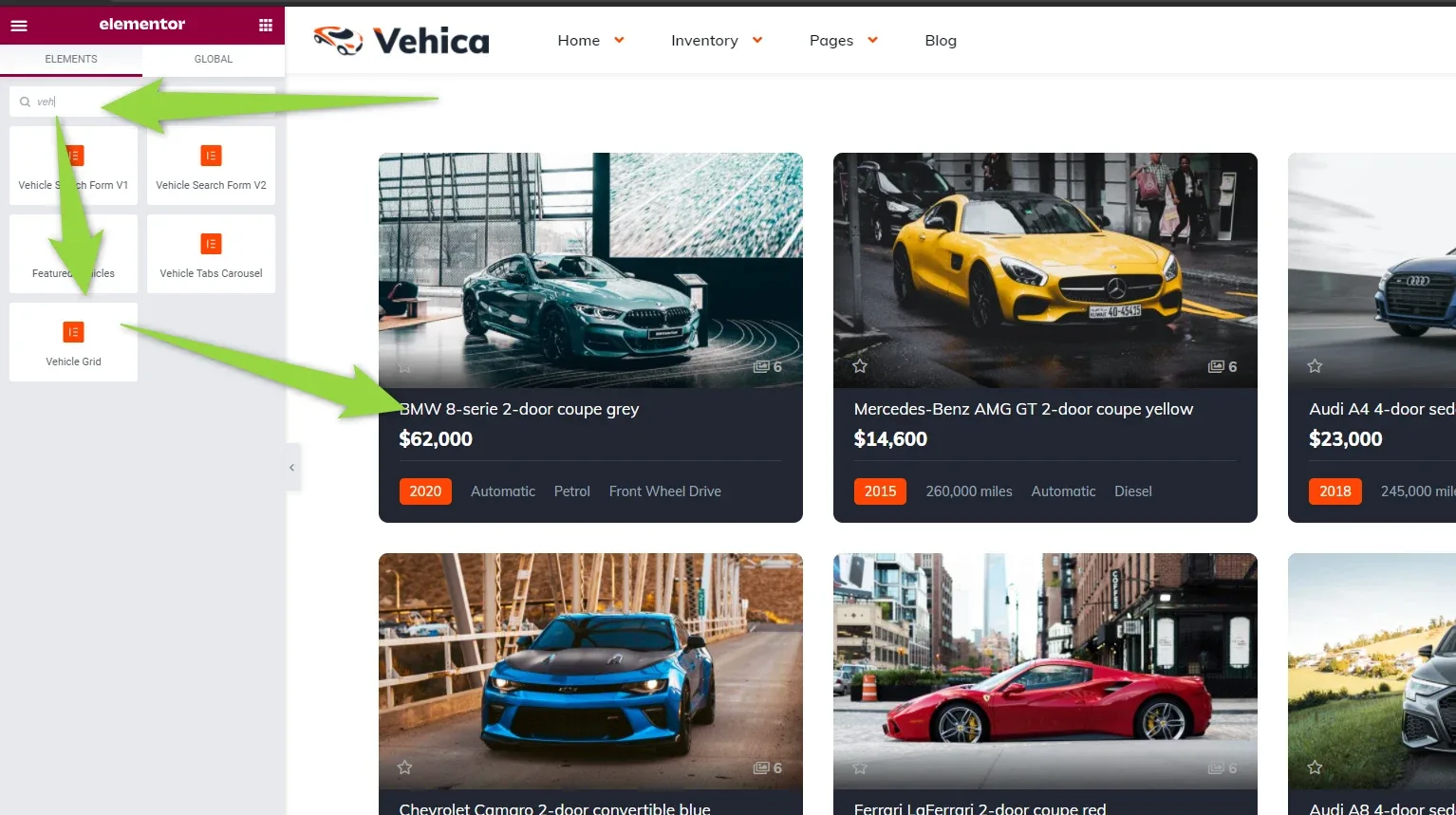
Edit the page in Elementor, find “Vehicle Grid” in the widget panel and drag it into the page.
-
2
Set the grid up
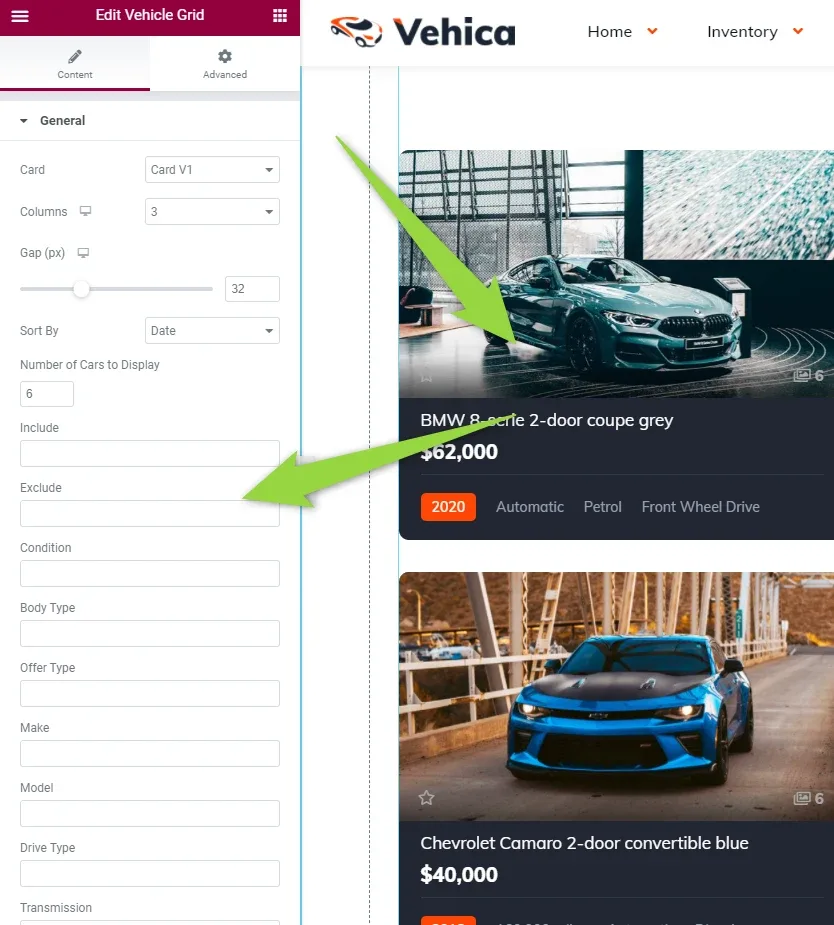
In Edit Vehicle Grid, set the card, columns, gap, sorting and the number of cars to display, then narrow the list with the fields below — Condition, Body Type, Offer Type, Make, Model, Drive Type and the rest.
-
3
Or pick the listings by hand
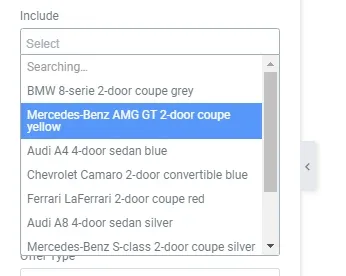
Include lets you choose only the listings you need — start typing and select them one by one.
Ask the people who build Vehica
We answer by email from support@tangiblewp.com. With Premium Support, we also fix your site when something breaks.
We can also run your site for you, or build a new one.
Was this guide helpful?