More than 1 price on cards
Vehica listing cards show a single price by default. This article shows how to display a second price field — a monthly rate, for example — on the big card, by overriding the card template in your child theme and pasting in a short PHP snippet.
1 minute read
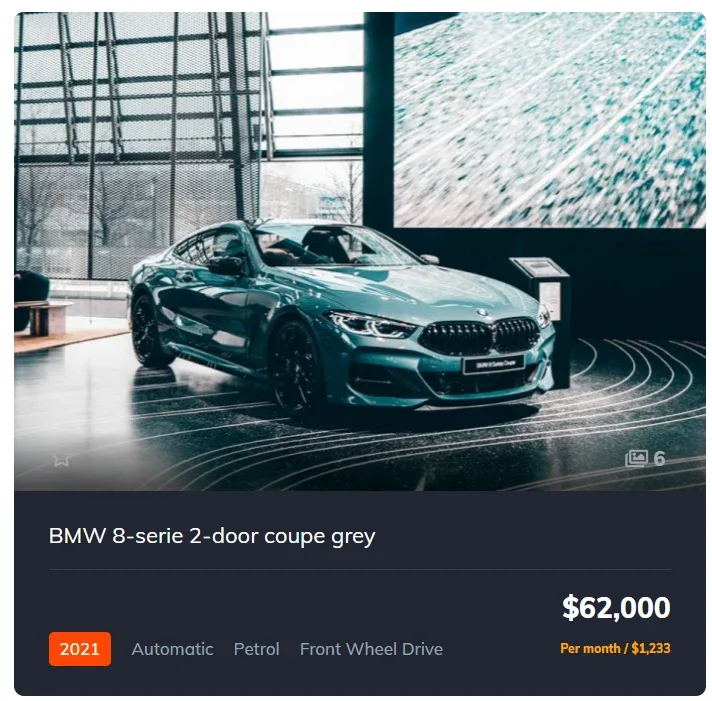
This PHP snippet displays a second price field on the big card on your website.
The code
</br> <span style="font-size: 12px ; color: orange; ">

                            <?php

$priceField = vehicaApp('price_fields')->find(function($priceField) {

   return $priceField->getId() === 18091;

});

if ($priceField instanceof \Vehica\Model\Post\Field\Price\PriceField) {

    echo $priceField->getFormattedValueByCurrency($vehicaCurrentCar);

}

?> </span>
Add the code to the big card
We show you how to change the big card on your page.
Not sure how to use a child theme? Read How to use Child Theme? How to change files (php / css / js) and keep theme future update compatibility? first.
Open card_big_v1.php and copy it to your child theme. You will find this file in wp-content\themes\vehica\templates\card\car\card_big_v1.php.
Search for this line:
<?php echo esc_html($vehicaPrice); ?>Paste our code after it, and change the ID to the ID of your own price field.
Where to find the price field ID
Go to wp-admin > Vehica Panel > Custom Fields, choose your second price field and hit edit:
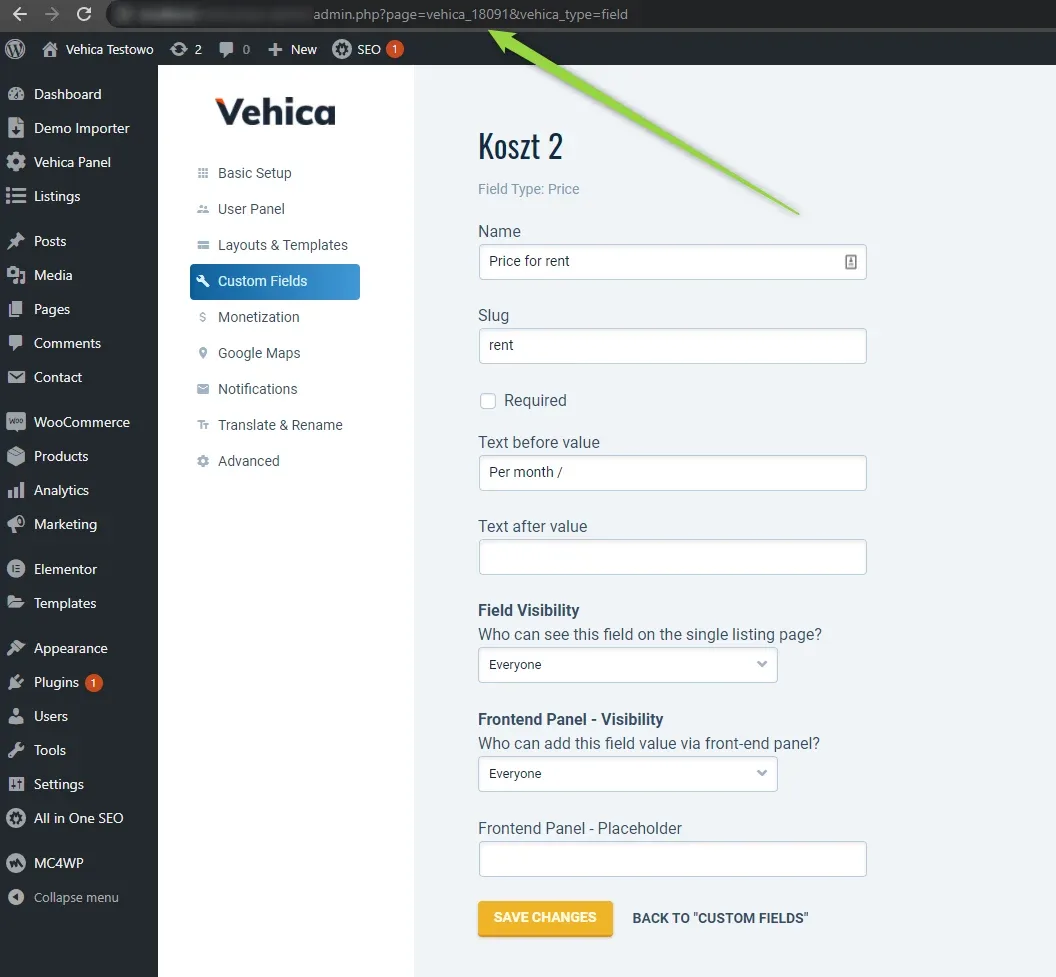
vehica_18091 here, the same number used in the snippet.
Change your ID and save the file.
That’s all for this card — if you want to modify other cards, do the same in the other card files.
Ask the people who build Vehica
We answer by email from support@tangiblewp.com. With Premium Support, we also fix your site when something breaks.
We can also run your site for you, or build a new one.
Was this guide helpful?