How to display User Name and User Image on the Listing Card (e.g. row)
Add the seller's name and profile picture to your Vehica listing cards with a short PHP snippet you drop into the card template you use.
1 minute read
How to display the user on a listing card, e.g.
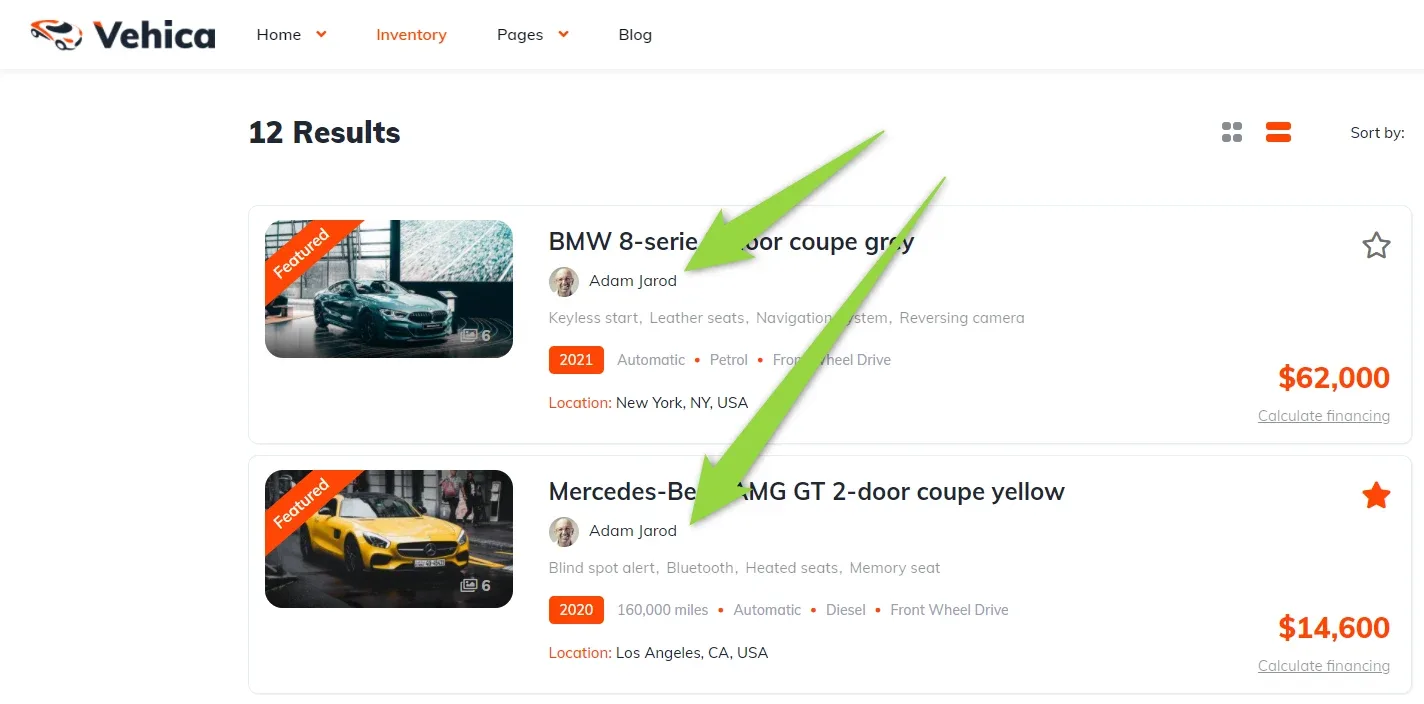
You can use the code below to add the user name and user image to the listing card PHP files
e.g. \wp-content\themes\vehica\templates\card\car\card_v3.php
card_v3.php
<?php
$vehicaUser = $vehicaCurrentCar->getUser();
$vehicaUserName = $vehicaUser->getName();
$vehicaUserUrl = $vehicaUser->getUrl();
$vehicaUserImageUrl = $vehicaUser->getImageUrl();
?>

<div style="margin: 10px 0">
    <?php if (!empty($vehicaUserImageUrl)) : ?>
        <a href="<?php echo esc_url($vehicaUserUrl); ?>"><img style="width:30px; border-radius:50%; margin-right:6px" src="<?php echo esc_url($vehicaUserImageUrl); ?>" alt=""></a>
    <?php endif; ?>
    <a href="<?php echo esc_url($vehicaUserUrl); ?>"><?php echo esc_html($vehicaUserName); ?></a>
</div>
You can add this code e.g. here:
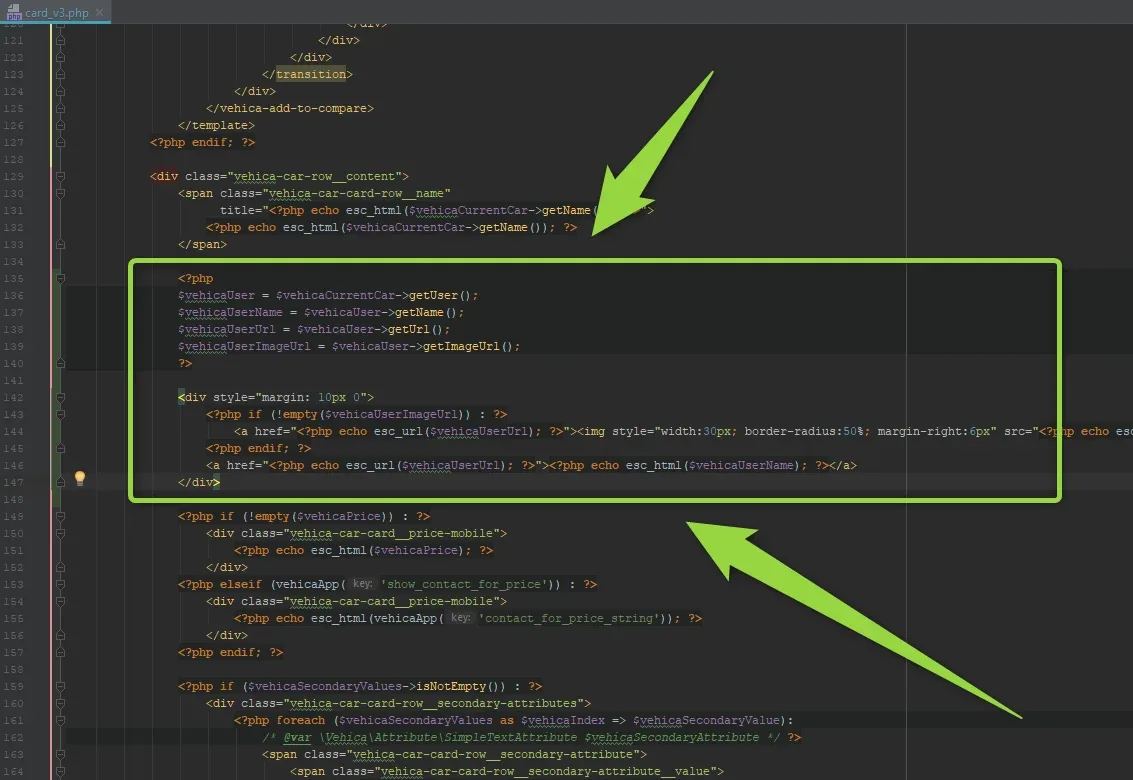
Add it via a Child Theme
Please add it via Child Theme, so the next theme update does not overwrite the file. You can learn more how to use it here: How to use Child Theme? How to change files (php / css / js) and keep theme future update compatibility?
Ask the people who build Vehica
We answer by email from support@tangiblewp.com. With Premium Support, we also fix your site when something breaks.
We can also run your site for you, or build a new one.
Was this guide helpful?