How to add listing description on the row card
Vehica row cards show the title, price and specs, but no listing text. This article shows how to override the row card template in your child theme so every card also prints the listing description or its excerpt.
1 minute read
To add a description on the row card you first have to install the Vehica child theme — read more about it here: How to use Child Theme? How to change files (php / css / js) and keep theme future update compatibility?
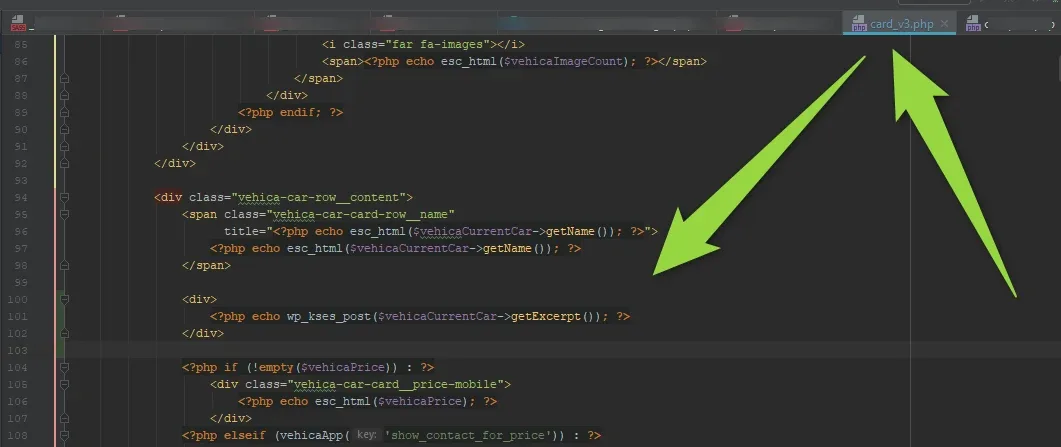
Then copy the card file — the row card, for example — from wp-content/themes/vehica/templates/card/car/card_v3.php to wp-content/themes/vehica-child/templates/card/car/card_v3.php and edit it there.
Here are two example snippets: one outputs the full description, the other the excerpt. Use whichever is better in your case.
<div> <?php echo wp_kses_post($vehicaCurrentCar->getDescription()); ?> </div>
<div> <?php echo wp_kses_post($vehicaCurrentCar->getExcerpt()); ?> </div>
For example:
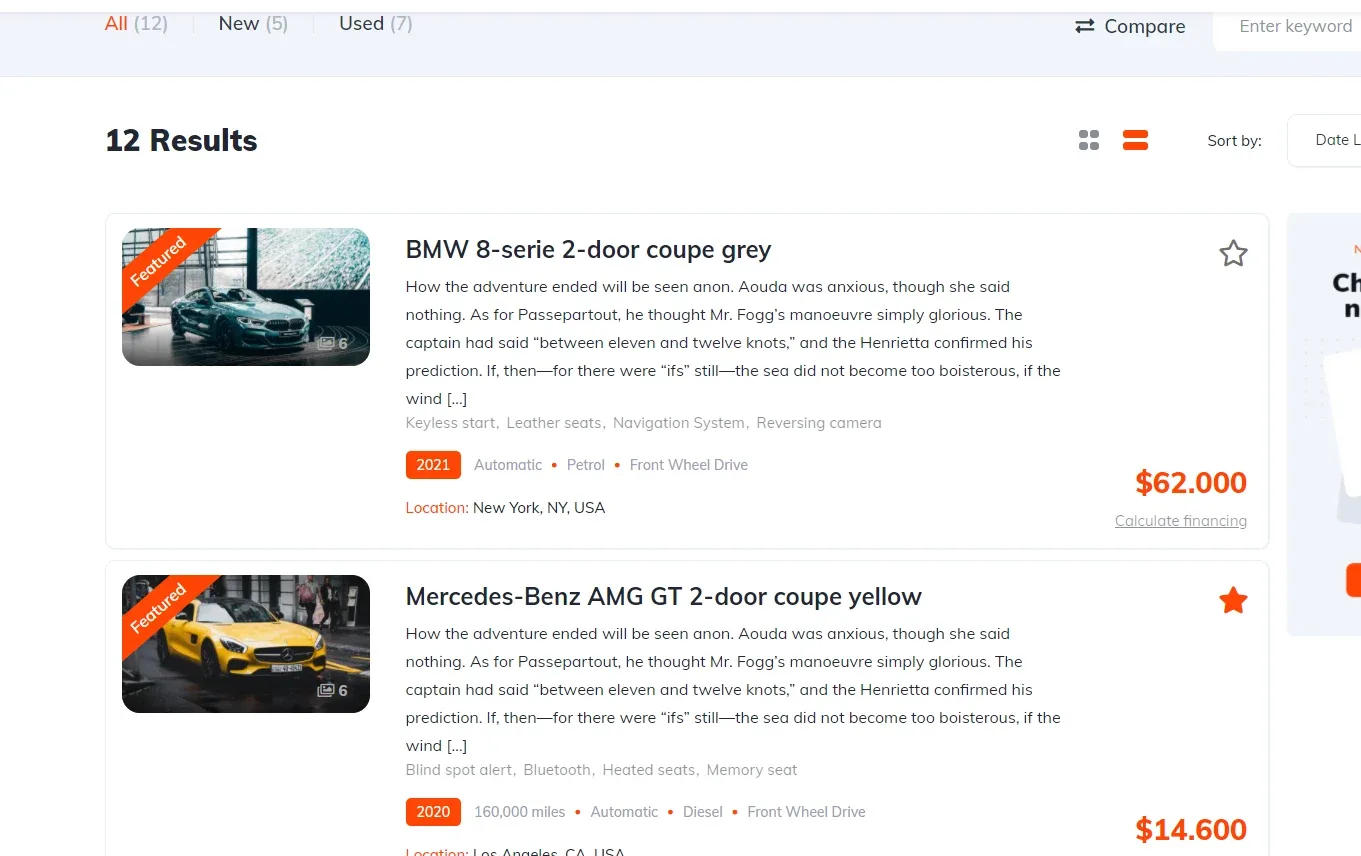
It will be added this way:
Ask the people who build Vehica
We answer by email from support@tangiblewp.com. With Premium Support, we also fix your site when something breaks.
We can also run your site for you, or build a new one.
Was this guide helpful?