Associate existing child record to existing parent record – Connect Terms (Parent/Child)
Rebuild the parent-child links between terms you already have — Vehica reads your existing listings and assigns each child term to its parent, which saves a lot of manual work after a large import.
1 minute read
You can find basic information about the Parent Field option in Parent Field – how to build relation Make > Model.
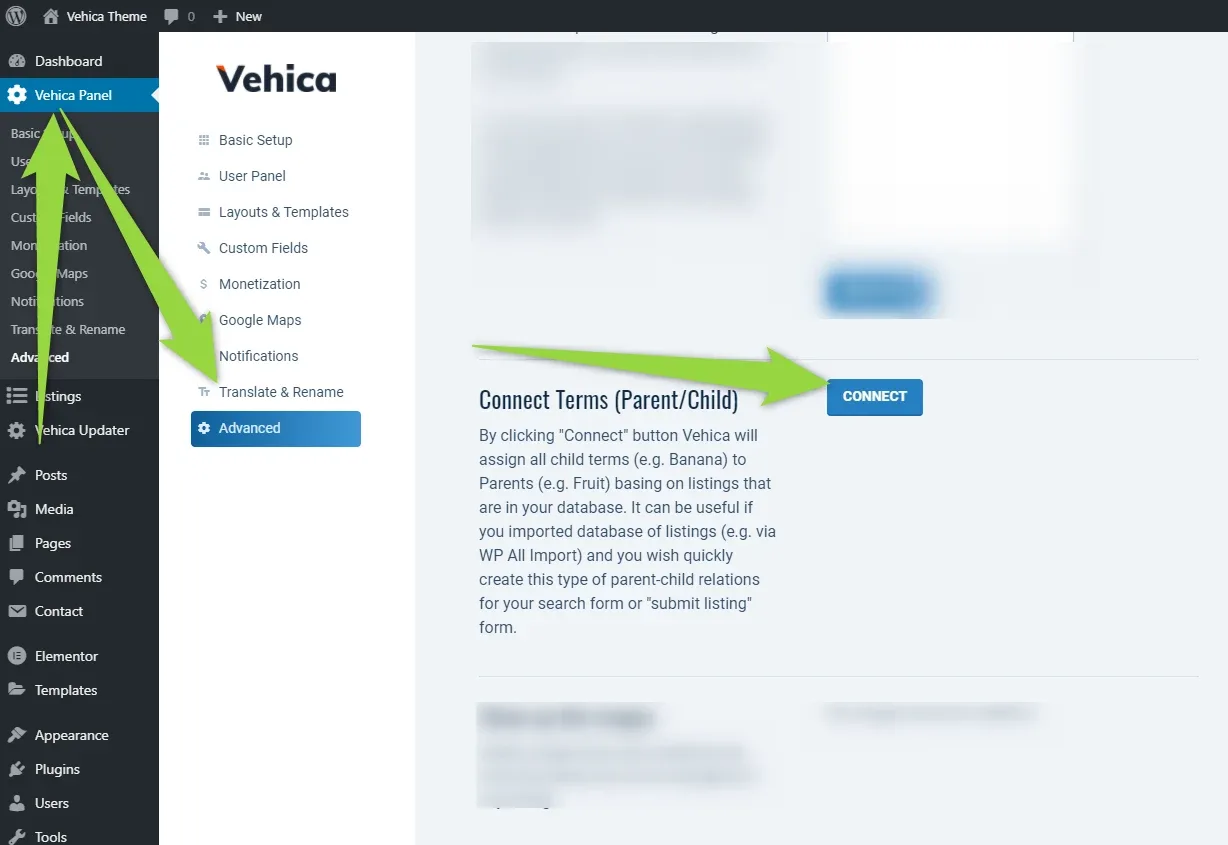
By clicking the Connect button, Vehica will assign all child terms (e.g. Banana) to their parents (e.g. Fruit) based on the listings that are in your database. It can be useful if you imported a database of listings (e.g. via WP All Import) and you wish to quickly create this type of parent-child relation for your search form or “submit listing” form.
Ask the people who build Vehica
We answer by email from support@tangiblewp.com. With Premium Support, we also fix your site when something breaks.
We can also run your site for you, or build a new one.
Was this guide helpful?