Loan Calculator on the single listing page
Add the Loan Calculator widget to a Listivo single listing page, rename or translate its field labels, control the currency sign it shows, set the values it starts from, and remove it when you no longer need it.
1 minute read
- How to add the Loan Calculator on your page
- How to edit or translate field names
- How to change currency
- How to edit values in calculator fields
- How to remove the Loan Calculator from your page
How to add the Loan Calculator on your page
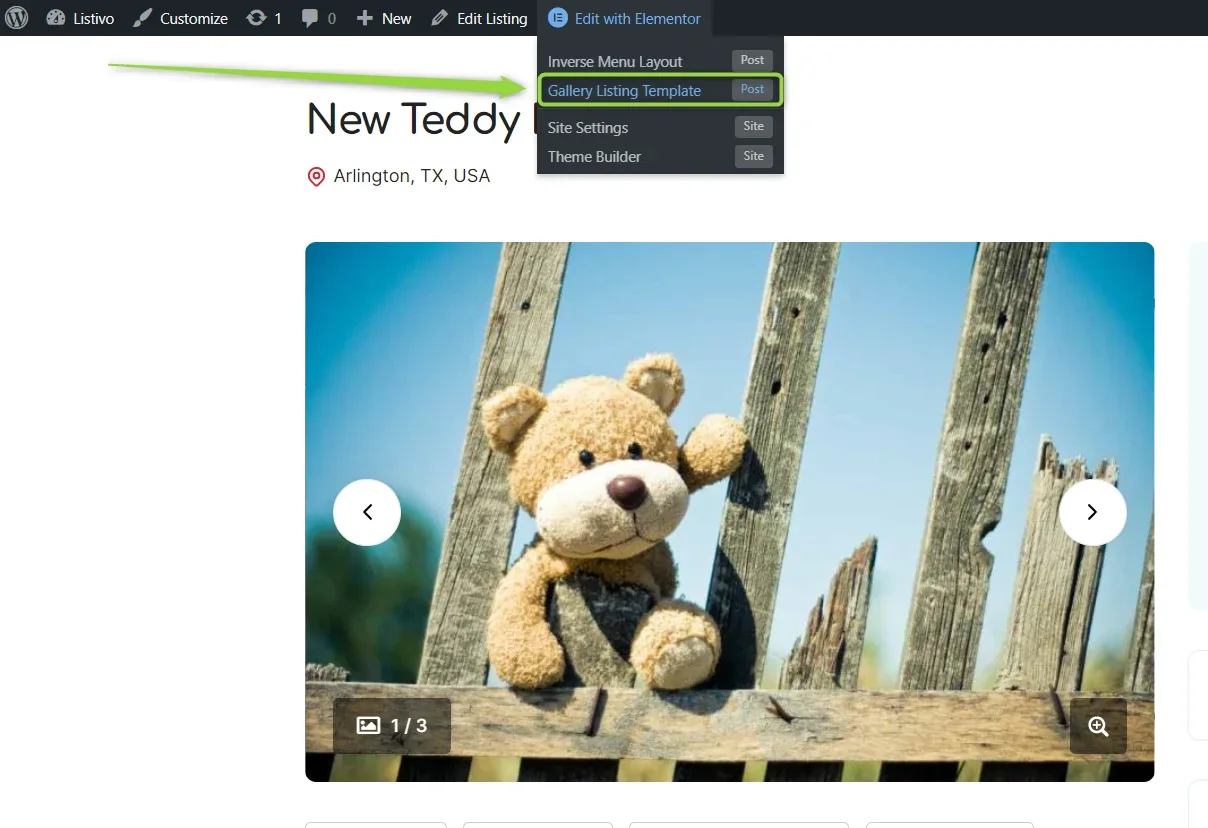
At the top of the page, select Edit with Elementor and then Gallery Listing Template.
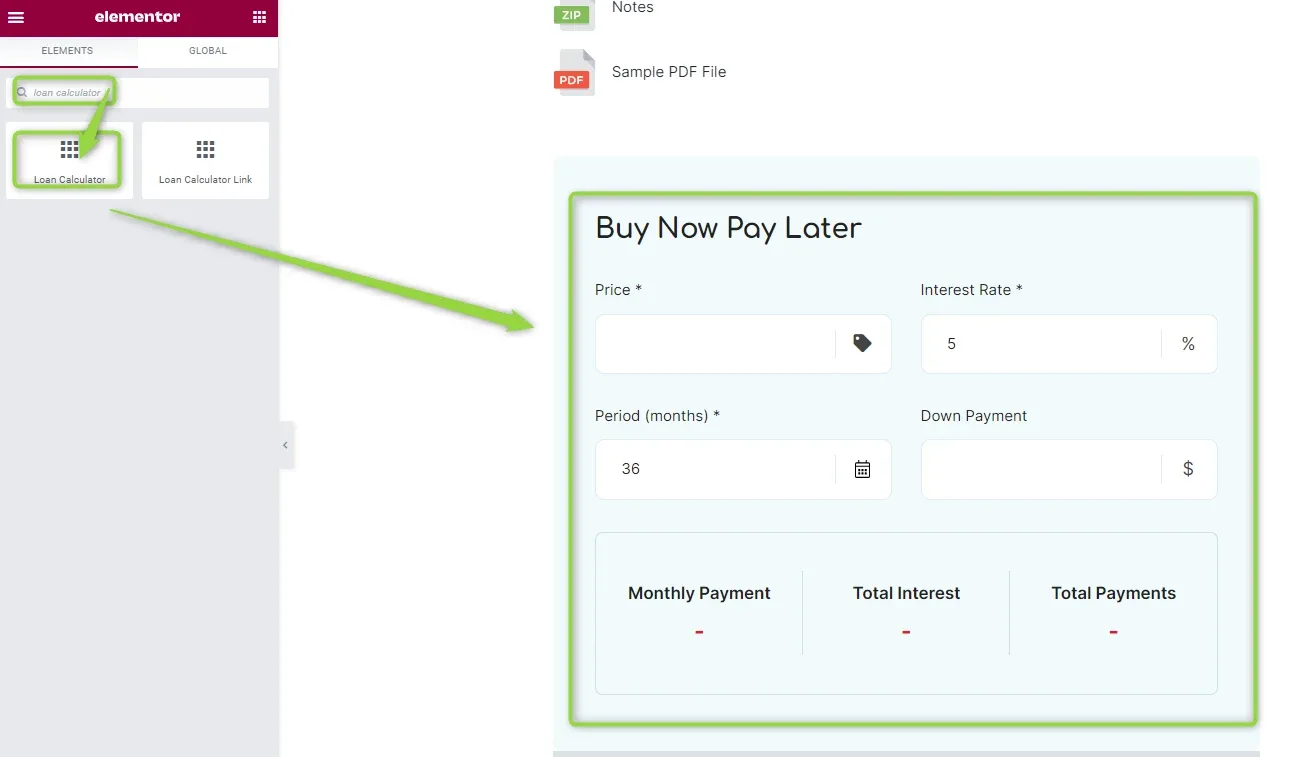
Search for the Loan Calculator widget and place it where you want it. The Loan Calculator is now visible on your website.
How to edit or translate field names
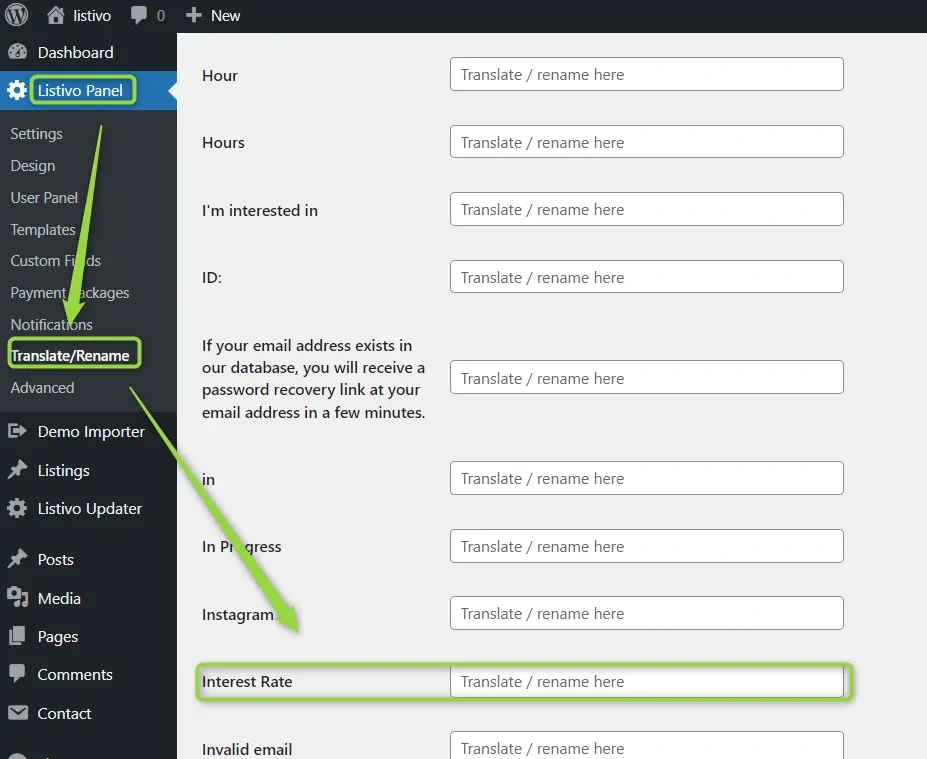
All the texts can be found in Listivo Panel > Translate & Rename — for example Price, Interest Rate, Monthly Payment or Total Interest.
How to change currency
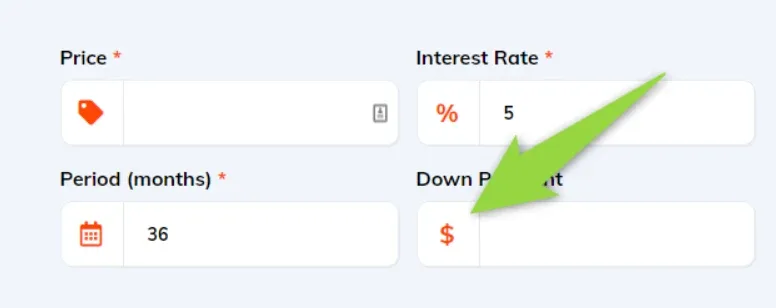
The currency sign is based on your global currency — read more about how to change currency here.
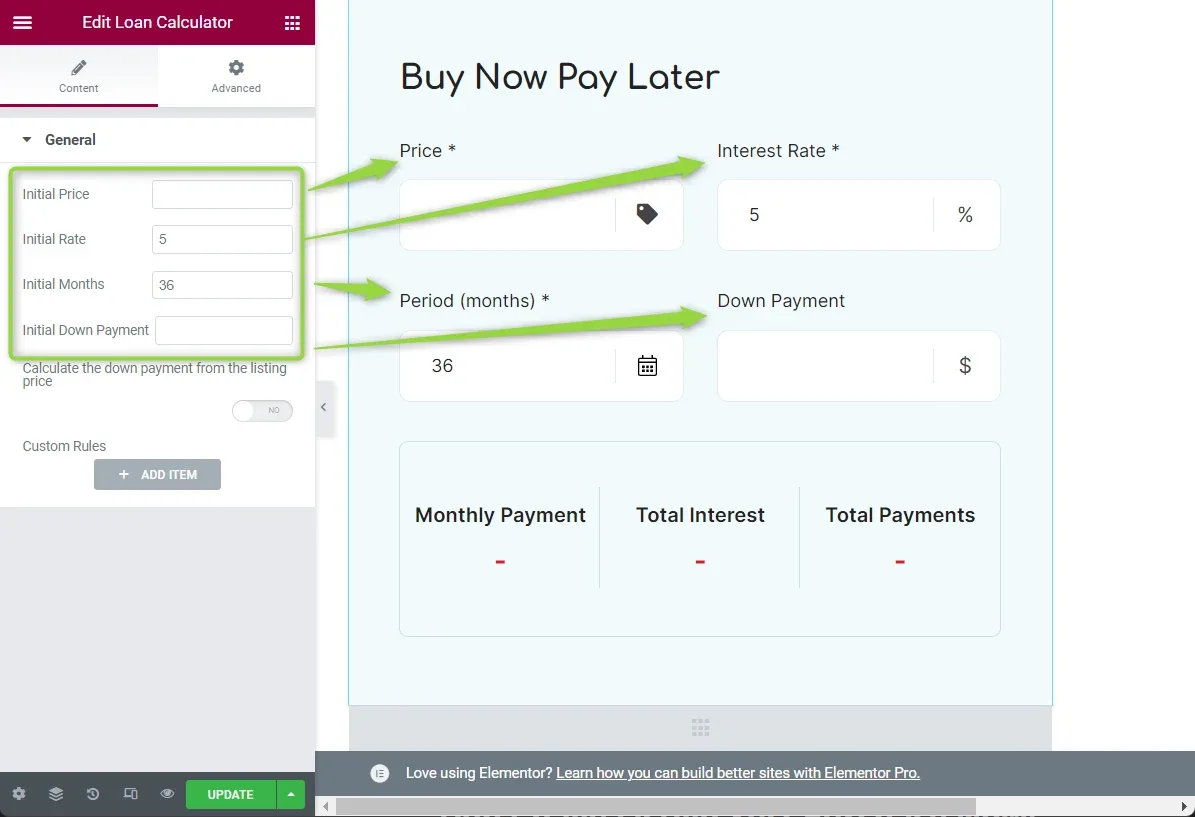
How to edit values in calculator fields
Edit your page with Elementor. Click on the Loan Calculator widget and change the values.
How to remove the Loan Calculator from your page
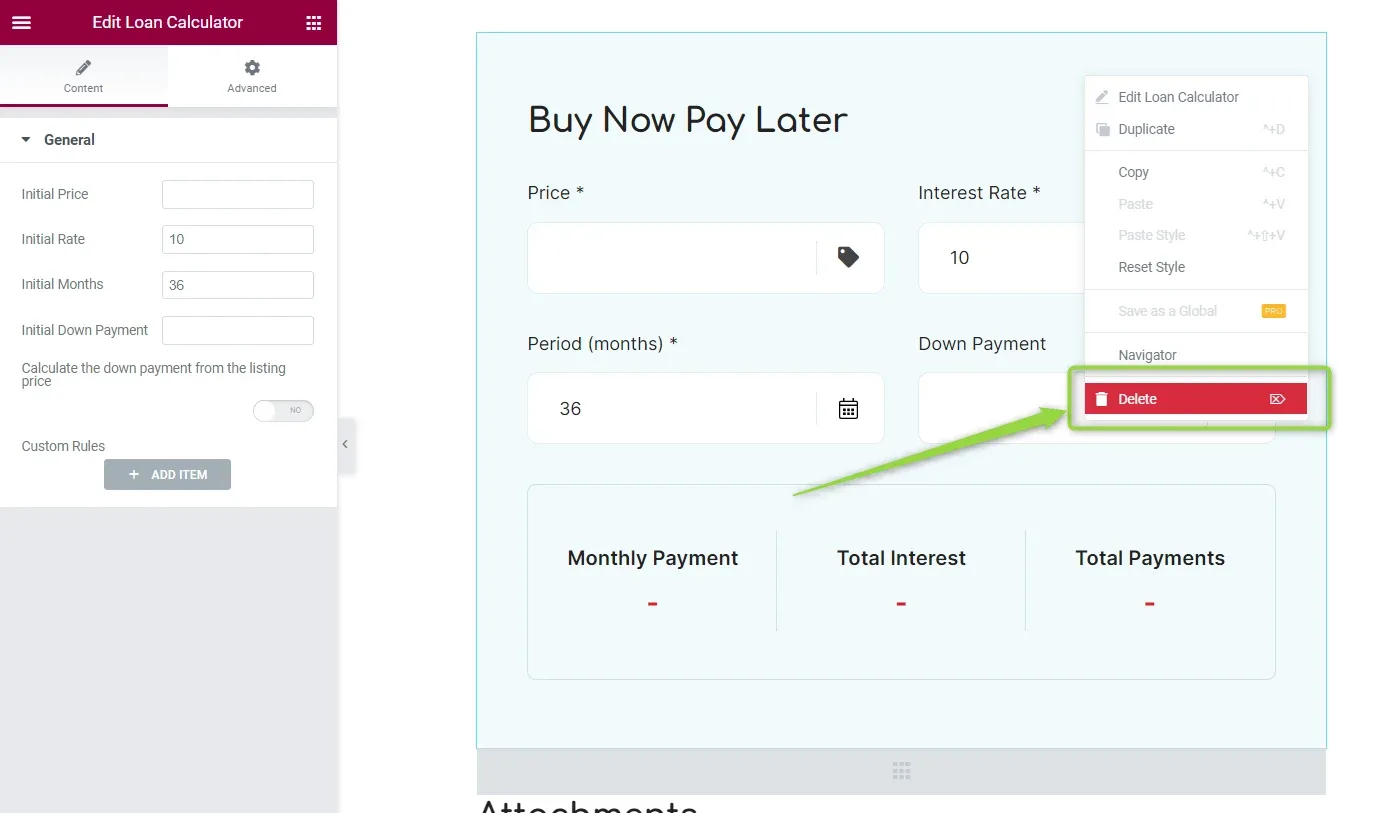
If you no longer need the Loan Calculator, you can delete it at any time. Right-click on the widget and select Delete. The Loan Calculator will no longer be visible on your page.
Ask the people who build Listivo
We answer by email from support@tangiblewp.com. With Premium Support, we also fix your site when something breaks.
We can also run your site for you, or build a new one.
Was this guide helpful?