Skip to content

How to change unit of measurement (e.g. miles to km )

Swap miles for kilometres — or any other unit — in Vehica. The suffix belongs to each number field, and the distance filter on the map search carries a unit of its own.

1 minute read

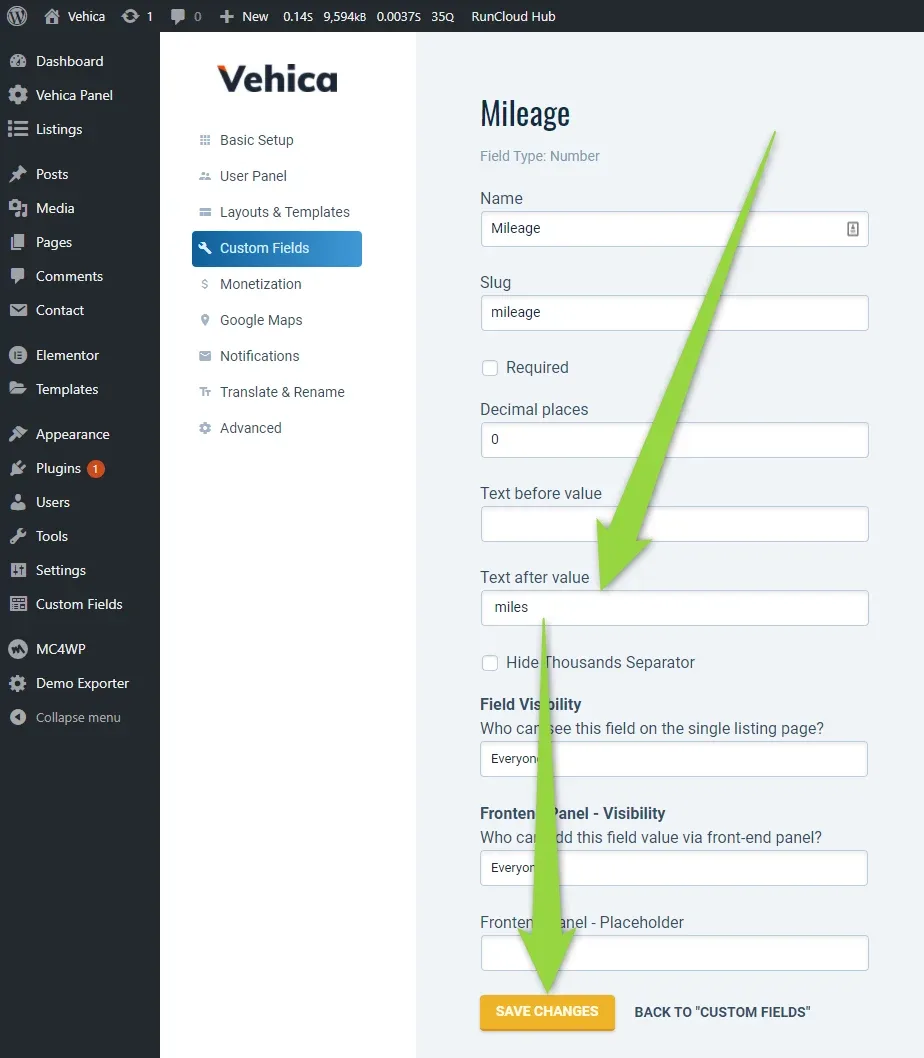
The unit belongs to the field, so edit any number field — Mileage, for example:
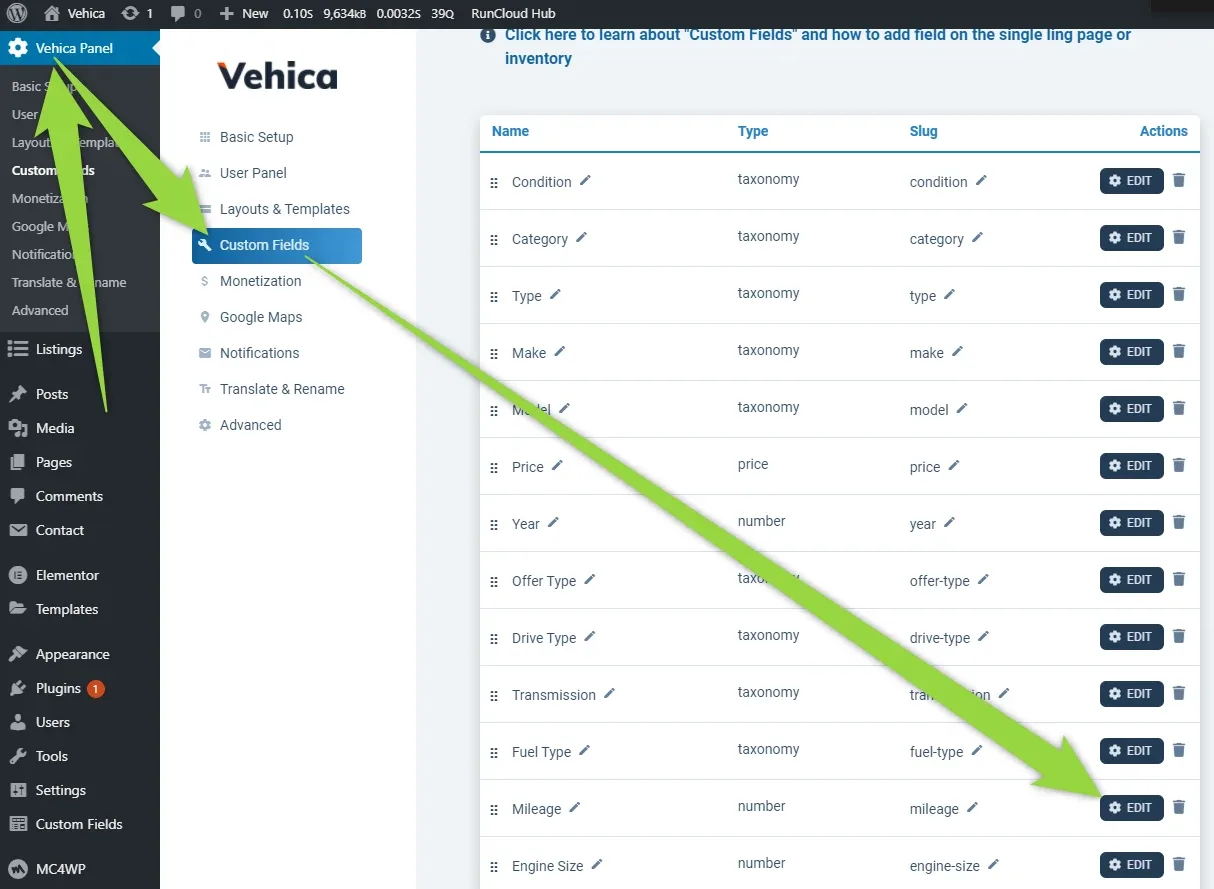
Vehica Panel Custom Fields with the field table — Condition, Category, Type, Make, Model, Price, Year, Offer Type, Drive Type, Transmission, Fuel Type, Mileage, Engine Size — and an arrow pointing at the EDIT button on the Mileage row.
Mileage field settings, field type Number: Decimal places is 0, Text before value is empty and Text after value holds “miles”, above the Field Visibility settings and the SAVE CHANGES button.
The unit sits in Text after value — replace miles with km and save.

The “Distance” filter on the map search

The distance filter next to the Google Maps location search has its own unit. To change it, edit the page with Elementor:
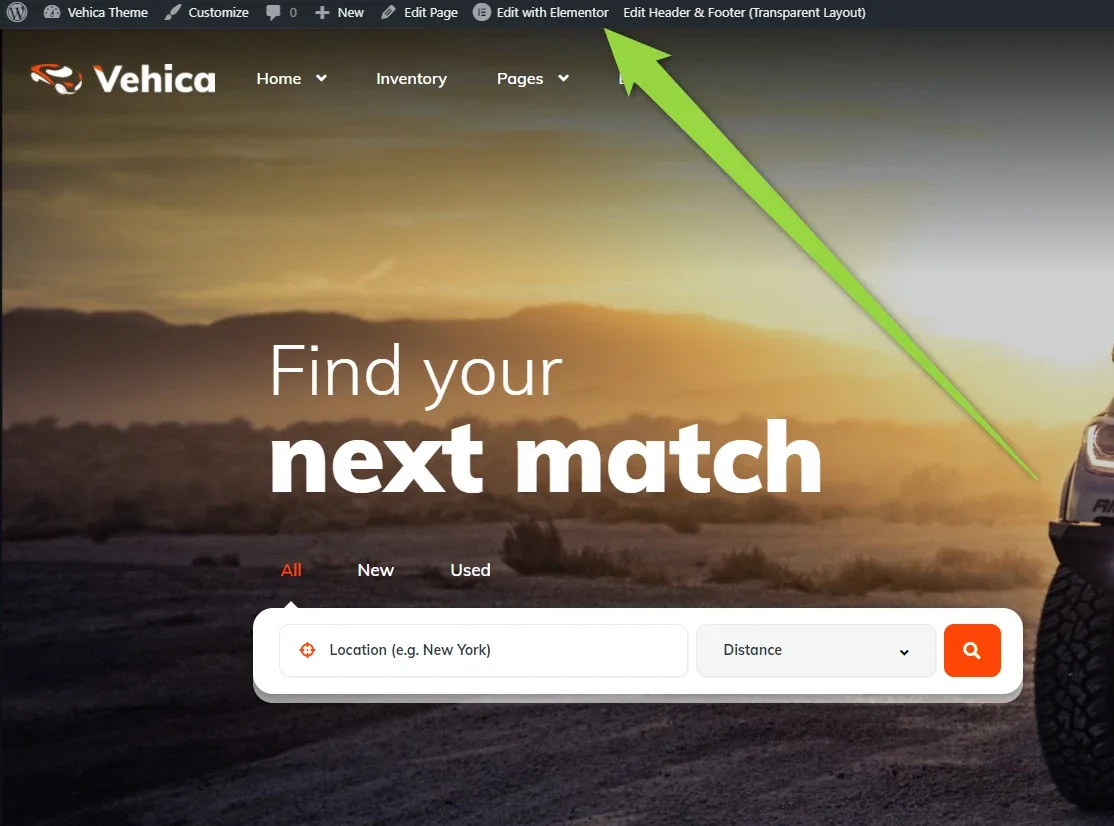
The Vehica homepage with the WordPress admin bar above it and an arrow pointing at “Edit with Elementor”; the hero search bar underneath shows a Location box and a Distance dropdown.
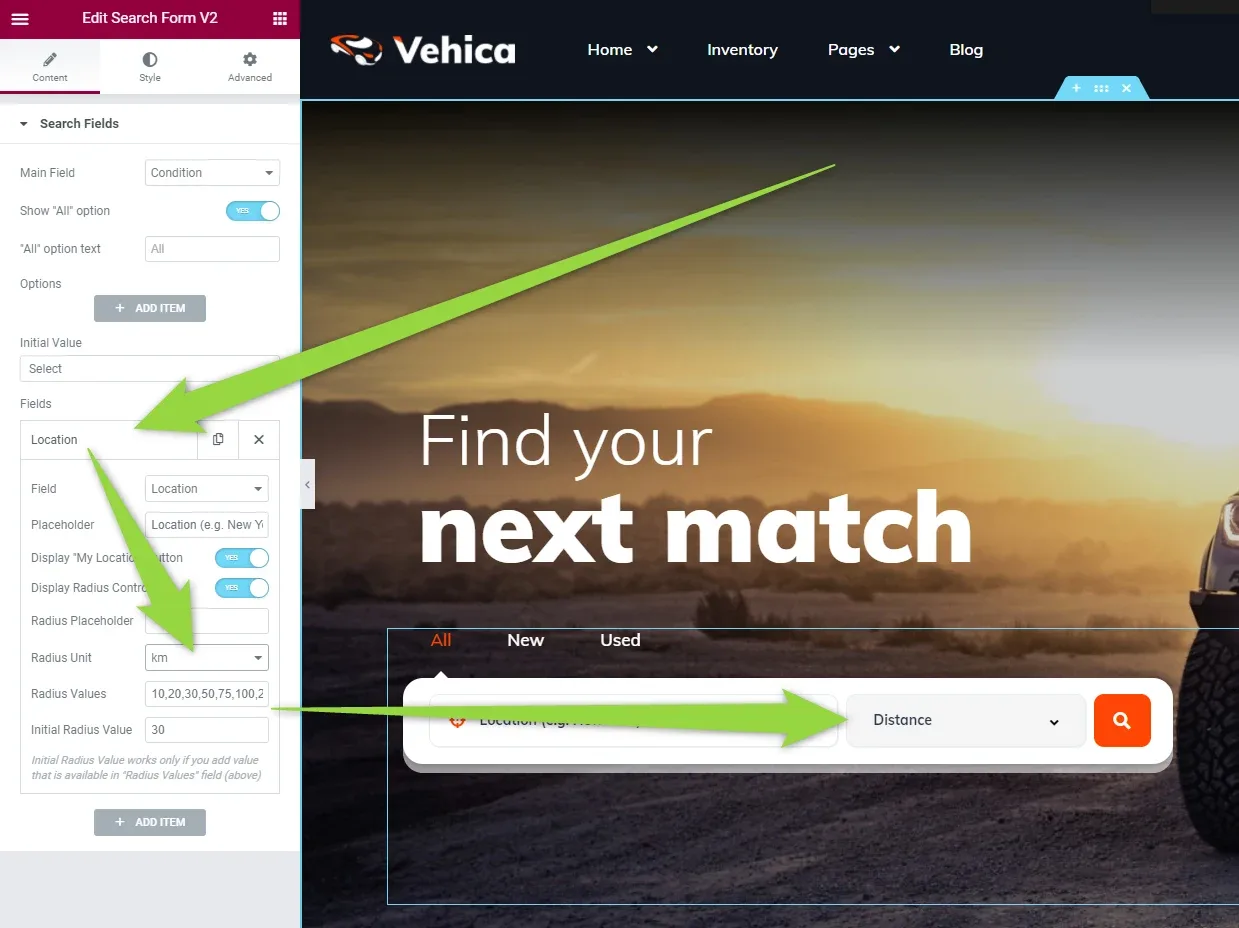
The hero search form open in Elementor: in the left panel the Location field is expanded with Radius Unit set to km and a list of Radius Values, while the preview shows the Distance dropdown in the search bar.
Open the Location field in the search form and set Radius Unit.

Ask the people who build Vehica

We answer by email from support@tangiblewp.com. With Premium Support, we also fix your site when something breaks.

Was this guide helpful?