How to add Location on the Standard Cards
Show a vehicle's location on Vehica's standard listing cards — either by adding the Location field in the theme options, or by printing it wherever you want on the card with a short PHP snippet.
1 minute read
Add the Location field in the theme options
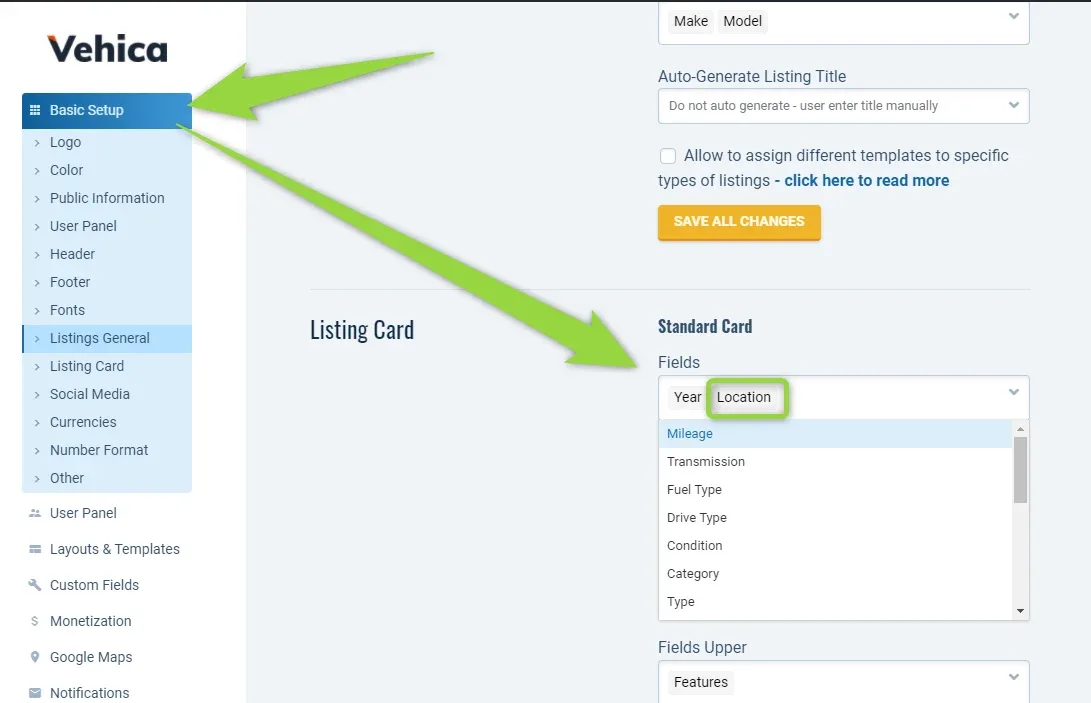
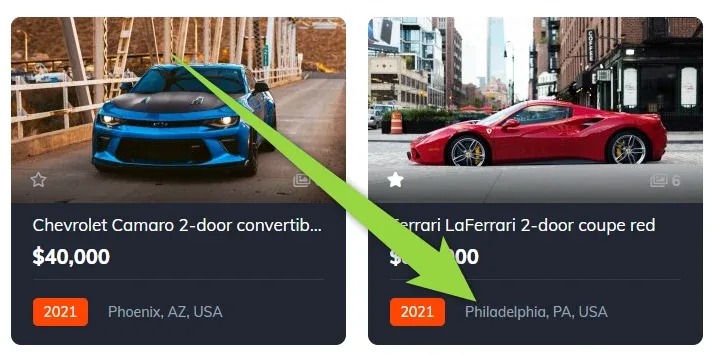
You can add it here — in the theme options, under Listings General, where the Standard Card section lists the fields shown on the card.
Or print the location with PHP
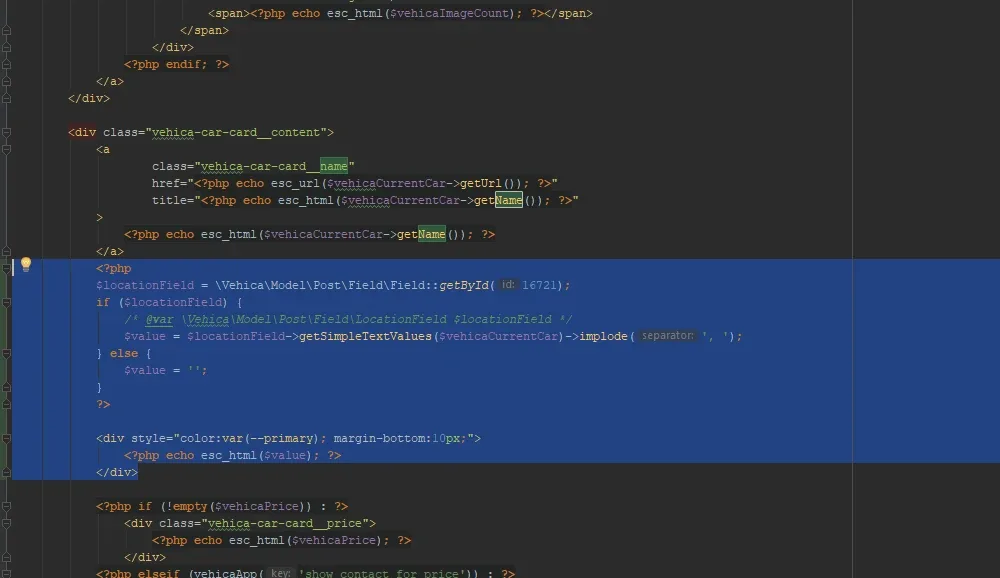
Or you can use this PHP code — 16721 is the ID of the Location field in the default demo content.
<?php
$locationField = \Vehica\Model\Post\Field\Field::getById(16721);
if ($locationField) {
    /* @var \Vehica\Model\Post\Field\LocationField $locationField */
    $value = $locationField->getSimpleTextValues($vehicaCurrentCar)->implode(', ');
} else {
    $value = '';
}
?>
<div style="color:var(--primary); margin-bottom:10px;">
    <?php echo esc_html($value); ?>
</div>
Add it to a card template, e.g. \wp-content\themes\vehica\templates\card\car\card_v1.php.
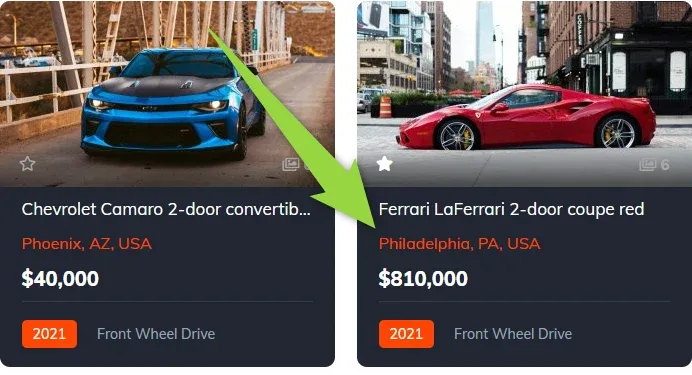
Place it below the listing name.
Ask the people who build Vehica
We answer by email from support@tangiblewp.com. With Premium Support, we also fix your site when something breaks.
We can also run your site for you, or build a new one.
Was this guide helpful?