How to disable “Submit Vehicle” functionality for “Private” user role”?
By default anyone can add a listing, whichever seller type they registered as. With this child-theme snippet, users who signed up as a “Private” seller lose the Submit Vehicle option and their panel is left with Favorites, Account and Sign Out only.
1 minute read
How to disable adding listings by the “Private” user role?
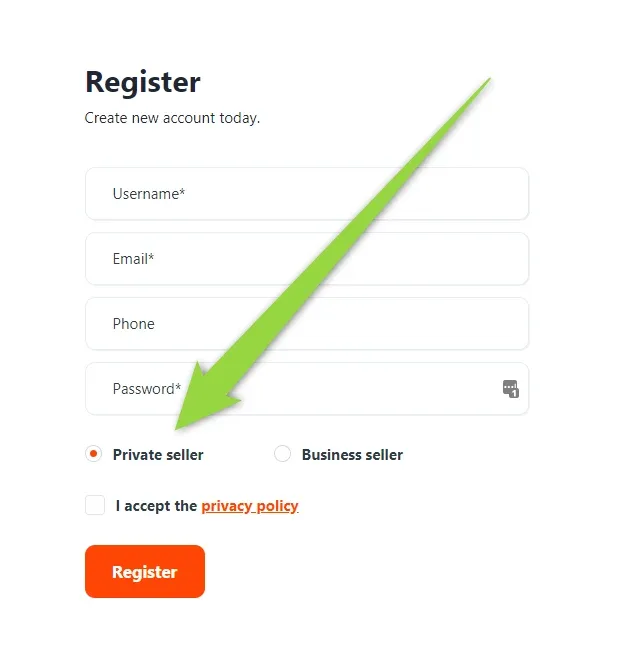
to make it look like this?
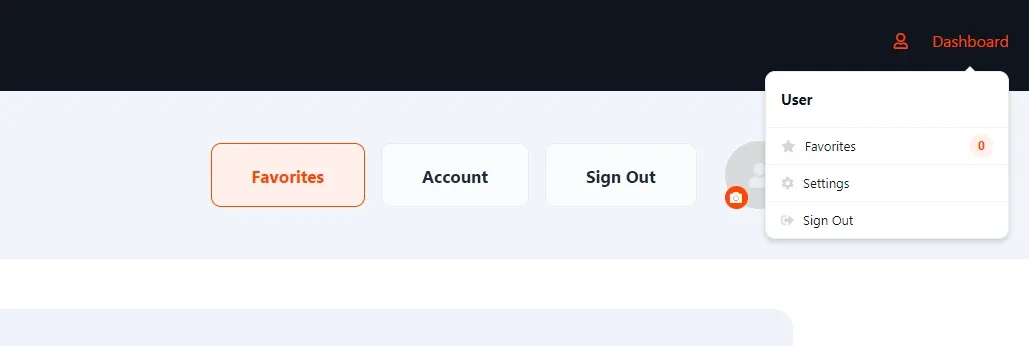
Please add this code to your Child Theme functions.php file (read more about child themes here).
functions.php
add_filter('vehica/user/canCreateCars', function ($canCreateCars, $user) {
/* @var \Vehica\Model\User\User $user */
if ($user->isPrivateRole()) {
return false;
}

return $canCreateCars;
}, 10, 2);Ask the people who build Vehica
We answer by email from support@tangiblewp.com. With Premium Support, we also fix your site when something breaks.
We can also run your site for you, or build a new one.
Was this guide helpful?