Skip to content

How to setup map search in Vehica

Build a map search page in Vehica: a full-width Elementor section holding the Inventory Map widget, with compare mode switched on so the listings and the map work side by side.

1 minute read

Before you start
Make sure you use the latest version of Vehica.
  1. 1 Create the page

    Create a new page – we called this one Map Search – then hit Edit with Elementor.
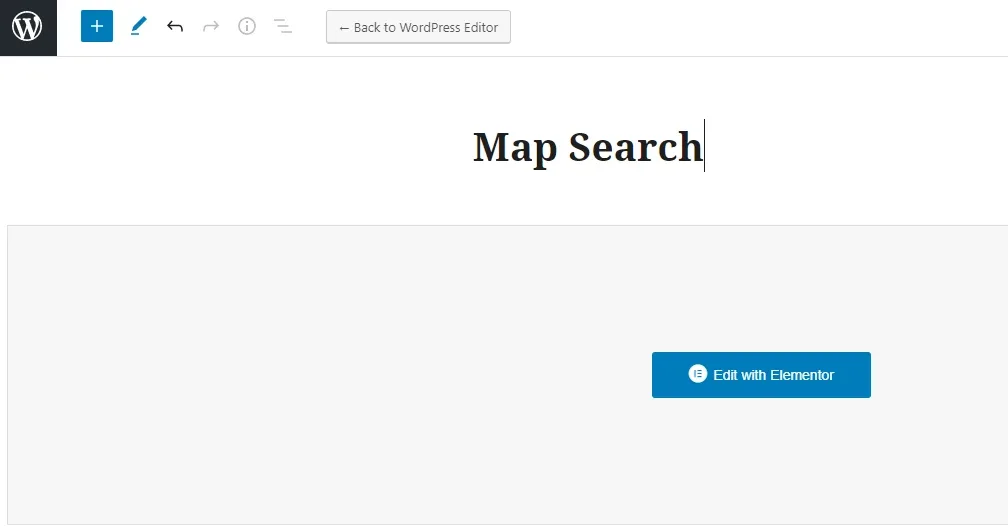
    A new WordPress page with the title Map Search typed in, and the blue Edit with Elementor button on the empty content area below it.
  2. 2 Add a full-width section with one column

    We need to create a full-width section with 1 column.
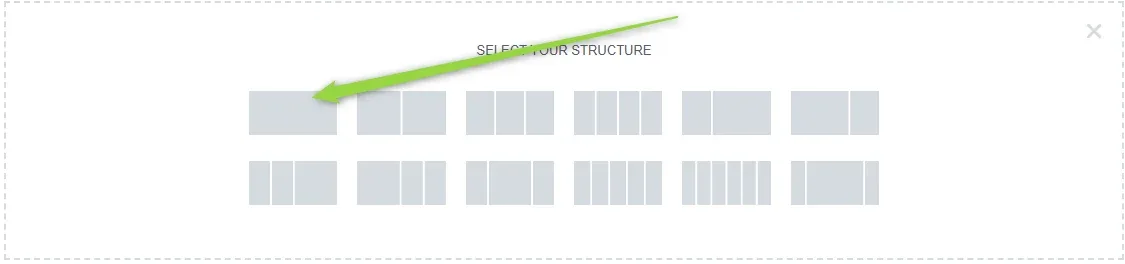
    Elementor's "Select your structure" chooser inside the empty section, with an arrow pointing to the single-column structure on the left.
  3. 3 Open the section settings

    Edit the section.

    A narrow strip showing the top edge of the new section, with an arrow pointing to the small blue Elementor section handle and its toolbar icons.
  4. 4 Set the content width and columns gap

    Next change content width and columns gap.
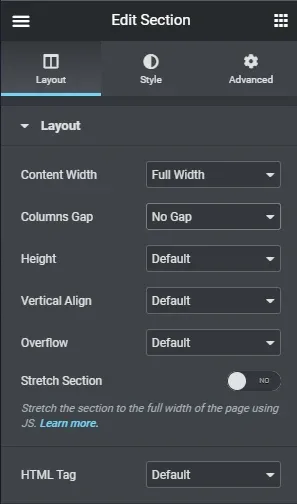
    Elementor's Edit Section panel on the Layout tab: Content Width is set to Full Width and Columns Gap to No Gap, with Height, Vertical Align and Overflow left at Default.
  5. 5 Add the Inventory Map widget

    Next search for the widget Inventory Map and drag it into our section.
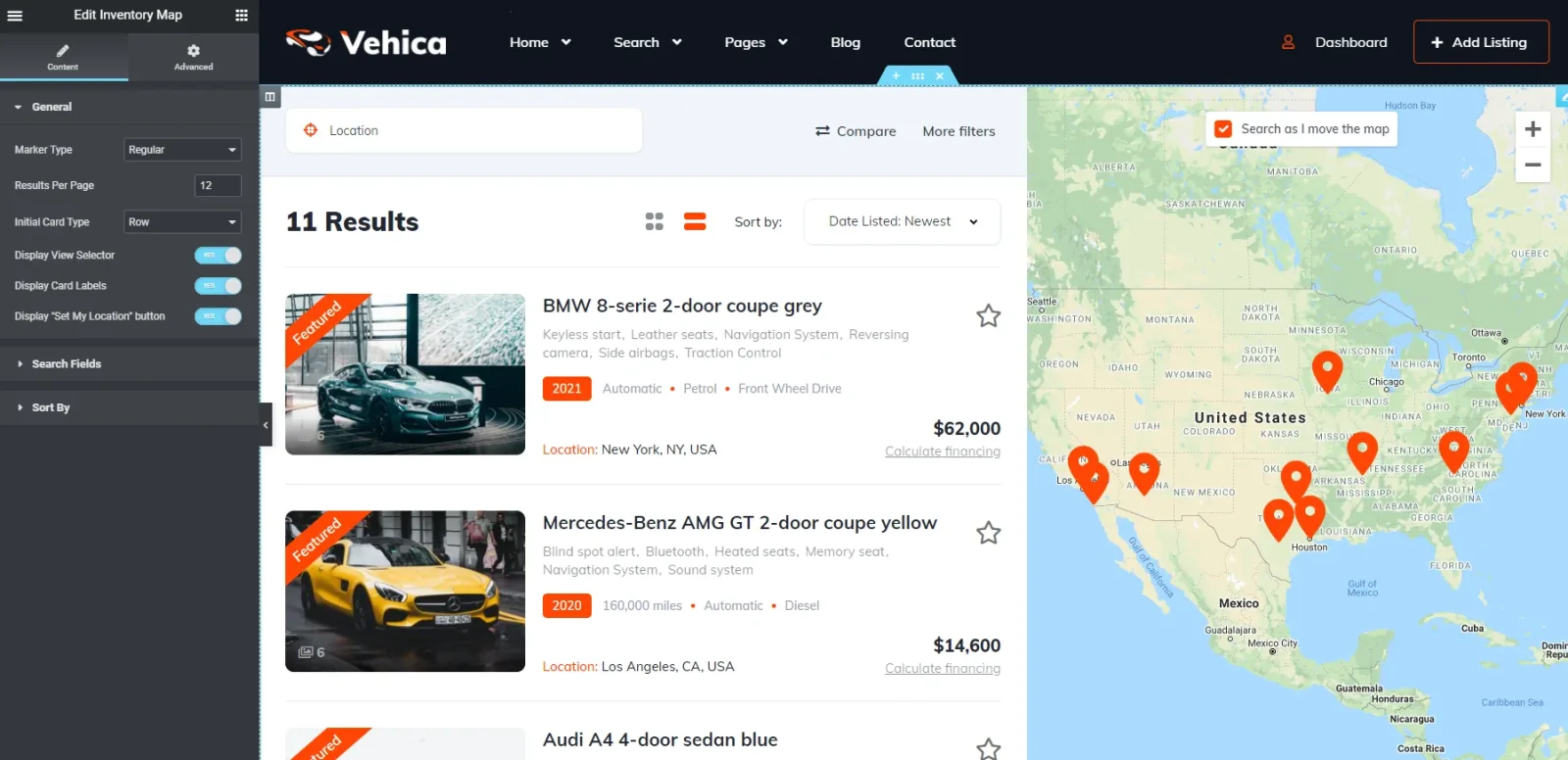
    The Elementor editor with the Edit Inventory Map settings panel on the left, and the preview showing 11 results in a list beside a Google map of the United States covered in orange price markers.
  6. 6 Enable Compare in the page settings

    Important option – you need to enable compare mode on the map search page. To do this, in right-bottom hit page settings and enable compare.
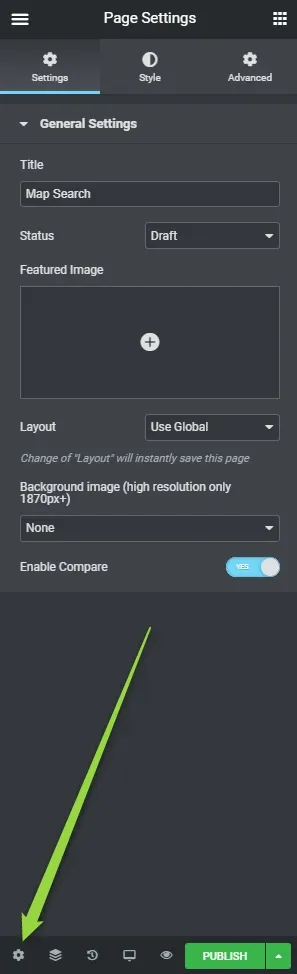
    Elementor's Page Settings panel for the page titled Map Search, with Enable Compare switched to YES, and an arrow pointing down to the gear icon in the bottom-left corner of the panel.

It's done.

The map needs a Google Maps API key
For an active map you need to have added the API for Google Maps: How to turn on Google Maps? How to obtain Google Maps API key

Ask the people who build Vehica

We answer by email from support@tangiblewp.com. With Premium Support, we also fix your site when something breaks.

Was this guide helpful?