How to duplicate Vehicle?
Copy an existing listing in one click, using the Duplicate action Vehica adds to every row of the vehicle list in wp-admin.
1 minute read
Vehica 1.0.31 or newer
This option is available since Vehica 1.0.31. If you use an older version, update the theme to the newest one via
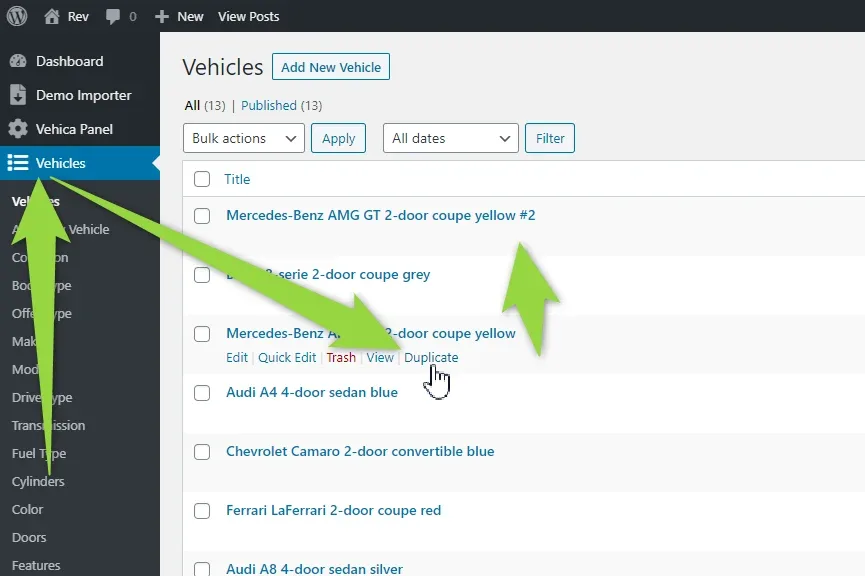
/wp-admin/ > Vehica Updater.Open Vehicles in /wp-admin/ and hover over the row of the listing you want to copy. The Duplicate link appears next to Edit, Quick Edit, Trash and View — just click it and the listing is duplicated.
Keep reading
Ask the people who build Vehica
We answer by email from support@tangiblewp.com. With Premium Support, we also fix your site when something breaks.
We can also run your site for you, or build a new one.
Was this guide helpful?