Allow to assign different templates to specific types of listings (e.g. Motorcycles, Sold or any other )
Give a single type of listing its own single-page design — a different page for motorcycles than for trucks, or a stripped-down page for cars marked as sold — instead of running one template for everything.
1 minute read
You can assign different “Listing Page Templates” to specific types of listings — for example, when a listing has the “Sold” status you can show a small variation of the listing page (add a big SOLD text, hide some information).
You can also use this option to build a completely different template for any other purpose, e.g. a Motorcycle page that looks nothing like a Truck page.
By default the system uses one “Active” template for all types of listings.
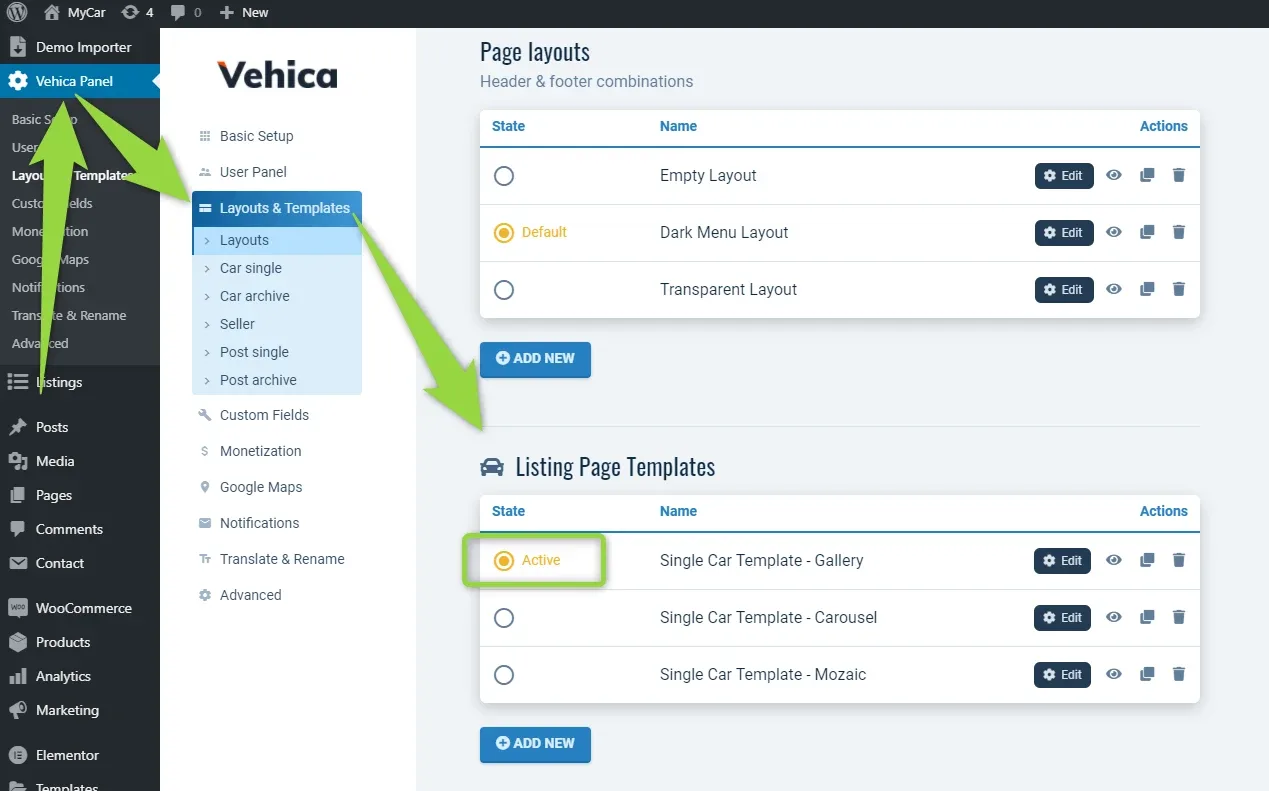
Turn on per-type templates
-
1
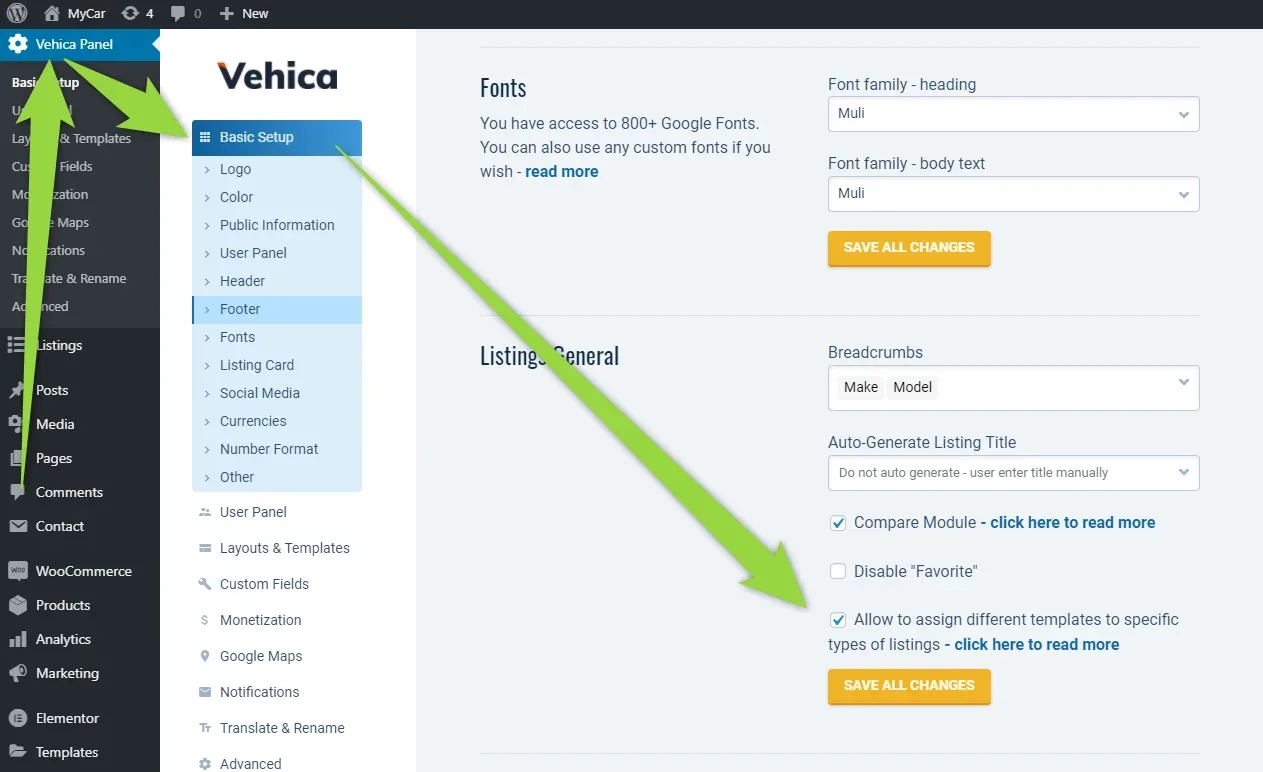
Enable the option
In the Vehica Panel → Basic Setup, tick “Allow to assign different templates to specific types of listings” and click Save All Changes.
-
2
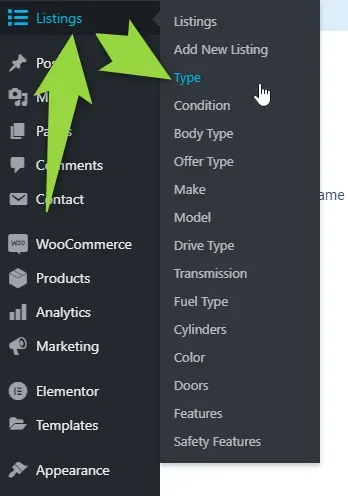
Open the taxonomy
In the WordPress admin, open Listings and pick the taxonomy that holds the term you want to treat differently — for example Type.
-
3
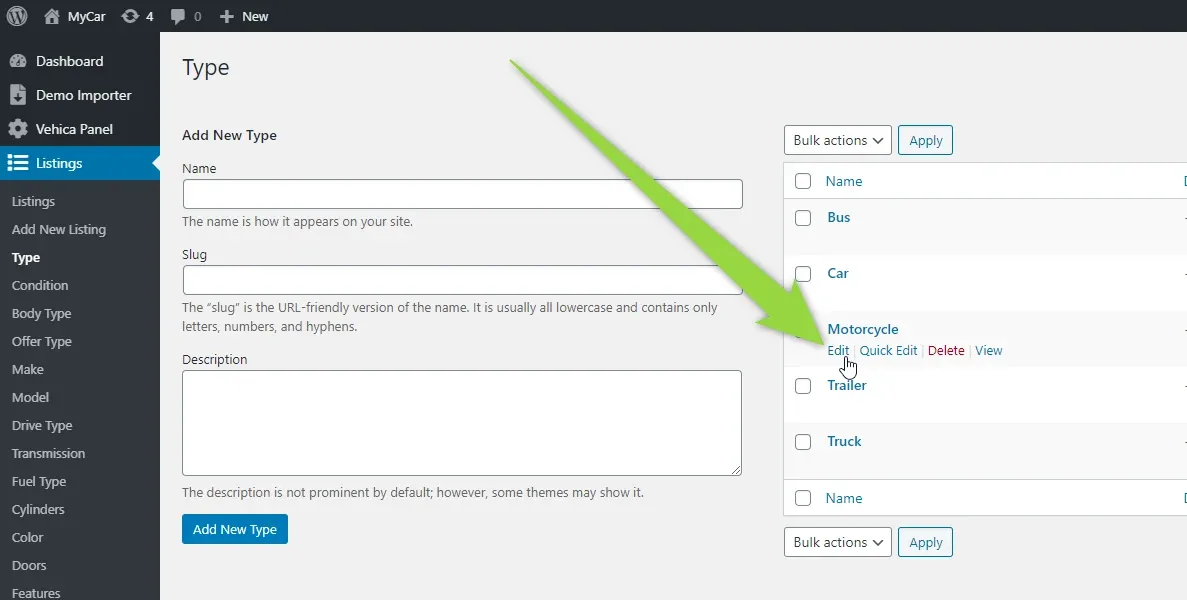
Edit the term
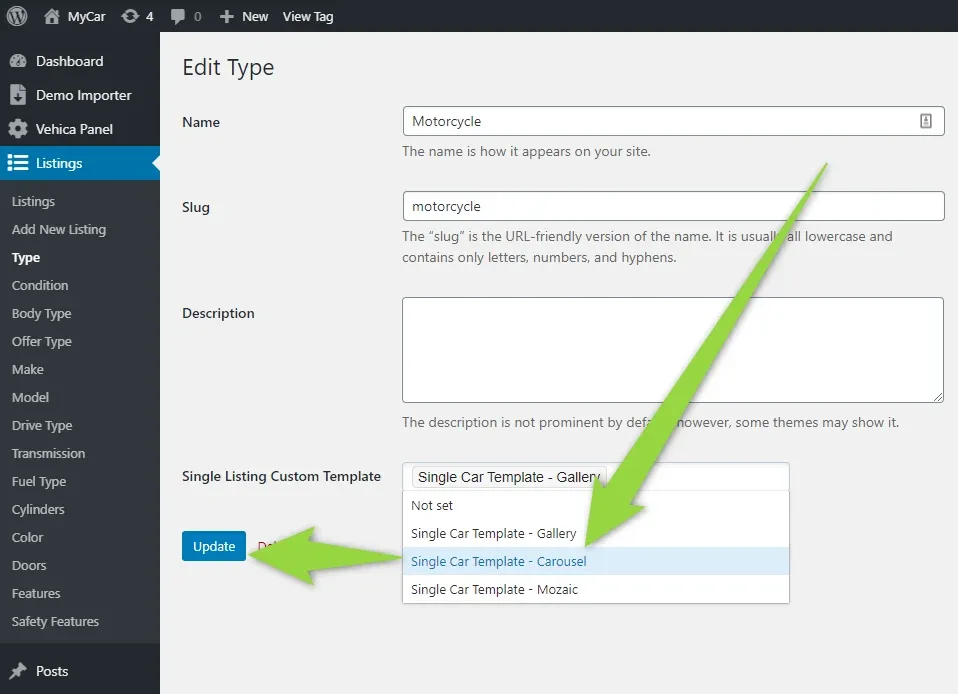
Find the term that should get its own template — e.g. Motorcycle — and click Edit.
-
4
Choose the template and save
Pick the template you want in Single Listing Custom Template and click Update.
Ask the people who build Vehica
We answer by email from support@tangiblewp.com. With Premium Support, we also fix your site when something breaks.
We can also run your site for you, or build a new one.
Was this guide helpful?