How to update Vehica Theme?
Update the Vehica theme and the Vehica Core Plugin from inside your WordPress admin panel, without downloading anything from ThemeForest by hand.
1 minute read
With each new Vehica update comes new features, options, code improvements, and fixes.
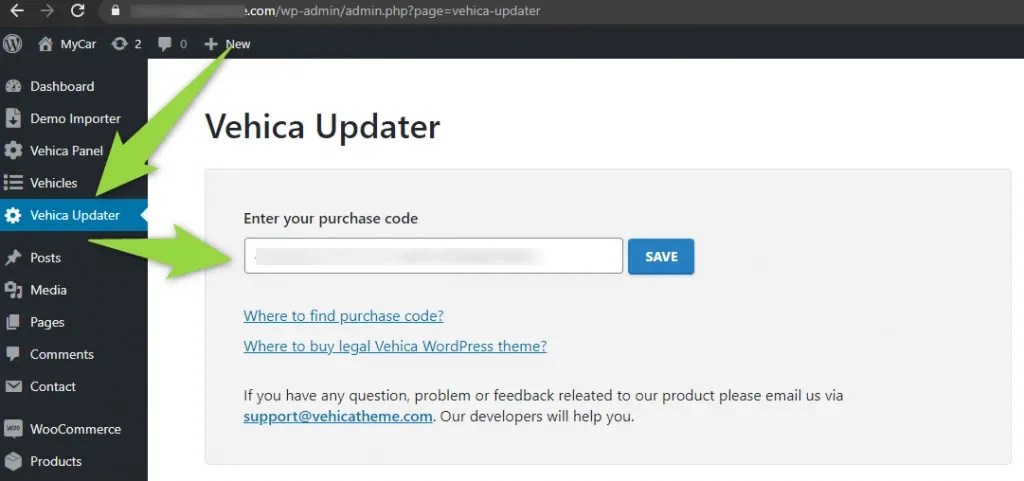
Vehica Updater is a plugin that updates both the Vehica Theme and the Vehica Core Plugin. You will find it in your admin panel.
-
1
Enter your purchase code
Open Vehica Updater in your admin panel and enter your purchase code.
-
2
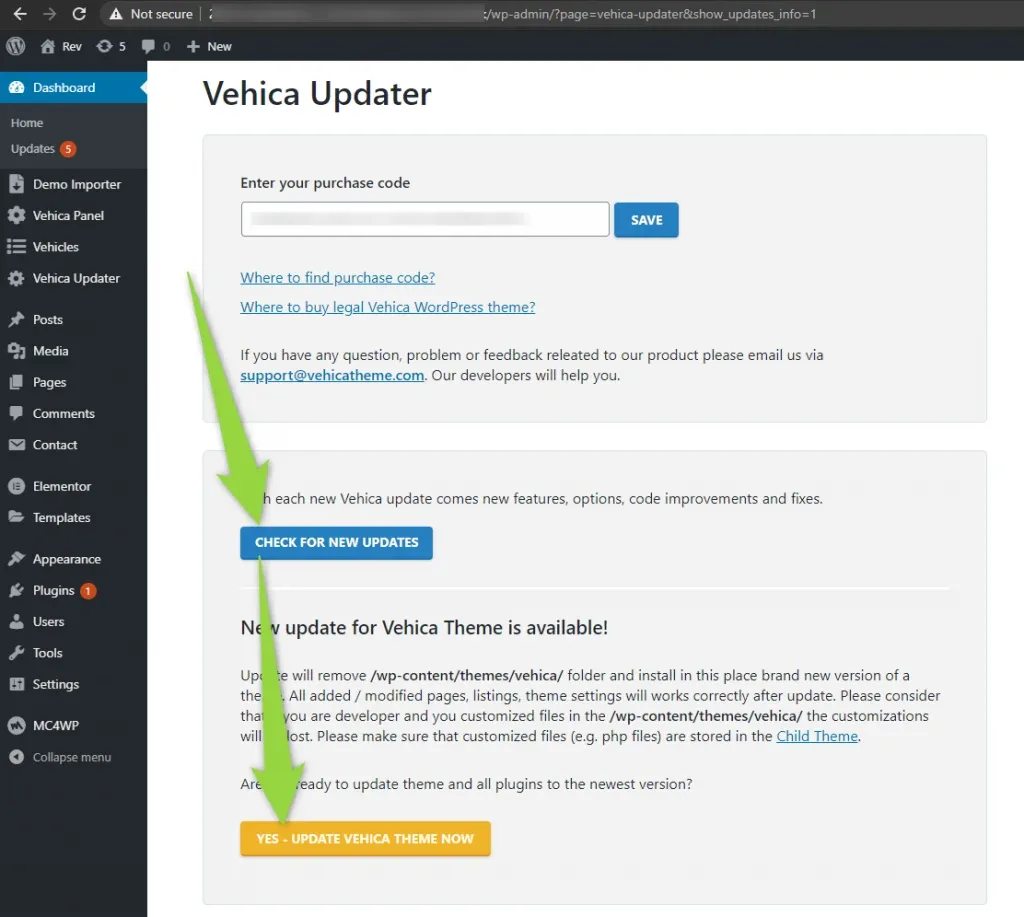
Run the update
Click Check for new updates, then Yes – Update Vehica Theme Now.
Ask the people who build Vehica
We answer by email from support@tangiblewp.com. With Premium Support, we also fix your site when something breaks.
We can also run your site for you, or build a new one.
Was this guide helpful?