How to Edit Single Listing Page?
Open the template behind every vehicle page in Elementor, preview it against a real car from your inventory, and find out why some sections show up greyed out.
1 minute read
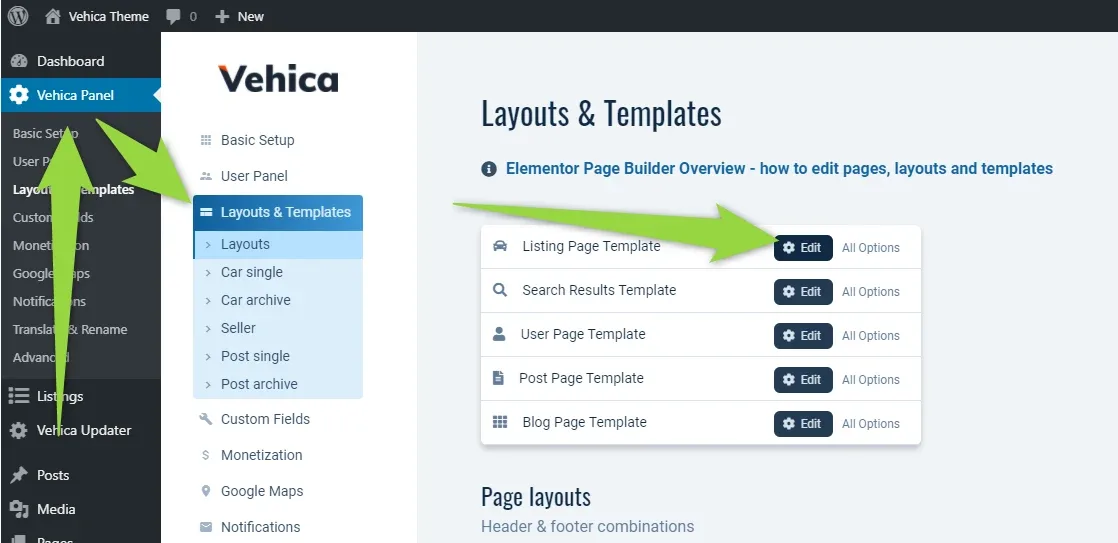
You can edit the single listing template this way:
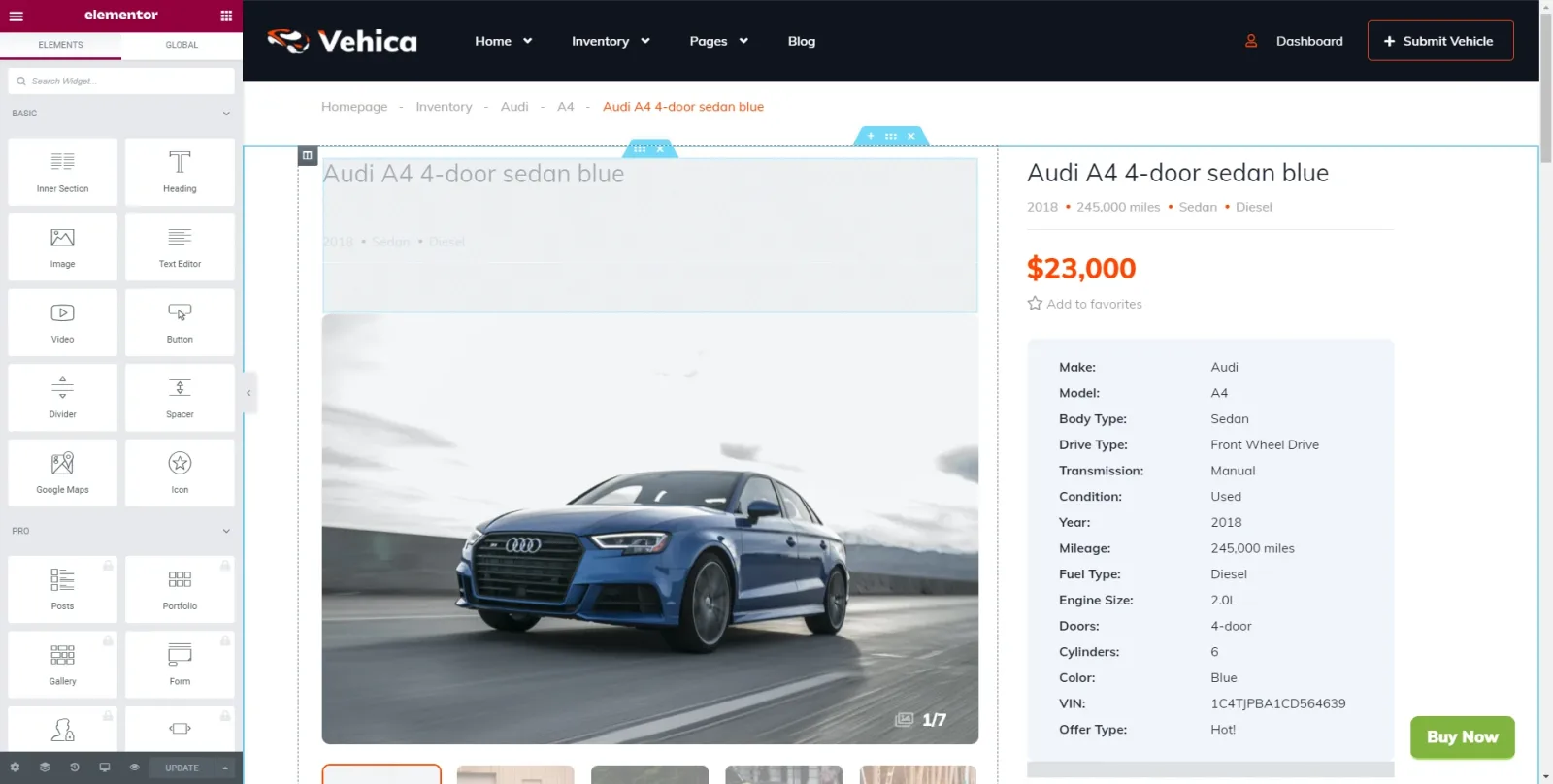
You will see the editor of a template like this:
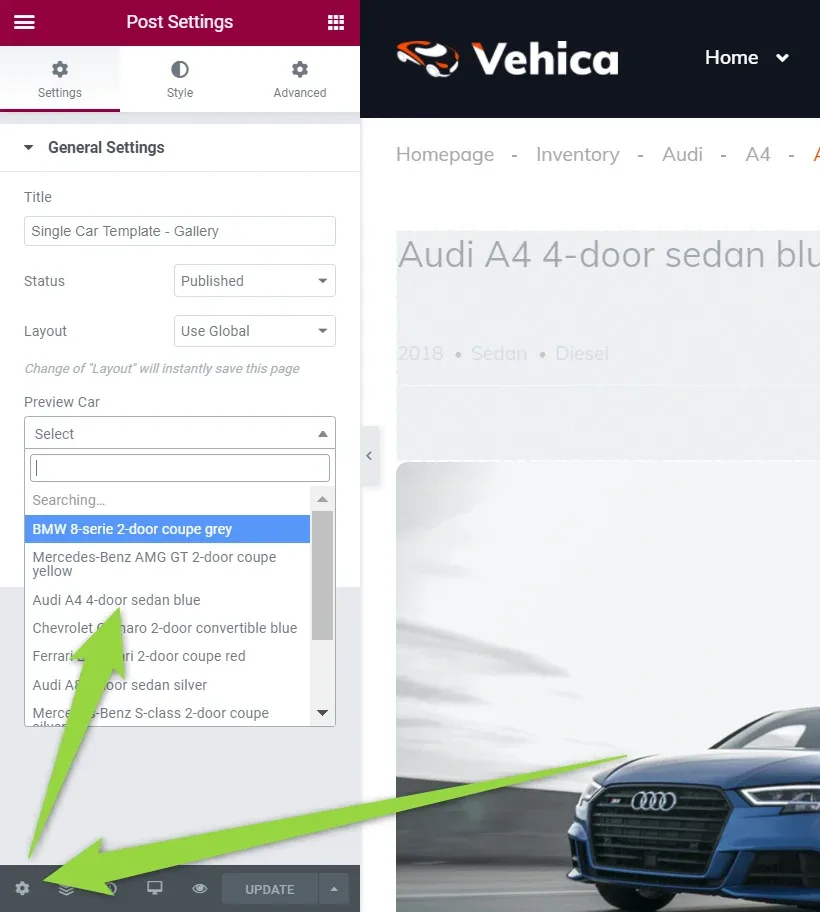
Choose the car used in the preview
You can choose which car the template is previewed with here:
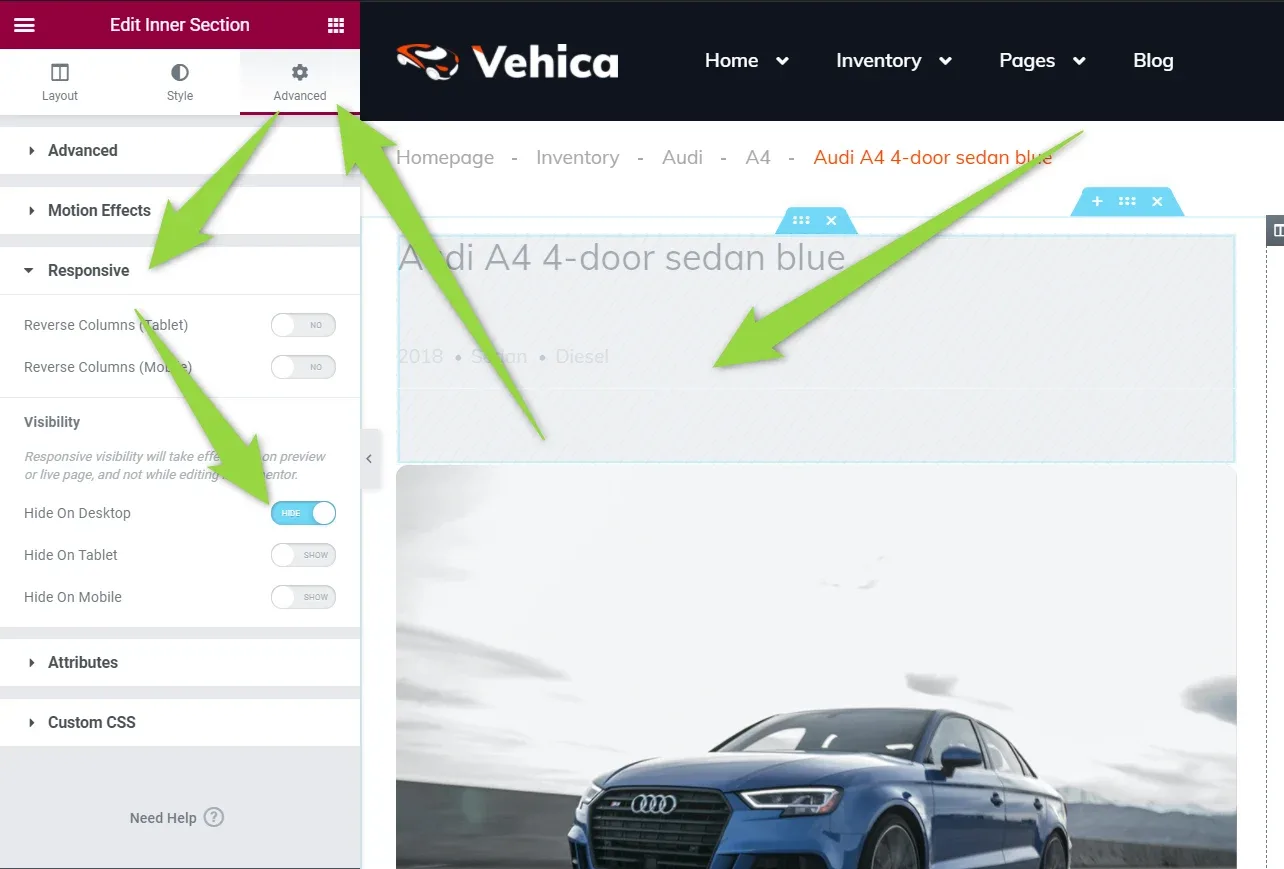
Why some sections look grey
Grey sections of the design are the ones dedicated to tablet or mobile — they are hidden on desktop, which is what the Visibility switches under Advanced → Responsive control.
Ask the people who build Vehica
We answer by email from support@tangiblewp.com. With Premium Support, we also fix your site when something breaks.
We can also run your site for you, or build a new one.
Was this guide helpful?