Verify the user phone number
Require your users to confirm their phone number with an SMS token before they use their account. This covers the Twilio settings that switch verification on, what each kind of user is asked for, and where to check the result.
1 minute read
This article will walk you through verifying the phone numbers of your users.
The initial action to take is to input Twilio credentials. This article provides all the details necessary for the configuration.
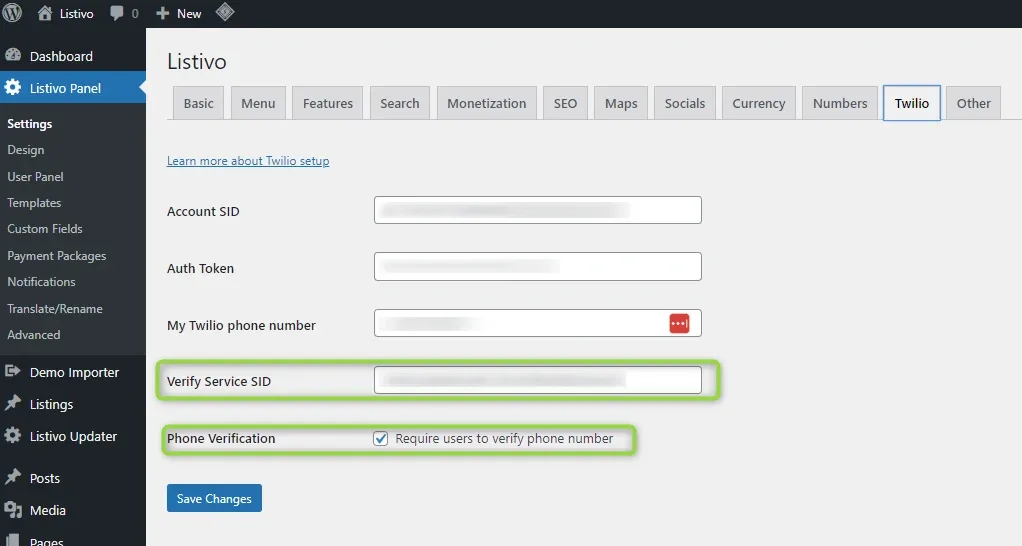
If you want to use that function, add the Verify Service SID number to your Twilio credentials and tick the checkbox next to the Phone Verification field.
How it works
New users
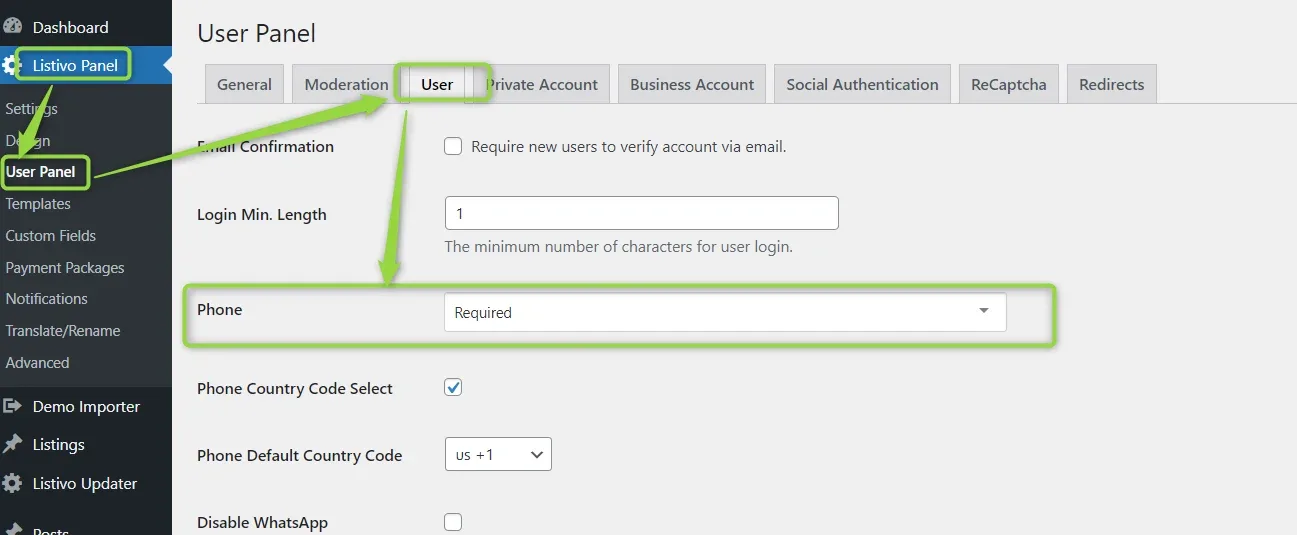
New users will receive a token to enter before using their account. Remember to set the phone number as required.
Existing users with a phone number
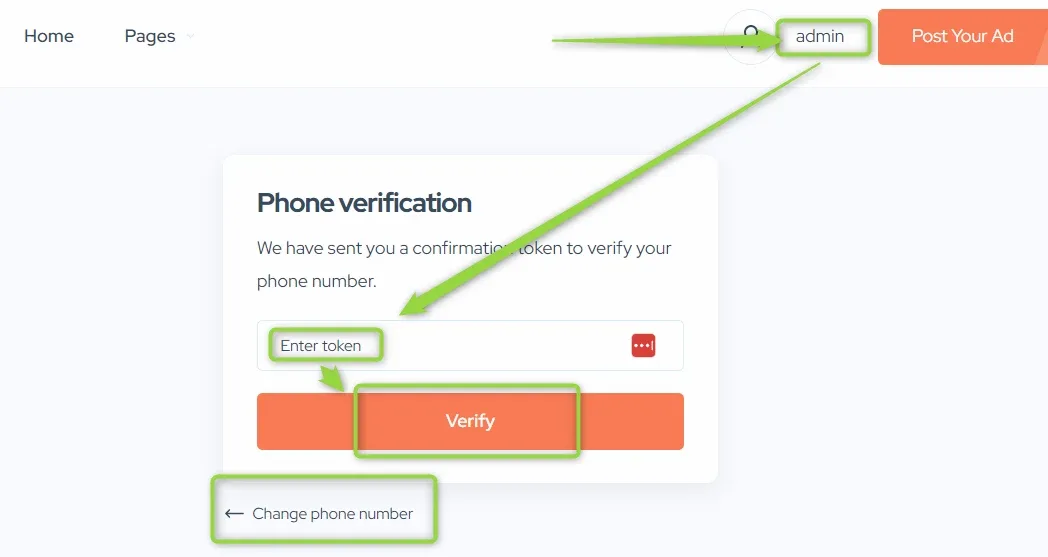
For existing users with phone numbers, the system will ask them for phone verification after they enter their panel. If they want to change their number, they can do it at that step.
Existing users without a phone number
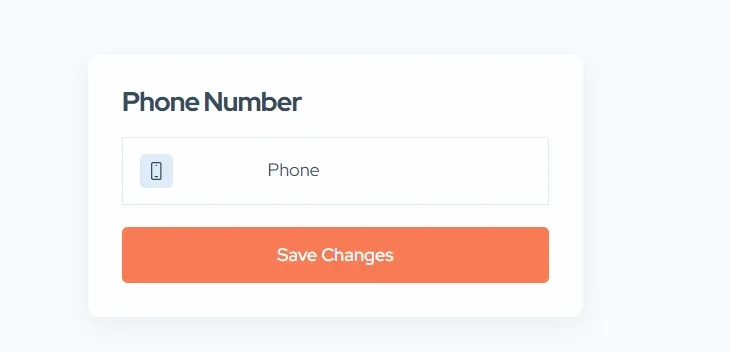
For existing users without phone numbers, the system will ask them to enter their phone number after they enter their panel. The next step will be phone verification.
Checking whether a number is verified
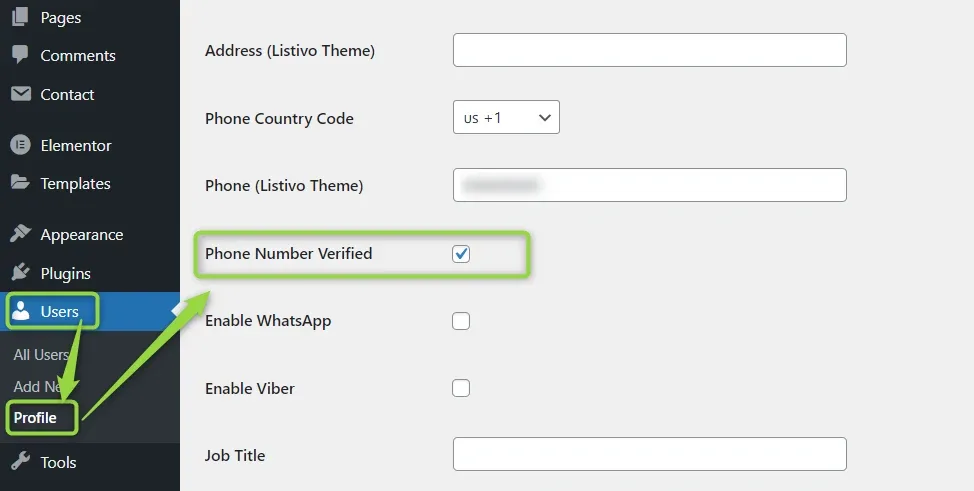
You can check whether a phone number is verified under Users, by opening the user profile.
Ask the people who build Listivo
We answer by email from support@tangiblewp.com. With Premium Support, we also fix your site when something breaks.
We can also run your site for you, or build a new one.
Was this guide helpful?