Arabic Name Registration Limitations in WordPress
Arabic usernames are accepted by Listivo but still rejected by WordPress once they get long, because each Arabic letter costs more than one character against a 50-character database column. This article explains where the limit lives and why neither the theme nor a safe workaround can lift it.
1 minute read
WordPress does not allow the registration of Arabic names because of language encoding standards. We have enabled it in the Listivo theme, but one issue remains that cannot be solved without editing the WordPress core engine and database — which is strongly discouraged. An Arabic name cannot be long (usually a maximum of 9 signs), and that limit cannot be changed. The screenshot below shows the WordPress users table, where the name column is capped at 50 characters.
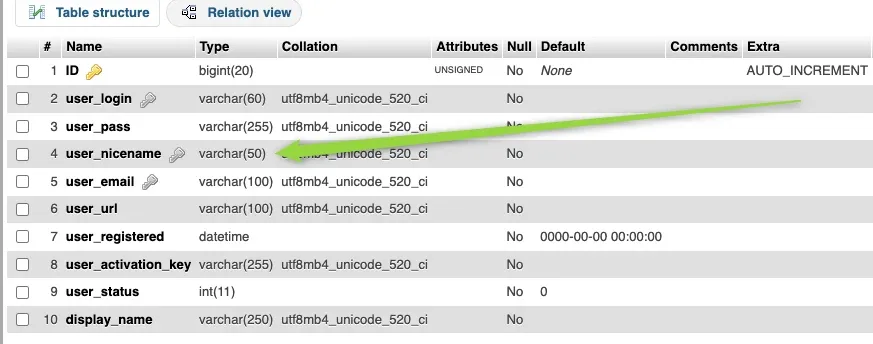
user_nicename column; user_login next to it is varchar(60).
Arabic names are encoded in a different format, with each symbol taking up more than one character. WordPress therefore requires Arabic names to be shorter — typically a maximum of 9 symbols.
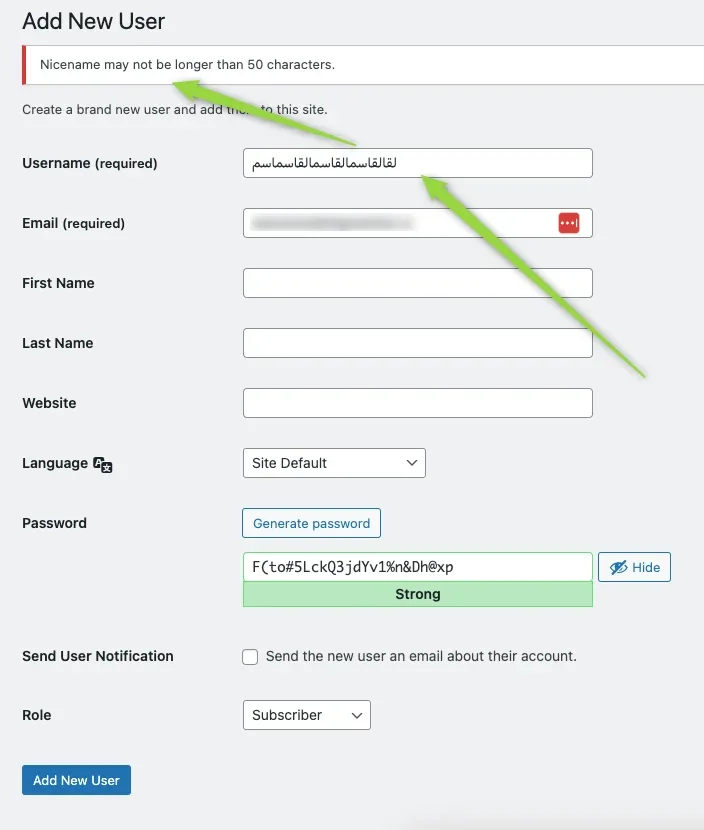
The same error appears in wp-admin
You may hit this on the backend as well, where a fairly short name still triggers an error about exceeding 50 characters.
Why the theme cannot override it
Looking at the WordPress function makes it clear that our theme cannot overwrite this default behaviour:
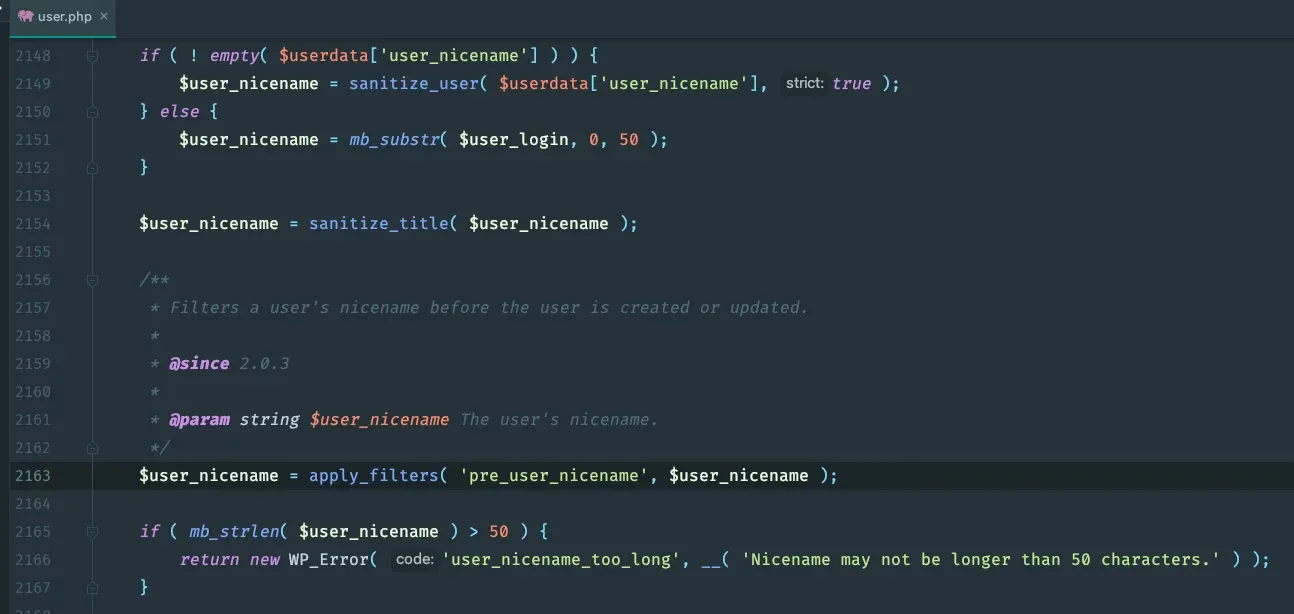
Ultimately you could change this, but only directly in the WordPress core file:

Your only options
To summarize, the only ways to enable long Arabic names in WordPress are to:
- Overwrite the WordPress
user.phpfile - Modify the database structure
As it stands, using long Arabic names with WordPress is technically not possible.
Ask the people who build Listivo
We answer by email from support@tangiblewp.com. With Premium Support, we also fix your site when something breaks.
We can also run your site for you, or build a new one.
Was this guide helpful?