Parent Field – how to build relation Make > Model e.g. BMW > M4
Linking two taxonomy fields as parent and child means picking a make leaves only that make's models in the next dropdown — both on the submit listing form and on your search forms. This guide builds that relation step by step.
1 minute read
This option is available only for the “Taxonomy” type of field. We will show how to do it for Make and Model (e.g. BMW > M4).
-
1
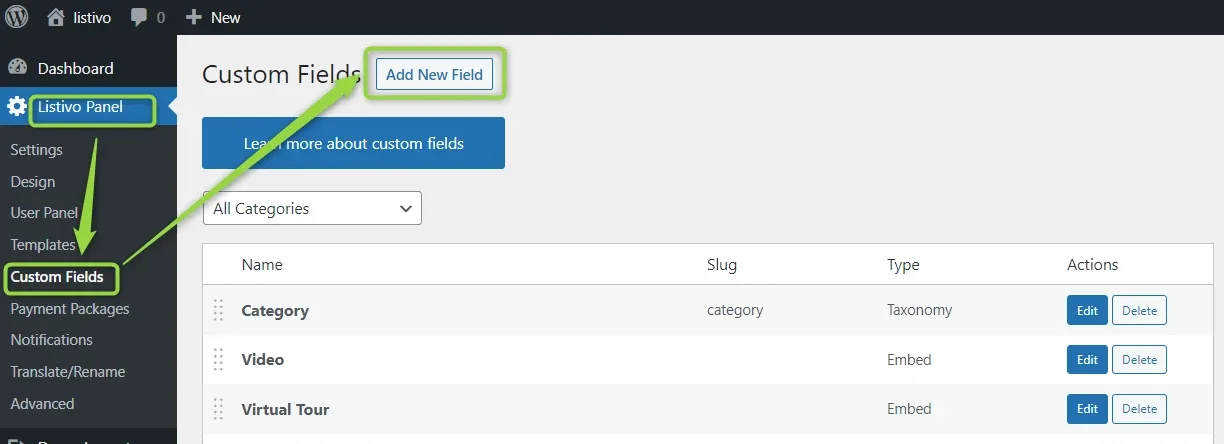
Open Custom Fields
In WordPress, go to Listivo Panel -> Custom Fields.
-
2
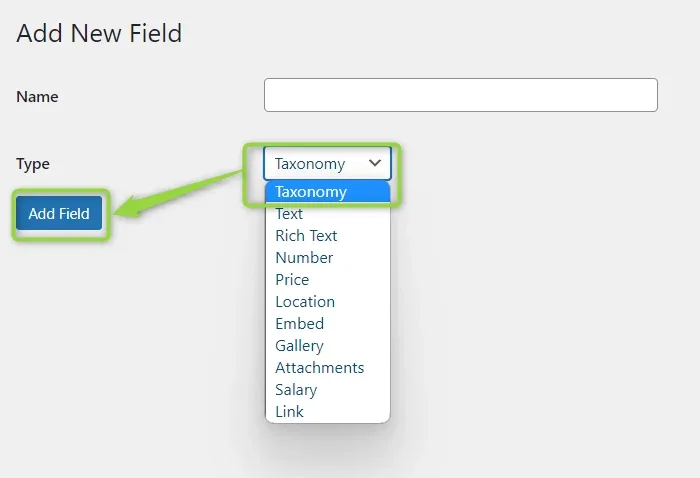
Add the fields as Taxonomy
Name the field, pick Taxonomy in the Type list and click Add Field. Do this for both the parent field and the child field.
-
3
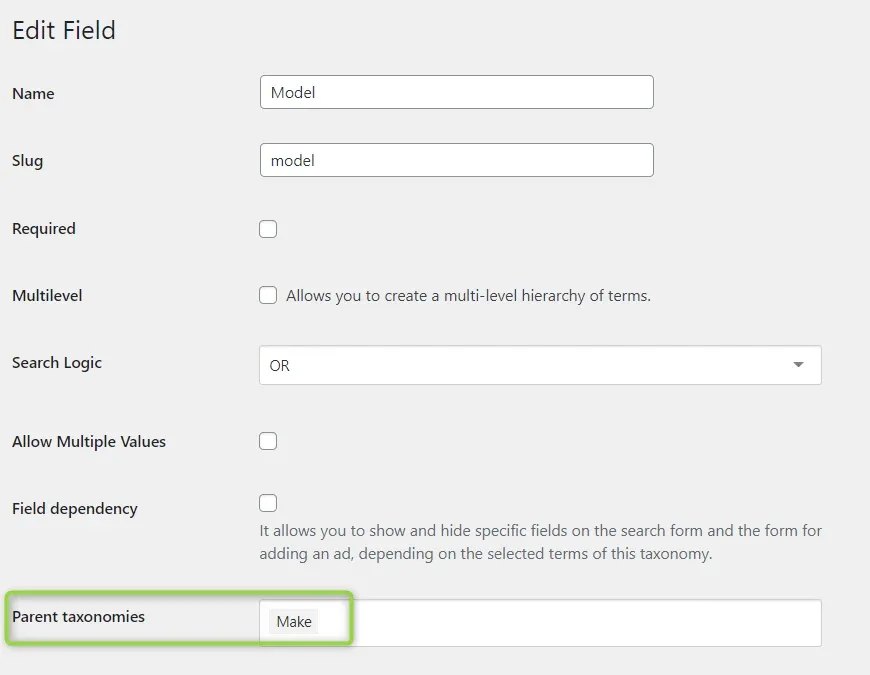
Edit the child field
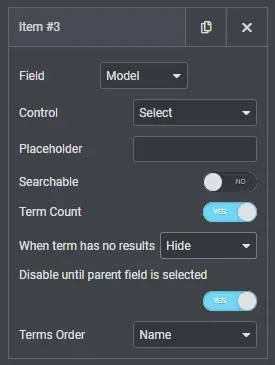
Please edit the field that will be the child — in this example Model (taxonomy) — and point its Parent taxonomies setting at the parent field.
-
4
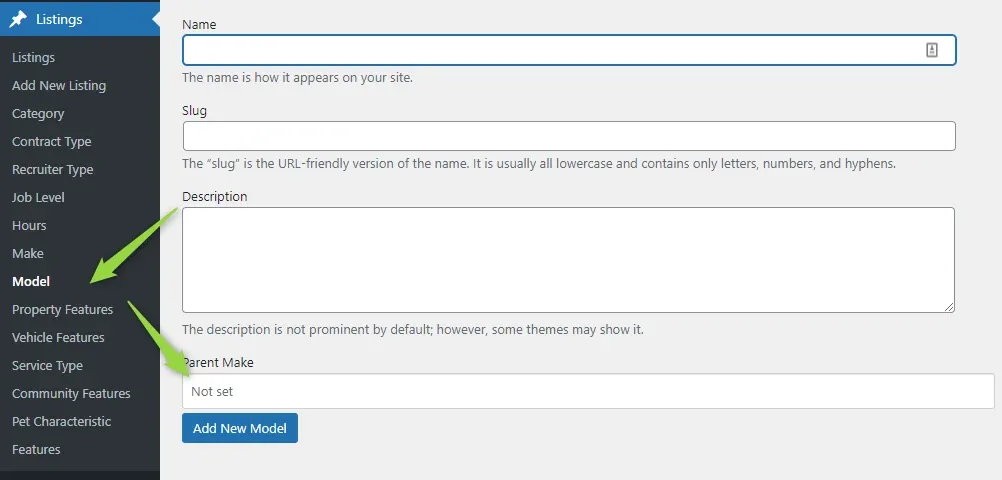
Assign models to makes
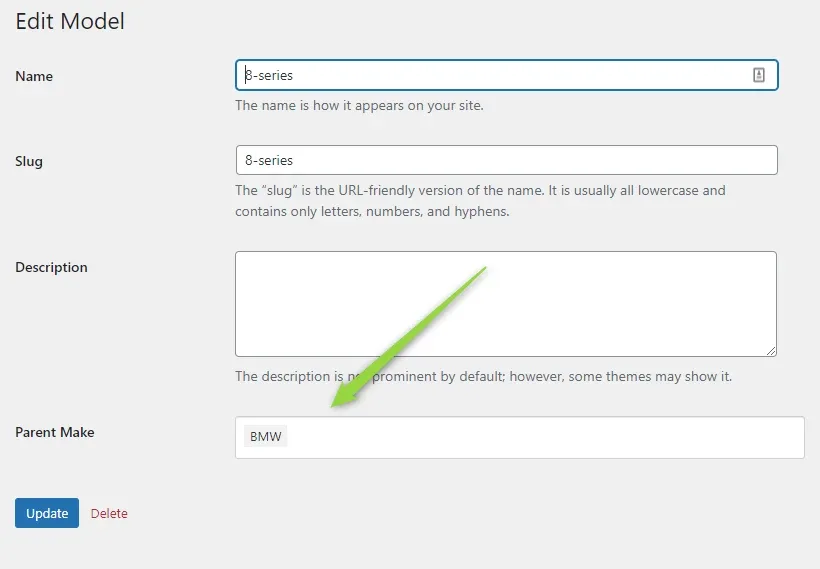
Now you can assign Models to Makes while adding a new term.
-
5
Or set the parent later
You can also do it when you edit an existing option.
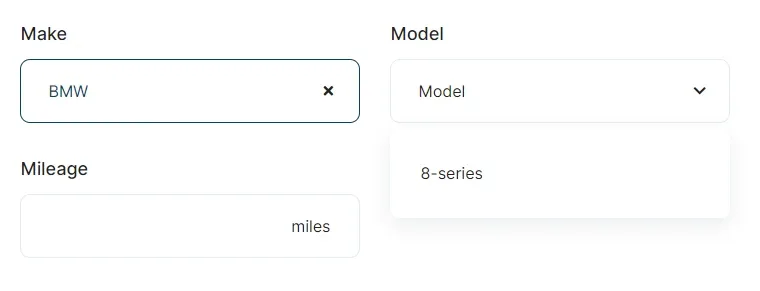
How the relation works on the front end
This way you connect Makes and Models, and it works like this on your front-end panel Submit Listing page.
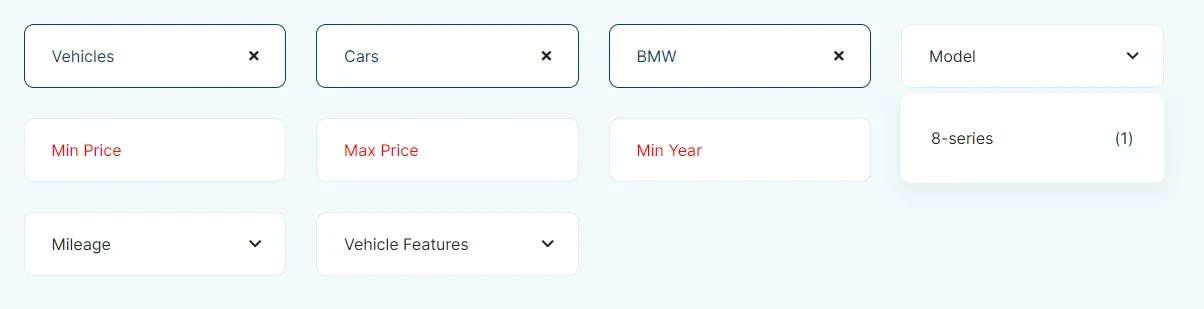
And on the search forms:
Ask the people who build Listivo
We answer by email from support@tangiblewp.com. With Premium Support, we also fix your site when something breaks.
We can also run your site for you, or build a new one.
Was this guide helpful?