Custom fields - setting search logic
Choose whether a Listivo taxonomy field makes a listing match every filter a visitor ticks, or any one of them — and see what each setting does to the search results.
1 minute read
Create the field and set its search logic
-
1
Add a new custom field
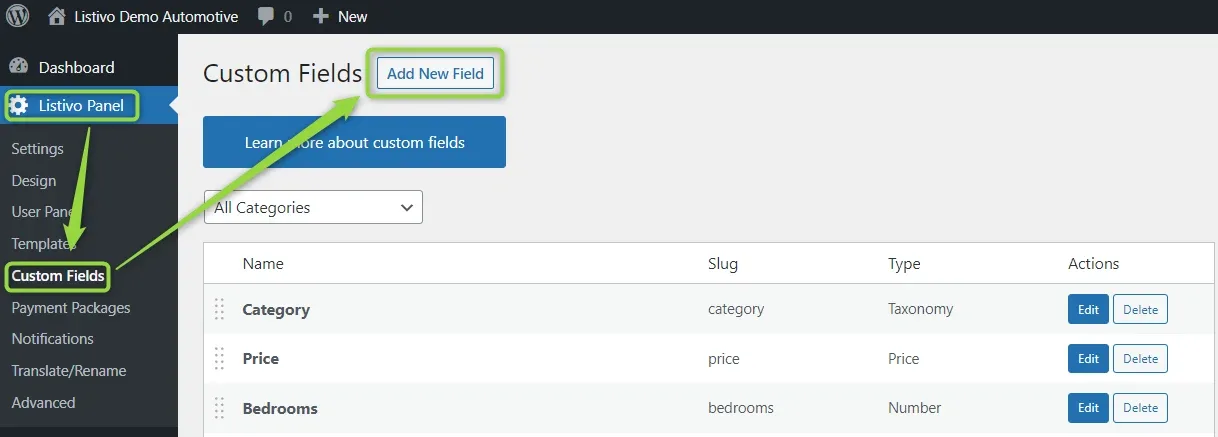
In the WordPress admin, go to Listivo Panel → Custom Fields and click Add New Field.
-
2
Name the field and set the type
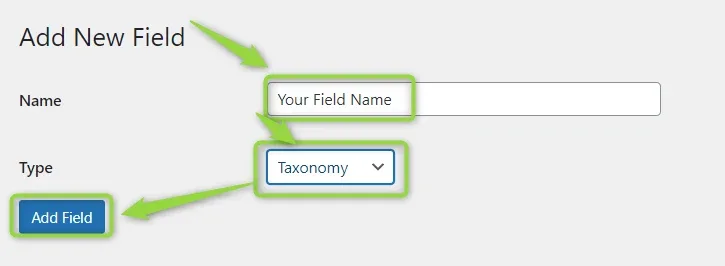
Write down your field name and set Type to Taxonomy, then click Add Field.
-
3
Open the field for editing
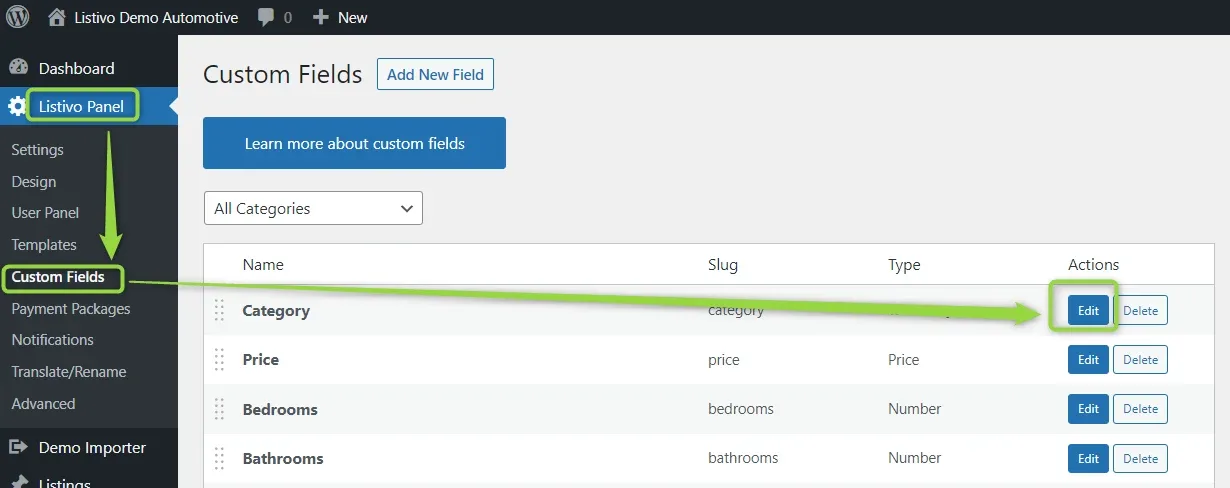
Find your new field in the custom fields list and click Edit next to it.
-
4
Set the search logic
In the field settings, set Search Logic to
ANDorOR.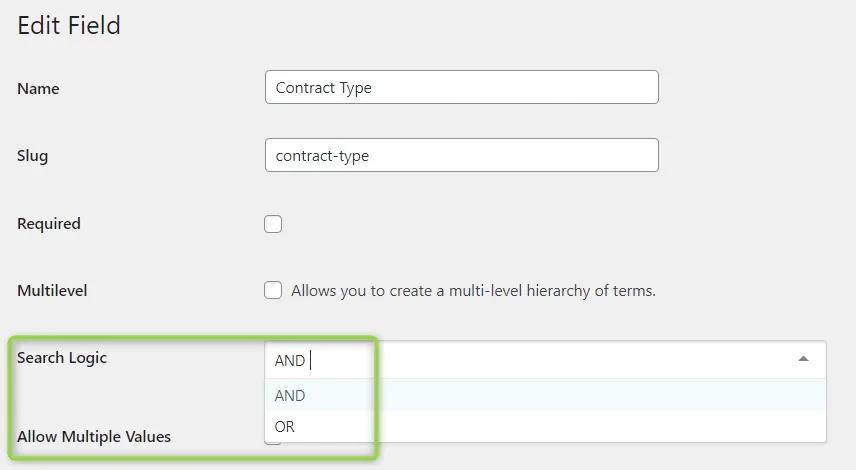
How AND behaves
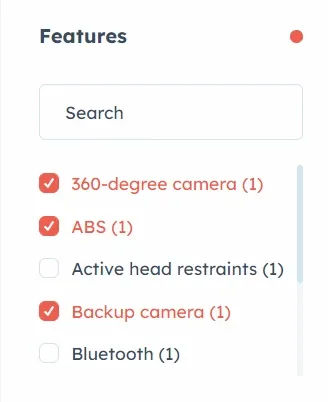
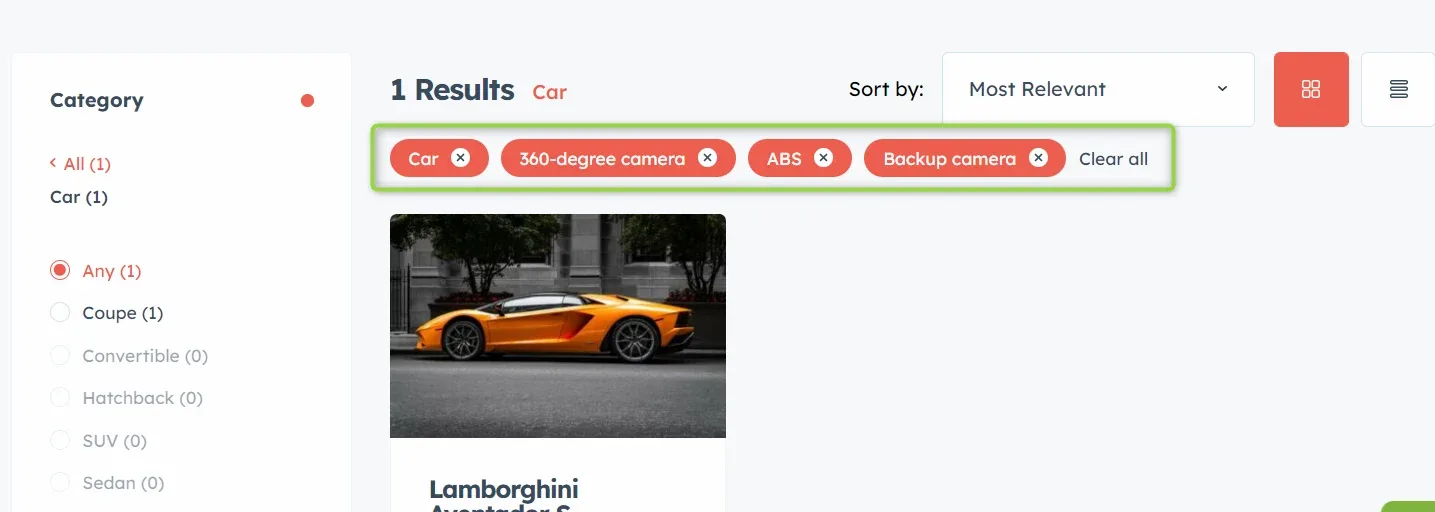
With AND, a listing has to meet all the selected criteria at the same time. In the example below the custom field Features has its search logic set to AND, and with three features ticked only one car meets all the requirements.
How OR behaves
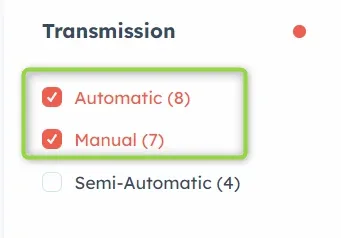
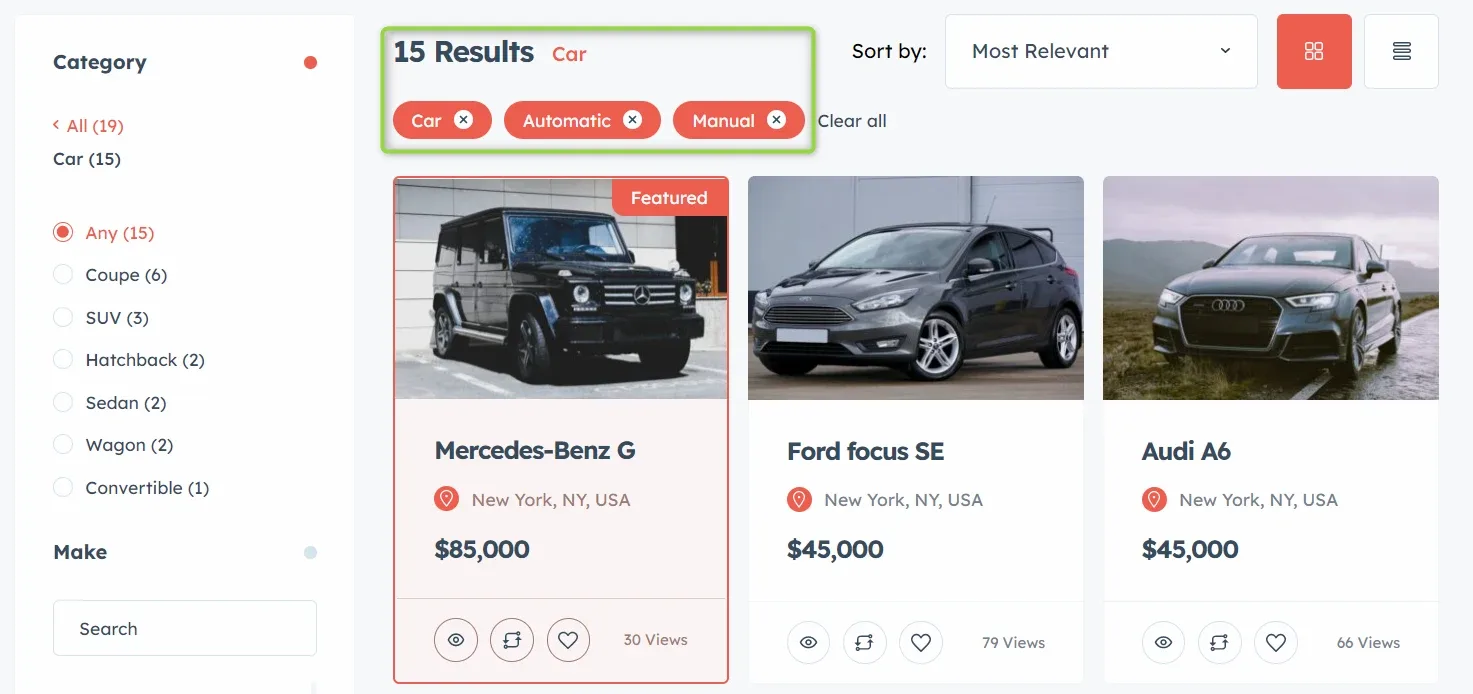
With OR, a listing only has to meet one of the selected criteria, so a visitor can pick more than one value and widen the results. In the example below the custom field Transmission has its search logic set to OR: you will see cars with automatic (8 cars) and manual (7) transmissions.
Ask the people who build Listivo
We answer by email from support@tangiblewp.com. With Premium Support, we also fix your site when something breaks.
We can also run your site for you, or build a new one.
Was this guide helpful?