Skip to content

Custom fields - allow multiple values

Let one listing hold several values in the same field — a car with five features ticked at once — and see why a field such as Car Make is better left single-value.

1 minute read

Taxonomy fields only
Only a custom field whose type is Taxonomy offers the multiple values option.

Create the field and allow multiple values

  1. 1 Add a new custom field

    In the WordPress admin, go to Listivo Panel → Custom Fields and click Add New Field.
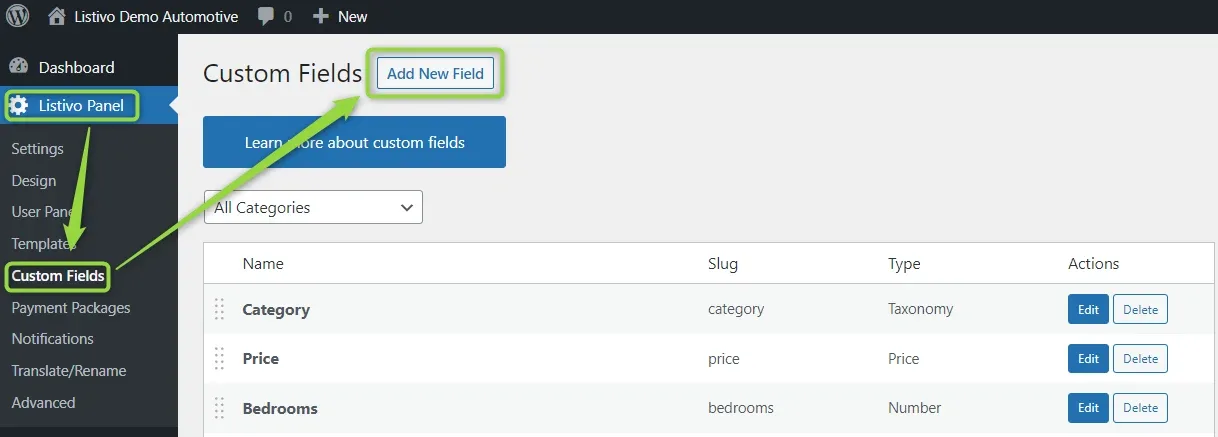
    WordPress admin with the Listivo Panel menu open on Custom Fields; arrows point to Custom Fields in the sidebar and to the Add New Field button above the list of fields.
  2. 2 Name the field and set the type

    Write down your field name and set Type to Taxonomy, then click Add Field.
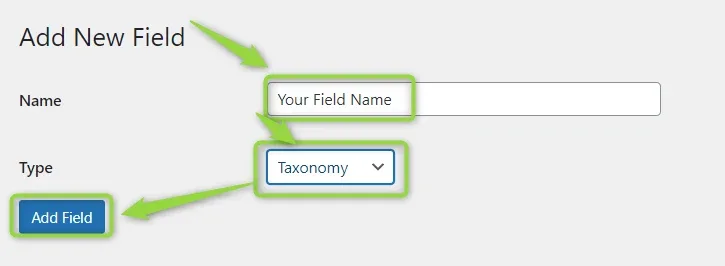
    The Add New Field form: a Name box containing "Your Field Name", a Type dropdown set to Taxonomy, and the Add Field button, all highlighted.
  3. 3 Open the field for editing

    Find your new field in the custom fields list and click Edit next to it.
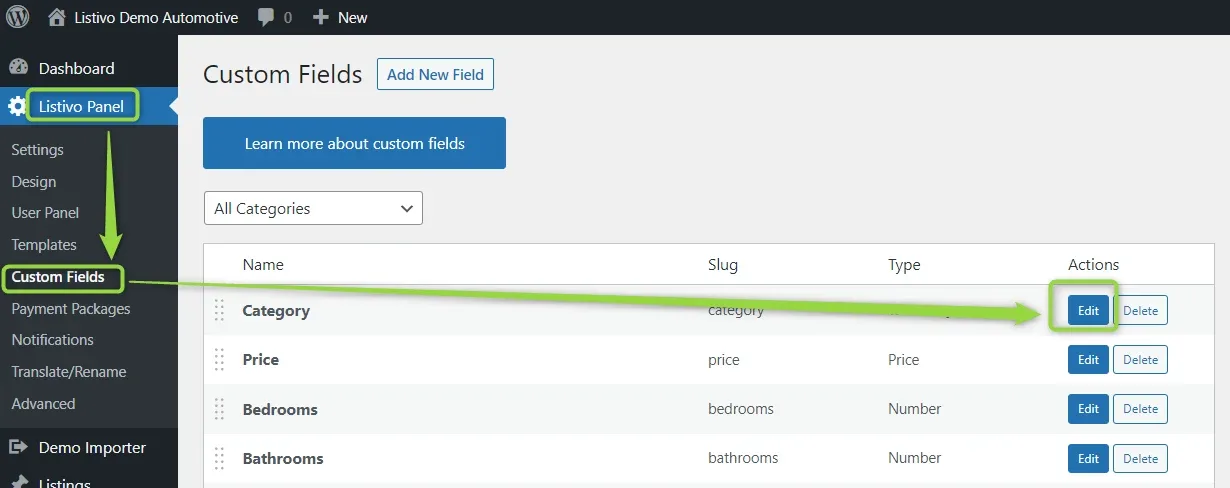
    The Custom Fields list with Category, Price, Bedrooms and Bathrooms rows; an arrow points to the Edit button on the Category row.
  4. 4 Tick "Allow Multiple Values"

    With this marked, a listing can hold more than one value in the field. It is always set for the multilevel option.
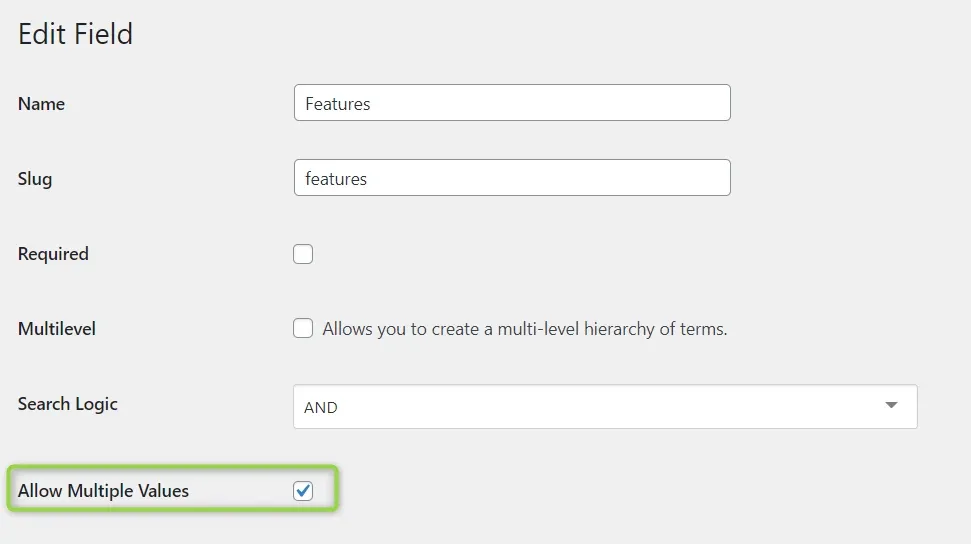
    The Edit Field screen for the Features field: Required and Multilevel unticked, Search Logic set to AND, and the ticked Allow Multiple Values checkbox highlighted.

How it looks on the add-listing form

For example, when you add a new listing, you can add more than one feature.

The Features section of the add-listing form, a grid of checkboxes with 360-degree camera, Blind-spot warning, Bluetooth, Active head restraints and Brake assist ticked, arrows pointing to each of them.

When one value is the better choice

For fields like Car Make, multiple values are unsuitable, because two makes on one listing can be confusing for customers.
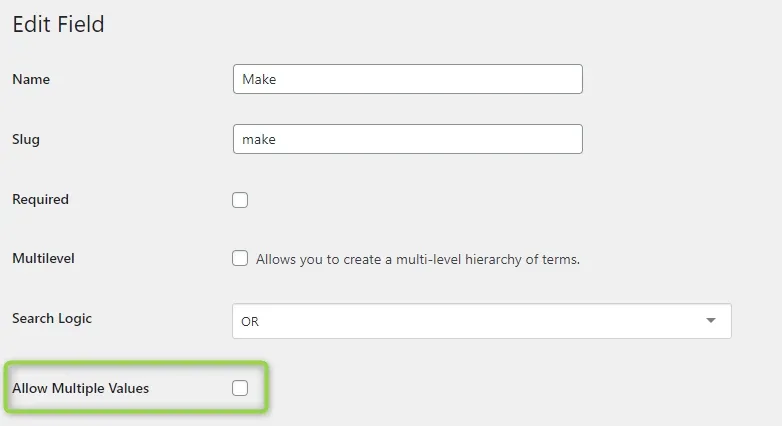
The Edit Field screen for the Make field: Required and Multilevel unticked, Search Logic set to OR, and the highlighted Allow Multiple Values checkbox left unticked.

You can choose only one make for your listing.
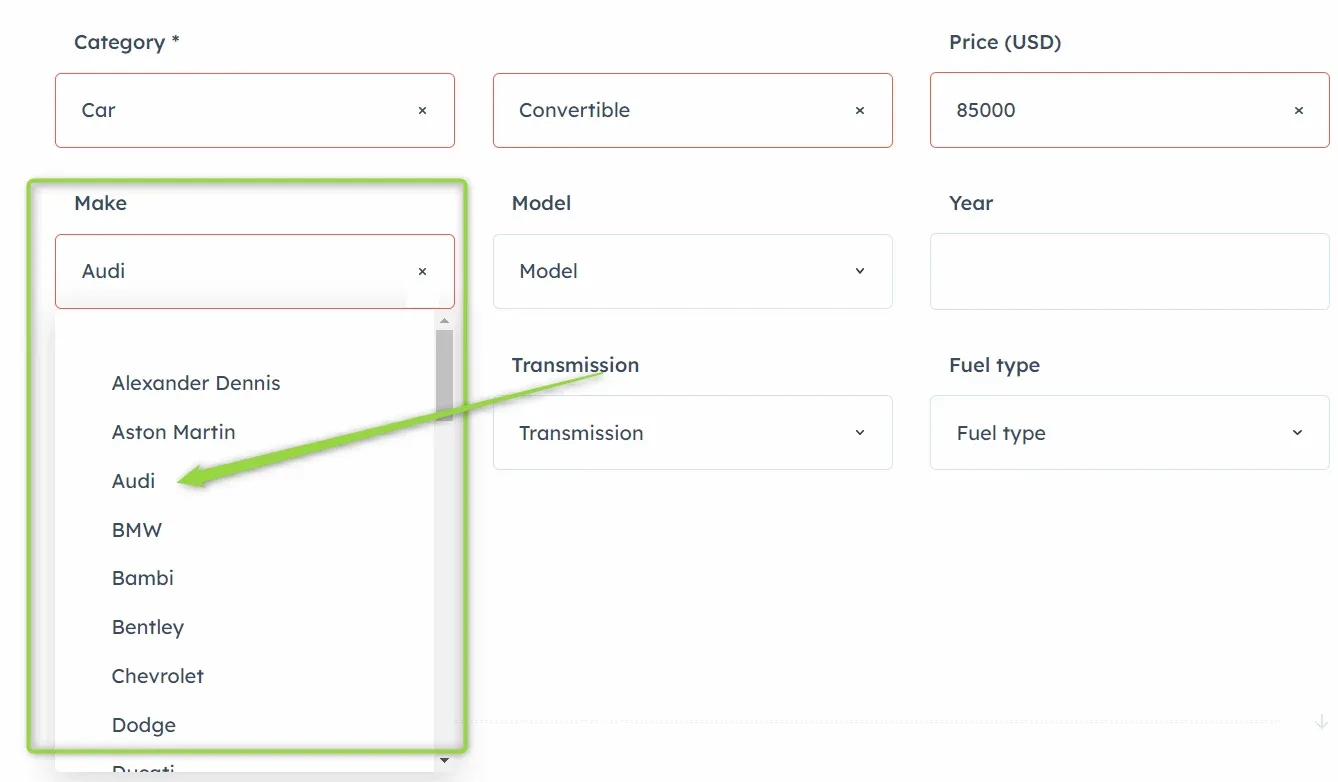
The add-listing form with Category set to Car and Convertible and Price 85000; the Make dropdown is open on a list of manufacturers with Audi picked, while Model, Year, Transmission and Fuel type are still empty.

Ask the people who build Listivo

We answer by email from support@tangiblewp.com. With Premium Support, we also fix your site when something breaks.

Was this guide helpful?